NegPy marcinz606
Use this command to install NegPy:
winget install --id=marcinz606.NegPy -e Tool for processing film negatives.
winget install --id=marcinz606.NegPy -e Tool for processing film negatives.









NegPy is a tool for processing film negatives. I built it because I wanted something made specifically for film scans that goes beyond a simple inversion tool. It simulates how film and photographic paper work but also throws in some lab-scanner conveniences.
It is built with Python, running natively on Linux, macOS, and Windows.
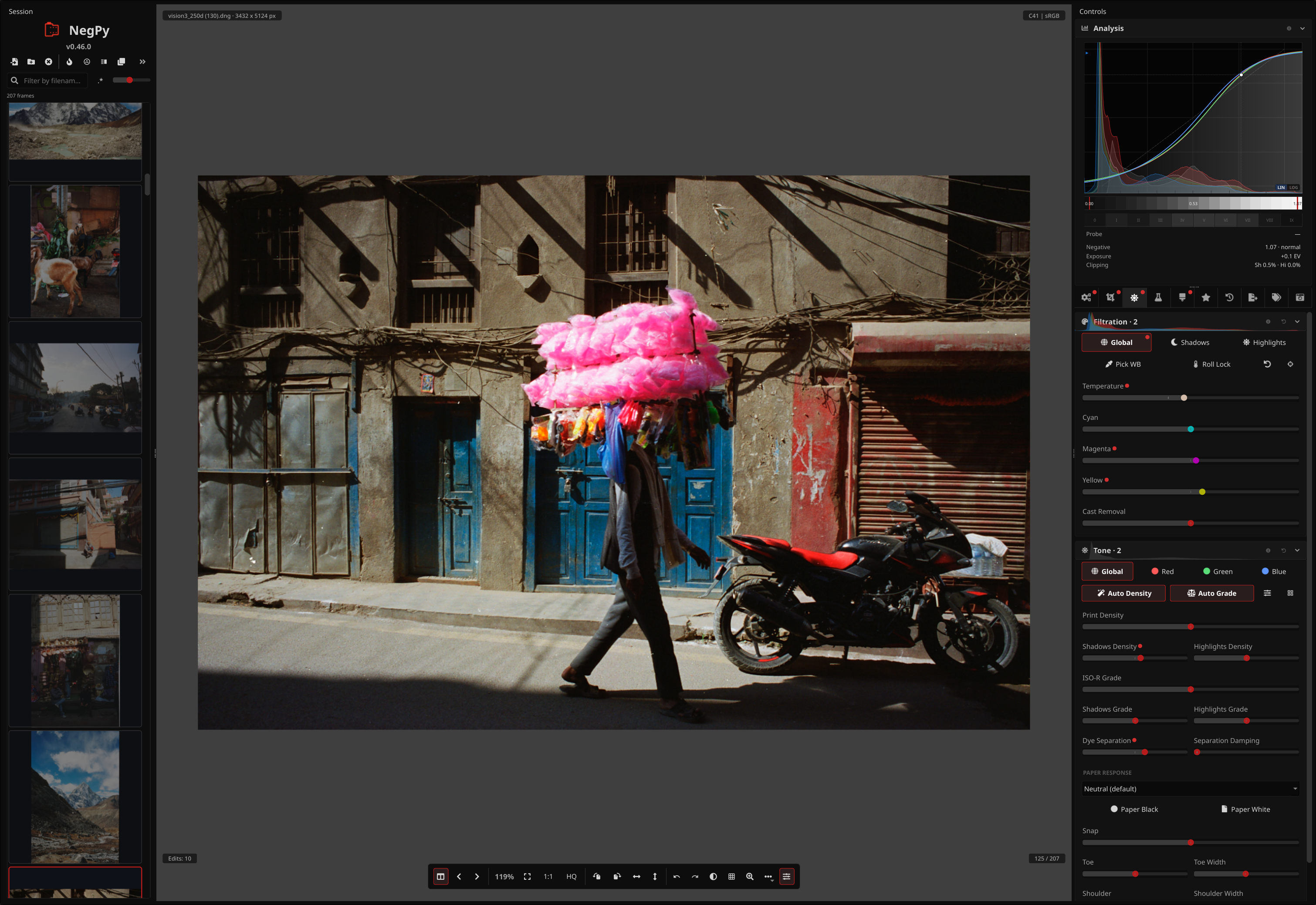
Click here to read the USER_GUIDE.md — A complete walkthrough of the NegPy workflow, features, and controls.
Conversion & Film Science
Capture & Input
Editing
Colour & Output
Workflow & Data
Read about the math and the pipeline here
Grab the latest release for your OS from the Releases Page.
I provide an .AppImage. Make it executable using chmod +x and It should just work.
Scanner support requires SANE to be installed on your system:
sudo apt install libsane        # Debian/Ubuntu
sudo pacman -S sane             # Arch
Or your distro's equivalent. The app launches fine without so you can ignore that if you don't plan to use a scanner.
Camera scanning support (optional) uses python-gphoto2 for tethered capture, and may need the system libgphoto2 installed:
sudo pacman -S libgphoto2 # Arch
Or look up your distro's equivalent package.
Since this is a free hobby project, I don't pay Apple or Microsoft ransom for their developer certificates. You'll get a scary warning the first time you run it.
macOS:
.dmg file & drag the app to /Applications.xattr -cr /Applications/NegPy.app (this gets rid of the warning).If you build the DMG yourself on macOS, set NEGPY_MACOS_ARCH=x86_64 for an Intel build or NEGPY_MACOS_ARCH=arm64 for Apple Silicon.
Scanner support requires SANE via Homebrew:
brew install sane-backends
The app launches fine without so you can ignore that if you don't plan to use a scanner.
Camera scanning support (optional) uses python-gphoto2, and may need libgphoto2 from Homebrew:
brew install libgphoto2
Windows:
Scanner and camera scanning are not available on Windows. Both rely on Unix-first free-software libraries - SANE for scanners, libgphoto2 for cameras, that just don't build there. It's not really their fault: the open source world spent decades writing generic, vendor-neutral drivers for hundreds of devices, while Windows stuck with closed per-vendor blobs and never grew an equivalent. So the free, open stack NegPy leans on has nowhere to stand on Windows.
Good news: you can install Linux on pretty much any Windows machine. 🐧
You can also clone the repo and build it yourself, instruction here: CONTRIBUTING.md
Everything lives in your Documents/NegPy folder:
edits.db: Your edits.settings.db: Global settings like last used export settings or preview size.cache/: Thumbnails (safe to delete).export/: Default export location.icc/: Drop your paper/printer profiles here.override.toml: Startup overrides — see Troubleshooting / override.toml below.If NegPy crashes on startup or has rendering issues, edit Documents/NegPy/override.toml. It is created automatically on first run with sensible defaults for your OS.
[rendering]
# Options: "auto", "vulkan" (Linux/Win), "dx12" (Win), "metal" (macOS), "cpu"
backend = "vulkan"

[display]
# Qt scene-graph backend. Options: "auto", "vulkan", "d3d12", "metal", "opengl", "software"
qt_rhi_backend = "auto"

# Window system plugin (Linux only). Options: "auto", "xcb", "wayland"
qt_platform = "auto"

[performance]
# Cap GPU texture size in pixels — useful on low-VRAM cards. "auto" = no limit.
max_texture_size = "auto"

# Force HQ preview on/off. Uncomment to override saved preference.
# force_hq_preview = false

# Preview cache size — keeps recently-viewed photos in memory for instant navigation.
# Lower these on low-RAM machines. Uncomment to override defaults (~1.2 GB / 8 photos).
# preview_cache_max_bytes = 1200000000
# preview_cache_max_entries = 8

[logging]
# "debug", "info", "warning", "error"
level = "info"
Setting backend = "cpu" disables GPU acceleration entirely — useful if the GPU backend crashes on your hardware.
Things I want to add later: ROADMAP.md
Check CONTRIBUTING.md for details.
Copyleft under GPL-3.
If you like this tool, maybe buy me a roll of film so I have more test data :)

