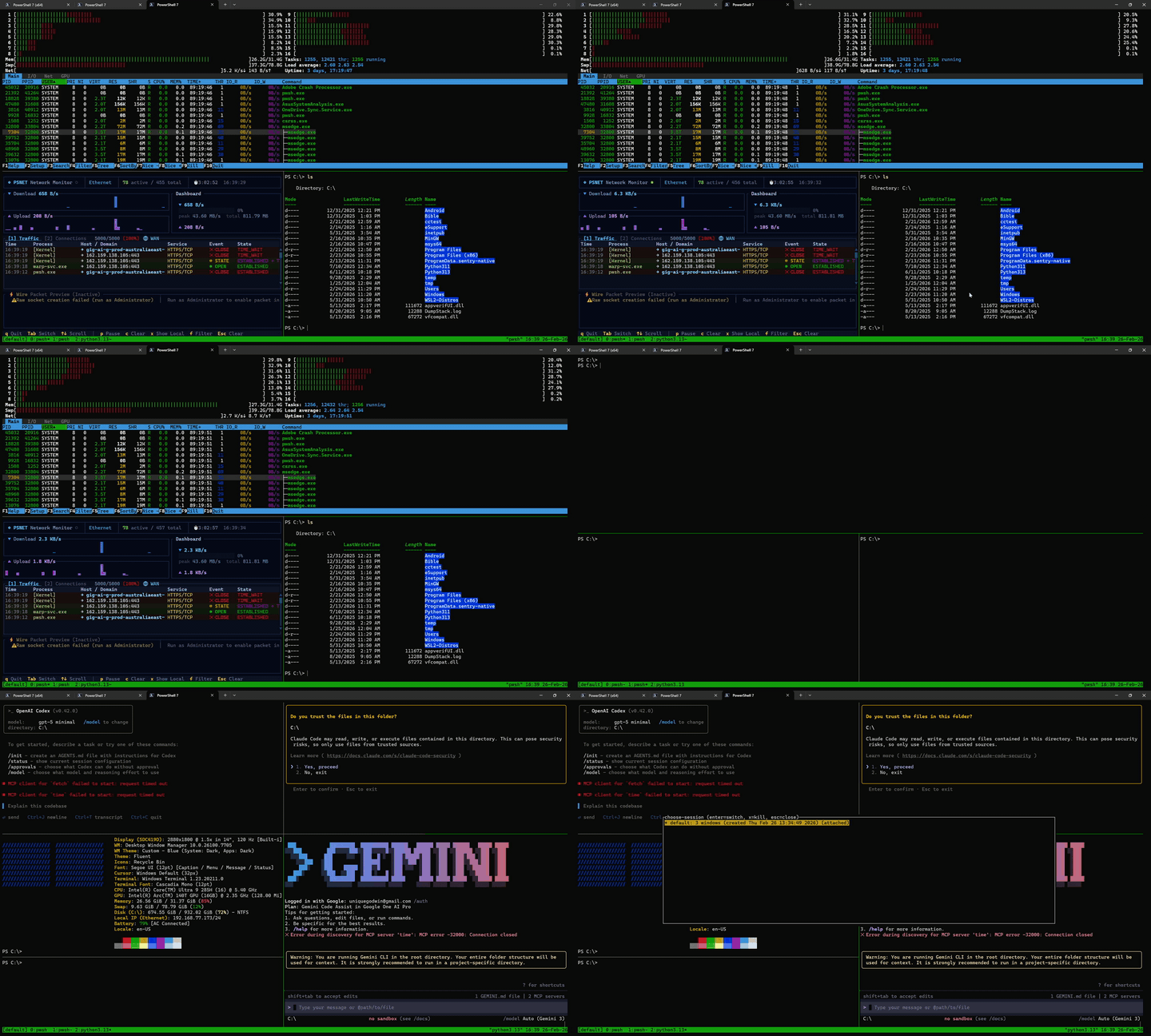
psmux is a terminal multiplexer for Windows, bringing tmux-style split panes,
multiple windows, sessions, copy mode, mouse support, and a familiar keybinding
model to PowerShell and Windows Terminal. Ships with psmux, pmux, and tmux
aliases for drop-in tmux compatibility. No WSL, no Cygwin — pure Windows.
README
╔═══════════════════════════════════════════════════════════╗
║   ██████╗ ███████╗███╗   ███╗██╗   ██╗██╗  ██╗            ║
║   ██╔══██╗██╔════╝████╗ ████║██║   ██║╚██╗██╔╝            ║
║   ██████╔╝███████╗██╔████╔██║██║   ██║ ╚███╔╝             ║
║   ██╔═══╝ ╚════██║██║╚██╔╝██║██║   ██║ ██╔██╗             ║
║   ██║     ███████║██║ ╚═╝ ██║╚██████╔╝██╔╝ ██╗            ║
║   ╚═╝     ╚══════╝╚═╝     ╚═╝ ╚═════╝ ╚═╝  ╚═╝            ║
║     Born in PowerShell. Made in Rust. 🦀                 ║
║          Terminal Multiplexer for Windows                 ║
╚═══════════════════════════════════════════════════════════╝
The native Windows tmux. Born in PowerShell, made in Rust.
Full mouse support · tmux themes · tmux config · 76 commands · blazing fast
The real tmux for Windows. Not a port, not a wrapper, not a workaround.
psmux is a native Windows terminal multiplexer built from the ground up in Rust. It uses Windows ConPTY directly, speaks the tmux command language, reads your .tmux.conf, and supports tmux themes. All without WSL, Cygwin, or MSYS2.
> 💡 Tip: psmux ships with tmux and pmux aliases. Just type tmux and it works!
👀 On Windows 👇
Installation
Using WinGet
winget install psmux
Using Cargo
cargo install psmux
This installs psmux, pmux, and tmux binaries to your Cargo bin directory.
Early port-file write : server writes its discovery file before spawning the first shell, so the client connects instantly
8KB reader buffers : small buffer size minimizes mutex contention across pane reader threads
> Note: The primary startup bottleneck is your shell (PowerShell 7 takes ~400-1000ms to display a prompt). psmux itself adds < 100ms of overhead. For faster shells like cmd.exe or nushell, total startup is near-instant.
tmux Compatibility
psmux is the most tmux-compatible terminal multiplexer on Windows:
Feature
Support
Commands
76 tmux commands implemented
Format variables
126+ variables with full modifier support
Config file
Reads ~/.tmux.conf directly
Key bindings
bind-key/unbind-key with key tables
Hooks
15+ event hooks (after-new-window, etc.)
Status bar
Full format engine with conditionals and loops
Themes
14 style options, 24-bit color, text attributes
Layouts
5 layouts (even-h, even-v, main-h, main-v, tiled)
Copy mode
53 vim keybindings, search, registers
Targets
session:window.pane, %id, @id syntax
if-shell / run-shell
✅ Conditional config logic
Paste buffers
✅ Full buffer management
Your existing .tmux.conf works. psmux reads it automatically. Just install and go.
Plugins & Themes
psmux has a full plugin ecosystem — ports of the most popular tmux plugins, reimplemented in PowerShell for Windows. Themes, key bindings, session management, clipboard integration, and more.
Themes: Catppuccin · Dracula · Nord · Tokyo Night · Gruvbox
Quick start:
# Install the plugin manager
git clone https://github.com/marlocarlo/psmux-plugins "$env:USERPROFILE\.psmux\plugins\psmux-plugins"
Then add to your ~/.psmux.conf:
set -g @plugin 'psmux-plugins/ppm'
set -g @plugin 'psmux-plugins/psmux-sensible'
run '~/.psmux/plugins/ppm/ppm.ps1'
Usage
Use psmux, pmux, or tmux, they're identical:
# Start a new session
psmux
pmux
tmux

# Start a named session
psmux new-session -s work
tmux new-session -s work

# List sessions
psmux ls
tmux ls

# Attach to a session
psmux attach -t work
tmux attach -t work

# Show help
psmux --help
tmux --help
Mouse Over SSH
psmux has first-class mouse support over SSH when the server runs Windows 11 build 22523+ (22H2+). Click panes, drag-resize borders, scroll, click tabs — everything works, from any SSH client on any OS.
Compatibility
Client → Server
Keyboard
Mouse
Notes
Linux → Windows 11 (22523+)
✅
✅
Full support
macOS → Windows 11 (22523+)
✅
✅
Full support
Windows 10 → Windows 11 (22523+)
✅
✅
Full support
Windows 11 → Windows 11 (22523+)
✅
✅
Full support
WSL → Windows 11 (22523+)
✅
✅
Full support
Any OS → Windows 10
✅
❌
ConPTY limitation (see below)
Any OS → Windows 11 (pre-22523)
✅
❌
ConPTY limitation (see below)
Local use (no SSH)
Platform
Keyboard
Mouse
Windows 11 (local)
✅
✅
Windows 10 (local)
✅
✅
Mouse works perfectly when running psmux locally on both Windows 10 and 11.
Why no mouse over SSH on Windows 10?
Windows 10's ConPTY consumes mouse-enable escape sequences internally and does not forward them to sshd. The SSH client never receives the signal to start sending mouse data. This is a Windows 10 ConPTY limitation that was fixed in Windows 11 (build 22523+). Keyboard input works fully on both versions — only mouse over SSH is affected.
> Recommendation: Use Windows 11 build 22523+ (22H2 or later) as your psmux server for full SSH mouse support.