WM_NIGHT
> Native dark mode for the classic Win32 desktop — Explorer, Regedit, the Control Panel, the Explorer Run dialog, and the things Windows - and other developers - forgot.
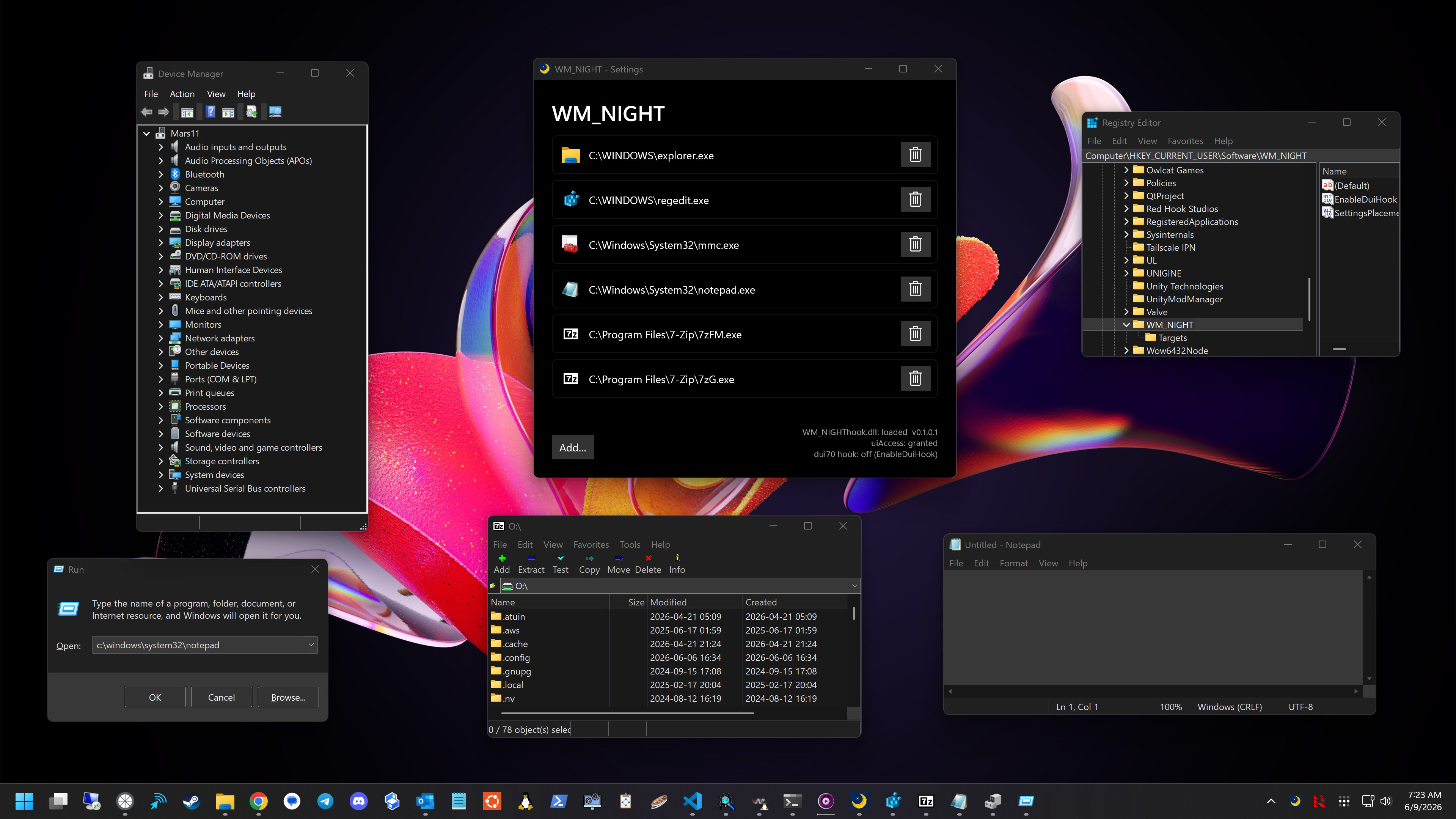
What it is
WM_NIGHT is a tray app that paints Windows' leftover light-mode corners dark. The OS shipped a dark theme years ago but never finished the job: regedit, the Control Panel, and a long tail of classic dialogs still blast you with white. WM_NIGHT injects umbra's dark-mode engine into those processes and themes them at the source.
It's two pieces:
WM_NIGHT.exe - a tray host. Installs one global hook and registers itself to run at login.WM_NIGHThook.dll - the payload. Windows maps it into GUI processes as they start; it's inert everywhere except the apps you've whitelisted, where it does the theming.
Out of the box it themes Explorer and regedit near-perfectly and the Control Panel reasonably well. WinForms-heavy surfaces and most MMC snap-ins are a mixed bag - that's the current wall. You can add any leftover
forgotten win32 app you like to the whitelist, chances are it will work. (7-Zip, Spyxx, etc.) Heavily owner-drawn stuff will probably produce an unsightly abomination, but feel free to experiment. The target apps should be native Win32/MFC; C#-suff (WinForms) is almost certain to not work.
How it works
- The host installs a single global
WH_CBT hook. The OS maps the payload into each GUI process as its windows are created, so WM_NIGHT catches an app no matter how it was launched.
- The payload checks each process against a registry whitelist (
HKCU\Software\WM_NIGHT\Targets; defaults to Explorer + regedit). Outside the whitelist it loads and does nothing.
- In a target it initializes umbra and installs Detours inline hooks on the color/theme entry points:
GetSysColor, the uxtheme drawing calls, and - optionally - DirectUI's Element::PaintBackground, then themes every window as it's created.
- uiAccess: a signed host launched from a trusted location can theme elevated targets without running elevated.
- Exiting the app will bounce Explorer; that's on purpose.
- Should you get into a crash loop when Explorer starts, hold down SHIFT to prevent WM_NIGHT from loading. I haven't had a single crash even while developing the app, but it's a big world out there.
Downloads
Grab the latest signed release — no installer required.
Unzip and run WM_NIGHT.exe; it drops to the tray and starts theming. To also theme elevated windows (an elevated regedit or mmc), install the MSIX or run the signed exe from a trusted location like Program Files. Windows only honors uiAccess from there.
Every build is signed (Azure Trusted Signing) and carries a build-provenance attestation so you know it was built from source on github. Matching PDBs ride along on each release as WM_NIGHT--windows--symbols.zip. Browse all releases here.
Building
Requires Visual Studio 2022 (the v143 C++ toolset + the Windows 10/11 SDK) and vcpkg. Dependencies come through vcpkg manifest mode (static triplet): Detours from the default registry and umbra from the public WM_UMBRA vcpkg registry.
# one-time: wire vcpkg into MSBuild
vcpkg integrate install

# build (Platform: x64 or ARM64; Configuration: Debug or Release)
msbuild WM_NIGHT.sln /m /p:Configuration=Release /p:Platform=x64
Output lands in build\\\ — WM_NIGHT.exe and WM_NIGHThook.dll side by side. A plain build is unsigned and themes non-elevated targets fine; uiAccess for elevated targets only kicks in once signing is configured (see Releasing). The MSIX is produced by scripts\package_windows_msix.ps1 (used by the release pipeline; it derives the package publisher from the signed exe, so pass -NoSign -Publisher "CN=…" for a local unsigned package).
Releasing
The version lives in src/version.h (the four WMN_VERSION_* macros plus the matching WMN_VERSION_STR). To cut a release:
- Bump
src/version.h and commit.
- Tag and push:
git tag v0.1.0.0
git push origin v0.1.0.0
GitHub Actions builds amd64 + ARM64, signs everything, attaches the loose zip + MSIX + symbols, attests provenance, and opens a draft release. Review it, then Publish (or gh release edit --draft=false v0.1.0.0). The pipeline refuses a tag that doesn't match version.h and fails if WMN_VERSION_STR drifts from the numeric macros.
Alternatively, run Release (manual) from the Actions tab (it reads version.h; tick publish to skip the draft). Every push and PR also runs Windows CI, which builds both arches and asserts the binaries pull in no VC++ runtime DLLs.
Contributing
Issues and PRs welcome.
This is a personal, non-commercial project. Copyright (C) 2026 Marton Anka