hvtop mazvazzeg
Use this command to install hvtop:
winget install --id=mazvazzeg.hvtop -e hvtop is a TUI Hyper-V performance/telemetry monitor
winget install --id=mazvazzeg.hvtop -e hvtop is a TUI Hyper-V performance/telemetry monitor
hvtop is a TUI prototype for monitoring Windows and Hyper-V hosts, VMs when
Hyper-V is present, failover clusters, CSV/storage, physical disks, network, and
recent events.
It is shaped like htop or esxtop, but with fast drill-down views and a small
rolling history buffer for max/spike visibility.
The native implementation is written in C# with native Windows counters and no PowerShell in the hot path.
Click any thumbnail to open the full-size image.
| Cluster | Cluster Detail |
|---|---|
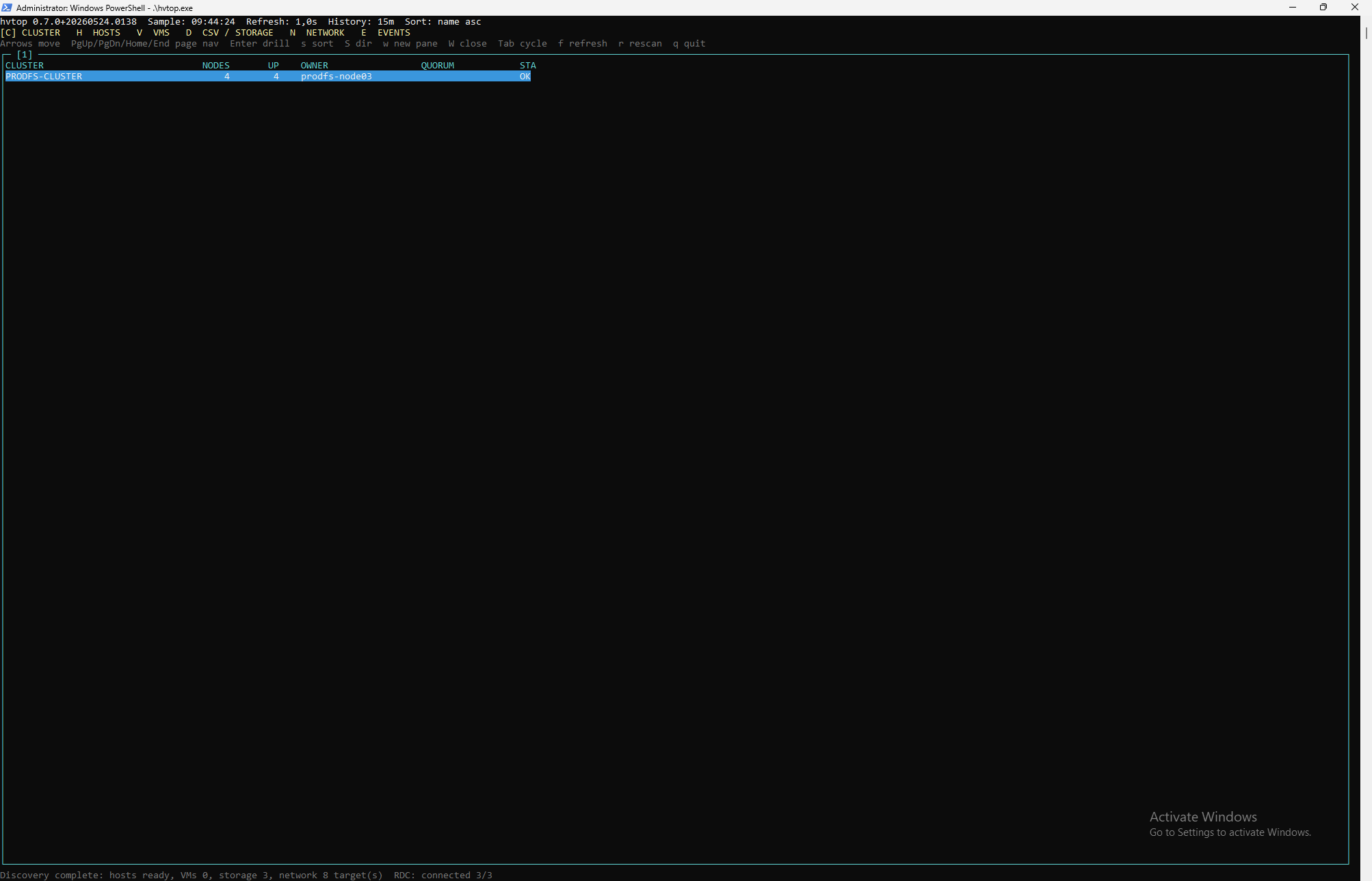 | 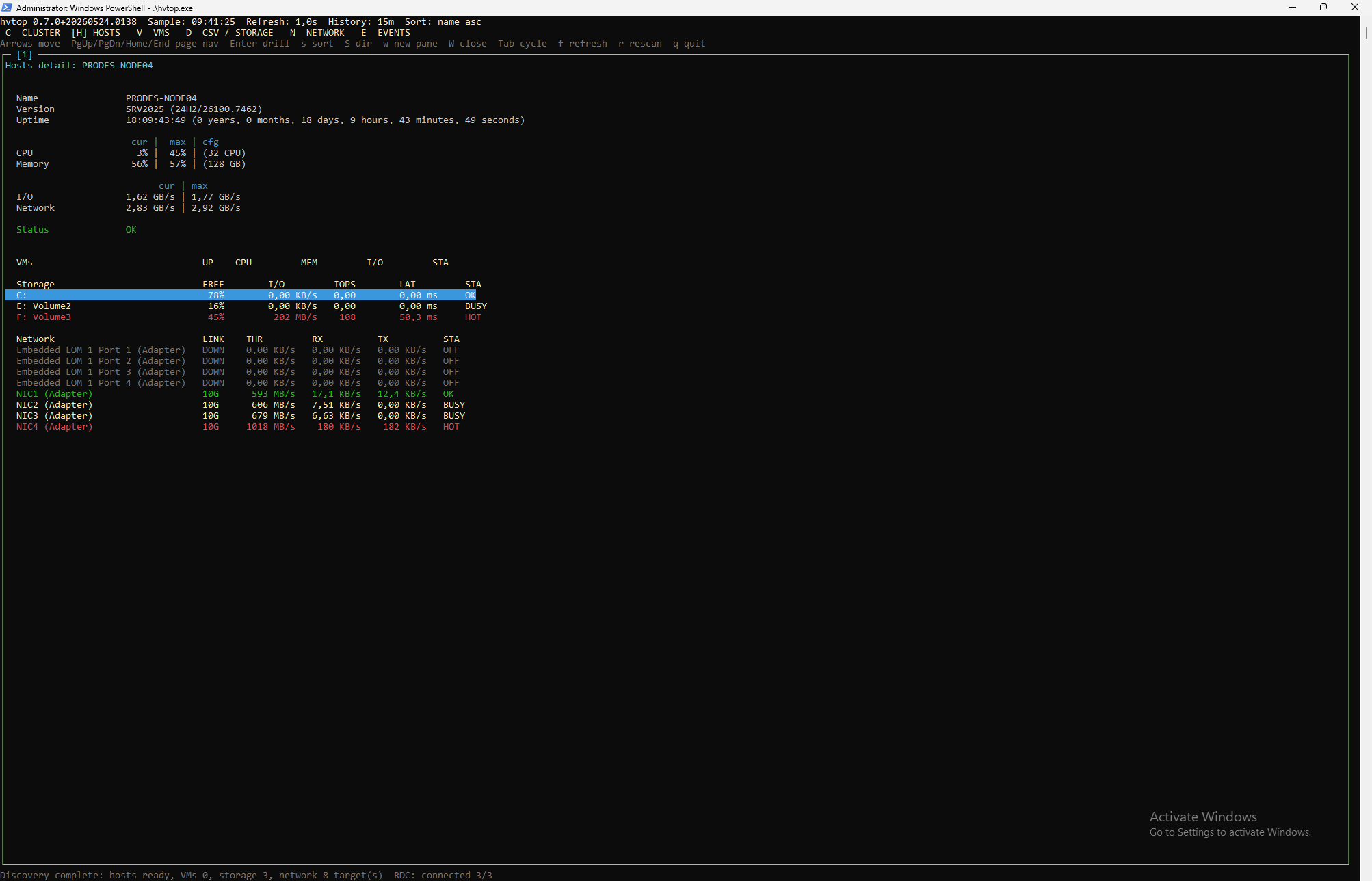 |
| Hosts | Host Detail | VMs |
|---|---|---|
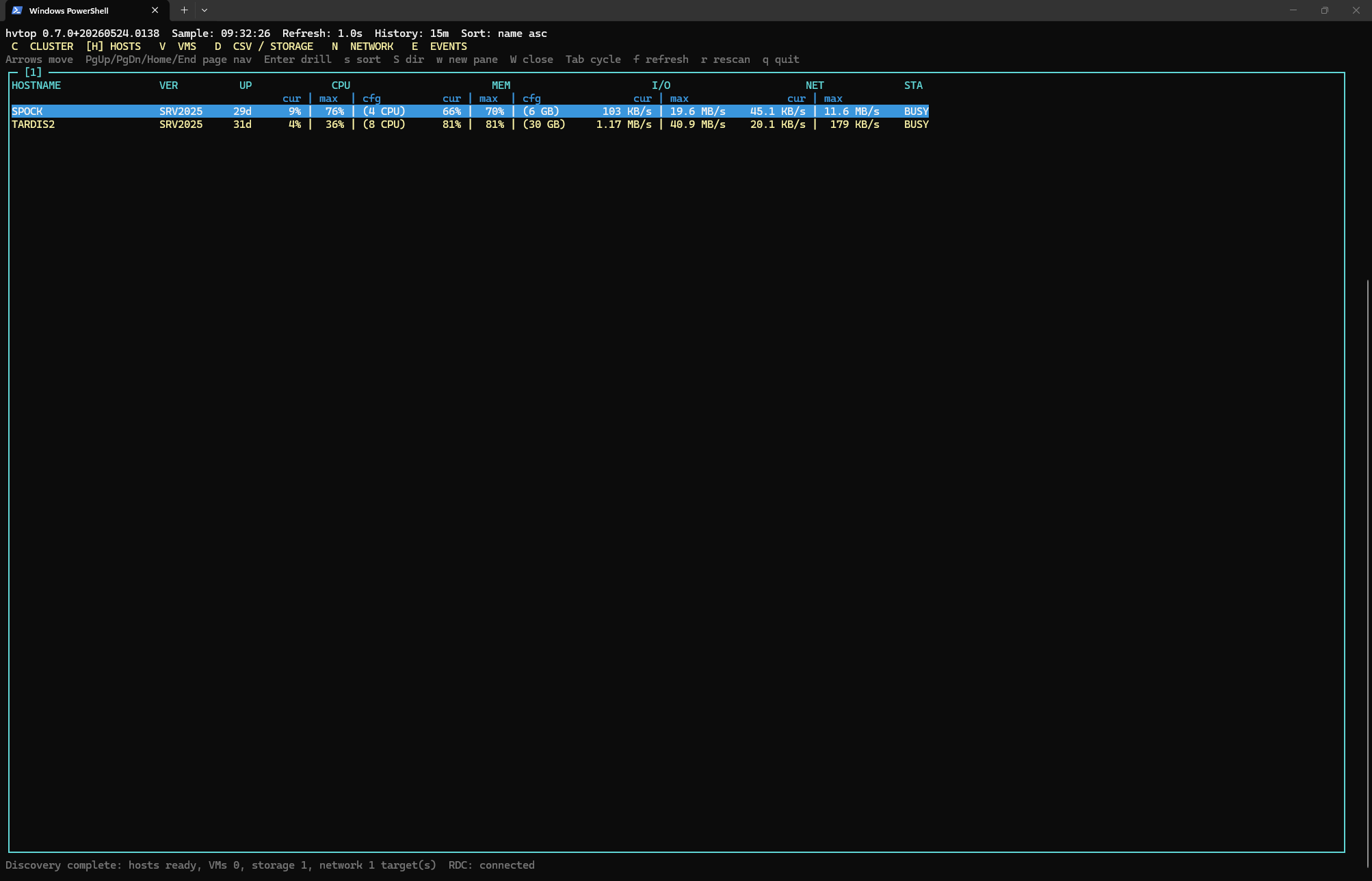 | 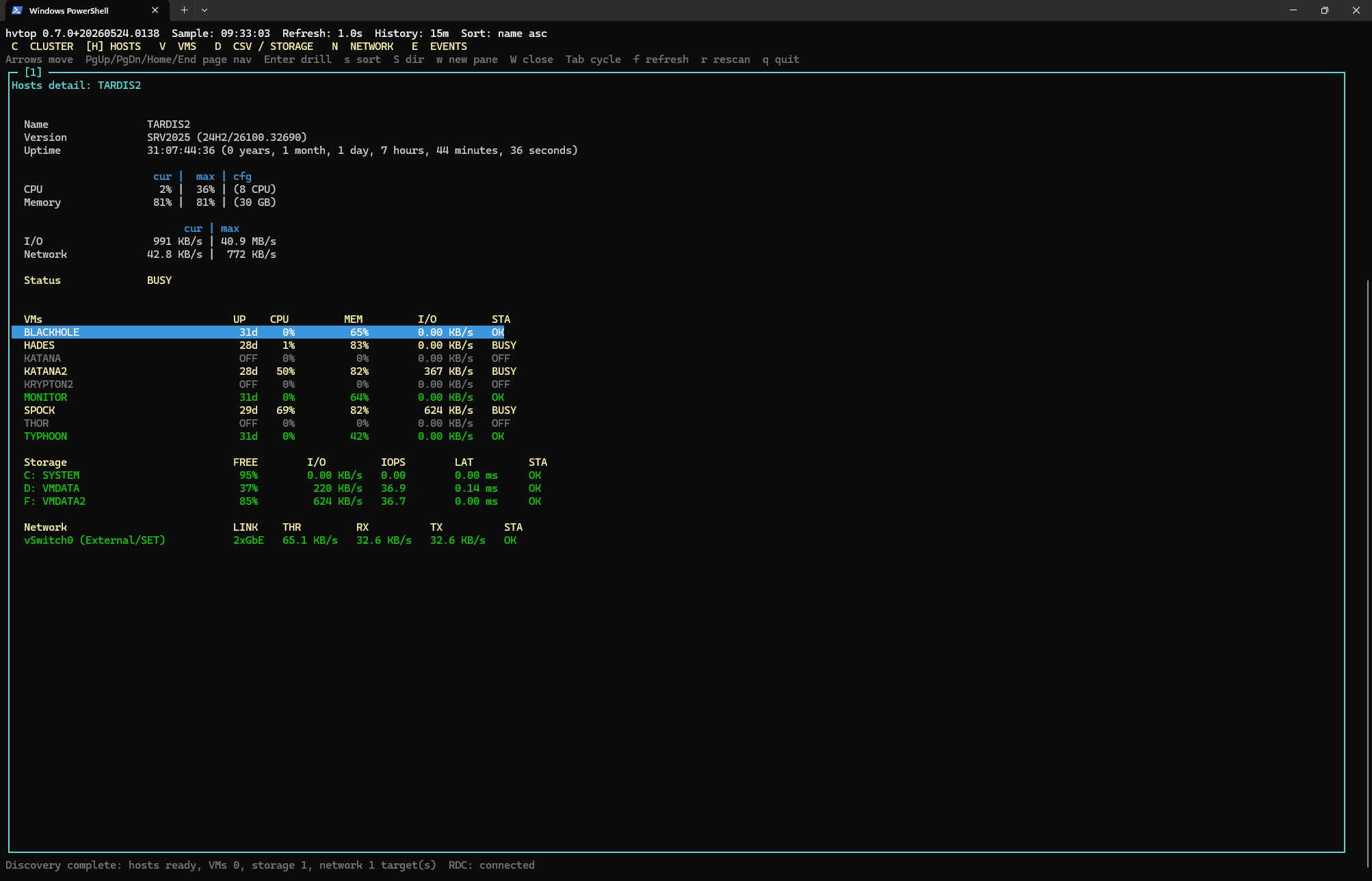 | 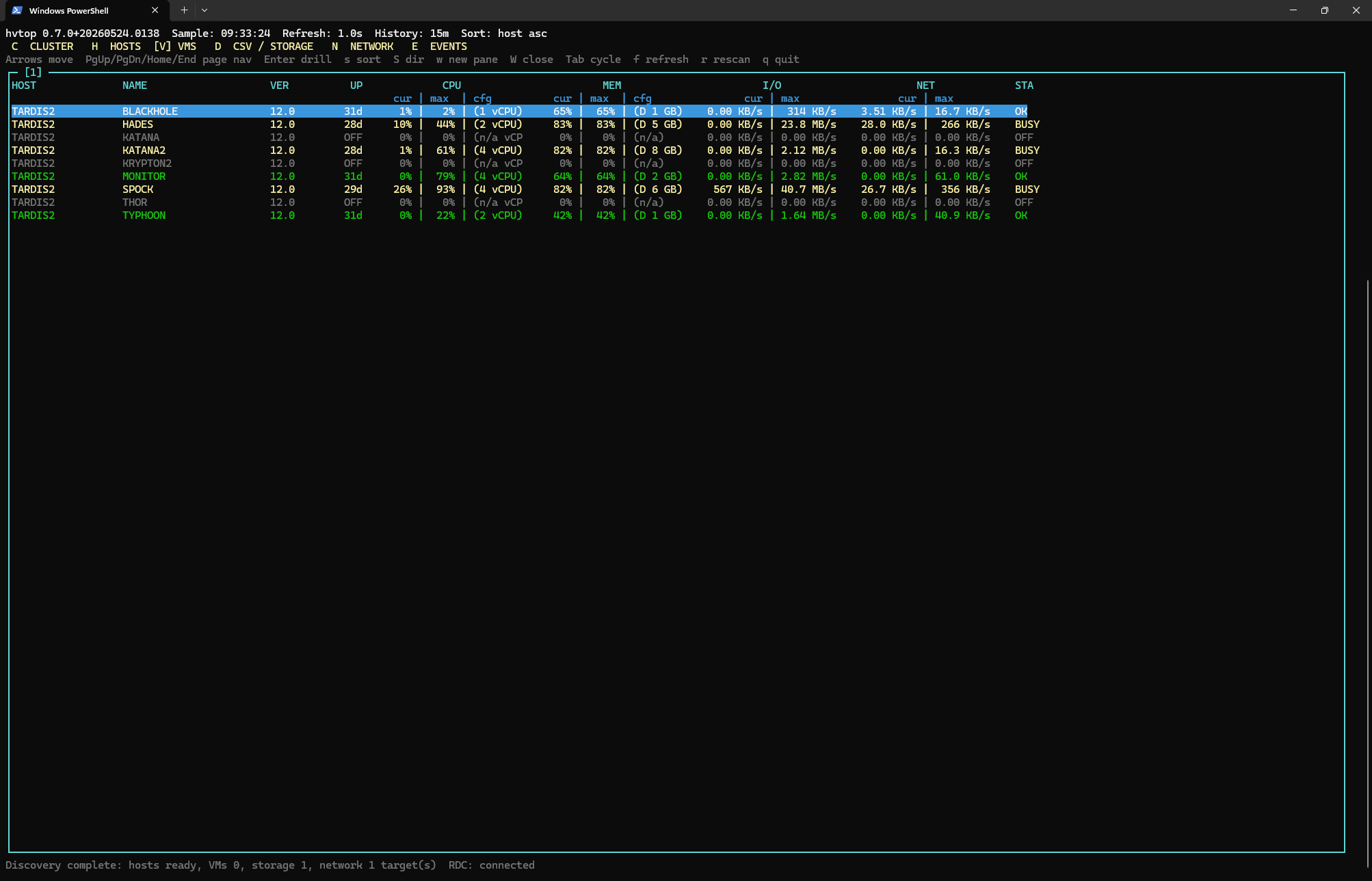 |
| VM Detail | Storage | Storage Detail |
|---|---|---|
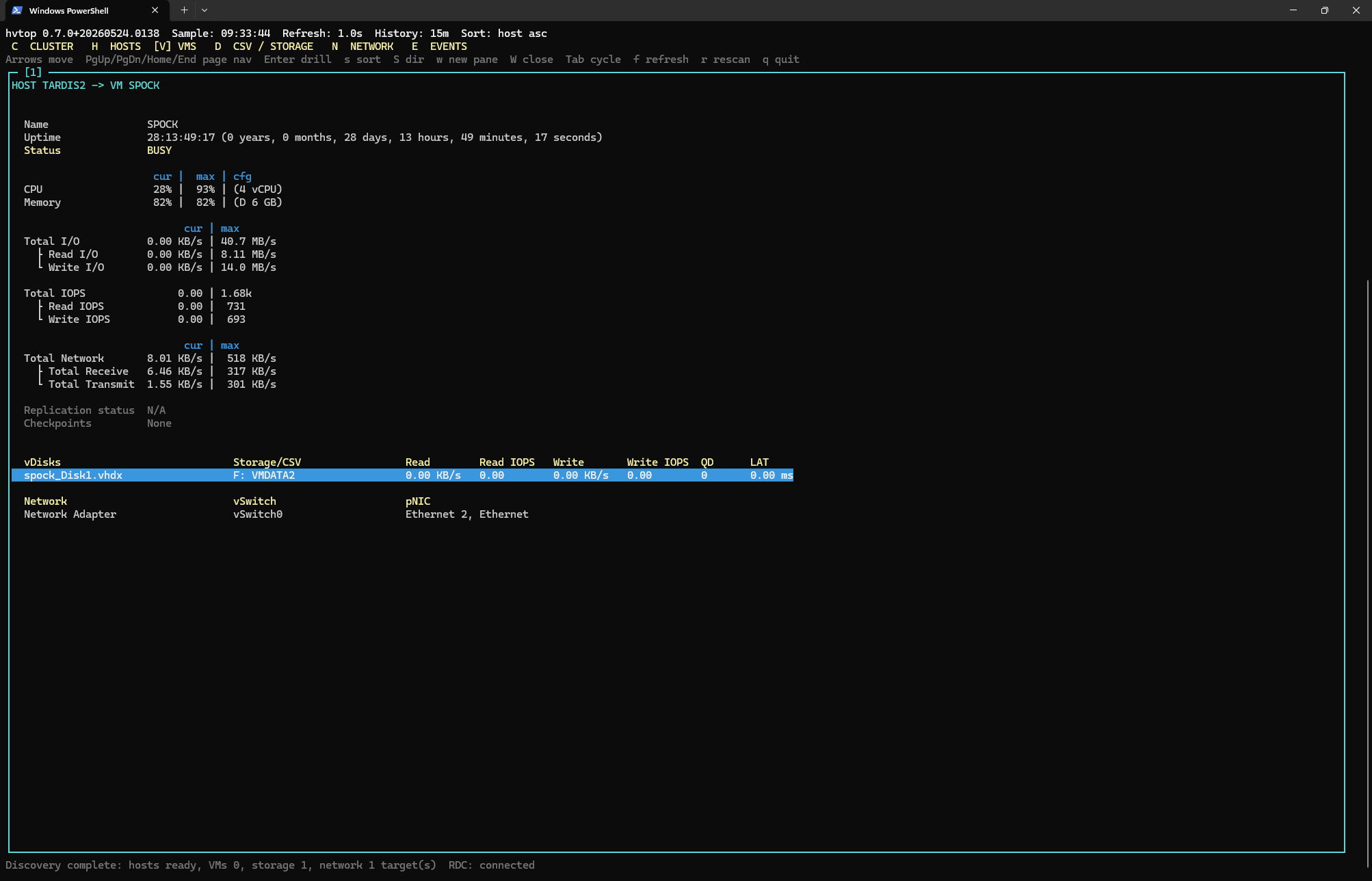 | 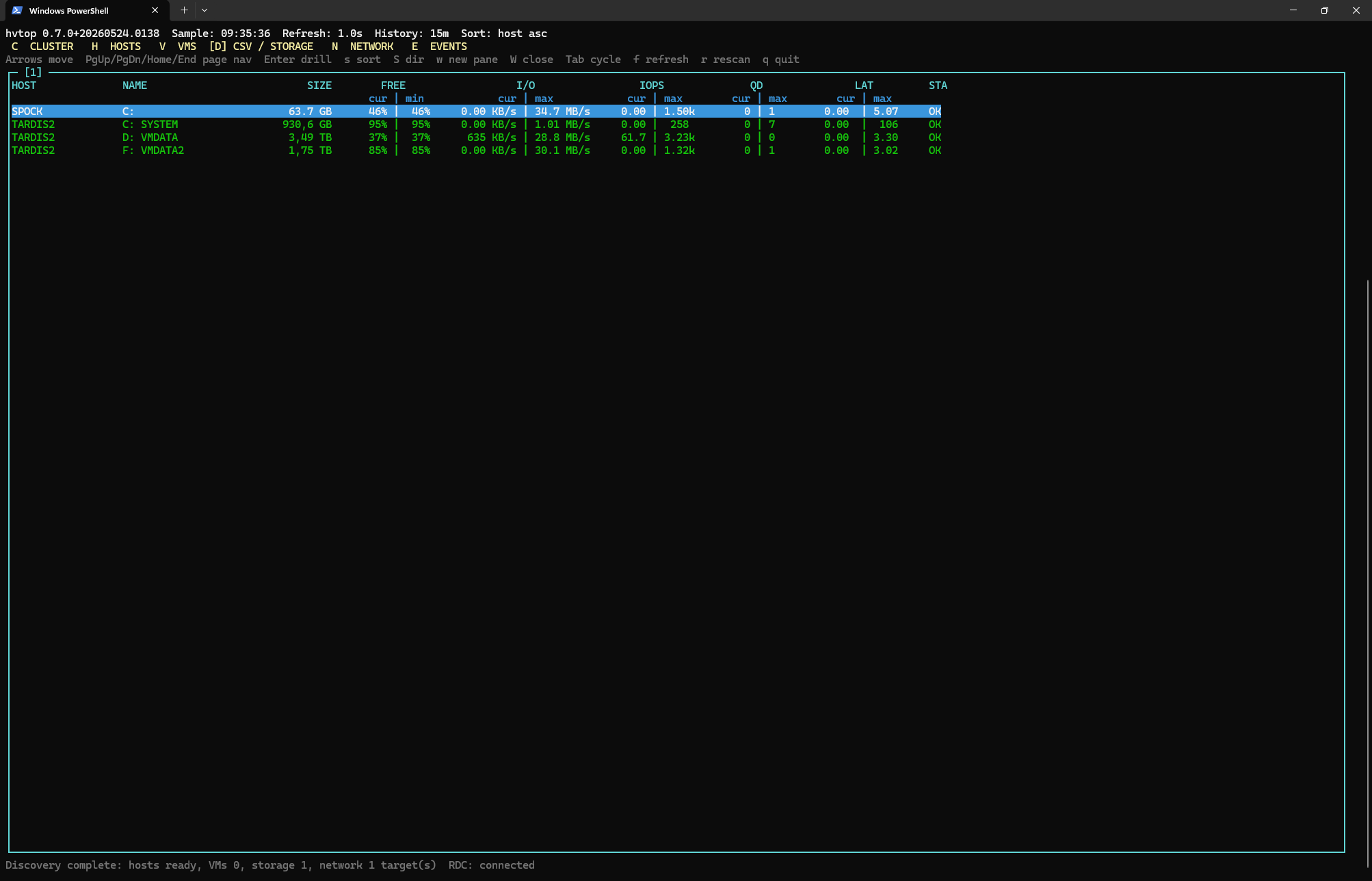 | 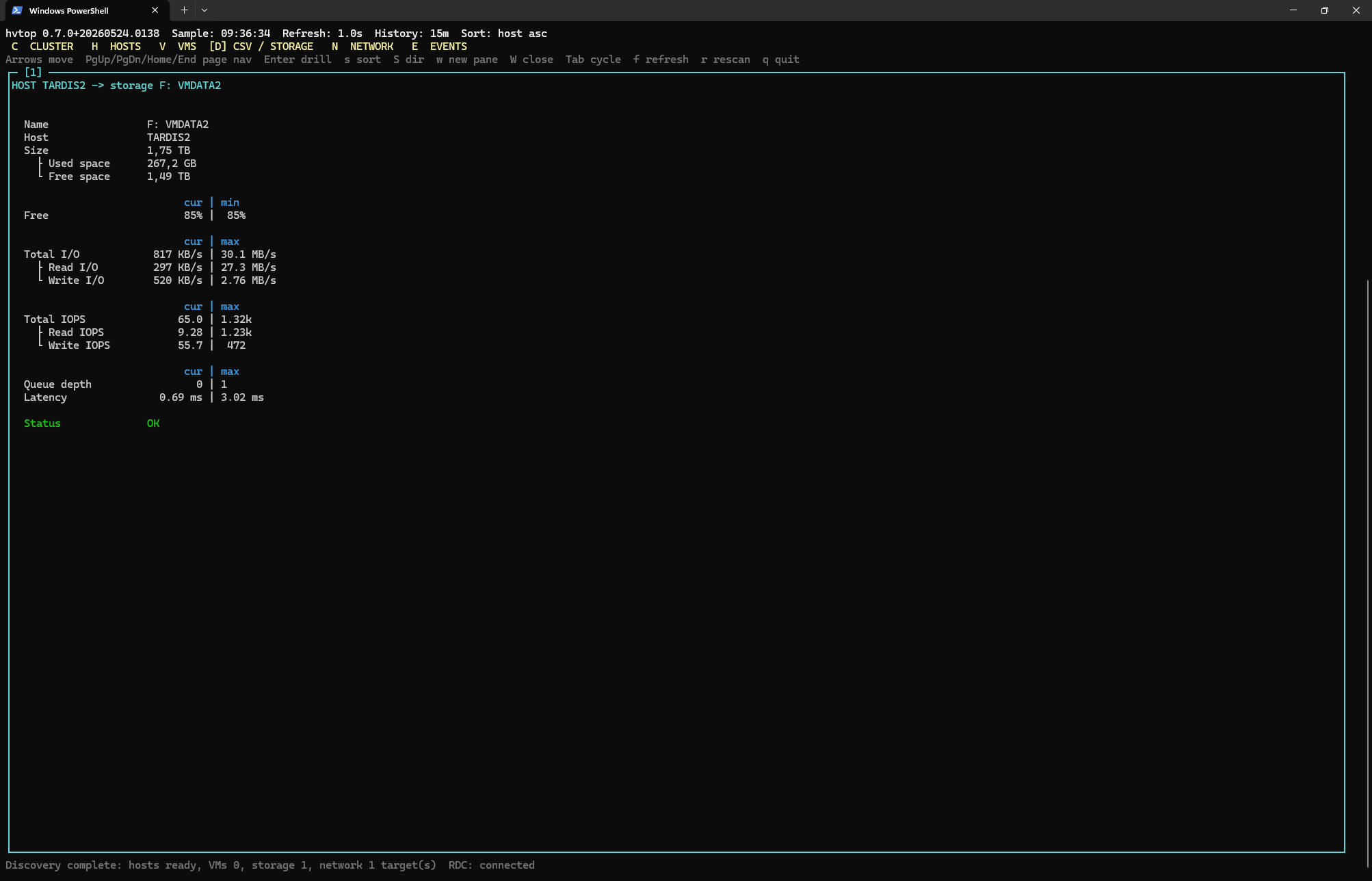 |
| vHDX Detail | Network | Physical NICs |
|---|---|---|
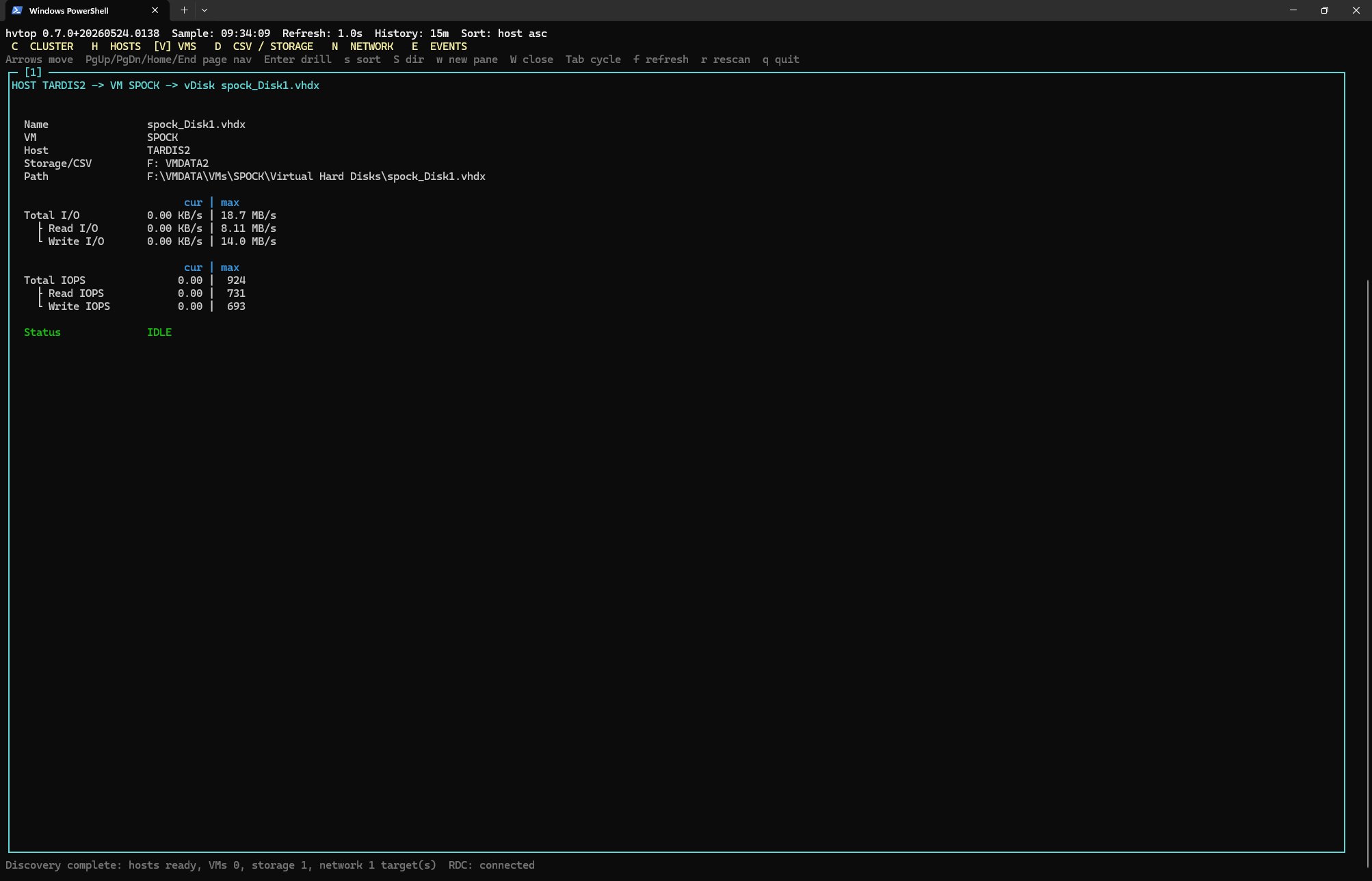 | 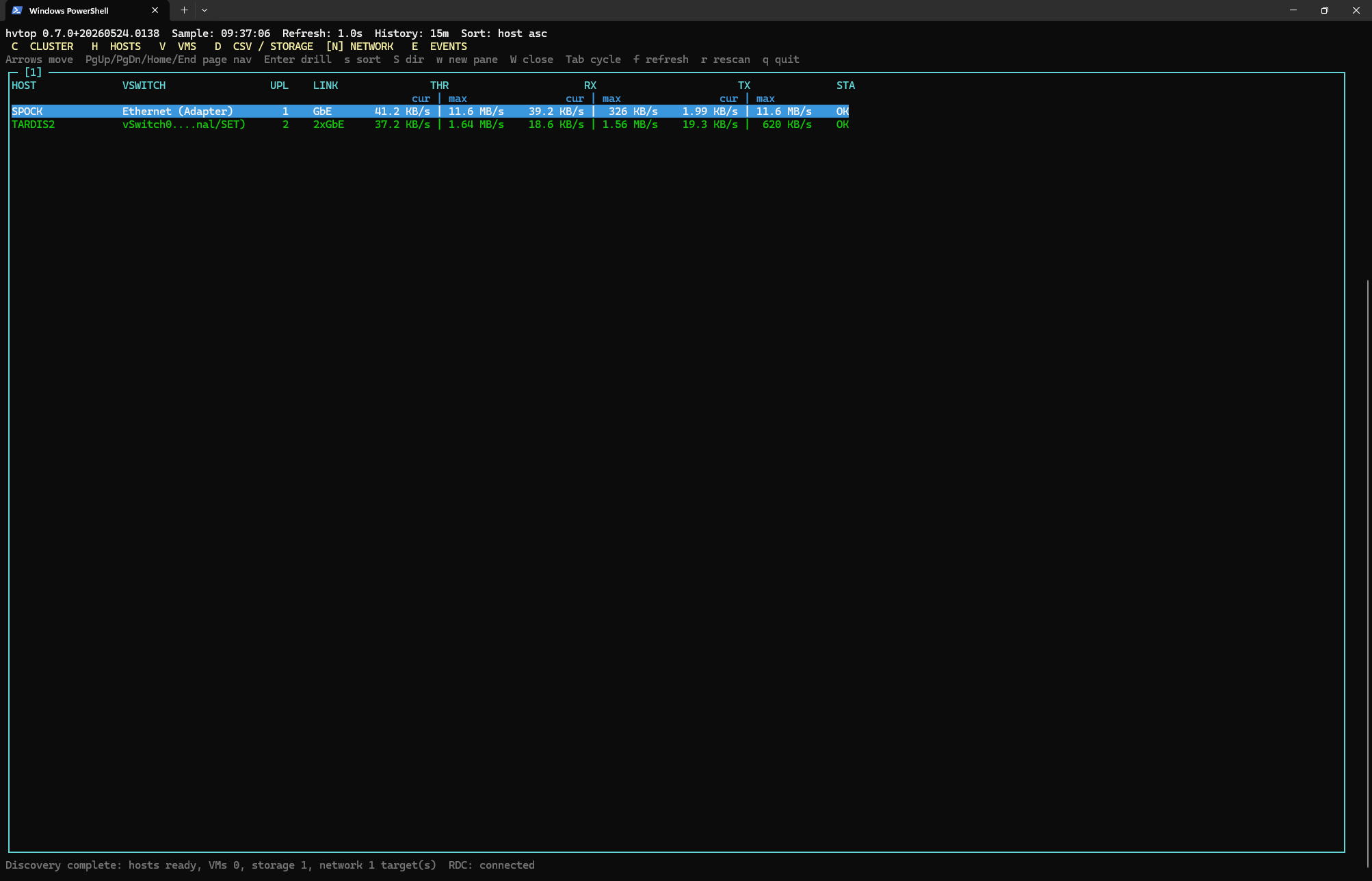 | 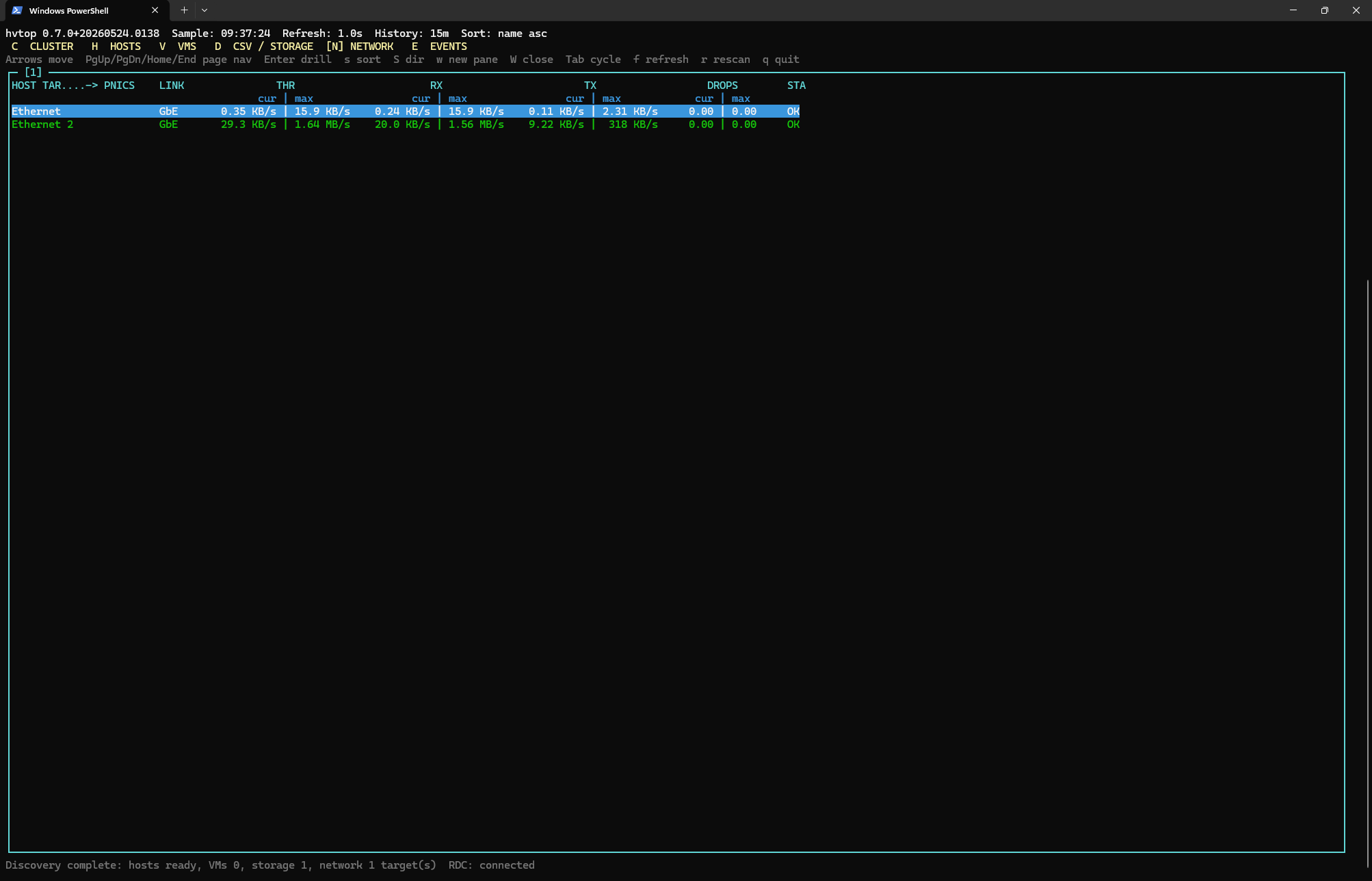 |
| Network pNIC Detail | pNIC Detail | vNIC Detail |
|---|---|---|
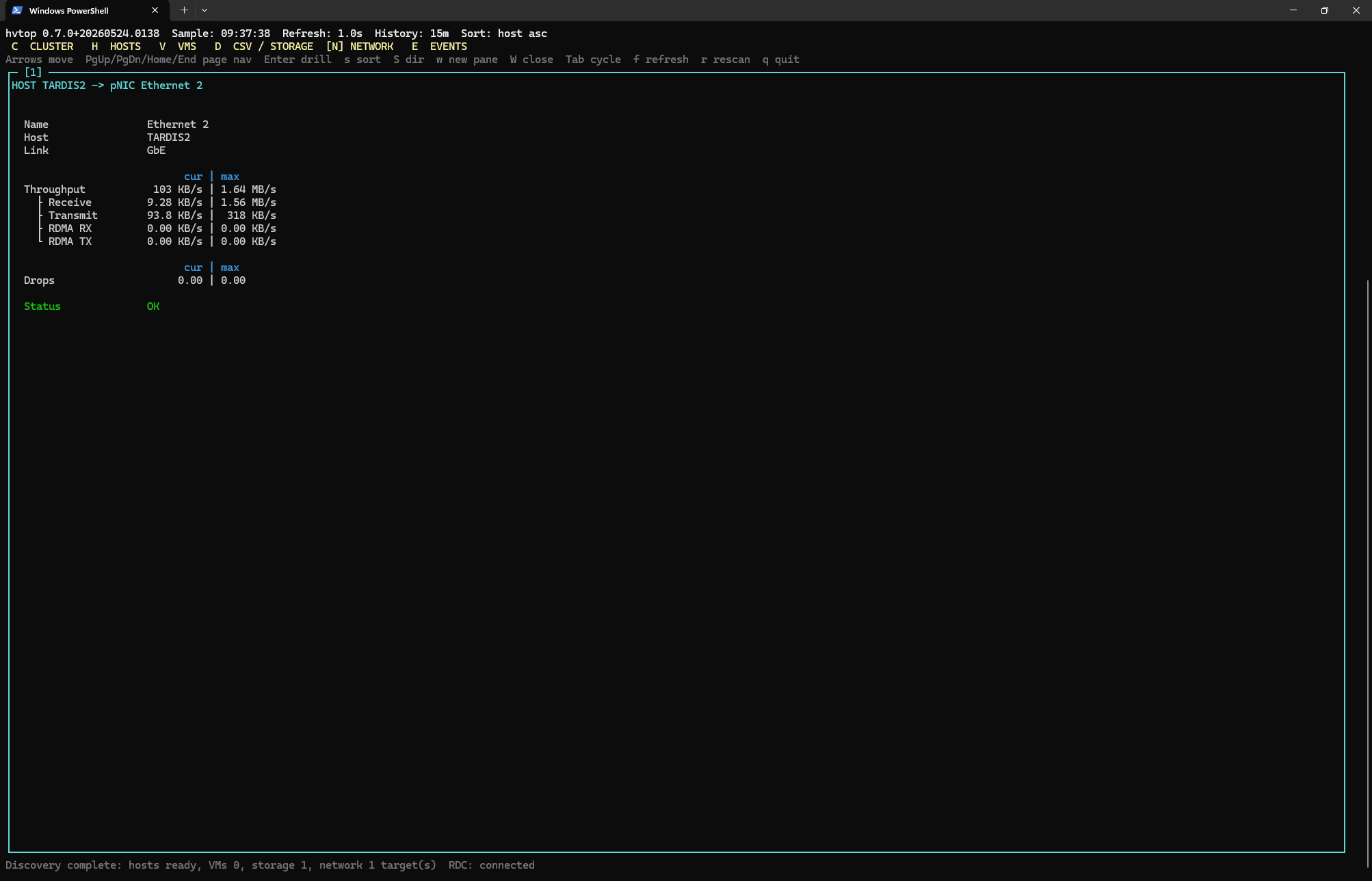 | 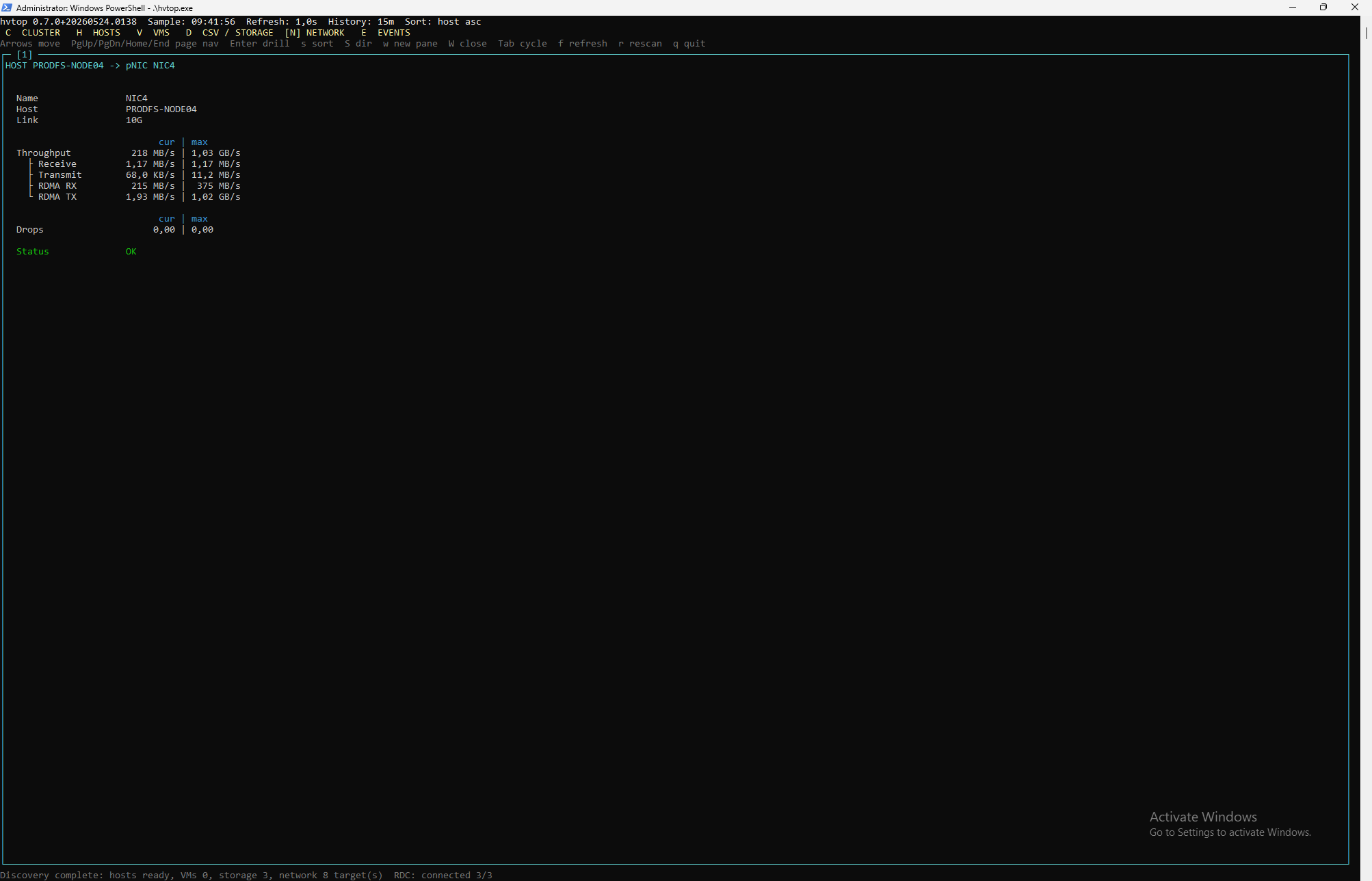 | 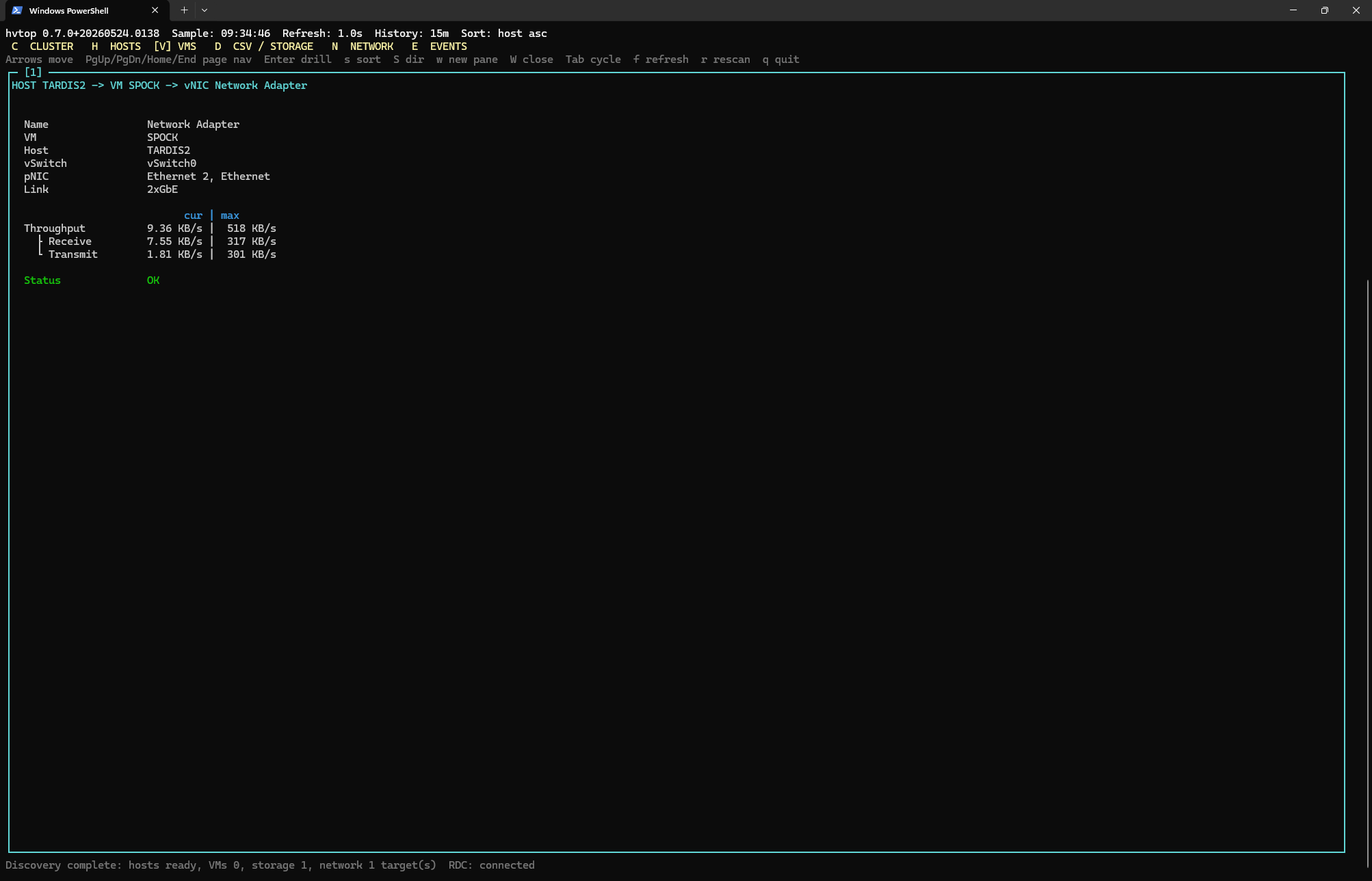 |
| Events |
|---|
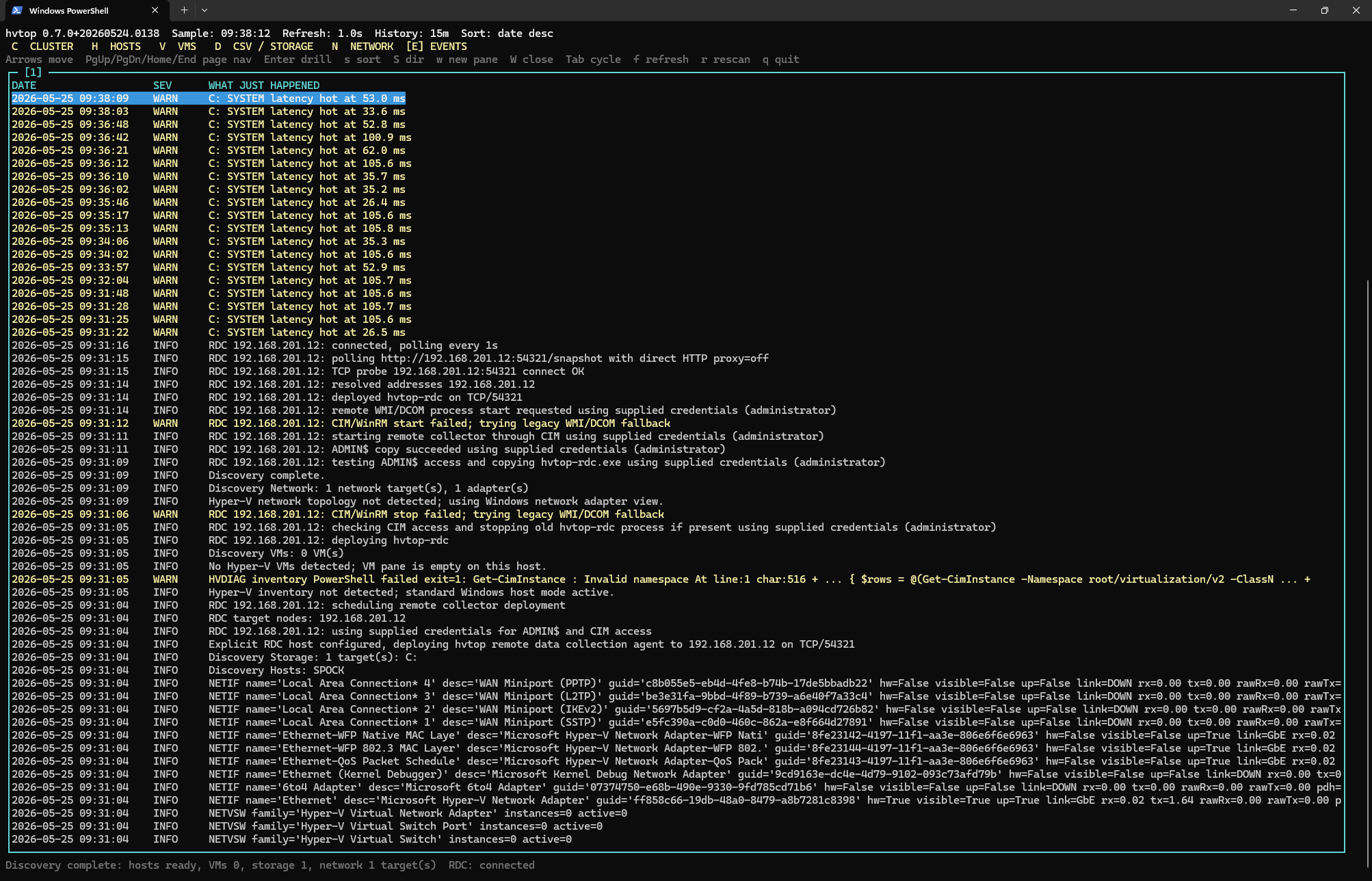 |
Using winget:
winget install mazvazzeg.hvtop -e
or: Download
cd .\hvtop.Native
dotnet run
Publish a single executable:
dotnet publish -c Release -r win-x64 --self-contained true /p:PublishSingleFile=true /p:EnableCompressionInSingleFile=true
Build release zip packages:
.\scripts\build-release.ps1
This creates both release variants under artifacts\release:
hvtop--win-x64.zip
  hvtop.exe
  hvtop-rdc.exe

hvtop--win-x64-portable.zip
  hvtop.exe
  hvtop-rdc.exe
The non-portable win-x64 package is framework-dependent and requires the .NET
8 runtime on the target host. The win-x64-portable package is self-contained.
Useful options:
dotnet run -- --refresh 1 --history 15
dotnet run -- --rdc-host HV01 --rdc-user DOMAIN\AdminUser --rdc-password "secret"
dotnet run -- --rdc-host HV01 --rdc-token "shared-secret"
dotnet run -- --rdc-disable
dotnet run -- --debug-log
dotnet run -- --smoke
hvtop.exe accepts these options:
--refresh         Local UI/data refresh interval. Default: 1, minimum: 1
--history         History window for max/min values. Default: 15
--rdc-port              Remote Data Collector TCP port. Default: 54321
--rdc-refresh     Remote Data Collector interval. Default: 1
--rdc-host           Deploy/poll hvtop-rdc on an explicit remote host.
--rdc-user           Username for remote ADMIN$/CIM access.
--rdc-password   Password for remote ADMIN$/CIM access.
--rdc-token         Token passed to hvtop-rdc. Default: generated per run.
--rdc-disable              Disable remote data collection.
--local-disable            Disable local data collection; requires --rdc-host.
--debug-log                Write hvtop.log; also enables remote hvtop-rdc.log.
--smoke                    Print one sample and exit.
--help                     Show help.
--version                  Show version and exit.
hvtop-rdc.exe is normally deployed and started by hvtop.exe, but accepts:
--port                  Listen TCP port. Default: 54321
--listen           HTTP listener prefix. Default: http://+:/
--refresh         Collection interval. Default: 1
--history         History window. Default: 15
--token             Required token for incoming requests.
--debug-log                Write hvtop-rdc.log beside the executable.
--help                     Show help.
--version                  Show version and exit.
The native version currently uses PDH for host CPU, memory, disk throughput, IOPS, queue depth, and latency. Network rates come from the native Windows IP Helper API. VM rows are populated from Hyper-V inventory and counters when Hyper-V is available; otherwise the VM pane is empty and the host/storage/network panes remain useful on standard Windows servers.
C: ClusterH: HostsV: VMsD: CSV/storageP: Physical disksN: NetworkE: EventsUp/Down: move selectionPgUp/PgDn/Home/End: page navigationEnter: drill downs: select sort columnS: toggle sort directionw: open a new paneW: close the active paneTab: cycle panesf: cycle refresh delayr: rescan inventory/topologyBackspace or Esc: backq: quitThe intended navigation path is:
CLUSTER -> HOSTS -> select host -> host detail -> select VM -> VM detail
On non-cluster hosts, the flow starts at HOSTS. On standard Windows servers
without Hyper-V, the VM pane is expected to be empty.
The top-level VMs, CSV/storage, Physical disks, and Network panes are
global views. In cluster/RDC mode they include rows from all reporting hosts and
show a HOST column so the source node is visible.
Detail panes resolve the selected row from the latest snapshot on every repaint, so values continue updating live while you are drilled in.
Each metric shows current and max-in-history values as current | max. The history
window defaults to 15 minutes.
Metric values use a compact four-character numeric display where the unit is
outside the number. Examples: 999 KB/s, 1.00 MB/s, 1.32 GB/s, 32.2 GB/s.
Throughput values scale on binary boundaries: 1024 KB/s becomes 1.00 MB/s,
1024 MB/s becomes 1.00 GB/s, and the same 1024-based rule is used for
capacity values such as MB, GB, and TB.
On Failover Cluster setups, hvtop can start an RDC (Remote Data Collector)
process on peer nodes if the ADMIN$ share is accessible for the currently
logged-in user. hvtop-rdc.exe reports the same metrics to the local hvtop.exe
process through a small HTTP interface. The main hvtop.exe process polls those
remote collectors and merges the returned host/VM/storage/network telemetry into
the local view.
Outside a cluster, an admin workstation can target one remote host explicitly:
hvtop.exe --rdc-host HV01 --rdc-user DOMAIN\AdminUser --rdc-password "secret"
When --rdc-host is used, hvtop deploys hvtop-rdc.exe to that host through
ADMIN$, starts it through CIM or a legacy WMI/DCOM fallback, and merges the
remote telemetry with the local host view once data arrives. If --rdc-user and
--rdc-password are omitted, hvtop uses the current Windows logon context.
By default hvtop generates a per-run RDC token and passes it to hvtop-rdc.exe.
Use --rdc-token to set a known token manually, for example when checking the
remote collector endpoint with curl:
hvtop.exe --rdc-host HV01 --rdc-token "shared-secret"
curl "http://HV01:54321/snapshot?token=shared-secret"
Local collection remains enabled by default even when --rdc-host is specified,
so the local host still has useful data if the remote target is unavailable. Use
--local-disable for remote-only workstation mode. In that mode --rdc-host is
required. If the remote collector cannot be deployed or polled, hvtop keeps the
TUI open, shows the terminal RDC error in the bottom status line, and leaves the
Events pane available for the detailed failure trail.
The P physical disk pane uses native PhysicalDisk(*) PDH counters for the
hot-path metrics: I/O, IOPS, queue depth, and latency. Inventory data is resolved
less frequently and is used only to label those counter instances with useful
metadata such as PDID, type, size, friendly name, model, firmware, and serial.
hvtop correlates physical disk counter instances with several Windows inventory sources:
Get-Disk for Windows disk number, bus type, media type, size, and friendly
name.Win32_DiskDrive for model, manufacturer, firmware revision, serial number,
and virtual/emulated disk hints.Get-PhysicalDisk -PhysicallyConnected and Get-PhysicalDisk for Storage
Spaces and S2D physical disk identity.Get-PhysicalDiskStorageNodeView when available, so cluster/S2D nodes can map
the disks that are physically connected to the current node.Win32_ComputerSystem and Win32_SCSIController as a fallback for virtual
machines, so otherwise anonymous rows can still show labels such as
Hyper-V Storage, VMware PVSCSI, VirtIO Storage, or VirtualBox Storage
instead of plain n/a.Physical disk sizes are displayed as vendor/marketing capacity with the binary
capacity in details, for example 8 TB (7.28 TiB). The overview pane keeps the
short vendor-style value to save horizontal space.
The native collector should use:
Good next additions are: