Use this command to install TinyWiiBackupManager with WinGet:
winget install --id=mq1.TinyWiiBackupManager -e
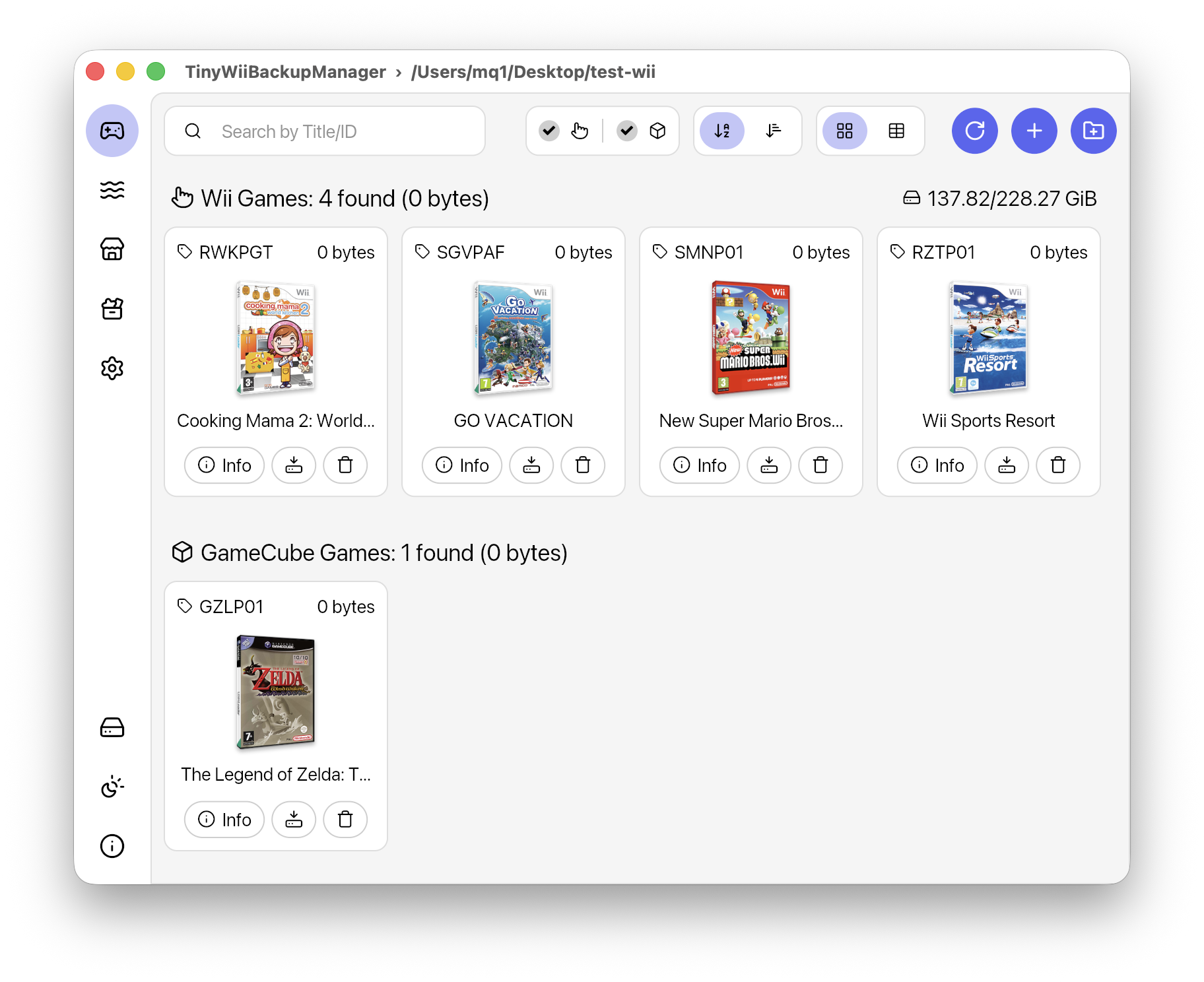
TinyWiiBackupManager is a Wii backup management tool designed to simplify the process of organizing and managing Wii backups, including games, apps, and homebrew content. It provides an intuitive interface for browsing, verifying, and archiving game data while supporting multiple file formats and platforms.
Key Features:
Lightweight & Fast: Built without Electron for optimal performance.
Clean Interface: Offers a simple design with light and dark themes for better user experience.
Cross-Platform Support: Works on Windows 10+, macOS 11+, Linux (AMD64, ARM64), and more.
Game Management: Includes grid view with cover art display and support for .iso, .rvz, and other formats via NOD.
Automatic File Handling: Features .wbfs file splitting and partition stripping for efficient backup management.
Integrity Checks: Verifies game data for corruption to ensure backups are intact.
Wii Homebrew Management: Allows users to view, import, download, and transfer homebrew apps directly to Wii via network.
Audience & Benefit:
Ideal for Wii users who want to manage their legally obtained backups and homebrew applications with ease. It provides a straightforward solution for organizing, verifying, and archiving game data while supporting cross-platform functionality and advanced features like automatic file splitting and integrity checks.
TinyWiiBackupManager can be installed via winget on Windows systems.
README
TinyWiiBackupManager:star: A tiny game backup and homebrew app manager for the Wii
> [!CAUTION]
> TinyWiiBackupManager is intended strictly for legal homebrew use and is not affiliated with or endorsed by Nintendo.
> Use of TinyWiiBackupManager for pirated or unauthorized copies of games is strictly prohibited.
:sparkles: Features
Lightweight & fast: Native app written in Rust and Iced, no Electron!
Vast platform support:
:window: Windows XP+ | x86 (32-bit), x64 (64-bit), arm64 (Qualcomm Snapdragon etc.)
Made with :white_heart::pink_heart::light_blue_heart::brown_heart::black_heart::heart::orange_heart::yellow_heart::green_heart::blue_heart::purple_heart: for the Wii homebrew community