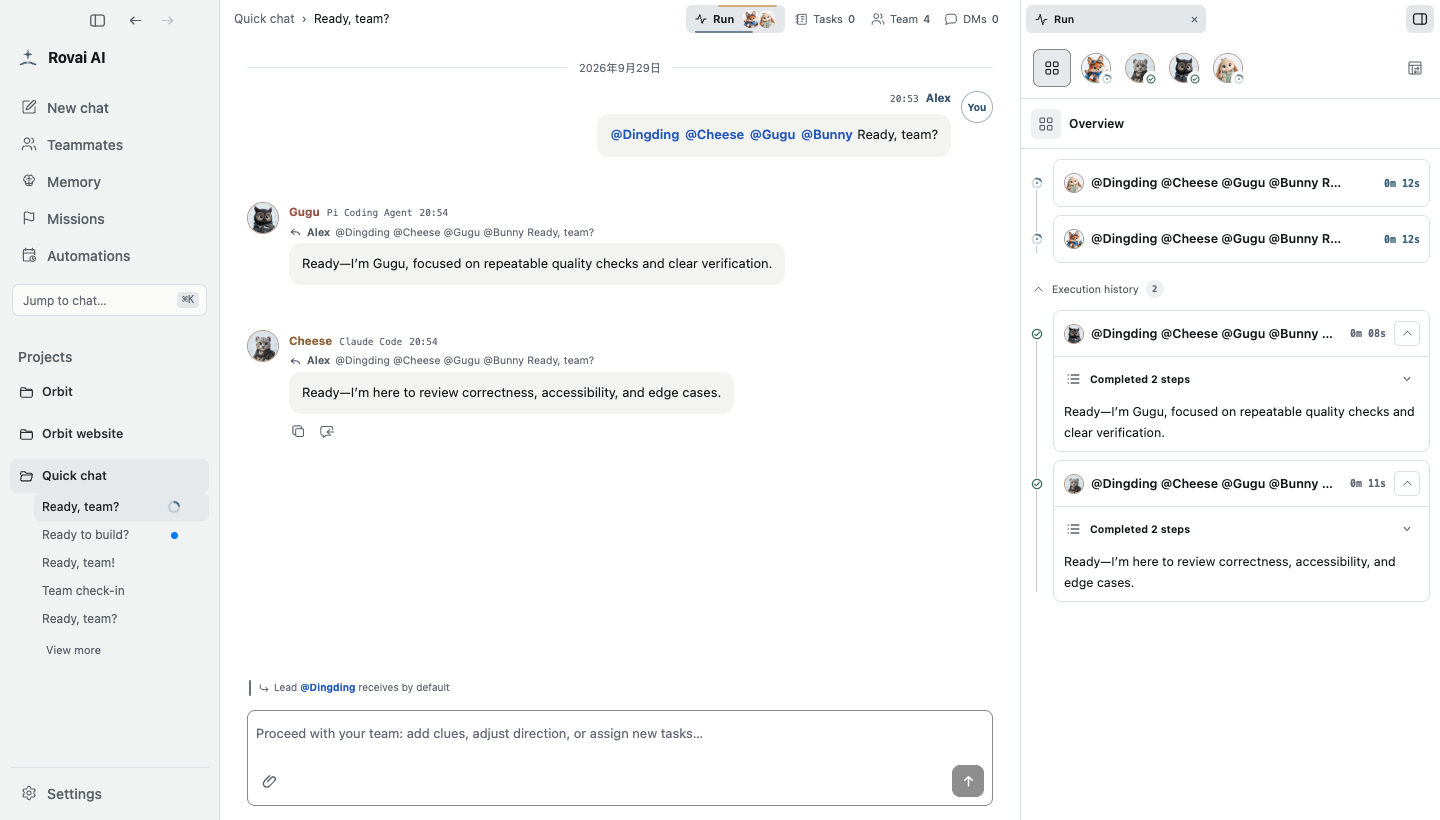
Rovai AI is like an Agent guild of your own, where you can recruit members with different personalities and roles.
Together, they explore, discuss, and act on real tasks — building
team chemistry and collaborative memory along the way.
Core Capabilities
| Core capability | What it means in Rovai |
| --------------------------------- | -------------------------------------------------------------------------------------------------------------------------------------------------------------------------------- |
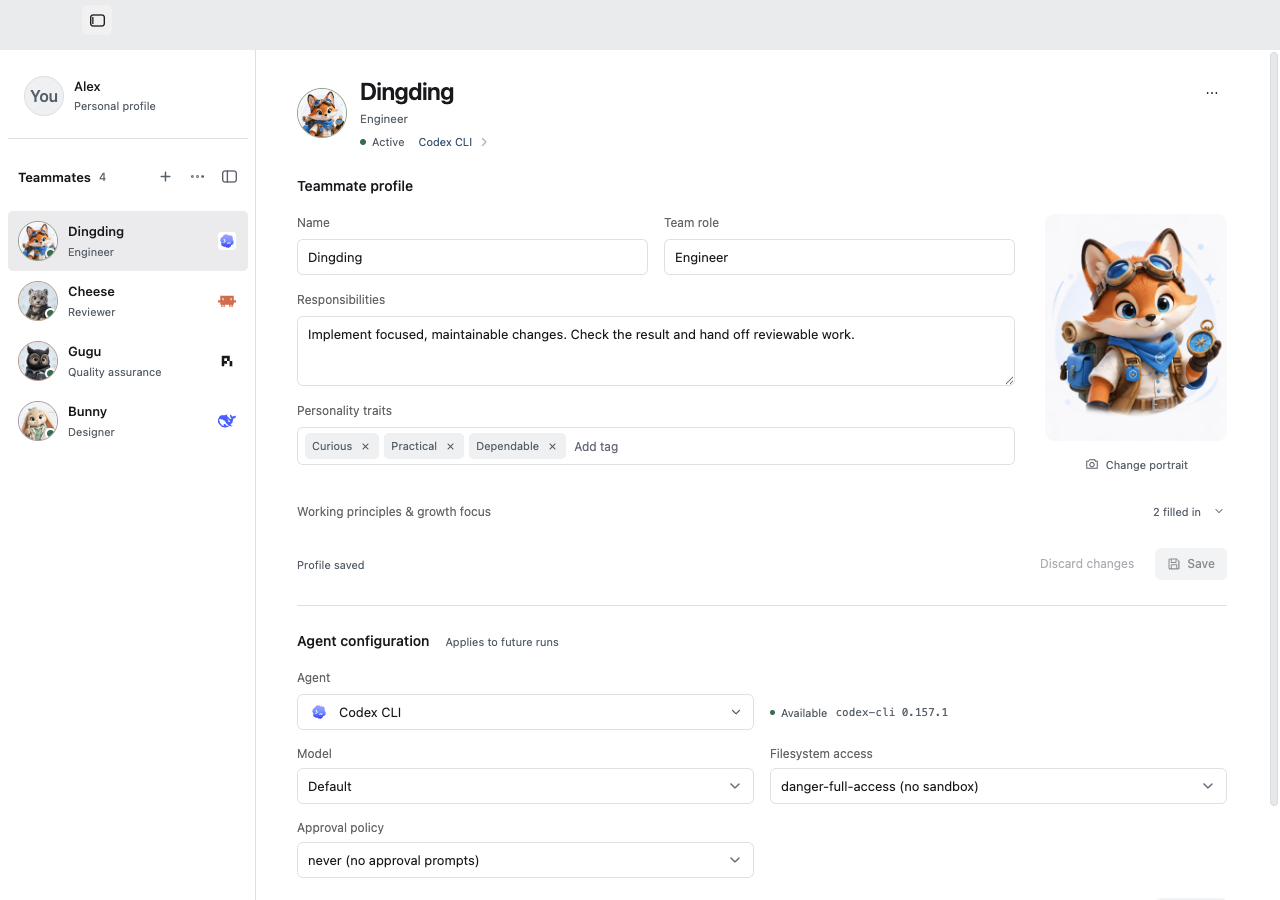
| Long-lived members | Preserve each member's enduring identity, appearance, responsibilities, and working style so they can rejoin the team across Camps and Tasks. |
| Camp collaboration | Organize shared conversations, long-lived members, Tasks, attachments, and execution state around one objective, reducing the context users must carry between separate windows. |
| Role-based collaboration | Turn paired questioning, document-informed decision-making, code review, and group discussion into repeatable ways for a team to work together. |
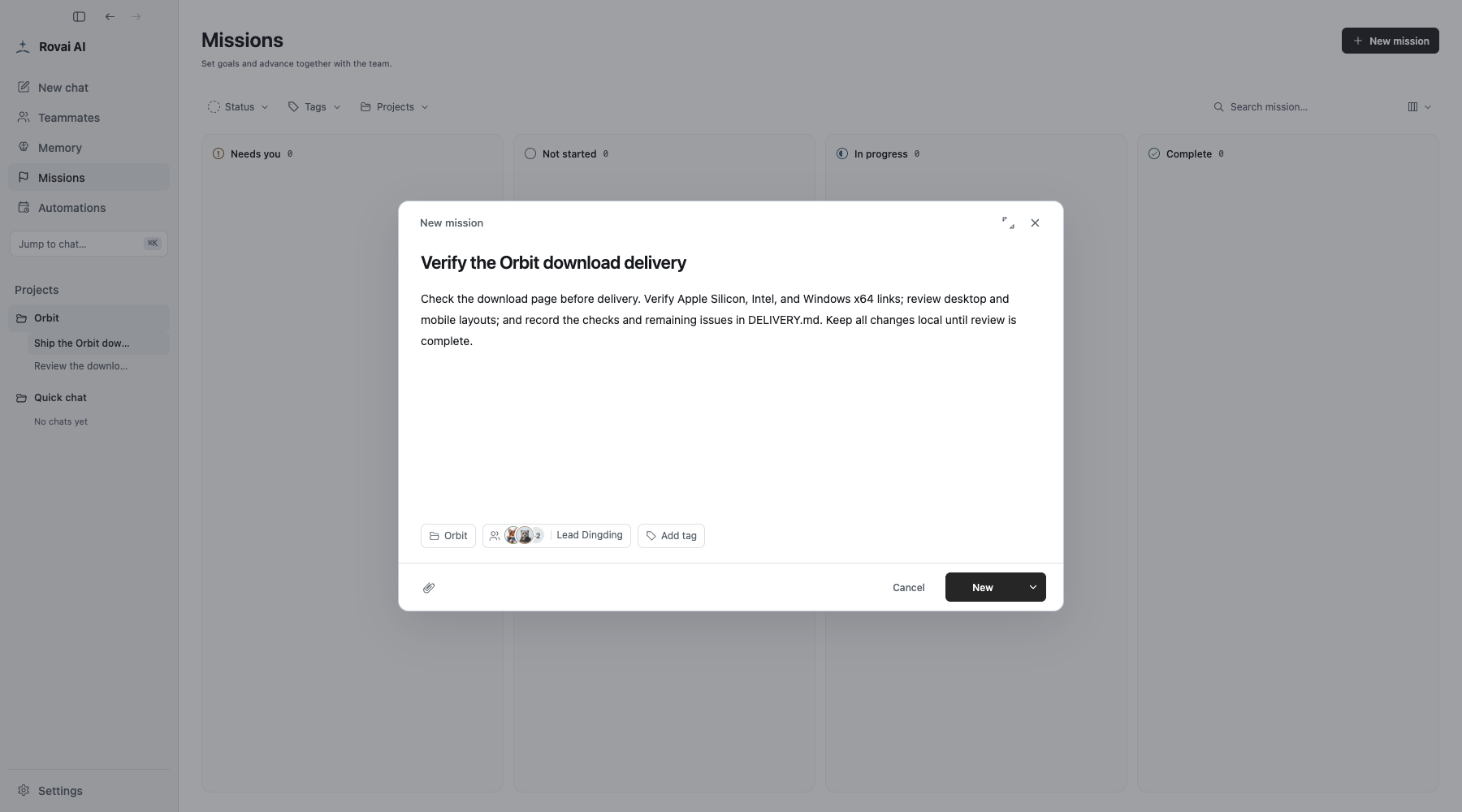
| Tasks and ownership | Give ongoing work a title, owner, and state so unfinished work remains trackable and can be picked up by another member. |
| Member handoffs | Use @mentions, the default Lead, direct replies, and A2A routing to pass questions, conclusions, and next actions to the right member. |
| Visible execution | Inspect tool calls, process state, intermediate results, and final delivery in an independent execution console instead of hiding real work behind a single completion message. |
| Approvals, evidence, and recovery | Require explicit approval for important actions, preserve reviewable execution evidence, and continue from existing state after interruption. |
| Collaborative memory | Preserve important decisions, lessons, and team habits so members gradually understand how this team has solved problems together. |
| Native capability compatibility | Use a generic ACP Adapter to connect Agent Runtimes that support ACP while preserving their native models, permissions, Skills, MCP, and session capabilities whenever possible. |
These capabilities are not isolated features. They are connected by one collaboration architecture:
src="docs/assets/readme/rovai-architecture.png"
alt="Rovai AI architecture showing the Principal, Desktop, Core, Runtime Adapter Layer, Agent Runtimes, user workspace, and Runtime-native capabilities"
README
Rovai AI
Assemble a team of agents that grows together.
A workspace for long-lived coding-agent teams.
Bring your installed Agents into shared conversations, divide the work,
inspect execution and file changes, and keep useful knowledge for the next task.
Work together, from the first request to the next task
Start with one teammate, then bring in another when the work needs a second perspective. Keep their roles, conversations, unfinished tasks, and useful agreements available when you return.
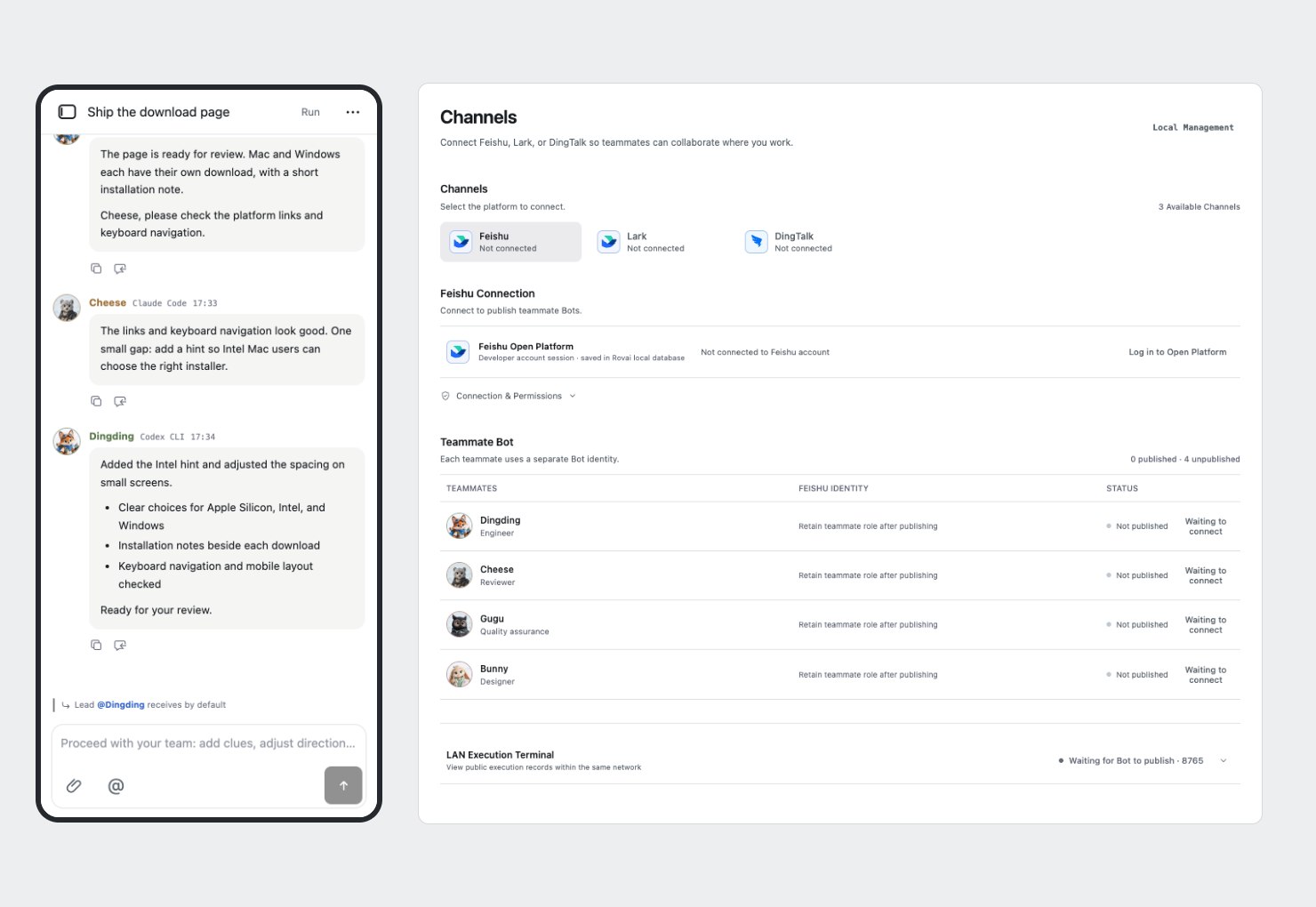
Return to your workspace through a browser. Connect Desktop teammates to external messaging channels.
Keep your teammates. Choose how they work.
A teammate's identity stays with the team across projects. An implementer and a reviewer can have different responsibilities, use different Agents, and keep their own ways of working.
Connect installed coding Agents such as Codex CLI, Claude Code, Pi Coding Agent, DeepSeek Harness, and OpenCode. Model choices, permissions, Skills, and MCP capabilities depend on the Agent and host platform.
Use the Mission board for a goal you will return to: improving a download flow, preparing a release, or working through a project review. Choose a project and team, continue in its conversation, and inspect the accumulated file changes and delivery.
Tasks record responsibility; execution records show what ran. Finishing a run, completing a mission, and merging code are separate actions.
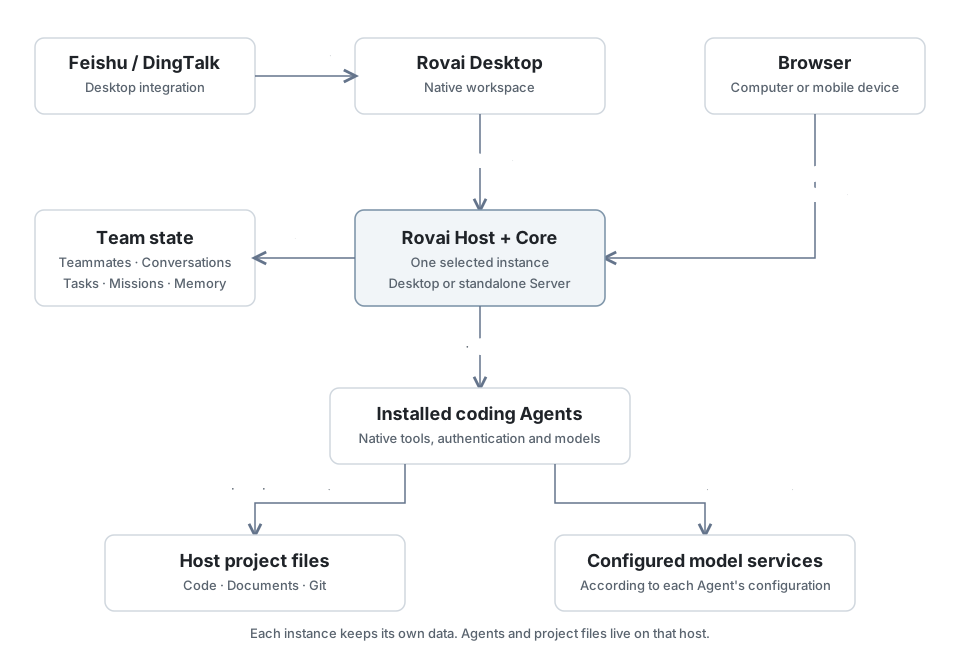
Enable Web access in Rovai Desktop, or run an independent Rovai Server on your own host. Open the workspace in a browser to continue the conversation and follow the work. Agents and project files stay on the host you connect to; separate instances keep separate data.
Rovai Desktop also connects to Feishu and DingTalk, so you can send requests and receive results in those channels. See the channel guide for setup and availability.
Rovai keeps the team's collaboration state and coordinates execution. The coding Agents perform the work using their own tools, authentication, and configured model services.
Desktop and standalone Server share the Host implementation. Each instance has its own data and environment; connecting through a browser does not migrate or synchronize them. Channel integration is provided by Desktop.