vaultspec nevenincs
winget install --id=nevenincs.vaultspec -e Unified dashboard UI for the vaultspec ecosystem
The human-facing visual workspace for a Vaultspec project.
What it does · Project layout · Getting started · Capabilities · Vaultspec family · Documentation · Status
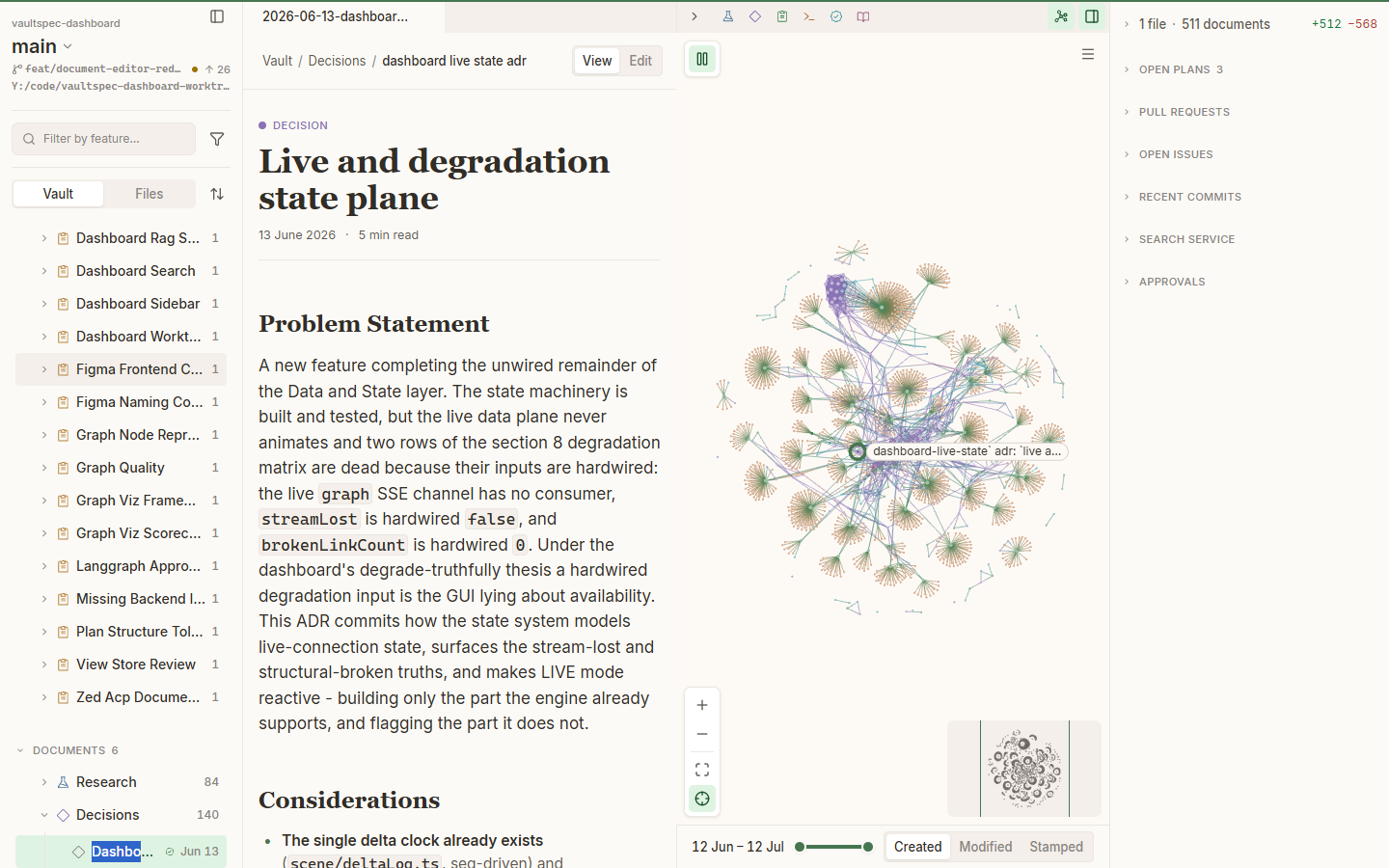
The complete workspace keeps repository context, vault content, relationships, history, and current activity in one view.
Project knowledge often spans source files, Git history, worktrees, current activity, and
.vault/. This Git-tracked directory stores research, decisions, plans, execution records,
and audits. File browsers show each item but hide the relationships between them.
vaultspec-dashboard brings this work into one visual workspace. Choose a project and worktree, then browse documents or source files beside focused, switchable vault and code graphs. Inspect changes, open work, and history without turning the entire project into an unreadable graph. Search by file or title, with optional semantic search for meaning-based discovery. Author and review Markdown without leaving the workspace.

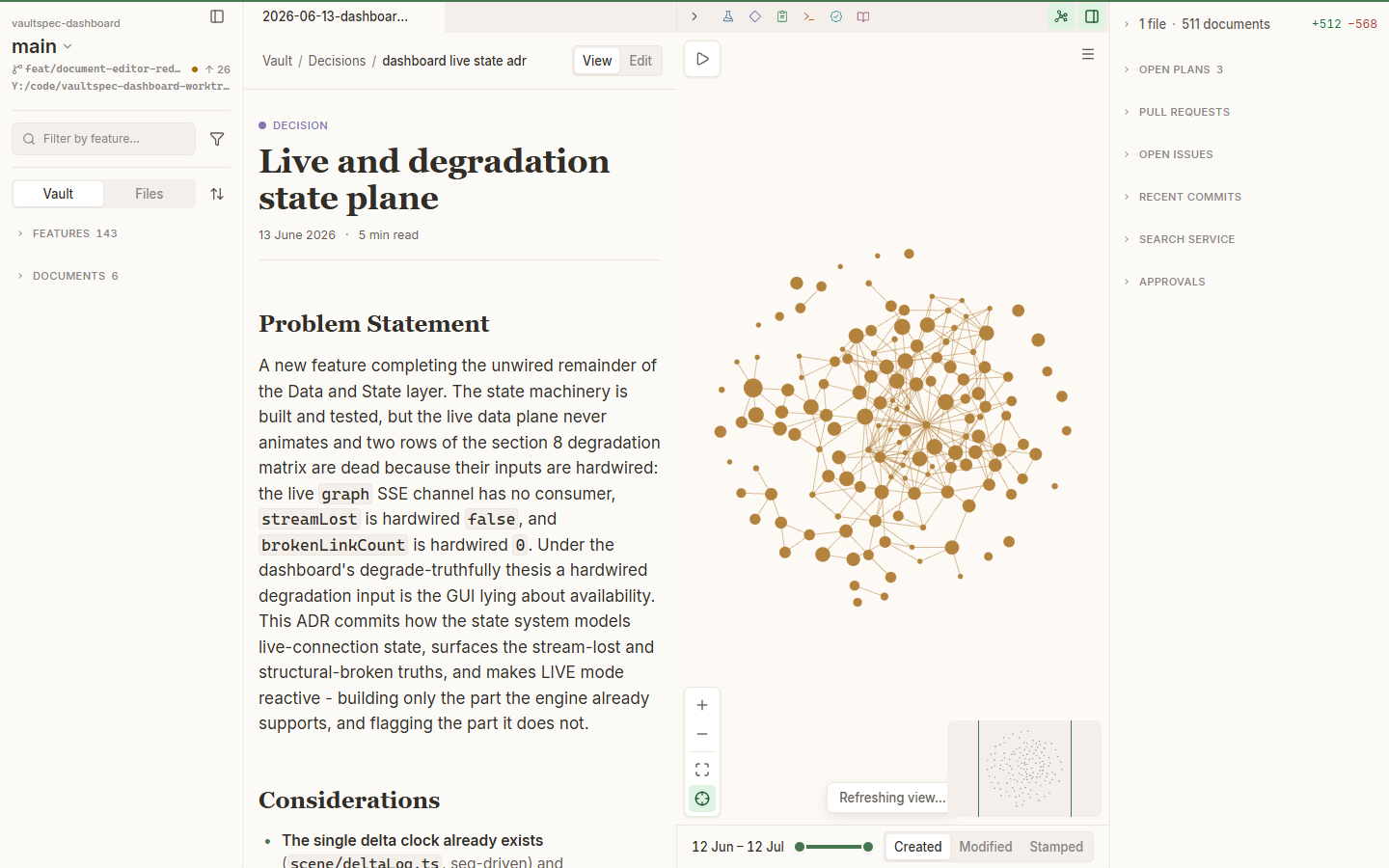
Open a document from Documents > Decisions without losing its workspace and graph context.
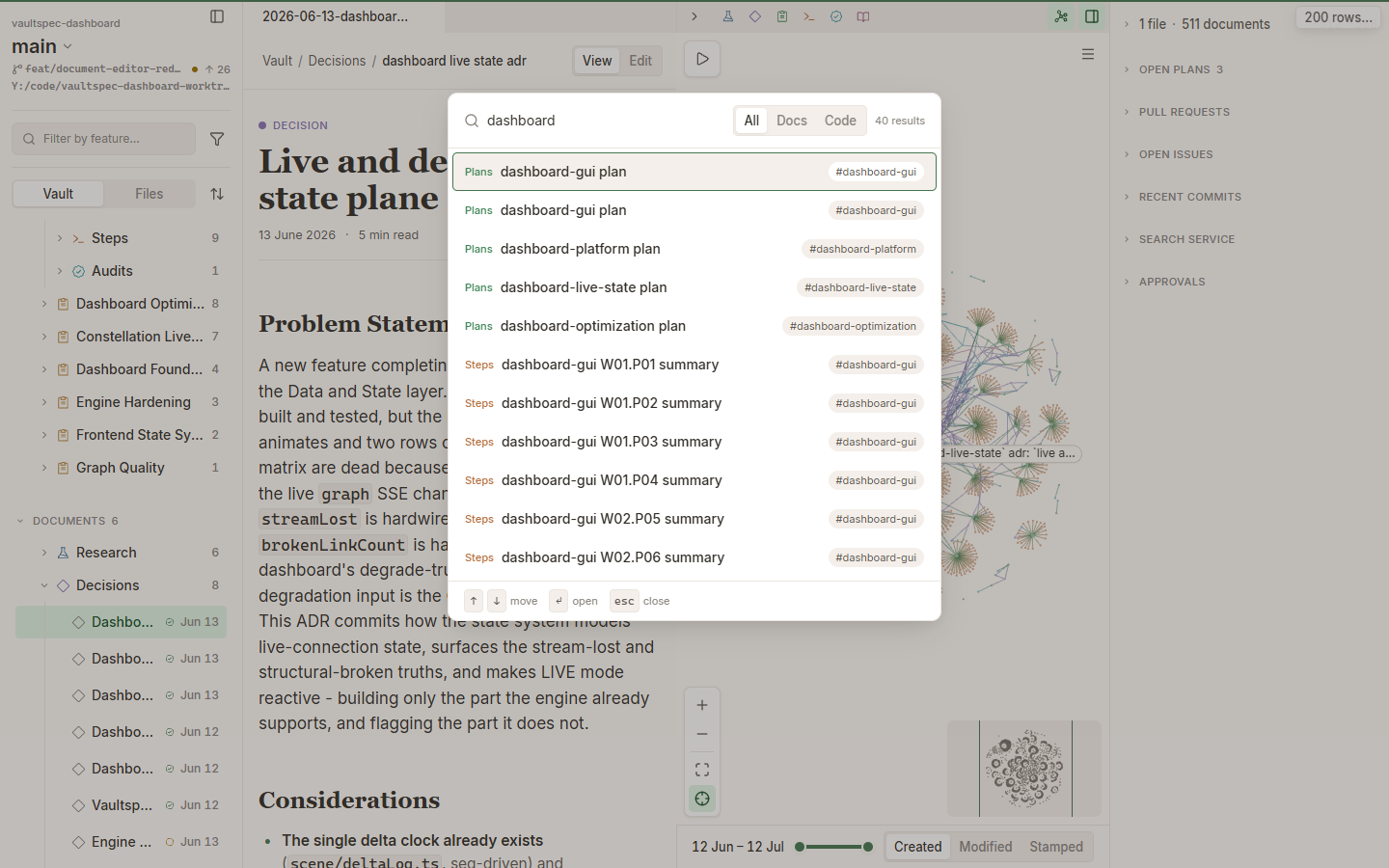
Search documents and code with a real query, scoped result controls, and populated results.
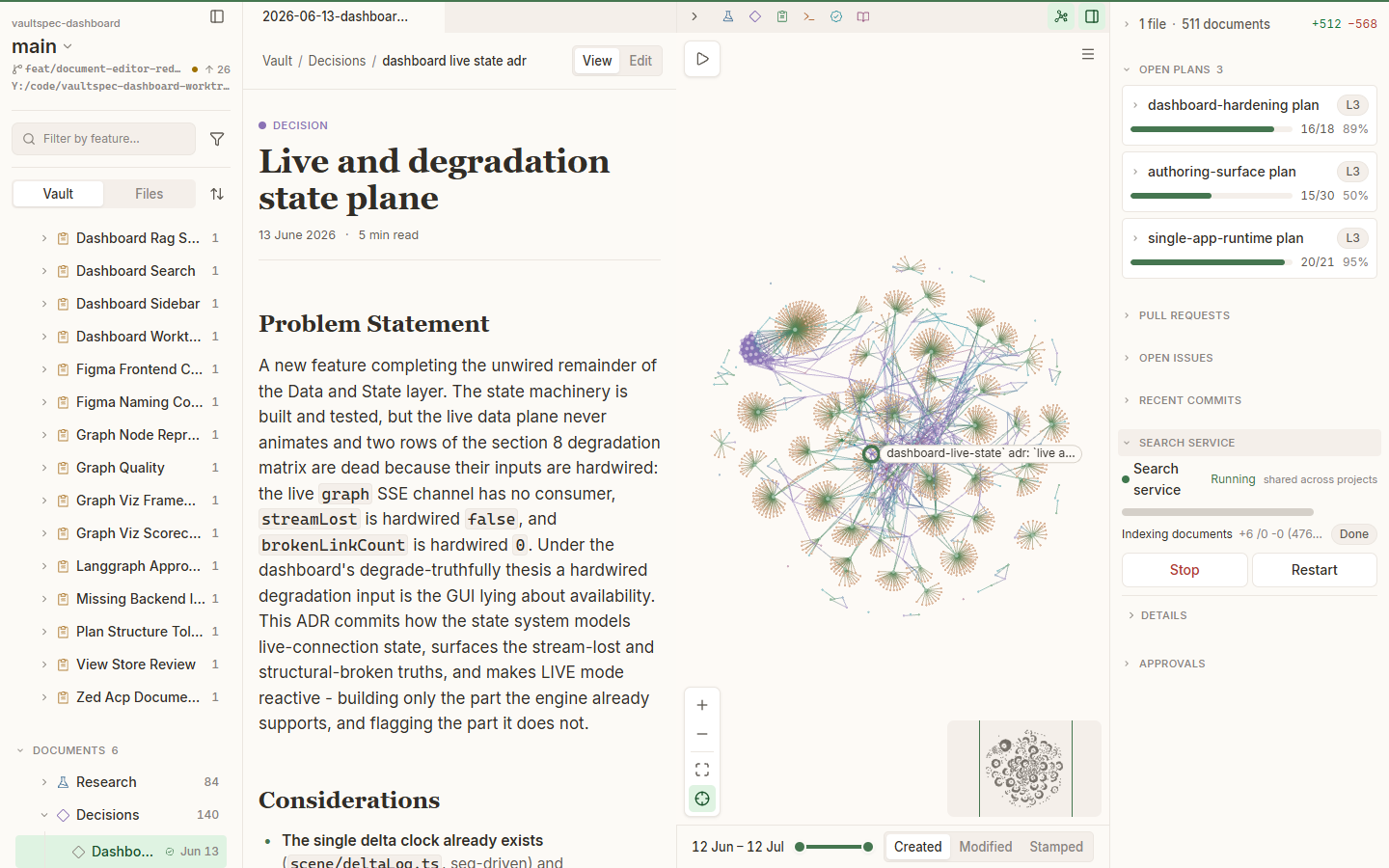
Review current open plans and search-service state from the running workspace.
| Project | Responsibility |
|---|---|
| vaultspec-core | Governs the workflow and .vault/ record. Owns validation, command-line and Model Context Protocol (MCP) surfaces, and authoritative document materialization. |
| vaultspec-rag | Provides optional retrieval-augmented generation (RAG). Indexes vault documents and source code, then retrieves both by meaning. |
| vaultspec-dashboard | Owns the vaultspec binary, visual workspace, application programming interface (API), session state, and governed review experience. |
The dashboard delegates governed writes to core and semantic retrieval to RAG. It uses the core command-line interface, RAG's local service API for reads, and bounded RAG commands for explicit lifecycle actions.
The installed dashboard is one native Rust executable named vaultspec. It includes the
engine, API, live event stream, and web interface. Run vaultspec serve from a managed
worktree. The command prints a local URL for the running application.
The dashboard uses two independently installed companions:
A source checkout uses a separate Vite and Rust development loop; it isn't the installed product model.
This current-main status capture is generated from real vaultspec --json status output
against this worktree. Its lifecycle fields may be newer than the latest release.
vaultspec-dashboard supports macOS on Apple silicon and Intel, glibc-based Linux on arm64 and x64, and Windows on x64.
The routes below target the latest published GitHub Release. Development on main may
contain lifecycle changes that haven't been released yet.
Every supported channel installs the complete product — the vaultspec
dashboard, the copied external updater, the pinned A2A companion capsule, and the
signed release manifest, licenses, and software bill of materials — as one
offline-complete tree, and verifies that tree against its own release manifest
with the shipped bounded authority (vaultspec verify-release) before it is
considered installed. A partial or binary-only install is not a supported state.
Shell script (macOS and Linux) — the product-owned installer:
curl --proto '=https' --tlsv1.2 -LsSf https://github.com/nevenincs/vaultspec-dashboard/releases/latest/download/install.sh | sh
PowerShell script (Windows) — the product-owned installer:
powershell -ExecutionPolicy Bypass -c "irm https://github.com/nevenincs/vaultspec-dashboard/releases/latest/download/install.ps1 | iex"
MSI installer (Windows): the complete MSI packages every product file with a
product receipt and clean uninstall; it appears as vaultspec--x86_64-pc-windows-msvc.msi
under Releases.
Scoop (Windows):
scoop bucket add vaultspec https://github.com/nevenincs/vaultspec-dashboard
scoop install vaultspec/vaultspec
The bucket/ directory in this repository is a self-hosted Scoop bucket. Run
scoop update vaultspec to upgrade after a new release lands.
WinGet (Windows): winget install vaultspec.vaultspec points at the complete
MSI with manager-owned upgrade and rollback.
Update and removal. A self-installed copy updates itself in place with
vaultspec update (the copied external updater replaces the release outside the
active seat, under the installation lock — never a partial swap); package-manager
copies update through their manager (scoop update vaultspec, winget upgrade).
Uninstalling removes the product tree but preserves your data, which lives
outside the install directory.
> Not supported: cargo install / cargo-binstall. A bare Cargo install
> places only the vaultspec binary, not the complete offline tree, so it cannot
> preserve the release-set, receipt, verification, update, and removal guarantees
> above. vaultspec-cli is withheld from crates.io until a Cargo channel can carry
> the composite release contract. Use one of the channels above.
>
> Note on code signing: the installers, MSI, and binary archives are currently
> unsigned. macOS Gatekeeper will quarantine the binary on first run - right-click the
> binary, choose Open, and confirm the override prompt. Windows SmartScreen may show
> an "Unknown publisher" warning - click More info then Run anyway to proceed.
Confirm the installation:
vaultspec --version
Your project must use Git. Governed capabilities also require vaultspec-core 0.1.34 or
later. Install it separately with uv:
uv tool install 'vaultspec-core>=0.1.34'
From the project directory, verify that the project is ready:
git rev-parse --is-inside-work-tree
vaultspec-core --version
vaultspec-core status --json -t .
The Git command must print true. The core version must be 0.1.34 or later. The status
command must exit successfully, proving that core can read the managed vault.
If the project isn't managed yet, create only the core scaffolding:
vaultspec-core install core -t .
This command modifies the project by installing the core vault structure and configuration. Review the vaultspec-core getting-started guide before applying it to an existing project.
The walkthrough that follows uses an existing managed project with at least one decision record. A freshly scaffolded project contains no records yet. Follow the Vaultspec framework to create meaningful project records before continuing.
From the managed Git worktree, run:
vaultspec serve
Keep the terminal open. When the service is ready, it prints:
vaultspec serve: listening on http://127.0.0.1:8767 (bearer token in service.json)
Open http://127.0.0.1:8767 in your browser. A successful dashboard shows the current
worktree selector, Vault/Files browser, populated graph, timeline, and activity rail.
The complete workspace capture shows this result.
vaultspec-rag adds optional semantic search. Name matching remains available without it.
The current vaultspec-rag service runtime requires:
macOS, AMD GPUs, and Apple silicon aren't supported. The service has no central processing unit (CPU) fallback. The dashboard requires vaultspec-rag 0.2.28 or later, but it doesn't verify the resident version.
Install vaultspec-rag in the project's Python environment. A global uv tool installation
isn't suitable for launching its GPU service.
uv add vaultspec-rag
uv run vaultspec-rag install
uv sync
uv run vaultspec-rag server start
uv run vaultspec-rag index
uv run vaultspec-rag server jobs
Wait for the vault and code jobs to finish before using semantic search. Follow the installation guide and getting-started guide for the complete setup.
When the service is offline, Search service reports that it isn't running. Search falls back to literal document and code-name matching and may report:
> Full search is unavailable — showing name matches only.
Check the current location: project / worktree selector.
Expected result: The selector names the project and worktree whose vault you're viewing. When it names the intended workspace, leave it unchanged.
In Vault mode, expand Documents, then expand Decisions.
Expected result: Decision records appear beneath Decisions.
Select a decision record with a single click.
Expected result: The record becomes the current selection. The graph uses the same selection.
Double-click the record, or press Enter, to open it in the docked reader.
Expected result: The reader shows a breadcrumb, type, title, date, and body. It also shows View and Edit when editing is available.
Move focus to the graph canvas, then use the arrow keys to walk through connected nodes.
Expected result: The shared selection moves through the graph. Press Enter to open
the selected record, E to expand it, or Escape to clear the selection.
Press Command+P on macOS or Ctrl+P on Windows and Linux.
Expected result: Search documents and code opens with All, Docs, and Code scopes.
Choose Docs, enter part of the decision title, and press Enter on the selected result.
Expected result: The matching decision opens in the docked reader.
See Visual tour for the corresponding workspace, document, search, and status views.
| User goal | Mounted view | Boundary |
|---|---|---|
| Browse project content | Project and worktree selector; Vault and Files browser | Shows registered projects and worktrees, the vault tree, and the code tree. |
| Explore relationships and history | Desktop graph with timeline, filters, and minimap | Switches between vault and code corpora. It doesn't mix them. The graph isn't available in compact or mobile layouts. |
| Inspect a document or source file | Docked Markdown viewer or read-only code viewer | Code inspection includes syntax highlighting, line numbers, and copy. Code editing isn't supported. |
| Edit vault content | Markdown authoring view with View/Edit, toolbar, properties, rename, and save controls | Supports approved vault Markdown writes when authoring is available. Core materializes approved changes. |
| Search documents and code | Mod+P command palette with All, Docs, and Code scopes | Combines semantic and literal search, returns a bounded result set, and opens selections in the viewer. |
| Monitor and review work | Activity and status rail | Covers changes, open plans, pull requests, issues, commits, search service status, approvals, and reviews. Sections can degrade independently. |
The dashboard keeps unaffected features available when a data source or browser capability fails. Each affected view reports its own limitation.
| Unavailable capability | What the interface says | What remains usable |
|---|---|---|
| vaultspec-core | The server warns and continues. The graph may say Links unavailable — the rest of the graph is live. | Structural graph nodes, independent data, and supported reads remain. Declared links and authoring are unavailable. |
| Semantic search | Search may say Full search is unavailable — showing name matches only. Search service says Search service not running. | Document-metadata and code-name matches, graph, browsing, timeline, reading, and GitHub data remain. |
| GitHub data | Pull-request and issue sections report that the gh command-line interface (CLI) isn't available or that GitHub is unavailable. | Local Git history, vault content, graph, plans, and search remain. |
| Browser graphics | The canvas says Graphics unavailable. After context loss, it says Restoring graphics…. | Non-canvas views remain while the canvas recovers or graphics stay unavailable. |
| Some graph relationships | The graph reports Links unavailable — the rest of the graph is live, Mentions unavailable — the rest of the graph is live, or Timeline unavailable — the rest of the graph is live. | The available graph stays visible without the missing relationship type. |
| The entire graph | The view says Graph is not available. | Non-graph views and any other available capabilities remain. |
| Term | Meaning |
|---|---|
| Vaultspec | A four-project family: vaultspec-core, vaultspec-rag, vaultspec-dashboard, and vaultspec-a2a. |
vault or .vault/ | A project directory containing structured Markdown research, decisions, plans, execution records, and audits. |
| vault document | One structured Markdown artifact stored in a vault. |
| Vaultspec pipeline | An approval-gated flow through Research, Decide, Plan, Execute, and Verify. See the Vaultspec framework. |
| Architecture Decision Record (ADR) | A record of a binding project decision and its reasoning. |
| semantic search | Search that ranks indexed text by meaning, not only by exact words. See the search and indexing guide. |
| vaultspec-core | The governed workflow, command-line interface, validators, and vault-document tooling. |
| vaultspec-rag | The optional retrieval service that indexes vault documents and code. |
| workspace | A registered Git project root. |
| worktree | One checked-out working copy used for the current operation. |
| Project | Role | Status |
|---|---|---|
| vaultspec-core | The agent harness: the pipeline, the vault, and the CLI that drives them. | Beta |
| vaultspec-rag | The semantic search component for vault and code. | Beta |
| vaultspec-dashboard | The application that runs it all as a UI. | Beta |
| vaultspec-a2a | Headless agent-to-agent orchestration. | Beta |
| Task | Documentation |
|---|---|
| Install the dashboard | Download the latest release |
| Learn the core workflow | Read the Vaultspec framework guide |
| Use vaultspec-core | Core command-line interface (CLI) reference · Core MCP reference |
| Diagnose a core project | Run the core health doctor |
| Install vaultspec-rag | RAG installation guide |
| Search and index content | RAG search and indexing guide |
| Use vaultspec-rag | RAG CLI reference · RAG MCP reference |
| Troubleshoot the RAG service | Service-mode troubleshooting |
| Review dashboard changes | Dashboard engine release notes |
| Report an application problem | Open a dashboard issue |
Status: Beta. vaultspec-dashboard is public, unarchived, and actively developed. See GitHub Releases for current releases and the changelog for release details.
Report bugs and request features through GitHub Issues. Include:
vaultspec --version--scopevaultspec --json statusKeep diagnostics focused. Redact credentials, tokens, private paths, and private content before submitting a report.
License: MIT.
These instructions apply to a source checkout. They don't install a published release.
Install the toolchain, synchronize development dependencies, and start the Vite and Rust development servers:
mise install
just dev deps sync
just dev serve
Run the relevant quality checks before submitting changes:
just dev lint all
just dev test all
just dev test e2e
just ci
just dev test all runs the Rust and Vitest suites. End-to-end tests run separately with
just dev test e2e.
Build the embedded, single-binary product with:
just dev build package
Use mise.toml and the justfile as the authoritative task
definitions. For design work, use:
Read the current-main application lifecycle when working on unreleased launch, update, or single-instance behavior.
Release automation lives in the Release Please workflow and distribution workflow. Use conventional commits and let Release Please update the engine changelog.
Regenerate terminal README assets with:
uv run --no-sync python scripts/render_readme_assets.py
To regenerate application captures, keep just dev serve running in one terminal. Run the
capture task in another:
npm --prefix frontend run readme:capture
The capture task generates the README figures and their manifest.