Tailscale Command Palette nickknissen
Use this command to install Tailscale Command Palette with WinGet:
winget install --id=nickknissen.TailscaleCommandPalette -e Tailscale for Command Palette
winget install --id=nickknissen.TailscaleCommandPalette -e Tailscale for Command Palette
A PowerToys Command Palette extension that brings common Tailscale actions and device information into the Command Palette UI.
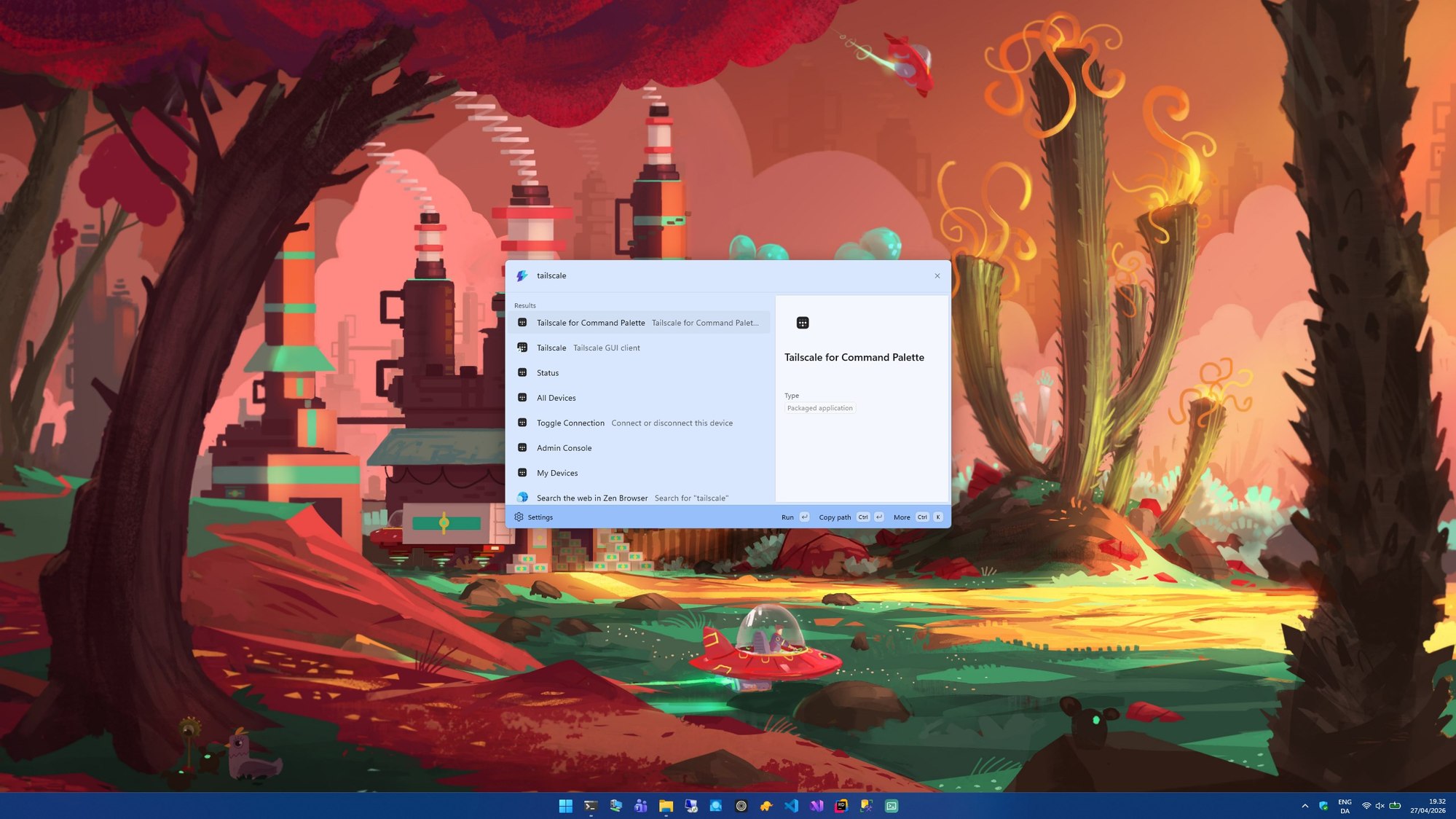
The extension shells out to the local tailscale CLI and parses
tailscale status --json to populate Command Palette pages and actions.
tailscale.exe on PATHOpen the listing:
winget install nickknissen.TailscaleCommandPalette
Download the latest .msixbundle from the
Releases page,
then:
Add-AppxPackage .\TailscaleCommandPalette_.msixbundle
See docs/development.md.
After installation, open PowerToys Command Palette and look for the Tailscale provider.
Top-level commands:
Selecting a device copies its primary Tailscale IP by default. Additional context actions include Copy IPv6, Copy MagicDNS, and Open in browser.
See docs/development.md for local build, signing, and install/uninstall instructions.
See docs/releasing.md for the GitHub Actions release workflow and required signing secrets.
TailscaleCommandPalette/
├─ Commands/      # Command Palette invokable commands
├─ Models/        # Tailscale status / device models
├─ Pages/         # Command Palette list pages
├─ Services/      # Tailscale CLI integration and parsing
├─ Assets/        # App and extension icons
└─ build-msix.ps1 # Signed MSIX build script (used by release.yml)
Common causes: Tailscale isn't installed, isn't running, the device isn't
connected to a tailnet, or tailscale.exe isn't on PATH.
Make sure the Tailscale CLI works outside the extension first:
tailscale status
tailscale up
tailscale down
The extension caches CLI results briefly to avoid excessive shelling out. Reopen the page or retry after a few seconds.
This project is licensed under the MIT License.
This project is an independent extension for Microsoft PowerToys and is not affiliated with or endorsed by Tailscale or Microsoft.
