skills-hub browses, tags and toggles the skills, agents, commands and rules that AI coding tools keep in a dozen different folders, working directly on the folders those tools actually read.
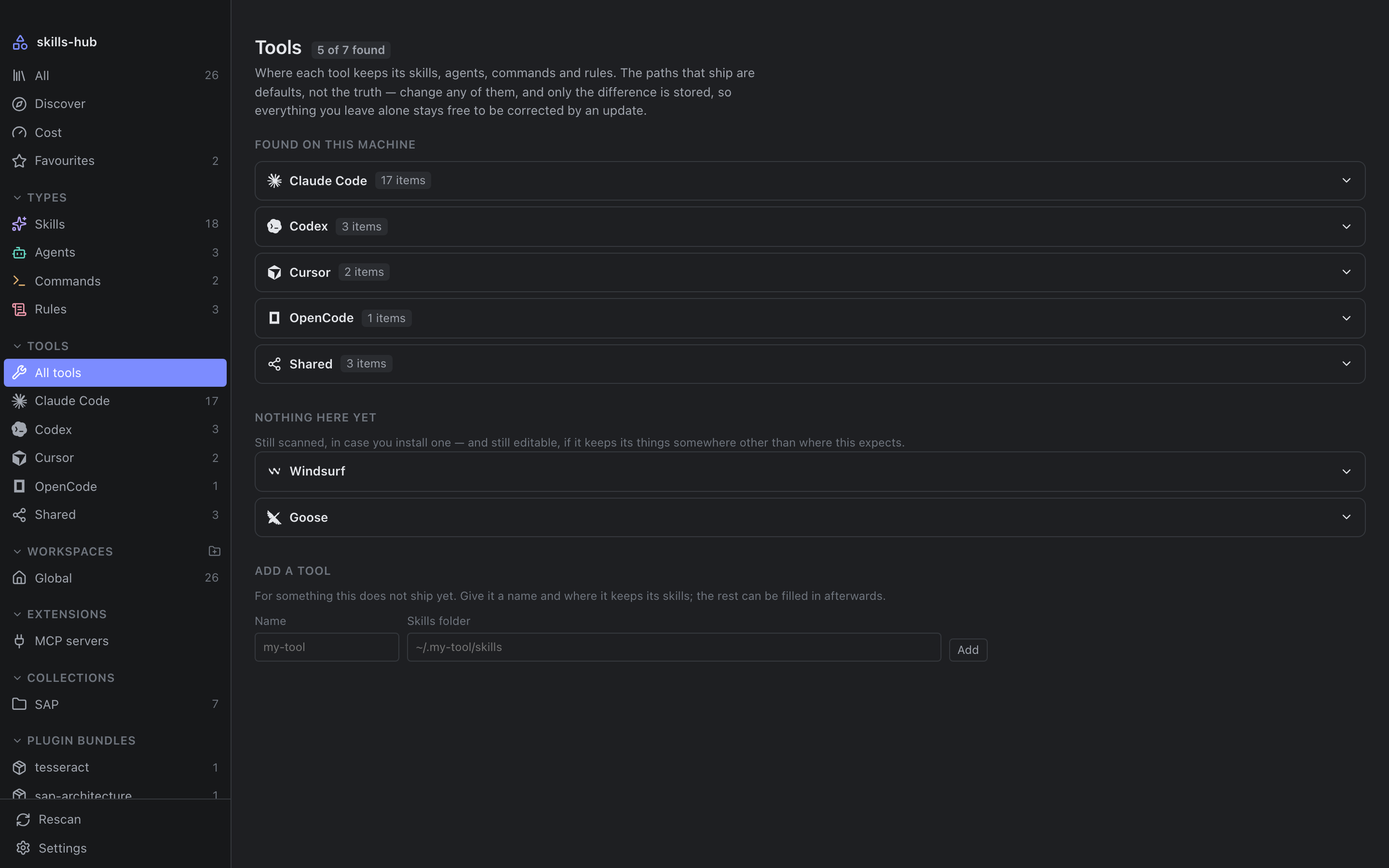
It knows Claude Code, Cursor, Codex, OpenCode, GitHub Copilot, Cline, Windsurf, Gemini CLI and a dozen more, and every path is editable, so a tool that moves its folders does not have to wait for a release.
README
skills-hub
One library for the skills, agents, commands and rulesscattered across every AI coding tool you use.
Every AI coding tool keeps its skills, agents, commands and rules in a folder
of its own — some global, some per project, most both. Nothing shows you all of
it at once, the same prompt ends up pasted into three places and drifting
apart, and a checkbox in a manager that never touches the file the tool reads
has not disabled anything.
skills-hub works on the folders those tools actually read. Enabling,
disabling and organising act on the real files, never on a copy.
Features
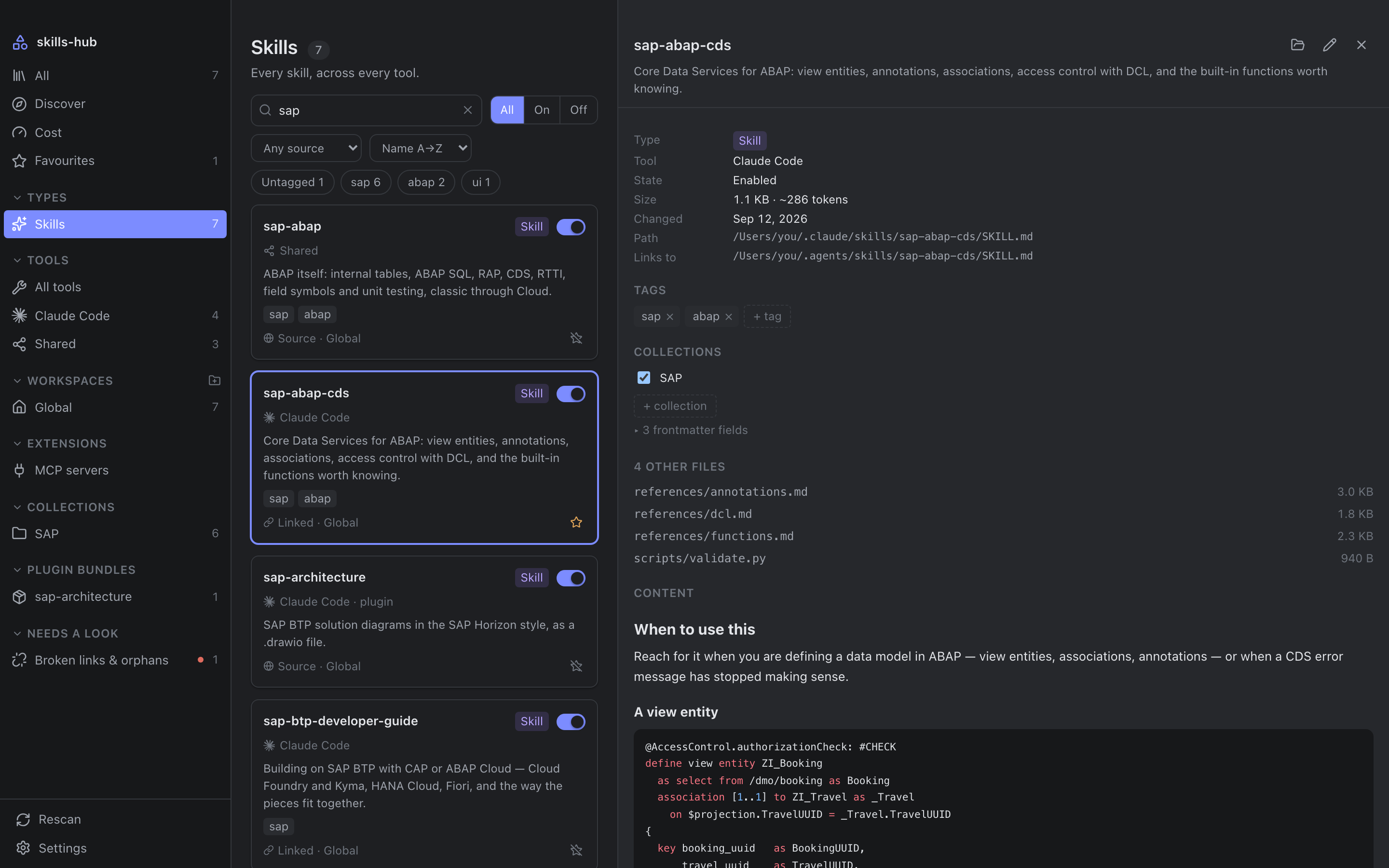
🗂️ One library, real files
Every tool's items side by side, searchable and filterable by type, tool and
workspace. Disabling moves the file into a .skillmanager-disabled folder
beside it, and enabling moves it back — so the tool genuinely stops seeing it.
Symlink-aware: a relative link is recomputed for its new depth.
🏷️ Tags that live in your vault
One small markdown note per item, with frontmatter, in a folder you choose. Put
it in an Obsidian vault and your tags sync with everything else and stay
queryable from Dataview. A note carrying your own tags is never removed
automatically.
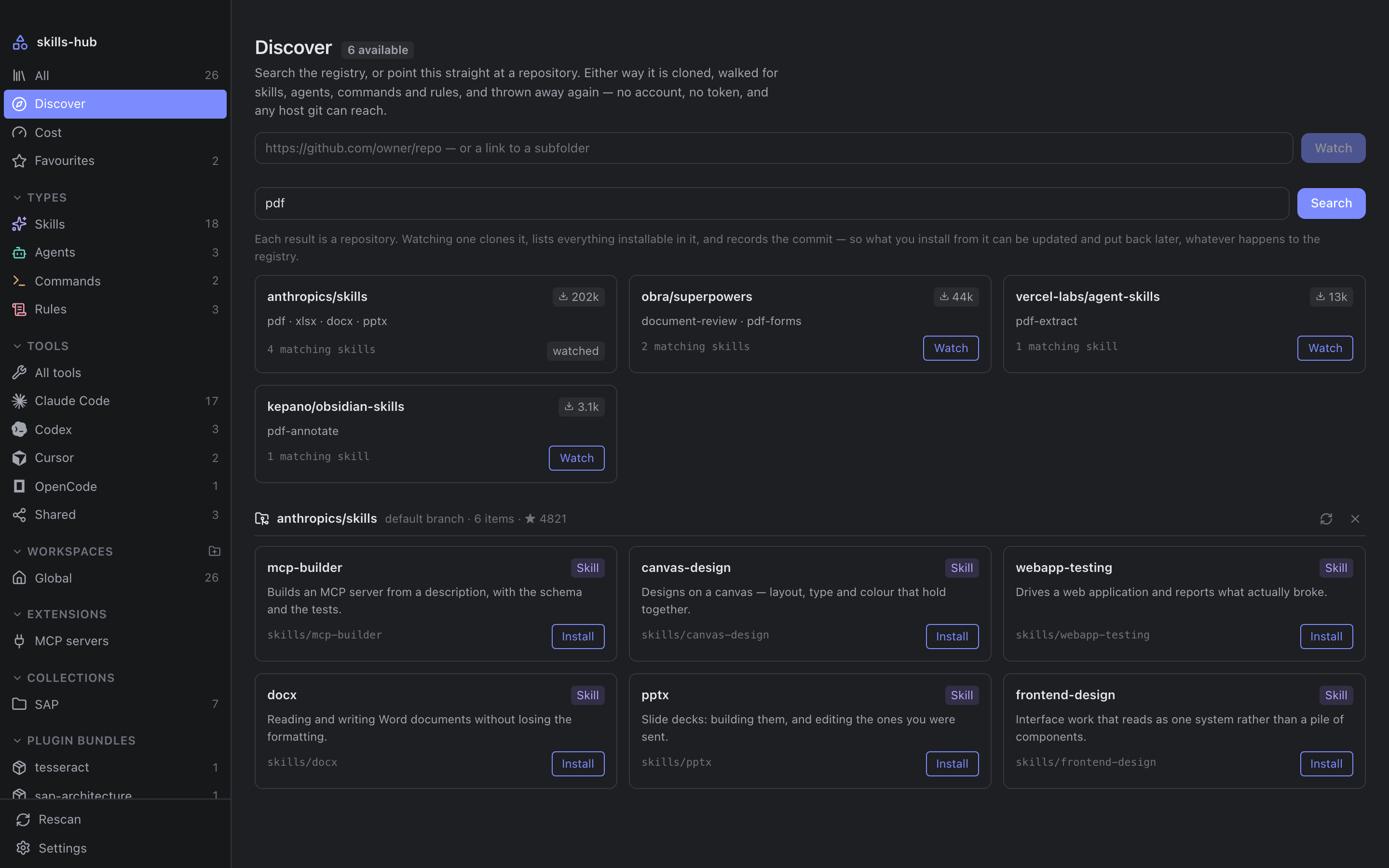
🔎 Discover, install, diff first
Search the skills.sh registry, or point it at any
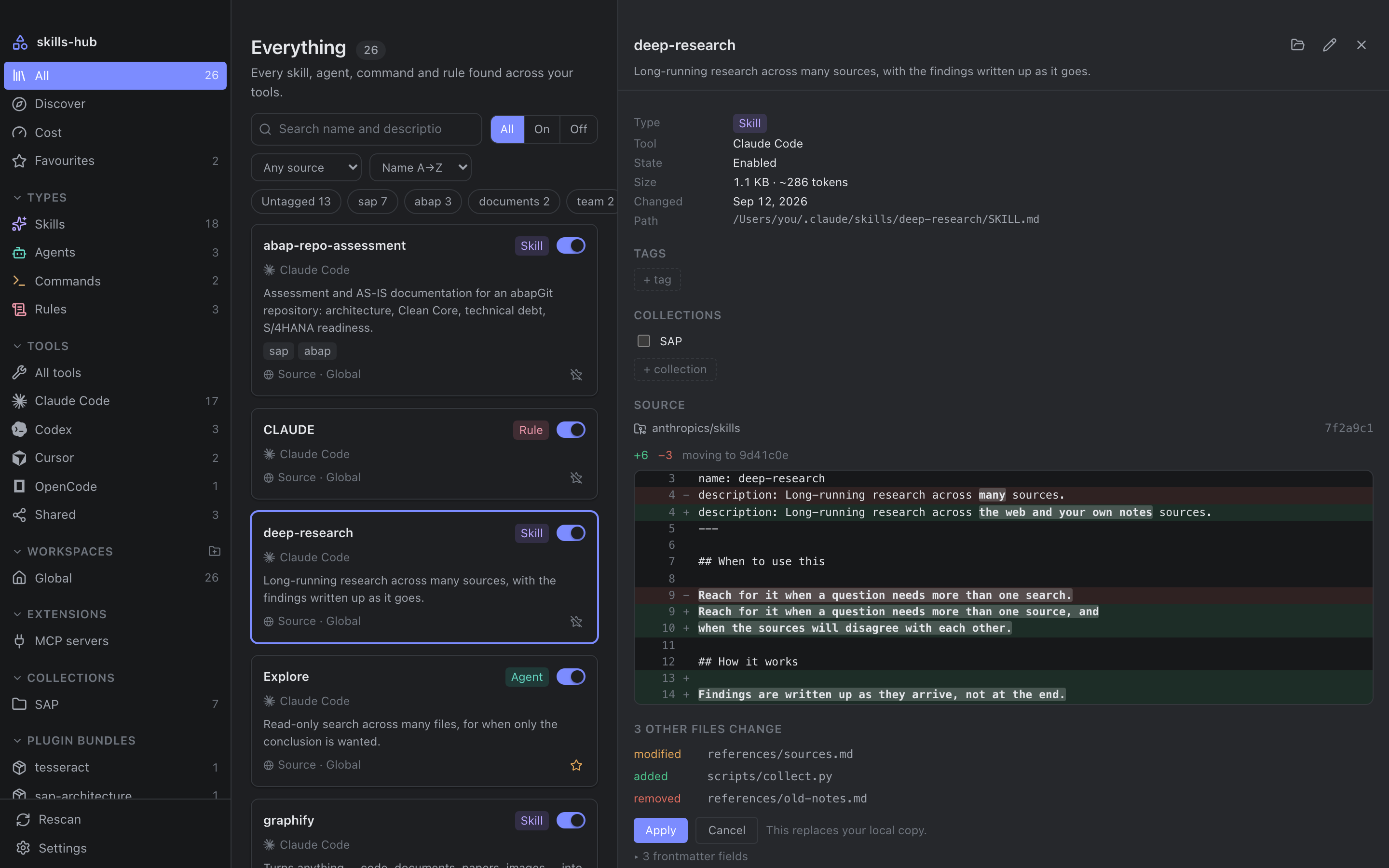
repository git can reach — no account, no token. Everything installed records
the commit it came from, so updates arrive as a diff before anything is
overwritten, and can be put back.
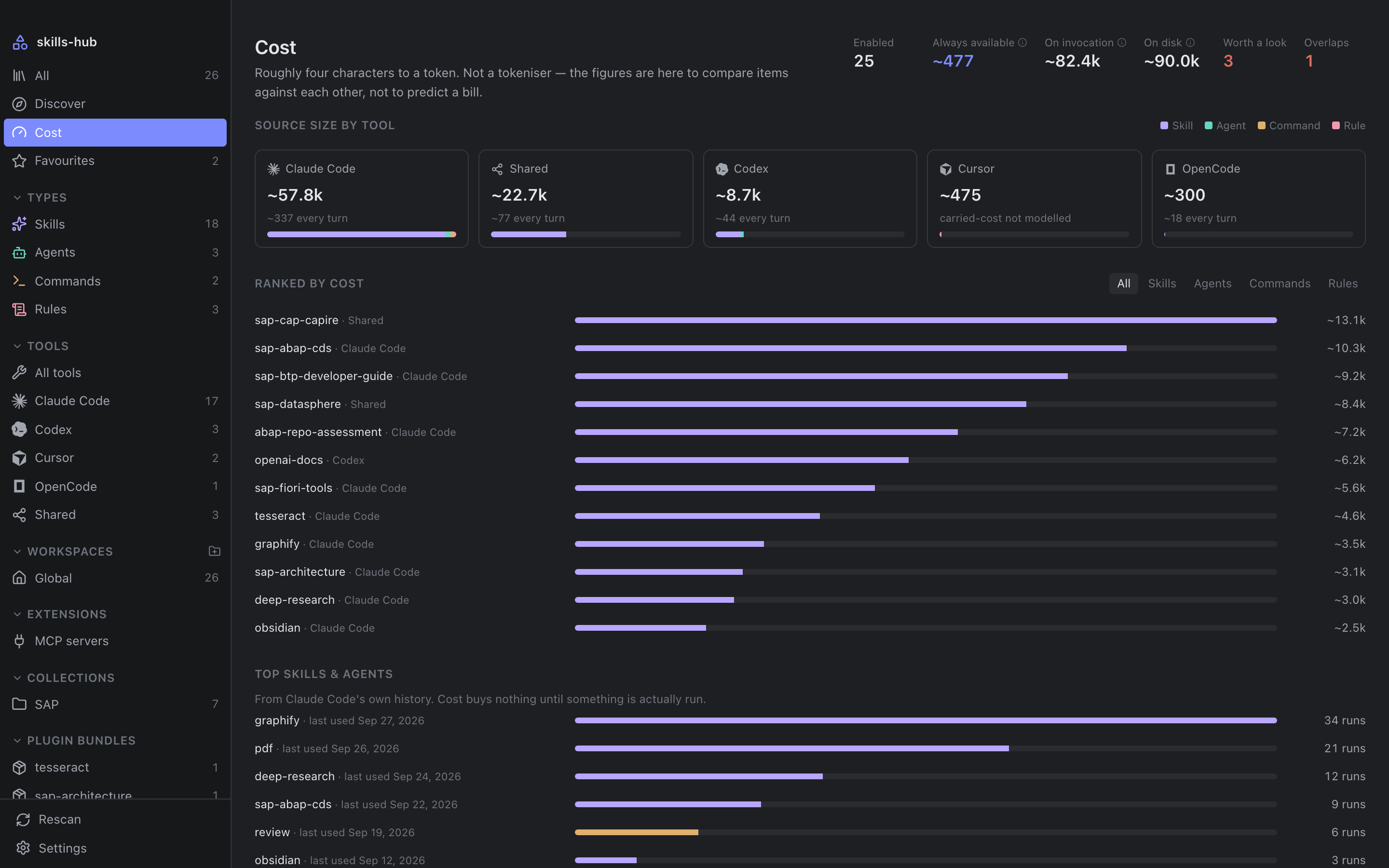
📊 See what it all costs
What a tool carries every turn — an item's name and description — separated
from what it loads once invoked. Where a tool keeps a history, that history
says which items are actually used.
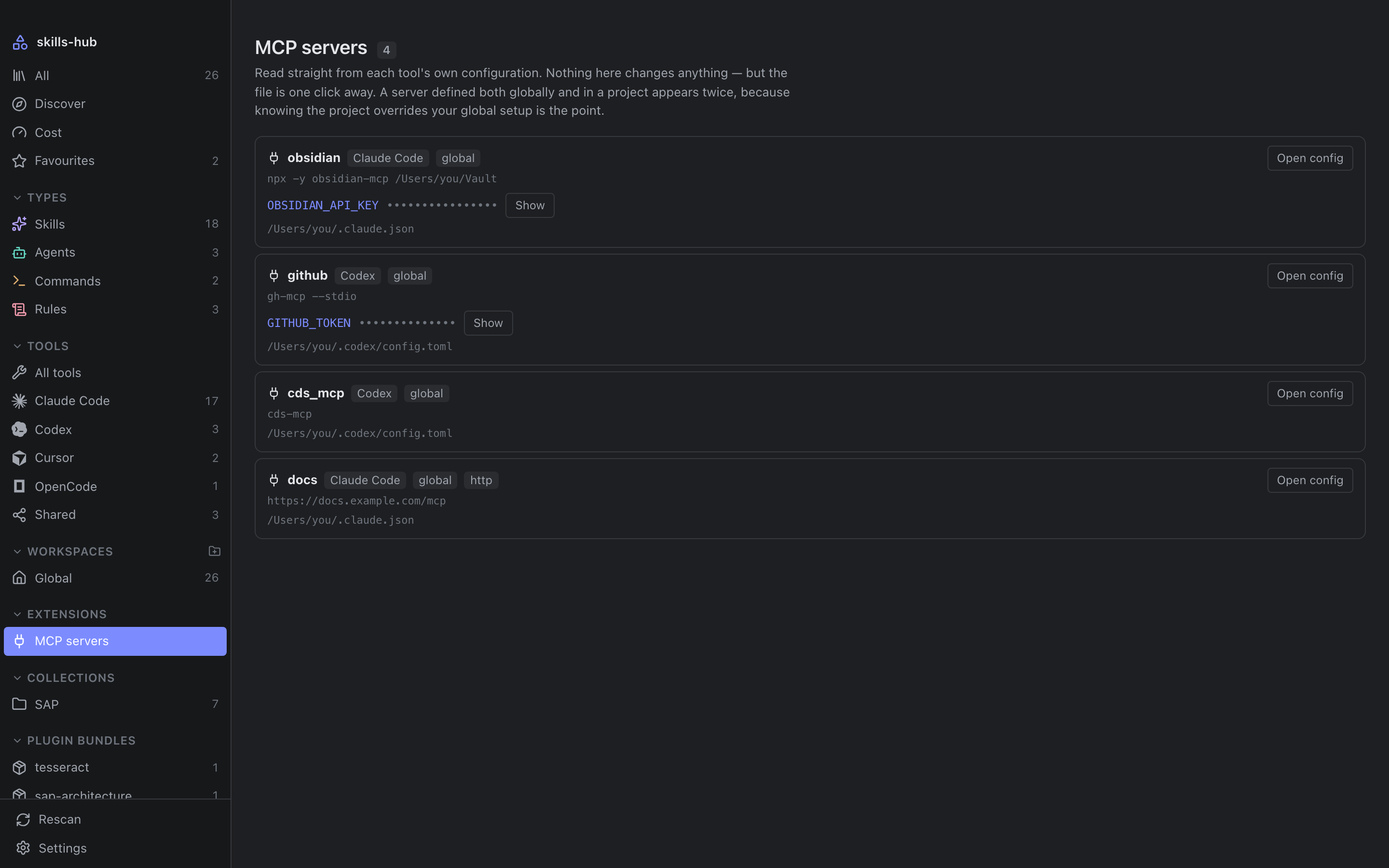
🧩 MCP servers and plugins
Every MCP server every tool is configured with, global and per project,
read-only. Plugin bundles from Claude Code and Codex, with their items in the
library and the bundle switchable as a whole.
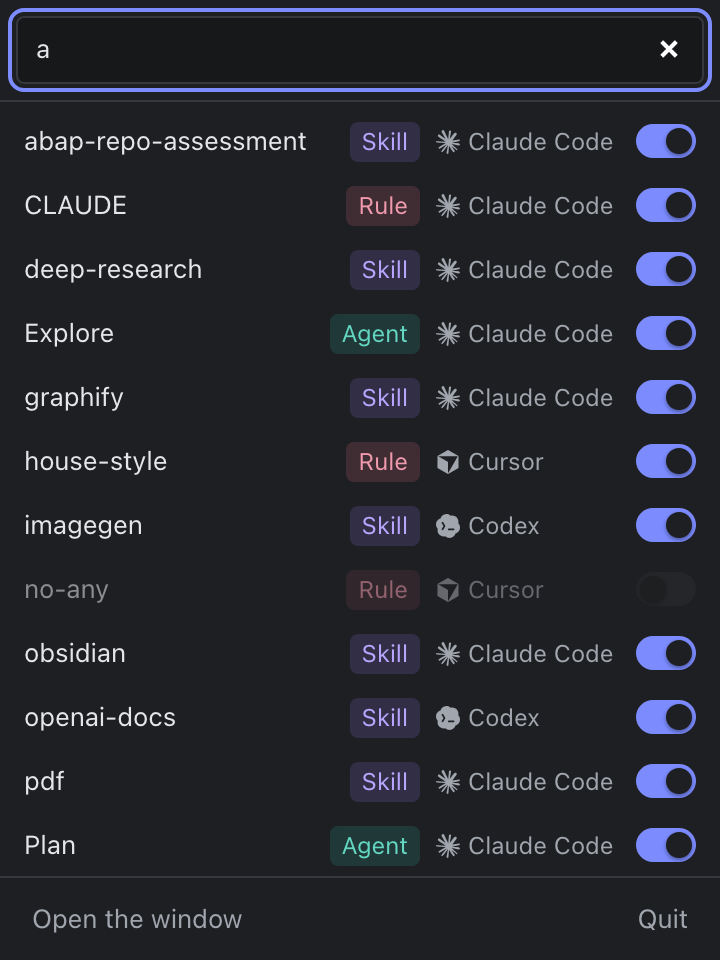
⌨️ A menubar companion
On macOS, a status item with a popover: search the whole library, switch an
item on or off, and carry on — the panel takes the keyboard without pulling
you out of your editor.
And the details: twenty colour palettes, a choice of interface and code fonts,
and a What's new that reads this repository's changelog, filterable by scope.
Screenshots
Supported tools
Claude Code · Cursor · Codex · OpenCode · Antigravity · GitHub Copilot ·
Cline · Trae · Windsurf · Goose · Hermes · Pi · Gemini CLI · Roo Code ·
Continue · and the shared ~/.agents/skills convention.
Every path is editable, so a tool that moves its folders — or a setup that was
never standard — does not have to wait for a release.
The winget manifest is in review;
until it is merged, take the -setup.exe from the
latest release,
where every installer above comes from.
On first launch it asks where to keep its notes. Your skills are never moved
or copied — only those notes live there.
macOS says the app cannot be opened
Builds are not signed yet, and Homebrew quarantines what it downloads like any
browser would. Open the app, let it be refused, then allow it under
System Settings → Privacy & Security, where an Open Anyway button now
sits. Or take the quarantine flag off yourself:
Control-clicking the app and choosing Open no longer works — macOS 15 removed
that bypass. The flag is set when a file is downloaded, so a build carried
over on a USB stick or with scp has none and simply opens.
Build from source
pnpm install
pnpm tauri build     # → .app and .dmg, or the platform's equivalent
Architecture
Explore it in 3D →Follow a scan up through the layers and a toggle down to the file, then turn the model and open any module.
Four layers, dependencies pointing inwards only. skills-core never imports
tauri — enforced by cargo deny, not by discipline. $HOME is injected
rather than read, which is what makes the scanner testable against temporary
directories, and crates/cli drives the same domain code from a terminal as
proof that it really is decoupled.
ARCHITECTURE.md has the long version, and
SPEC.md what the application guarantees on disk, each guarantee
cited to the test that holds it up.
Contributing
Issues and pull requests are welcome — CONTRIBUTING.md has
the branching model and how a change becomes a release.
Development commands
pnpm install
pnpm tauri dev          # run the app
cargo test --workspace  # domain tests + regenerate src/bindings.ts
cargo clippy --workspace --all-targets -- -D warnings
pnpm check              # Biome: format + lint
pnpm typecheck
pnpm test               # vitest, including a headless render of the window
pnpm icons              # regenerate the icon registry
pnpm screenshots        # regenerate the screenshots
pnpm tour               # regenerate the tour at the top of this page
pnpm architecture       # redraw the architecture figure
src/bindings.ts is generated by tauri-specta and committed; CI fails if
cargo test -p skills-hub produces a diff.
The screenshots and the tour come from a demo build that swaps only the
modules talking to the host, so they are the real components and the real
stylesheet against fixtures.
cargo run -p skills-cli -- scan            # the real scanner, real folders
cargo run -p skills-cli -- usage codex     # what a tool's history says
cargo run -p skills-cli -- mcp             # every configured MCP server




 Claude