VideoDownloader for PowerToys Run ruslanlap
Install VideoDownloader for PowerToys Run with WinGet
winget install --id=ruslanlap.PowerToysRun-VideoDownloader -e Download videos from 1000+ sites with yt-dlp, straight from PowerToys Run.
winget install --id=ruslanlap.PowerToysRun-VideoDownloader -e Download videos from 1000+ sites with yt-dlp, straight from PowerToys Run.
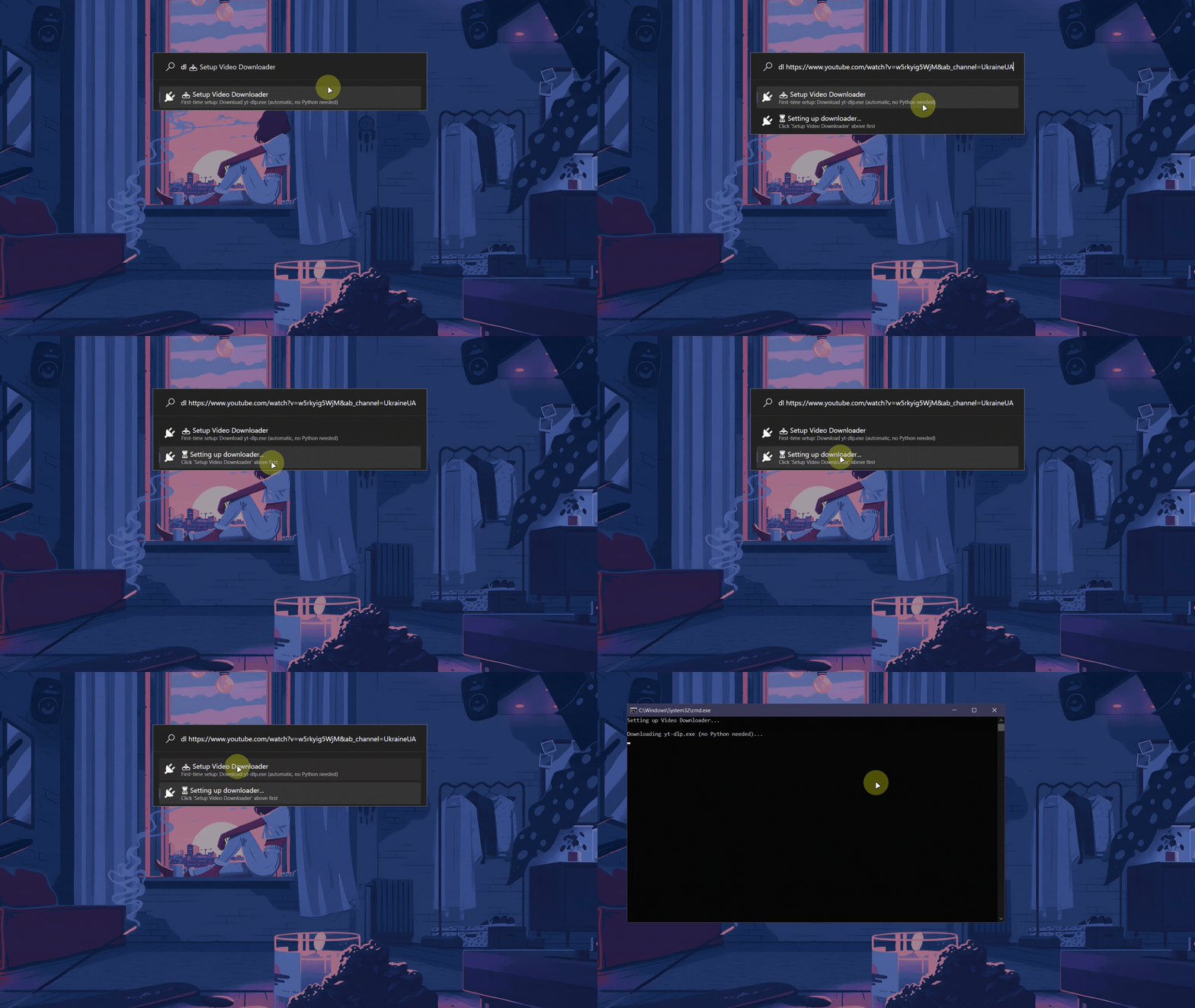
Download videos from YouTube and 1000+ sites directly from your keyboard









🚀 Quick Install · 📖 Usage Guide · ⚙️ Configuration · ❓ FAQ
Latest Version: v1.3.0
winget install ruslanlap.PowerToysRun-VideoDownloader

Or grab the ZIP archives:

VideoDownloader seamlessly integrates video downloading into PowerToys Run. Type dl followed by any video URL and download instantly—no browser, no extra tools, just pure productivity.
dl> ⚠️ Educational purposes only. Respect copyright laws and platform terms of service. This tool doesn't bypass DRM or paid content restrictions.
winget install ruslanlap.PowerToysRun-VideoDownloader
That's it — winget handles everything automatically.
Download the latest release:
Extract to:
%LOCALAPPDATA%\Microsoft\PowerToys\PowerToys Run\Plugins\
Restart PowerToys (right-click tray icon → Exit, then relaunch)
Test by pressing Alt+Space and typing dl
git clone https://github.com/ruslanlap/PowerToysRun-VideoDownloader.git
cd PowerToysRun-VideoDownloader
dotnet restore
dotnet build -c Release
Output: VideoDownloader/bin/Release/net9.0-windows10.0.22621.0/
dl https://www.youtube.com/watch?v=dQw4w9WgXcQ
| Command | Description |
|---|---|
dl [URL] | Download best quality video |
| Select "Audio Only (MP3)" | Extract audio as MP3 |
| Select "Video Information" | Preview available formats |
| Select "Open Download Folder" | Open downloads location |
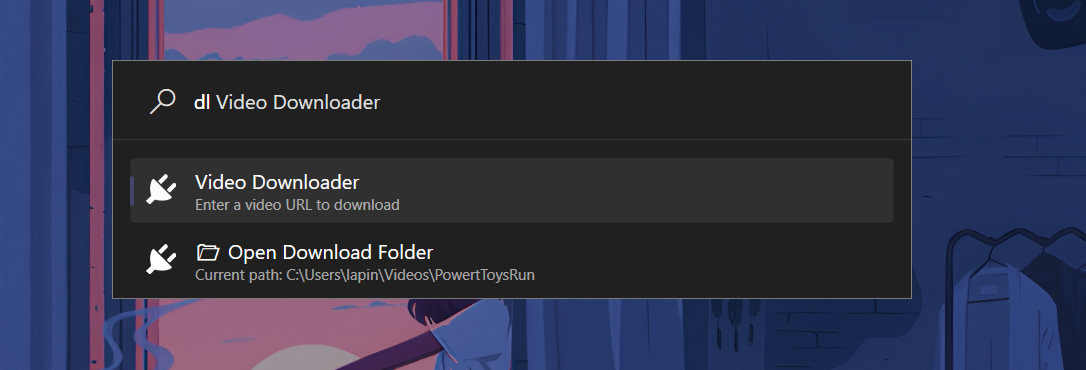 | 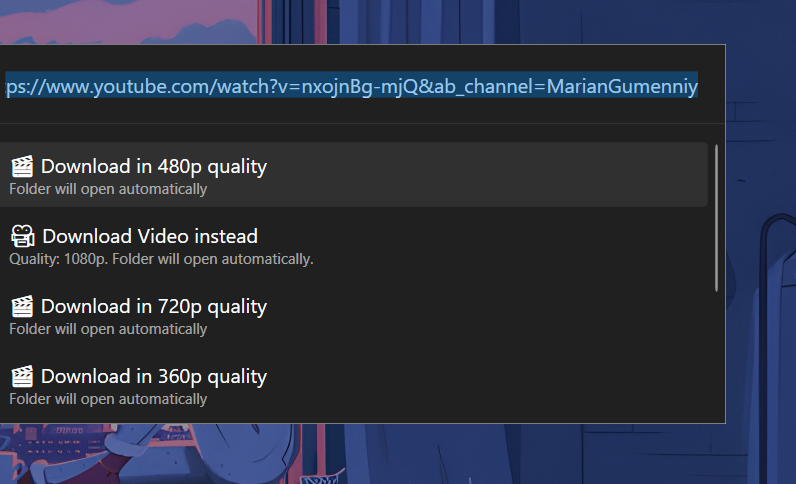 |  |
|---|---|---|
| Basic download | Audio extraction | Format selection |
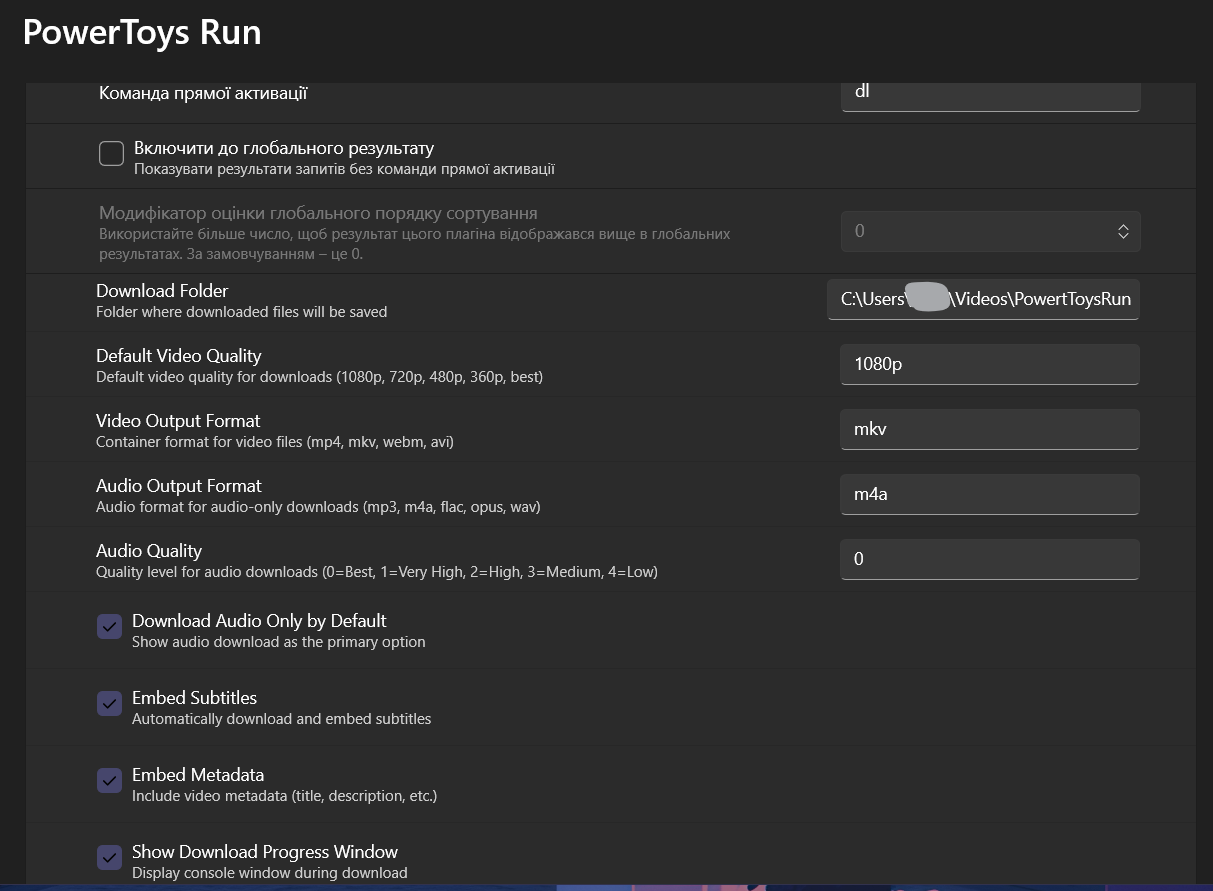
Access via: PowerToys Settings → Run → Plugins → Video Downloader
dl# Clone repo
git clone https://github.com/ruslanlap/PowerToysRun-VideoDownloader.git
cd PowerToysRun-VideoDownloader
# Restore and build
dotnet restore
dotnet build -c Release
# Package for distribution
cd VideoDownloader
dotnet publish -c Release -r win-x64 --self-contained false
PowerToysRun-VideoDownloader/
├── VideoDownloader/
│   └── Community.PowerToys.Run.Plugin.VideoDownloader/
│       ├── Main.cs                    # Plugin entry point
│       ├── VideoDownloadService.cs    # Core download logic
│       └── plugin.json                # Plugin metadata
├── tests/                             # Unit tests
├── assets/                            # Icons, demos, screenshots
├── .github/workflows/                 # CI/CD automation
└── README.md
Which sites are supported?
YouTube, Vimeo, Twitch, TikTok, and 1000+ more via yt-dlp.
Can I download 4K videos?
Yes, if the source provides 4K and your download location has sufficient space.
Does it work with playlists?
Yes, paste a playlist URL and it'll download all videos sequentially.
Is it legal?
Downloading copyrighted content without permission violates most platforms' ToS. Use responsibly and only for content you have rights to download.
Plugin not showing up?
%LOCALAPPDATA%\Microsoft\PowerToys\PowerToys Run\Plugins\Community.PowerToys.Run.Plugin.VideoDownloaderDownload fails with "yt-dlp not found"?
The plugin auto-downloads yt-dlp on first use. Ensure internet connectivity and try again.
How do I update yt-dlp?
The plugin checks for yt-dlp updates automatically. You can manually update by deleting the yt-dlp binary from the plugin folder—it'll re-download latest on next use.
| Issue | Solution |
|---|---|
| Plugin not appearing | Extract to correct folder, restart PowerToys |
| Download hangs | Check internet connection, try different quality |
| "Video unavailable" | Site may block downloads or require login |
| Slow downloads | Try lower quality or check bandwidth |
| yt-dlp errors | Delete yt-dlp.exe from plugin folder to trigger re-download |
Still stuck? Open an issue with:
microsoft/winget-pkgsBuilt with:
Special thanks to all contributors and users!
MIT License – see LICENSE for details.
Enjoying this plugin? Support development:
Made with ❤️ by ruslanlap