LaTeX Editor






> 🌐 Landing page: https://s-balli.github.io/latex-editor/
> English: README.md (you are here) | Türkçe: README.tr.md
A LaTeX editor & compiler desktop app (PyQt6). Combines Notepad++-style editing with a built-in PDF preview, syntax highlighting, SyncTeX, multi-theme and multi-language support. Windows (via WSL for TeX Live) and Linux (AppImage). Licensed under GPL-3.0. A dormant experimental web version (FastAPI + React/Monaco) lives under web/ but is not distributed.
Screenshot
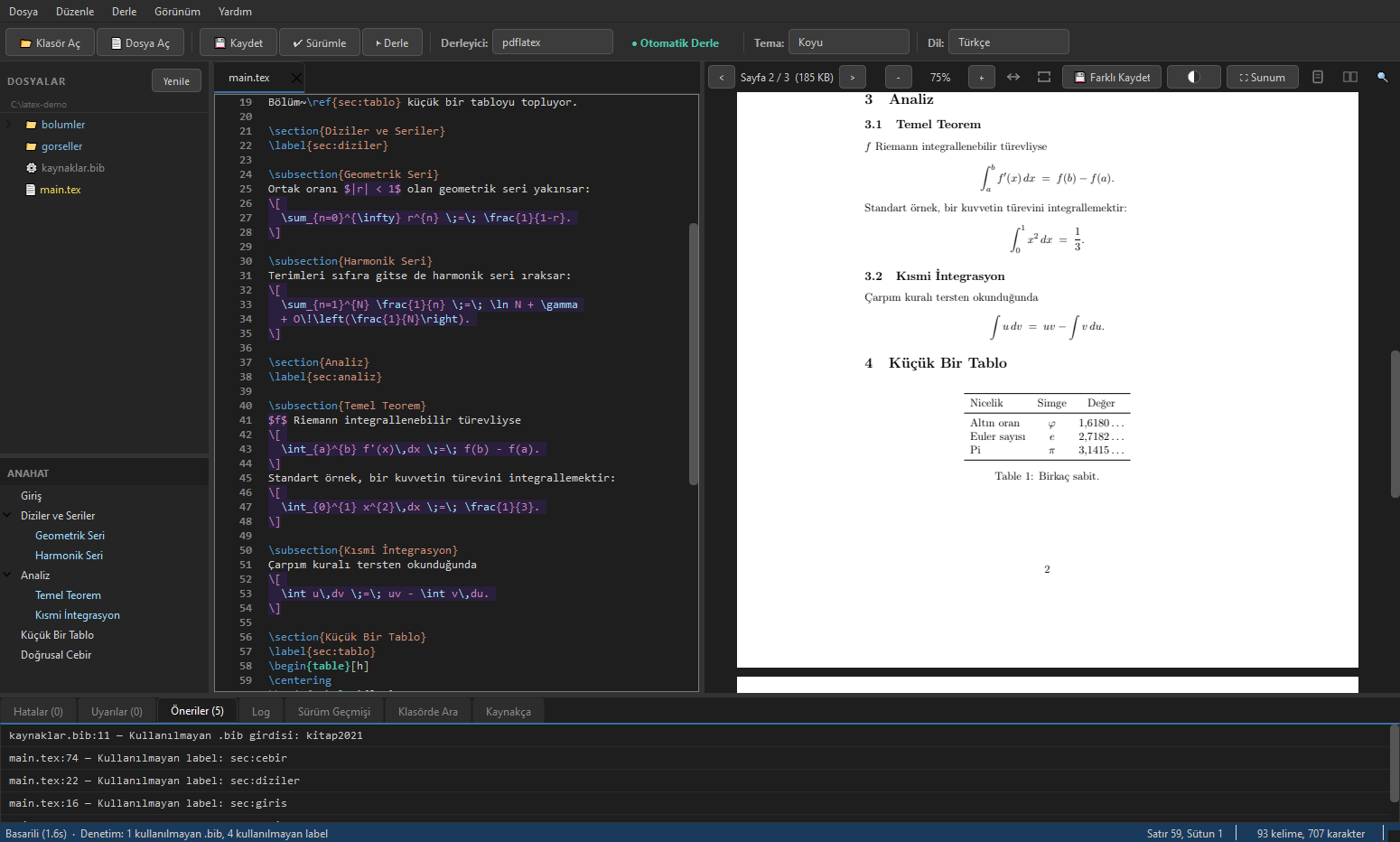
SyncTeX in action
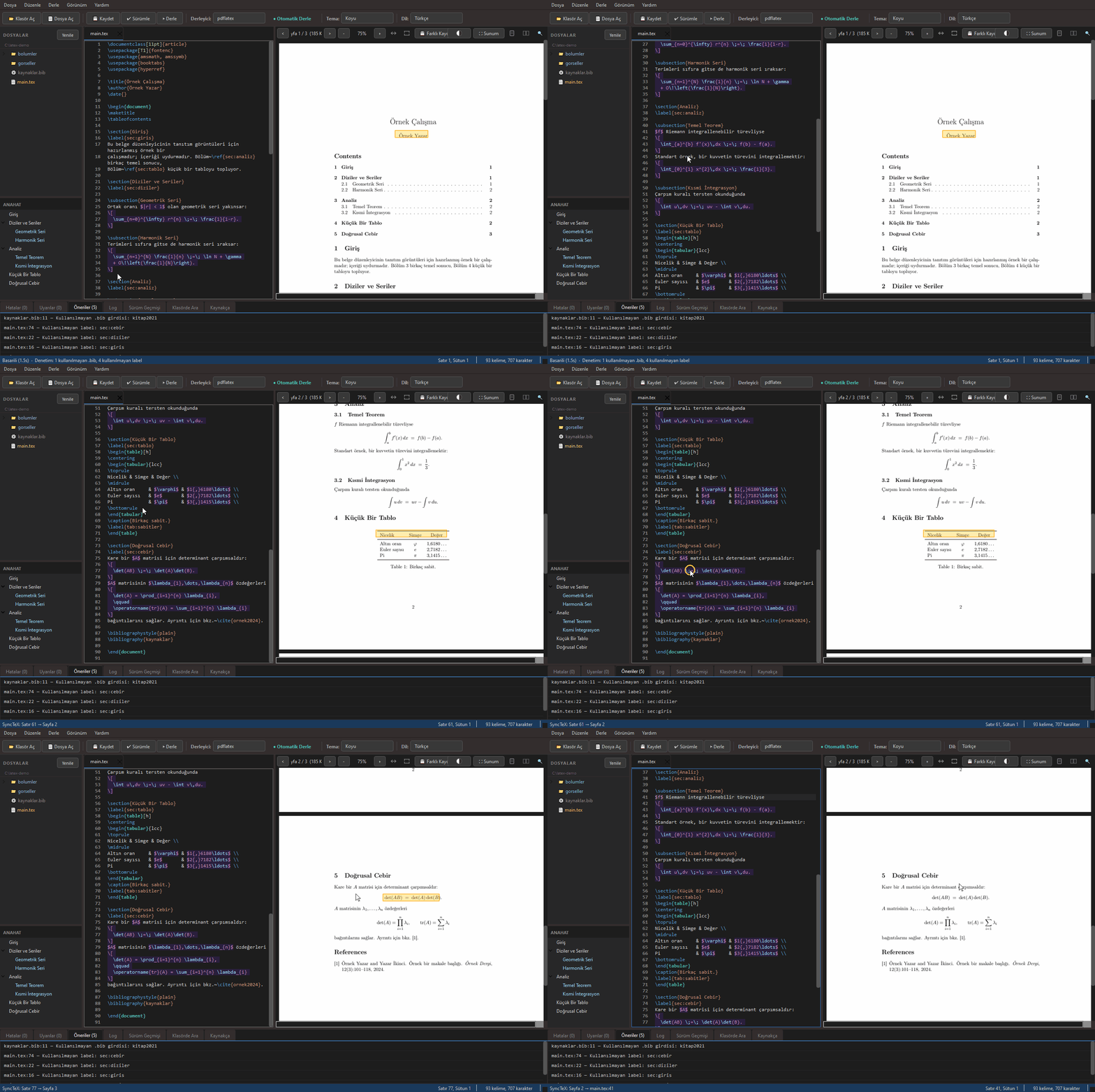
Ctrl+Click a line in the editor → the PDF jumps to it, even across pages. Ctrl+Click the PDF → the editor jumps back to that source line.
Download
| Platform | File | Requirement |
|---|
| Windows | LaTeX_Editor_v*_Windows.exe (portable) | WSL + TeX Live |
| Linux | LaTeX_Editor_v*_Linux_x86_64.AppImage (also on AppImageHub) | TeX Live |
➜ Download (Releases) page
➜ Windows, with winget: winget install s-balli.LaTeXEditor, then start it with latex-editor.
> ⚠️ Important: The app only includes the GUI. The LaTeX compiler (lualatex/pdflatex/xelatex) must be installed separately via TeX Live — on Windows through WSL, on Linux via apt. See Requirements section for details.
> 🔏 Verifying your download. Release binaries are not code-signed, so Windows SmartScreen will warn on first run. They do carry a signed build provenance attestation, which answers a more basic question: was this file really built from this repository, by this workflow run? Check it with the GitHub CLI:
>
> sh > gh attestation verify LaTeX_Editor_v_Windows.exe --repo s-balli/latex-editor >
>
> The attestation is signed through Sigstore and recorded in the public Rekor transparency log, so it can be verified independently of this repository. Attestations start with the first release published after v1.0.23; earlier files have none and the command will report that. For the macOS .dmg they start with v1.2.1.
Version History
v1.2.6: Ctrl++ on Turkish Q
- Ctrl++ now enlarges the editor text on the Turkish Q keyboard. There the + sign is Shift+4, so the key arrives with Shift held and the editor did not treat it as Ctrl++. Ctrl+- made the text smaller, and the only way back was Ctrl+Numpad+.
- The update check now writes its result to the app log. It records whether the app is up to date, which newer version it found, or why it could not reach GitHub. Before, a check that could not reach GitHub left no trace.
v1.2.5: While the Dictionary Loads
- Closing the app while the spell-check dictionary was still loading no longer crashes it on exit. Loading a dictionary takes a few seconds. If the window closed in that time, the app crashed on the way out. It now waits for the load to finish before it exits.
- Switching the spell-check language while a dictionary was loading no longer checks with the old one. The text was marked with the dictionary that was loading instead of the one you picked. The app now remembers the latest choice and loads it as soon as the current load finishes.
- The PDF preview uses PDFium 156. The packages carry pypdfium2 5.14.0 (1.2.4 had 5.13.0 with PDFium 153). The full test suite passes with it on Windows, Linux and macOS, and the packages change by less than 0.1 MB.
v1.2.4: Steadier Preview
- Copying a word the PDF hyphenated at a line end no longer pastes an invisible character. Text selected in the PDF and copied carried a U+FFFE marker into the middle of every word split across lines. Search already removed the marker; the copy now joins the word cleanly too.
- The PDF view no longer jumps back after a zoom that changed nothing. Pressing "Fit Width" when the page already fit, or zooming in at the 300% limit, kept the zoom's position mark waiting. After you scrolled to another page, the next window resize or a compile that changed the page count threw the view back to where the zoom was made. This showed when the PDF pane was wide enough for its whole toolbar.
- Two-page view counts and steps by spread. The page counter showed the right page while scrolling and the left page after a jump, so a presentation started with F5 could begin one page late. The counter now shows the left page of the spread, and the "<" and ">" buttons move a whole spread instead of half a step.
v1.2.3: Newer Engine
- The PDF preview uses a newer PDFium. The packages carried pypdfium2 4.30.0 from May 2024 (PDFium 126). The only later 4.x release had been withdrawn over a text extraction regression, so the version limit kept every build there. They now carry pypdfium2 5.13.0 (PDFium 153), and the full test suite passes with it on Windows, Linux and macOS. The packages grow by 0.6 to 0.9 MB.
- Every change is now checked against known vulnerabilities in the libraries that go into the packages. CI resolves the exact versions a release would ship and compares them with PyPI's advisory data. This is the check that would have caught the Pillow version 1.2.2 removed.
v1.2.2: Lighter
- Pillow is gone from all three packages. The app used it for a single step: handing the rendered PDF page to Qt. PDFium now renders in the byte order Qt reads and the image goes to Qt directly. Compared pixel by pixel with the old path on 60 renders (two test PDFs and six templates, four zoom levels), all 60 are identical. The packages carried Pillow 11.3.0, for which the GitHub Advisory Database lists 13 advisories (10 high, 3 medium), all fixed only in 12.x. The app never reached the affected code, which sits in decoders for formats such as PSD, FITS and JPEG 2000, but the library was in the package.
- Smaller downloads: the Windows exe is 6.4 MB smaller, the AppImage 5.7 MB and the macOS
.dmg 4.6 MB, measured on builds made with the release steps.
- The release check now fails if Pillow gets back into a package. PyInstaller picked it up on its own on any build machine where Pillow was installed.
v1.2.1: Same Place, Two Names
- Ctrl+click in the PDF could jump to the next file in a project opened through a symbolic link. TeX records file names with the folder's real path, so SyncTeX answered with a different path than the one the project was opened with. Every answer then looked like it came from outside the project, and the rule that keeps a click at a chapter's end in the right file stopped working. On macOS this hit every project in a temporary folder, because
/var and /tmp are links there: on a chapter-end page 88 of 88 clicks came back with the other path, and with LuaLaTeX five of the first six went to the next file. Answers are now mapped back to the project's own path.
- The macOS
.dmg now carries a signed build provenance attestation, like the Windows exe and the AppImage, so gh attestation verify works on it too.
- The AppImage no longer carries an unused second copy of the translations together with their
.ts sources. The release check now inspects the AppImage you download instead of an intermediate folder, which is why the copy went unnoticed.
- The test suite passes on macOS (Apple Silicon) for the first time, with and without TeX installed.
v1.2.0: Through the User's Eyes
- Compiling without WSL said "0 errors" and suggested another engine. On a Windows where WSL is not installed, or is installed without a Linux distribution,
wsl.exe still starts and prints its own error. The compile failed with an empty Errors list and the Suggestions tab offered pdflatex or xelatex, although every engine goes through the same wsl.exe. The message from wsl.exe is now the error, and the suggestion is the command that fixes it (wsl --install).
- Several error hints sent you the wrong way. minted without shell escape, Turkish babel's
= shorthand breaking options such as [width=2cm], and a file whose encoding does not match inputenc had no hint, so the general "change the engine" suggestion came up, although the error is the same with every engine. The hint for undefined references said "compile again", which never helps a \ref whose \label does not exist; the app already compiles again until no "Rerun" warning is left. Each case now has its own hint with the fix. A missing package was suggested twice, and long hints stayed on one line with the fix hidden behind horizontal scrolling (1134 of 2132 px out of view); the lists now wrap.
- Converting an old-encoding document to UTF-8 broke it. The bytes became UTF-8 but
\usepackage[latin5]{inputenc} stayed, so the compile failed and Turkish letters came out wrong in the PDF. Save As, which always writes UTF-8, did the same. The inputenc line is now converted too, in the same undo step. The encoding warning was white in dark themes.
- Case-insensitive search missed Turkish capitals. Matching took I only as the capital of i, but in Turkish it is the capital of ı, so a query typed in capitals such as KARŞILAŞTIRILABİLİRLİK did not find the word in lower case. Ctrl+F, Search in Folder, PDF search, Ctrl+P and the Bibliography filter now read the query both ways (21 of 21 test cases right, 9 before).
- Spell check. Clicking a finding put the cursor at the start of the line, so in a long paragraph you looked for the word by eye; it now selects the word, also after you have added lines above it. A word added to your dictionary could not be taken back: the new Personal Dictionary window in the Spell tab lists your words and removes the ones you choose.
- Tables and figures stuck to the text. The table wizard and image insertion put their code exactly at the cursor, giving
text\begin{table} in the middle of a line and \end{table}text even at its start. Both blocks now go on lines of their own.
- CSV import. A CSV without a header row from Turkish Excel, which separates with
; because the decimal mark is a comma, was split at the decimal commas. The separator is now detected, shown next to Load CSV, and can be chosen by hand when the guess is wrong (a one-column list of decimals and a two-column list of integers are byte for byte the same). Editing an existing table left the old alignment boxes over the grid, and the grid's header was unreadable in dark themes.
- Ctrl+click in the PDF went to another file, or took up to a second on Windows. Clicks on the space at a line end, at the end of a chapter file or on LuaLaTeX's class file records opened another file, even the TeX distribution's class file (with LuaLaTeX, 28 clicks on spaces went elsewhere, now none). Each lookup also started its own WSL process; they now share one, the results are the same point for point, and the slowest click went from 1.1 to 1.4 s down to 0.25 to 0.47 s.
- Large files opened slowly. A 12 MB file took 13.8 s to open in 1.1.2, nearly all of it spent on line wrapping; wrapping now waits while the text loads, and a 12 MB file with many lines opens in 0.04 s. Four-digit line numbers lost their first digit when zoomed in.
- Opening a chapter file from outside narrowed the project to the chapter folder. With Open with on
chapters/intro.tex, the compile went to the main file through % !TEX root, but the file tree showed only chapters/, and Snapshot left the main file, the .bib and the figures out of the version. The project folder is now the folder of the document the file compiles into. The tree's root path wrapped over three lines and hid the folder name; it is now one line, shortened from the left.
- Files with the same name looked the same in Recent Files. Two projects'
giris.tex were two identical lines. When names collide the folder name is now added, and menu items and tabs show the full path as a tooltip.
- Deleting. The delete question said "Recycle Bin" on Linux and macOS too; it now uses the system's own name for the trash. Deleting an open file from the tree showed an extra "deleted from disk" box; the tab now simply closes. Deleting all version history now says which folder goes to the trash, and also removes the
.gitignore that versioning created, unless you changed it.
- PDF viewer. The page counter said "Page 1 / 0" with no document and drifted from the view after a reload, so F5 could start on the wrong slide. Save As opened in the folder the program was started from. Selection and search highlights stopped up to a pixel short of a word's right and bottom edges. The overfull box warning of a paragraph that ended in the next file pointed to that file.
- AppImage: Show in Folder, web links in the PDF, the links in About and the update window, Open in Browser and Open Log Folder did nothing on GNOME. The package's library path leaked into
xdg-open, which then failed to load gio. xdg-open now starts with a clean environment, and Open Log Folder opens the folder instead of copying its path to the clipboard.
- Small screens. Keyboard Shortcuts and the update notification were taller than common screens (1366x768, or 1080p at 150% and 175%), with OK and Open in Browser out of reach: at 175% the shortcuts box reached 147 px below the work area. Both, and the Features window, now fit the screen and scroll.
- Themes. In dark themes a selected item's text in the file tree, outline, error lists and bibliography was black on the dark selection colour; contrast is now at least 7.5 in all seven themes. On Linux, unchecked check boxes were invisible in dark themes (contrast 1.00, now at least 3).
- Bibliography. The Bibliography tab showed the LaTeX of hand-written
.bib files raw, such as The \TeXbook or Sa{\u{g}}ba{\c{s}}. On 306 real entries the author column now differs from the printed PDF in 6 places instead of 29. Add Source by DOI wrote a title twice when Crossref's subtitle repeated it.
- Turkish interface. The status bar showed "Basarili", "Basarisiz" and "uyari" without Turkish letters, the comment command was called "Yorum Toggle", "Plain Text" in the Export menu stayed in English, and on Linux two labels of Qt's own file dialog were in English.
- Smaller fixes. Stopped or timed-out compiles left their temporary folders behind and they piled up; each compile now removes the ones whose owner is gone. The log wrote "Compile started" before the shell escape question was answered; it now writes it after the answer, together with the answer. HTML export used the intermediate file's name (
thesis.tex.export_tmp) as the page title.
- A copy of the exe started from a temporary folder took over the
.tex association. Once that folder was deleted (a copy opened straight from a zip, for example), double-clicking a .tex file opened nothing. Such a copy now leaves the association alone; a copy started from a permanent place still takes it, so a newly downloaded version works as before.
v1.1.2: In Safe Hands
- Autosave could overwrite a change made outside the application. The file watcher waits half a second before it asks about a change on disk, and an autosave landing in that half second wrote over the change without a question: a change arriving 0, 50, 200 or 400 ms before the autosave was lost, and a deleted file came back. Autosave now compares the file on disk with the version it last read or wrote, and asks instead of writing.
- Projects inside WSL were not watched at all. Windows can read a file under
\\wsl.localhost but does not report changes to it. After a git pull in WSL, Ctrl+S, the save before compiling, snapshots and autosave all wrote over the new content without asking, and a tab with no unsaved changes kept showing the old text. Such files are now checked every two seconds, and a change is asked about exactly as on a local disk.
- Autosave broke the crash recovery promise. The restore question says the file on disk is not touched until you save, but the first autosave wrote the restored copy; if the file had changed on disk after the crash, for example through a
git pull, that change was lost too. Restored tabs now wait for your own save, and the question lists the files that changed on disk after the copy was made.
- New File and Save As could write over a file that was open in another tab. Both tabs then pointed at the same file, the other tab's autosave overwrote the new content, and closing one of them stopped watching the file for the other. Choosing a file that is open in another tab now asks you to close that tab first; Save As onto the tab's own file still works.
- A failing recovery copy went unnoticed. When the recovery folder could not be written (full disk, permissions), no copy was made and nothing said so. The status bar and the log now say it once.
- Unsaved text was invisible to project features. Search in Folder, the reference audit, the Bibliography tab,
\ref completion and go to definition read chapter files and the .bib from disk, so a label you had just written was "undefined" and a new entry was missing. The table wizard, Add Source by DOI and F2 renaming missed labels and keys in sibling chapters when checking for name collisions. All of them now read open tabs and the whole project.
- Result lists jumped to the old line after editing. After you added lines above an entry, clicking a warning, an audit finding, a search result, a spelling hit or a bibliography row went to the line it had when the list was built (3 of 14 steps right, now 14 of 14). F4 and the Errors list did the same while you were fixing an error. They now follow the text.
- Ctrl+/ did not toggle comments on a Turkish Q keyboard, where
/ is Shift+7. It selected part of a word instead, and the next key replaced the selection. Ctrl combinations without a command, such as Ctrl+1 or Ctrl+., typed a character into the document (35 of 44 presses, now none).
- Code folding never folded anything. The fold margin had been there since the first version, but no line carried a fold level. Environments and section headings now fold, and a section folds together with its subsections.
- Add Source by DOI could break the bibliography. Crossref titles with Greek letters, subscripts or `` tags stopped pdflatex, and lualatex silently dropped the characters (10 of 19 real records, now none). Styles such as plain lowercased abbreviations and formulas like NF-κB and TiO2 (47 damaged words in 21 records, now 5). The Bibliography tab shows readable titles.
- The outline mixed colour names, label keys and addresses into headings (13 of 18 common forms), so one chapter could be listed twice.
- Clicking the PDF with LuaLaTeX often jumped to another file in multi-file projects. On a real thesis, clicks landing on the right line went from 406 to 460 of about 465.
- PDF search missed words hyphenated at line ends and phrases that continue on the next line: 252 of 1659 word occurrences were not found, now 4.
- Opening a thesis folder froze the file tree for 4.7 seconds with 80 chapter files; it now takes 0.7 seconds.
- Presentation mode. The remote's blackout button now blanks the screen, and Shift+F5 starts the presentation from the current page.
- The PDF toolbar's buttons overlapped even in the default window size. Tools that do not fit now go to a » menu at the end of the toolbar.
- Privacy. A privacy policy describes what the application stores on your computer and its only two network requests, and the startup update check can now be turned off in View → Editor Settings.
v1.1.1: On Stage
- Presenter remotes did not work. Remotes send Page Down and Page Up, and presentation mode ignored both, as well as Backspace. They now change slides.
- A compile finishing during a talk sent the presentation back. With the talk on slide 6, a compile that finished in the background left the old PDF's slide on screen and the next key went to slide 2. The presentation now stays on its slide and shows the new PDF; a forward search, or scrolling the viewer on a second screen, no longer moves it either.
- Beamer slides did not fill the screen. A fixed scale limit kept 4:3 slides at 76% and 16:9 slides at 71% of the screen height (38% and 36% on 4K). They now fill 98%.
- Links on slides now work. The table of contents,
\beamergotobutton buttons, the navigation symbols and \href addresses used to advance to the next slide; they now go to their target. Clicking anywhere else still advances. The mouse wheel changes slides, and the cursor hides after three seconds without movement.
- Presenting on two screens. The presentation opened on the primary screen even when the application window was on the other one; it now opens where the window is. Closing it with Alt+F4 or from the taskbar left the application believing it was still presenting, and closing the main window during a talk left the slide on screen and the process running.
- The PDF was blurry on high-DPI screens. Pages were drawn at the screen's logical resolution and scaled up: at 200% scaling the preview kept 52% of the sharpness of a native rendering, presentation mode 37%. Pages are now drawn for the screen's pixel density (100% at 125% and 200% scaling, 91% at 150%), and moving the window to a screen with a different scale redraws them.
- Chapters next to the main file could not be compiled. v1.1.0 made a chapter file build the whole document, but only when the chapter sat in a subfolder; a chapter in the same folder as
main.tex still said it cannot be compiled. Both layouts now work.
- The Linux menu showed a Turkish-only description. English desktops and the AppImageHub catalog showed "LaTeX editörü ve derleyici". The description is now English with a Turkish translation, and the AppImage carries AppStream information: license, homepage and screenshot.
- Now on AppImageHub: https://appimage.github.io/LaTeX_Editor/
- 4328 tests (4302 in v1.1.0)
v1.1.0: Chapter by Chapter
- Restore could delete work you had not versioned. Restoring a file from the version history wrote the old version straight over saved but unversioned changes: afterwards they were not on disk, not in Ctrl+Z, not in the history and not in the recovery folder, while the warning only mentioned unsaved changes. The current state is now versioned first as "Before restore: " (unsaved edits are saved into it), and nothing is restored if that version cannot be taken. Ctrl+K no longer writes tabs from outside the project folder to disk, and the difference view compares against the text in the editor instead of the file on disk
- Autosave could override "Don't Save". Autosave (on by default, every three minutes) kept running while the "Save changes?" question was on screen, so the text you chose to discard could still reach the disk. It now waits while any question is open. Right after "Restore" in crash recovery there was also a moment with nothing recoverable on disk; restored tabs now keep their snapshot until a clean exit
- Typing a closing brace and pressing Enter could delete it. Typing
\input{chapters/intro}, \ref{fig:a} or \cite{knuth84} letter by letter and pressing Enter at the end of the line accepted the completion list the previous letter had left open, which removed the } and swallowed the Enter. \begin{itemize} followed by Enter or Tab also deleted the body line, and \begin{figure} became \begin{figure*. Measured in a real, visible window
- Enter after a complete command changed the command. With that list still open,
\centering or \hline followed by Enter opened no new line (372 of the 396 known commands behave this way), \item became \item[], which removes the bullet, and \par became \paragraph{}. The list now closes once a whole command is typed; Ctrl+Space still shows the longer ones. Accepting a completion right under a line that holds only \begin{...} also threw the cursor to the end of the line
- Automatic brackets could break the document. Typing
\$ added a second $ that opened math ("Missing $ inserted"). Typing \begin{...} inside a % comment put a live \end{...} outside the comment. Deleting a bracket or $ you had just typed left its partner behind, and typing an environment's name again after deleting its } added a second \end that pushed the \items out of the list. In CRLF files (17 of the 132 bundled templates) the keystroke after Enter on a \begin{...} line landed on the line below. Each case was checked with a real pdflatex run: what you meant compiles, what the editor produced did not
- Completion did not open where LaTeX accepts the input. Paths and labels with Turkish letters (
\input{bölümler/, \ref{şekil), \cite{a, b} with a space after the comma, \cite[s.~5]{...} with an optional argument and the second key of \cref{a,b} got no list. Completion inside comments, which is meant to be off, still opened while typing
- Chapter files were treated as whole documents. In a thesis whose chapters have no
% !TEX root line (none of the bundled chapter files has one), F5 and Ctrl+S said the chapter cannot be compiled, an image pasted into a chapter got a path the compile could not find, F2 rename left the other chapters unchanged, and DOI entry, the Bibliography tab, the spell check language and the \input tree looked only at the chapter. Exporting from a chapter tab exported only that chapter, and images from \graphicspath were not embedded. The compile engine came from the tab in front rather than from the document being compiled, and a relative path given to "Open with" could open another project's file in the running window
- The application did not start while its log file was locked. If another program held
latex-editor.log open without sharing (Word and Excel do this), the application failed before its first window and showed nothing. Writing to the log file is now skipped in that case
- Stop did not stop TeX on Linux and macOS. Stopping a compile or reaching the timeout killed only the script around TeX, and every cancel left a TeX process running at 100% of a CPU core. The whole process group is now terminated. A document that needs XeLaTeX or LuaLaTeX (fontspec) now gets the engine suggestion again, and a Unicode error that TeX wraps over two lines shows its hint
- Clearer error panel. Error lines now say which file they come from, and an error raised inside a package points at your
\usepackage line instead of a line in the package's own file. An undefined command used inside your own macro (\newcommand{\R}{\mathbb{R}}) no longer makes the hint blame the macro itself
- UTF-16 files were refused as binary. A
.tex written by Windows PowerShell's > (for example latexdiff old.tex new.tex > diff.tex) is UTF-16 and did not open. It now opens converted to UTF-8, and the warning says that the first save, autosave included, writes it as UTF-8
- The reference audit misread
% in addresses and code. A % inside \url{...}, \href{...} or \verb|...| (percent-encoded Turkish letters such as %C3%87 are common in addresses) was taken as a comment, so a \label later on the same line disappeared and every \ref to it was reported as undefined
- Smaller fixes. The
\begin/\end highlight ignores tags in comments and verbatim, finds the right partner when the same tag appears twice on a line, and lands on the right line in files with old Mac line endings. PDF bookmarks go to the heading instead of the top of its page and keep the entries you collapsed across compiles. The Settings dialog no longer clips stored values, and line numbers are no longer cut off with larger fonts. The \input tree and the language label follow theme changes, and the side panels clear when the last tab closes. The update window no longer shows & in release notes and checks at most once a day across restarts
- 4302 tests (4225 in v1.0.30)
v1.0.30: The Twin Left Behind
- A damaged PDF page could close the application without a word. Moving the mouse over it, Ctrl+clicking it for SyncTeX, or having a compile finish while you were selecting text raised an exception inside a Qt event handler, and PyQt6 answers that by aborting the process (exit code
0xC0000409 on Windows): no dialog, no log, no traceback, and anything unsaved was gone. Every sibling path in the viewer (zoom, presentation, bookmarks, search highlight, double click) had been protected long ago; these three were outside that sweep
- Replace All could silently corrupt the document. Text that carries
İ in decomposed form (I followed by the combining dot U+0307, which is how macOS writes file names and how text copied from some PDFs and web pages arrives) folded into a shorter string, so every match after it was off by one character: Find selected the wrong text and Replace All turned Burada şekil var. into BuradaŞEKİLl var.. Find in Folder and the PDF search highlight used the same offsets. Matches are now mapped back onto the original text, and a search that folds down to nothing no longer loops forever
- Exporting broke figures whose caption contains a cross-reference. pandoc places a link inside such a caption (
See also Table [1](#tbl1)), and the image pattern stopped at that link: the in-document anchor #tbl1 was rewritten as an absolute file path, which broke the reference and put your local user directory into the shared file, while the figure's real image path stayed relative. Checked end to end on all 39 templates: one broken link and one leaked path before, none after
- Jumping to a page in the PDF viewer undid itself. After a SyncTeX jump, a bookmark or an internal link, the page counter snapped back to the previous page 100 ms later, and at small zoom the page buttons did nothing at all, because Qt skips
ensureWidgetVisible when the target is already visible. The search worker also stayed dead for the whole document if its first open collided with the compiler rewriting the PDF; its twin, the render worker, had learned that lesson two weeks earlier
- The find counter showed the previous search. Clearing the find box left a pending count running, and 300 ms later it wrote the old query's number under an empty box
\pageref{LastPage} was reported as an undefined reference. lastpage and totpages define those labels themselves, so the reference audit listed an error you could not fix. They now count as defined, but only when the package is actually loaded- The link text of
\href was never spell checked. Both arguments were skipped, although the second one is printed in the PDF. Across 17 templates, 58 real words had never been checked
- Figure PDFs in the project root were hidden in the file tree. The rule "a PDF in the root is build output" rested on a count made by looking at file names; checked against whether the document actually includes the file, 6 of 142 PDFs in 5 of the 39 templates were the author's own figures. The same mistake had already been fixed for subfolders
- The
\includegraphics{ completion offered whole compiled documents as figures. Its filter only recognized output named exactly like its source. Measured by page count instead of file name, 51 of the 84 suggested PDFs were multi page documents such as main_pdflatex.pdf. A PDF whose name extends that of a full document next to it (main.tex and main_pdflatex.pdf) now counts as output; none of the 23 figures the templates actually use was dropped
- Clicking a warning from an
\input file took you to the main document. Errors have carried their file since -file-line-error was turned on; TeX has no such switch for warnings, and the compile script passed warning lines on without the file markers around them, so every warning from a chapter file pointed at the same line number in the main file. The script now follows the files TeX opens and writes the source file in front of such warnings. On the 39 templates, 52 warnings now point at the chapter file they came from, and warnings whose line lies beyond the end of the file they point at fell from 10 to 4 (the remaining four come from package files)
- New: the Suggestions tab tells you when the PDF came out on different paper than the document asked for. A document that requests A4 but is compiled by a TeX installation whose default is US Letter (as on macOS) gets one line with the
geometry option that fixes it. The paper is never changed for you, since some templates (IEEE, for example) want Letter. Measured: no text is lost, only the paper size and the margins change
- 4225 tests (4181 in v1.0.29). Six of these fixes follow one pattern: a lesson learned in one place and never applied to its twin
v1.0.29: Where Nobody Was Looking
- Two path checks were wrong on macOS, and nothing could have caught them. Both compared paths as text and relied on
os.path.normcase to absorb differences in letter case. That function only lowercases on Windows; on POSIX it is the identity. macOS is POSIX, but its default APFS volume is case insensitive, so .../TEZ and .../tez are the same directory while the comparison called them different. Search in Folder therefore said "the open file is outside this folder" about a file that was inside it, and the shell-escape (minted) permission was filed under the wrong key, which either asks you again in every subfolder or runs the minted scan on the wrong root and fails the compile. Measured on a real Apple Silicon runner, both with the fix disabled and enabled. The comparison now falls back to asking the filesystem itself (os.path.samefile), which also settles symlinks and junctions, and the test gate takes its expected value from the filesystem rather than from the operating system's name
- SyncTeX's Windows branch never resolved symbolic links. v1.0.28 fixed this for the native branch after macOS returned nothing for
/var versus /private/var; the WSL branch that Windows uses was left behind, so a project under a directory junction hit exactly the same wall
- Missing-package advice printed stray backslashes.
printf has no \( escape, so the line came out as Eksik paket: biber \(biblatex kaynakça aracı\), in the terminal and in the Suggestions tab, which takes the line as it is. Three print sites had it, a fourth did not
- The whole test suite now runs on macOS with a real TeX installation. There were two jobs and a hole between them: one ran every test but without TeX, so 153 of them skipped; the other had TeX but ran four files. Every macOS defect of the last two releases lived in that hole. The gap is closed, and with it the last reason a platform specific break could stay quiet
- Five gates that existed but never ran anywhere. Four of them needed a sample PDF and one needed the template tree, both of which are outside the repository; they now use a 15 KB PDF generated from a source file that ships with the tests, and a 6 KB list of file names. A sixth gate stays local on purpose: it asks whether the live template corpus still contains the cases it checks, and freezing that into a fixture would turn it into a copy of the synthetic tests beside it
- 4181 tests (3923 in v1.0.26). Nothing in this release came from a bug report. It came from asking which promises are never measured: every keyboard shortcut the application advertises was compared against the real window, every menu item was triggered on a real document, and the remaining skipped tests were read one by one to see which ones were skipped for a reason that had stopped being true
v1.0.28: The Other Half of an Association
- Double-clicking a
.tex file now opens it. v1.0.27 registered the application as a handler for .tex, but nothing acted on it: macOS does not pass an opened document in sys.argv, it sends the application an event, and only sys.argv was being read. The association existed and did nothing, so the application opened with an empty editor. Measured on a real Apple Silicon machine with the released .dmg
- The update dialog no longer cuts a release note in half. It trimmed the notes at a line boundary, but items in a release note wrap across several lines, so the last item you saw ended mid sentence. It now trims at an item boundary
v1.0.27: Compiles That Reported Success
- macOS is supported. The application runs on Apple Silicon and a
.dmg ships with the release. The compile script never even started there before: macOS still carries bash 3.2 and the script used bash 4 syntax, so it died on its first line. The application also could not find MacTeX when launched from Finder, because Finder gives an app a minimal PATH that omits /Library/TeX/texbin
- A failed bibliography no longer reports success. When biber or bibtex could not build the bibliography the compile finished with exit code 0, the panel said "0 errors" and the PDF came out with an empty bibliography. The tool's exit code was being discarded. A read only project folder had the same shape: the PDF is built in a temporary directory and copied back, and when the copy failed the script still printed "success"
- The engine you pick by hand stays picked. Switching tabs silently reverted it to the detected engine
- Missing-package advice now gives a command that actually runs. On macOS the application suggested
apt-get, which does not exist there, with Debian package names TeX Live does not know
- Smaller ones you meet daily.
\b in Find and Replace never matched a Turkish word, citation keys and labels were reported as spelling mistakes, accent macros in a heading showed the wrong word in the outline, and the README install list was missing three packages, so following it gave you an application with no PDF preview, no version history and no spell checking
v1.0.26: What It Knew and Did Not Say
- A compile error never told you which command was wrong. The panel said "Undefined command: could be a typo, or the package is not loaded" and stopped there, although the log names the culprit on the line right below. The branch that reads that line was guarded by "only if the line number is unknown", and the engine is invoked with
-file-line-error, so the line number is always known and the guard never opened. Measured on five documents through the real pipeline: 0 of 6 errors carried the context. The same run found every error listed twice, because the script prints the error block twice and nothing removed the repeat; across 14 real templates the panel dropped from 163 rows to 64 with not one distinct error lost
- Now it also names the package. An undefined environment or command is usually one
\usepackage away, and the answer is one word. Two measured maps were added: 43 of the 79 environments this application offers do not exist in the empty document it creates itself, and 44 of the 382 command names it completes are undefined there. Every entry was checked in both directions with a real compile, which threw out two plausible guesses: amsthm does not define theorem (you need \newtheorem), and subfig does not give you the subfigure environment (subcaption does). Four commands are not a package question at all: \chapter, \frontmatter, \mainmatter and \backmatter come from the document class, and a Turkish thesis started from article walks straight into that wall
- The missing letter warning understated the damage by a factor of 35. XeLaTeX or LuaLaTeX together with
[T1]{fontenc} drops the four Turkish specific letters without a word; the compile succeeds and the letters are simply not in the PDF. The warning counts how many are gone, but the script deduplicated those lines before the counter ever saw them, so the count was the number of distinct characters. In a document with 140 droppable letters the panel said "4 characters". It now says 140, and how many distinct letters they were
- The bibliography failed in silence. When bibtex cannot open the style file or the
.bib, or the .bib has a syntax error, the compile still ends successfully and the bibliography is simply empty. The script filtered bibtex's output for the words "error" and "warning", and bibtex's actual diagnosis uses neither: "I couldn't open style file", "I found no database files", "Illegal end of database file". What survived was the summary "(There were 2 error messages)" without the messages. Measured on four broken setups: in one of them not a single line reached the panel. The same filter was written in two different spellings for biber and bibtex; it is now one
- An English document was checked against the Turkish dictionary. The spell language is read from
babel, and british and en-GB were mapped to a language this application has no dictionary for and no entry in the selector, so nothing was selected and the check ran in whatever language was already chosen. Measured against babel's own list of 28 English names: 5 resolved, 2 pointed nowhere, 21 were not recognised at all (ukenglish, canadian, australian, en-AU...). On three real English templates the panel went from 4642, 1944 and 1333 findings to 95, 21 and 34
- Images vanished from exported Markdown when a folder name had a space. In CommonMark and GitHub Flavored Markdown a link target cannot contain a space, so the line is printed as plain text instead of an image; GitHub and the VS Code preview behave that way. Pandoc's own reader is lenient and accepted it, which is why it went unnoticed. Turkish projects sit in folders like "Ölçüm Çalışması" every day. The other three export formats were measured in the same round and came back clean
- The index and glossary tools were filtered backwards. A healthy run printed a yellow "makeindex warnings" block whose only content was "0 warnings", while an index entry that makeindex rejected (and dropped from your index) produced nothing at all: the tool writes no error line to the terminal for that and exits zero. The rule is now the count being non zero. Three branches used three different filters; it is now one
- The environment check called itself the whole compile chain and skipped three tools.
bibtex, makeindex and makeglossaries are invoked by the compile script but were never asked about, and all three fail silently: the heading is printed and the section below it stays empty. makeglossaries can also be missing on its own, since it comes from a different package than the engines. The check also understands that makeglossaries-lite does the same job, which is what happens on an installation without Perl
- Smaller things you meet every day. An image named in Turkish produced an unreadable label (
Ölçüm Değerleri.png became fig:l-m-De-erleri) and F2 refused to rename labels the table wizard generates itself; Quick Open did not find a file when you typed İstanbul; a document in a legacy encoding could not be saved at all; a % in a title fetched by DOI silently truncated the bibliography entry; the front matter of a thesis was missing from the outline panel; and the engine was chosen from the wrong signals when the preamble lives in a separate file
- 3923 tests (3664 in v1.0.25). This round was spent on one class: a mechanism that is correct but is never fed by the real pipeline, and a list that promises something the rest of the application cannot deliver. Each defect was measured before it was written and measured again afterwards, each has a regression test beside it, and every test was checked by breaking the fix on purpose to see it fail. One of those checks found a gate that was reading a shell pattern with Python's regex engine
v1.0.25: Without a Warning
- Where you clicked in the PDF. Reverse search (click in the PDF, go to the source) took the LAST record when
synctex edit returned several; the forward direction takes the first one in the same situation and says why in its own source. Measured on 143 points generated from 30 real .synctex.gz triples: 18 points returned several records and in all 18 the first and the last differed. The mean deviation from the intended line fell from 245.1 lines to 6.6 and the largest from 19114 to 283; two points used to send you to a line that does not exist in the file, now none do. In a 458 line document the last record pointed at line 19213. The same sweep found two more gaps: the clicked point was handed to synctex truncated to whole numbers (a shift of about one font size), and if your project lives on WSL's own filesystem, reverse search returned a path Windows cannot open, so nothing happened in the editor at all
- Stale SyncTeX data was used silently. The precondition only checked that the file exists, so a
.synctex.gz older than the PDF made synctex answer from the old layout with no warning at all. A reachable path was produced: derle.sh compiles in a temporary directory and copies the .gz back, and when the engine produces no .gz the copy is skipped silently and the old file stays where it is. A document's own \synctex=0 can cause that even when the command line flag says otherwise. The threshold came from measurement: across 30 real pairs the .gz is at most 1.4 seconds apart from the PDF and never older; the 2 second margin is for FAT/exFAT, and all 30 pairs pass the new check with no false alarm
- An interrupted write could empty your bibliography. Adding to a
.bib normally appends at the end of the file, but when the new entry does not fit the file's own encoding (common for records fetched by DOI) the whole file was rewritten, and that path used wb, which truncates the moment it opens. Produced by fault injection: before, the .bib dropped to 0 bytes and the entry was gone; after, 115 bytes with the entry in place. In the same round the bibliography reading path was measured against external oracles and came back clean: 22 real .bib files compared with biber --tool agreed on 306 of 306 keys, and against real bibtex with plain.bst there were 0 extra warnings and 0 missed warnings on required fields
- Word count counted things that are not prose. The oracle came from outside: TeX Live's
texcount, over 132 real templates. The median ratio was 1.06 but the tail was heavy, and in the worst file we counted 15 times what texcount did. Three sources came out, and all three were already known elsewhere in this repository: inline \verb (940 phantom words), drawing environments (717), and command names containing @ (701). That is 1.5% of 159839 words in total, but the density matters more than the spread: in a tikz heavy exam paper the count doubled, 1224 instead of 589. A third oracle, the printed PDF, settled who was right: in 56 of 57 documents we are closer to the PDF than texcount is
- Searching for a Turkish word in pattern mode found only half of them. The gap closed for plain text in v1.0.24 was still standing in pattern mode. Same document, same query, only the "Pattern" box different: the pairs
ç/Ç, i/İ, ö/Ö, ü/Ü were not folded while ğ/Ğ and ş/Ş were. A search for üçgen found 1 of 3 matches. All three paths ran with the same incomplete list, and the worst is "Replace All", because the document changes halfway while the label correctly counts the changes it made
- Being asked twice about one change. The box that appears when a file changes outside is modal and can stay open for minutes. Answering "Load from Disk" loaded the current content but stored a digest belonging to the state before the dialog opened, so the buffer matched the disk exactly while the application still considered it changed. The sibling branch ("Keep Mine") already knew this lesson; the asymmetry was in one branch only
- 3664 tests (3632 in v1.0.24). Most of this round was spent in SyncTeX and the surface was swept end to end; the one limit that cannot be fixed was written into its source instead: on pages turned by
lscape, SyncTeX reports the layout from before the rotation. Each fix was measured before it was written and measured again afterwards, and each regression test beside it was accepted only after the fix was broken on purpose and the test was seen to fail
v1.0.24: The Other Half of the Rule
- Searching for a Turkish word found nothing, in two separate places.
Ctrl+F in case insensitive mode did not fold Turkish letters at all, so şekil never matched Şekil and istanbul never matched İstanbul; the editor and "Search in Project" had two different engines and only one of them knew. Inside the PDF the same thing: documents that do not load fontenc print accented letters as two separate glyphs, so öğrenci sits in the page text as ¨o˘grenci. The copy path had been repairing that since v1.0.23, but the search path was still handing the raw query to pdfium. Measured on 58 real PDFs against their own sources: of 642 Turkish words that appear in the source, search found 471 and now finds 523, with not one word lost that used to be found. Highlighting still lands on the right characters, checked on 717 real matches
- The table wizard rewrote the table you opened. Opening an existing
\begin{tabular*} block and pressing OK turned it into \begin{tabular}, dropped the width argument, and pushed the real column specification into the first cell as if it were data. Measured across 194 real table blocks in 39 templates: all 8 tabular* blocks were damaged this way, and 9 of 10 tabularx blocks silently lost their own width, with 0.97\textwidth becoming \linewidth. A column specification with nested braces such as >{\columncolor{layer7!30}} could not be read at all, so it also ended up in the table body
- Export was leaving things behind.
\graphicspath was only read when it was written on one line in the main file, so images declared in the class file or across several lines were not found. In DOCX output a table pointing at a style the template does not define was DELETED rather than redirected to an existing style, measured in 16 real templates. A citation inside a figure caption came out as raw [@key] in Markdown output while the same citation in body text was resolved
- Syntax highlighting told you the wrong thing about your own file. A
% inside a command argument was not treated as a comment, and the body of an inline \verb|...| was coloured as LaTeX code, so \verb|$x$| opened maths colouring for the rest of the document and \verb|%| turned the rest of the line into a comment. Measured on 133 real templates with 617 inline \verb spans: 1 was coloured correctly before, 615 after, and the 2 that remain are inside real comments
- Crash recovery cried wolf. You pressed Ctrl+S, the application then died, and on the next start it still said "unsaved changes found" for a document that was already saved. The rule that reduces line endings was written in two places and the two disagreed on
\r\r\n, a sequence older versions of this application used to write to disk. Measured on 132 real templates: 129 false alarms before, none now, and genuinely unsaved content is still caught in all 396 cases tested
- Two more halves that never heard the rule. When the compile log said a document requires pdfTeX, the suggestion told you to switch to lualatex, the exact opposite, because the pattern that recognised the engine name and the table that translated it were written separately. Shell escape permission granted for a document compiled from the file tree could not be taken back from the menu. The spell checker was checking two regions it should not, and a truncated dictionary
.aff file was never repaired, so on affected setups the dictionary never loaded at all
- Downloads now carry a signed build provenance attestation, so you can check that a release file really came from this repository and this workflow run, independently of anything this project says about itself. The binaries are still not code signed and SmartScreen will still warn on first run; the command is in the download section above
- 3632 tests (3586 in v1.0.23). Thirteen fixes, and almost every one of them is the same shape: a rule was measured, learned and written down in one place, and the second place that needed the same rule never heard about it. So this round the class itself was searched rather than the defects, with scripts that compare duplicated constant lists, settings keys, shortcut registrations and the translation catalogue against each other. Four of those sweeps came back clean and are reported as clean; the ones that did not are the fixes above. Each fix was measured before it was written and measured again afterwards, each has a regression test beside it, and every test was then checked by breaking the fix on purpose to see it fail
v1.0.23: The Change You Did Not Make
- Autosave arrived, and two real data losses closed with it. Dirty tabs that already have a path are written silently on the interval you choose (three minutes by default); no modal box is opened from a timer and no compile is triggered. Two rules came out of measurement: a file you deleted from disk and chose to keep in a tab is NOT written back (otherwise the file you believed you had deleted came back in the file tree, in git status and in the compile output), and a file that changed outside while you had unsaved work, where you answered "Keep Mine", is SKIPPED by autosave. The second one was measured and it was heavy: the change arriving from outside (a co author, a branch switch, a sync client) disappeared silently within three minutes. "Keep mine" means "leave my buffer alone", not "overwrite the disk"
- Deletions and writes were going to the wrong target. After you switched folders the Version History list kept showing the previous project's versions, and "Delete all history" on such a row sent the NEW project's
.git to the recycle bin while the history you were looking at stayed in place; the confirmation did not even name the folder. Cancelling the confirmation box while adding a source by DOI left an empty .bib on disk. An interrupted write truncated the user dictionary. Cancelling "Open Folder" cleared the unsaved marker on the previous tab
- F2 rewrote what the document PRINTS. Renaming a label or a citation key also wrote the same key inside
verbatim / lstlisting blocks and inside inline \verb, which is not running LaTeX but the printed code sample. Measured across thirty nine real templates with eight files affected: in one thesis template, renaming the real \label{fig:Electron} also changed the line in the sample, and the user never saw that the output had changed
- Export came out without a bibliography. Finding the
.bib file was written in two places and neither implementation carried the other's fix: the export side scanned neither the \input chain nor the class file. Measured end to end with real pandoc: in two thesis templates the bibliography was never found, and the output was missing more than the list, since the citation itself was printed into an empty span ("...PGFPlots ."). In a Turkish document the .md output kept an English references heading. When export failed the message named a temporary file we had already deleted, with a WSL path; it now names your own file with the line and column, on one line
- The application contradicted itself. A
.bib entry written as @article(key, ...), BibTeX's second valid form, appeared in the Bibliography tab while the reference audit called the same key an undefined citation, Alt+click went nowhere, and F2 skipped the .bib entry and left a dangling citation in the document. Same class: eight citation commands such as \autocite were missed by completion, by Alt+click and by F2; the reference audit treated keys inside code samples as real and printed findings nobody could fix; the word count counted LaTeX syntax and reference keys as words; project search counted self overlapping matches as separate results and reported 2725 lines for the \\ query across the real templates where the answer is 2629
- The interface stopped showing the previous document. On a tab switch the find bar counter showed the previous document's count; when the last tab closed the status bar kept the line and encoding of the document that had gone; the outline panel showed raw LaTeX commands and blank lines; a single unclosed
$ painted the rest of the document in the maths colour
- Paths that silently did nothing are closed. A file you dropped was ignored; table "Align" returned silently with no tab present; "Copy File Path" returned nothing on an unsaved tab; a failed PDF "Save As" said nothing at all; two arms of the spell checker (adding to the dictionary and applying a suggestion) failed in silence; and the log said "error" when you were the one who cancelled the compile
- Small things you see every day: Turkish text copied out of a PDF arrived with separated accents (
¨o˘grenci); the PDF search bar icons kept the colour of the previous theme; and the "Save As" button label was clipped to "Farklı Kayd", measured at 110 pixels for a label that wants 112
- 3586 tests (3082 in v1.0.22). Thirty fixes and one new feature, all of them found by reading the code file by file rather than from a report. Each was measured before it was written and measured again afterwards, each has a regression test beside it, and every test was verified by deliberately breaking the fix to see it fail. Every defect mutation attempted in these rounds was caught, and the control mutations that were supposed to stay silent stayed silent
v1.0.22: The Document You Were Not Looking At
- Five ways the application worked on the wrong document, all closed, all measured first. A spelling correction went to whichever file was in front of you instead of the one the finding came from: check A, switch to B, right click the finding in the panel, choose a correction, and B changed while A did not, with the status bar reporting success. Compiling reads chapters from disk but only the current tab was saved, so editing a chapter and then compiling from the main file produced a PDF built from the old text, with error lines pointing at content that was no longer there. Go to line moved the cursor in the current document when the target could not be opened. Selecting three files and opening them opened only the first, in silence, although the Linux desktop entry declares a list. Versioning wrote every open tab to disk before asking for the version name, so cancelling the name left the files written and no version taken
- A file that came back was overwritten without a word: when a file disappears from disk the application offers to keep the tab, which is the right answer when there is unsaved work, but it then stopped watching that path. Measured: delete the file, keep the tab, work for a while, let the file return with different content the way a branch switch returns it, and nothing was asked; the first Ctrl+S overwrote what had come back. The folder is watched now and the return is reported like any other change on disk
- One turn of the mouse wheel deleted a column of the table. Qt spin boxes and drop downs answer the wheel merely by being under the pointer, and the wizard's grid is scrolled with the wheel. Measured with a single click of the wheel: the column count fell from five to four and those cells were gone, the environment switched from
tabular to tabularx, and the alignment moved from centre to right. None of it was asked for and the dialog has no undo. The boxes ignore the wheel now unless they hold focus
- Two crashes and one link that reached the shell: opening the containing folder killed the application when the helper command was missing, and restoring from a version killed it when the file could not be written, because an unhandled exception inside a Qt slot ends the process and takes every other unsaved tab with it. A link inside a PDF was handed to the system handler unfiltered, so a downloaded document could point at something other than a web address; only
http, https and mailto are opened now
- Documents that would not compile: a table cell containing braces, and a label carrying a percent sign or a backslash, produced a table LaTeX refused. Measured against real pdflatex, five of six characters tried in a label broke the build. An inserted image produced a document that did not compile. A dictionary whose extraction was interrupted stayed broken for good, and the packaging step that produces the compressed dictionary could itself leave a truncated file behind
- The PDF view keeps your place: zooming lost the spot you were reading; an internal link computed the horizontal position and then discarded it; a search hit landed off screen once the page was magnified; Ctrl+F closed and destroyed the PDF search bar that was already open; Ctrl+click followed a link at the same time as a reverse search; and a double click selected the word together with the space in front of it
- The interface stops losing your place: every refresh of the file tree collapsed the folders you had opened and cleared the selection, so creating a file inside a folder hid the file you had just made, and any change arriving from outside did the same while you worked. The open document's dependency list was wiped at the same time. File dialogs did not know which project was open. Warnings about deleted files could stack on top of one another. A shell escape permission, once granted, could not be taken back. Two branches of the tab right click menu did the wrong thing. SyncTeX reported "no match found" when the tool was simply not installed
- 3082 tests (2563 in v1.0.21). Thirty six fixes, again found by reading the code file by file rather than from a report. Each one was measured before it was written and measured again afterwards, each ships with a regression test, and each test was then checked by breaking the fix on purpose to confirm the test really fails. The installer also lost 99 unused Qt language catalogues
v1.0.21: A Line by Line Audit, and Twelve Ways a Document Could Break
- Twelve ways your work could be damaged without any warning, all closed. Applying a spelling suggestion corrupted the text around it. Exporting a document saved in an older encoding corrupted it silently, and adding a reference by DOI did the same to a
.bib file. Saving broke a symlink, and dropped the CRLF line ending when the first line was long. Uncommenting deleted a percent sign that was not a comment. Find and replace changed a different match than the one it was showing you. A table larger than the wizard's limits lost rows and columns without saying so. Choosing the wrong float wrapper deleted the block. Renaming a folder closed its open tabs as though the files had been deleted. An unsaved tab overwrote whichever tab you were actually looking at. A version action killed the application when the open file lived on another drive. Pasting an image with Ctrl+V crashed it
- Spell checking now really checks: the dictionary was written straight to its destination, and an interrupted write left a truncated file that was never repaired, because the freshness test looked at the timestamp rather than the size. Measured with a dictionary cut to a third of its length, eight of ten everyday Turkish words were reported as misspelled, so the feature looked alive while underlining almost everything. Writing is atomic now. v1.0.20 also went out without any package check at all: the script that verifies the build existed, but nothing was calling it
- The PDF view: an internal link on a landscape page landed 5864 pixels away from its target. The search highlight waited for the page to be rendered and then vanished on zoom. Moving the mouse could freeze the interface while a page was being drawn. Stopping a search or a render left the document open behind it. Presentation mode did not fill the screen, and did not close when the file was replaced. The right click menu opened far from where you clicked
- Menus that stayed English in a Turkish interface: the editor's right click menu is fed from QScintilla's own catalogue and the filter boxes' menus from Qt's, and neither was ever loaded. Both are in the interface language now
- Verbatim blocks looked like comments: the colour was borrowed from muted grey. The distance from the comment colour measured 3 in gruvbox, 63 in monokai and 64 in dracula, on the same scale where this project already treats 40 as the limit of what the eye separates. Every theme now carries its own colour for raw code, and
\begin and \end are coloured as commands so the block's boundaries are visible
- Compiling:
\usepackage[..]{fontspec} with options was not seen at all, so the engine was picked wrongly. Shell escape permission was tied to the project root instead of the document being compiled. The "undefined control sequence" hint pointed at a healthy command rather than the one that failed, because the log cuts its context line right after the culprit. Wrapped warnings were parsed in half, and errors were attributed to the wrong file
- Navigating: typing a file name in Ctrl+P and pressing Enter opened a different file. Files with an uppercase
.TEX extension were skipped by both reference scans. The project search called a complete result list "truncated" whenever it exactly reached the limit
- The window did not fit smaller screens, and the application opened in Turkish everywhere in the world regardless of the system language
- The outline and the word count read code as prose: example sections inside a verbatim block were listed in the outline, and an
\end{document} inside a code block cut the word count short
- 2563 tests (1874 in v1.0.20). Fifty five fixes, nearly all of them found by reading the code file by file rather than from a report. Each one ships with a regression test, and each test was then checked by breaking the fix on purpose, to confirm the test actually fails
v1.0.20: Spell Checking That Knows LaTeX, and Two Builds That Would Not Open
- Spell checking, on demand: a Spell tab in the panel, with a language selector and a Check button. The Turkish and English dictionaries ship inside the application, so nothing is downloaded and nothing has to be installed separately. It stays out of your way until you ask for it: no dictionary is loaded, nothing on screen changes by itself, and the check runs only when you press the button. Loading happens on a background thread, so the interface does not freeze while a dictionary is read
- It understands LaTeX, which is the whole difficulty: a plain checker underlines
\usepackage, \alpha, sec:intro and ornek2024, and becomes useless. The preamble is not checked, accent macros are read as the letter they produce, \section and \caption arguments are treated as prose while \label and \cite are not, and email addresses, URLs, DOIs, table column specifiers and bibliography labels are left alone. Skipping the preamble alone took one lecture note set from 2533 findings to 1679; the accent handling halved another template's flagged share, from 9.9 to 4.8 percent
- A second dictionary for bilingual documents: a Turkish thesis with an English abstract, or the reverse, used to be flagged from beginning to end in the second language. Tick "this document has a second language" and those parts are checked properly. The second dictionary can only rescue a word that looks like it belongs to its own language, because the reverse direction is harmful: a Turkish dictionary accepts plain ASCII Latin words and would hide real noise in an English document. Measured on a real conference paper, 424 findings became 122; on a lecture notes chapter, 214 became 79
- Your own dictionary: right click a word for suggestions or to add it, and added words stay across sessions. Suggestions are computed when you ask for them rather than up front, because a single word takes up to a second and doing the whole list would lock the panel
- The Windows build would not have opened at all: a module the update dialog needs was on the packaging exclude list, so the exe started and died immediately without writing a single line to the log. The published v1.0.19 is not affected; the defect arrived after it was tagged. The same class of mistake had happened once before, so the exclude lists are now checked against what the packaged code actually imports, on both platforms
- The Linux AppImage did not open on a clean system: four X11 libraries were missing from the build environment, and PyInstaller silently skips what it cannot find. On a clean Ubuntu 24.04 without those packages, v1.0.19 exits with a core dump; this build runs. Publication is now refused if any dependency of the Qt platform plugin is left unresolved
- XeTeX together with
\usepackage[T1]{fontenc} silently drops Turkish letters: the compile succeeds, the PDF opens, and four Turkish specific letters are simply not there. Measured on one document: 92 letters with pdflatex, 37 with that combination, 92 again once the line is removed. The log says Missing character and nothing was reading it. The warning now reaches the panel, one line per font instead of the thousands a log can hold, together with the fix to apply
- Text that could not be read: the About, Features and Environment Check windows kept a white background under dark themes, the Releases link in the update dialog was nearly invisible in five themes out of seven, tab hover was unreadable in four, and muted text and the folder path label failed in all seven. Every one was measured against the WCAG AA threshold on the running application rather than in the source, and a test now sweeps all seven themes so the class cannot come back
- The update dialog was showing 14 percent of the release notes: line breaks collapsed so thirteen bullets ran into a single paragraph, the markdown heading appeared raw, and the text was cut at 500 characters in mid sentence with nothing to say that more followed
- An uppercase
.TEX extension was ignored: a root file named that way was treated as not compilable in the file tree, and opening it skipped engine detection entirely, so it could be compiled with the previous document's engine
- Environment check when WSL is missing now also gives the step that comes next, because a freshly installed WSL carries no TeX at all. "WSL not installed" and "WSL installed but no distribution" are told apart as well; both used to produce the same command, and for the second case that command is a dead end
- 1874 unit tests (1702 in v1.0.19). The project page now has a Turkish version at
/tr/
v1.0.19: A Bibliography Tab, and an Audit That Tried to Break It
- Bibliography tab: entries from your
.bib file are now listed in columns (key, type, author, year, title), and clicking one jumps to the entry itself. Hand written \bibitem lists are read too, so documents using thebibliography work as well. When the tab is empty it says why: no .bib found, the file is empty, or nothing in it could be parsed. The panel can be grown to twice its height
- Add a reference by DOI: paste a DOI and the entry goes straight into your
.bib file (Crossref first, doi.org as a fallback). When there is no .bib file, three situations are now told apart: none exists in the project folder, the document points at one with \bibliography but it is missing from disk, or several candidates exist. All three used to produce the same vague error
- Duplicate key and missing required field checks: defining the same key twice, and omitting a field the entry type requires, now show up in the check list. Neither stops a compile; both quietly produce a wrong bibliography
- File tree: folders are always visible now (they could be hidden by the filter), PDFs used as figures are listed while build output stays hidden, and renaming plus creating a new file or folder was added to the tree
- Find and replace: the replace field did not appear when opened with Ctrl+H. Case sensitivity, whole word and regular expression options were added
-shell-escape is no longer enabled on its own: the flag packages like minted need also allows arbitrary commands to run from inside a .tex file. You are now asked once per project and the answer is remembered. A template downloaded from the internet can no longer run commands without your knowledge- A regular expression search could freeze the application permanently: a pattern like
(a+)+$ locked the interface on Linux for over 90 seconds with no way to cancel. The same pattern takes 3 to 4 seconds on Windows, and because the first measurement was taken only there, the danger looked small. Such patterns are now rejected before the search starts. Deeply nested groups (((((...))))) crashed the whole process
- Parsing large
.bib files was quadratic: a 100,000 line bibliography took 152.91 seconds, now 1.83 seconds
- A pixel ceiling on PDF page scale: zooming into an A0 sized page asked for 1031 MB of memory, 211 MB after the ceiling
- Coordinates were wrong on rotated pages: on a page carrying
/Rotate 90 the search highlight landed at a negative y, that is off the visible page, and text selection, link clicks and SyncTeX reverse search all pointed at the wrong spot. All four rotation angles now go through a single transform table
- Clicks went to the wrong page in multi page documents: with a narrow window, clicking the second page resolved to the first. SyncTeX reverse search, text selection and link clicks shared the same defect; it happened to work in a wide window only because the pages are centred horizontally
- The PDF now opens at the start after the first compile: opening a new file and compiling used to jump the preview to the end of the document. If you have not touched the cursor you get page one; if you have moved it, SyncTeX jumps to that line
- Against silent corruption: a damaged recovery file no longer blocks startup, a memory leak in the Recent Files menu was closed, the update check and the DOI query no longer use incoming data without validating it, and opening a very large file now warns first
- 1702 unit tests (1271 in v1.0.18). Most of the fixes in this release came from an independent external review that set out to break the application; all twenty odd findings were either closed or documented with the reason they were left
v1.0.18: Nothing Lost, Everything Findable
- Crash recovery: if the app is killed, crashes, or the power goes out, unsaved buffers used to be gone completely. Dirty tabs are now snapshotted to the application data directory every 30 seconds; on the next launch you are asked whether to restore them, and a clean shutdown deletes them. The snapshot itself is written atomically, and if the file on disk already matches what was snapshotted you are not asked at all. Verified end to end by killing a real process mid-edit
- Find in folder (Ctrl+Shift+F): searches INSIDE every
.tex/.bib/.cls/.sty file under the project folder — including files not open in a tab. Ctrl+F only ever searched the open tab, so tracking a renamed command across thirty chapters meant opening each file by hand. Results list file:line with the matching text; click to jump there. Case sensitivity is a toggle, the searched folder is shown next to the box, and the scan runs in the background so a large project does not freeze the interface. Turkish dotted İ is folded correctly — plain lowercasing missed four out of five realistic Turkish queries, because Unicode turns İ into i plus a combining dot
- Three paths that silently corrupted documents: aligning a table that contained a
\\ inside a cell, renaming a label when only part of the project was reachable, and exporting with a filename the shell would reinterpret. Each one wrote a file that no longer compiled, without saying anything
- A successful compile could be reported as a failure: the check for "is this PDF from the compile that just ran" compared a timestamp written by WSL against one read on the Windows side. WSL2's clock drifts against the host and resynchronises in roughly one-second jumps, so a perfectly fresh PDF was regularly judged stale — the log said
[basarili], the panel said "failed — 0 errors", and the preview was cleared. Measured on real compiles: 32 of 40 succeeded before, 40 of 40 after
- Wrong syntax colouring after editing near an unclosed
$: the incremental lexer's line-state cache went stale in two ways at once, so a line inside maths was later treated as ordinary text. Found by a randomised edit test, not by reading the code. Editing in such a document is also 9× faster now — the lexer resumes from the middle of an open block instead of rescanning from the top
- Go to Line (Ctrl+G) never opened at all: a local variable named
_ shadowed the translation function on the line above, so the dialog raised instead of appearing. The menu entry was equally dead
- Outline was dropping whole sections:
\chapter[Short]{Long Title} — the standard form in a thesis — never appeared, and titles with nested braces were cut short or dropped entirely. The title is now read by counting braces rather than by pattern matching, so any nesting depth works, and escaped braces are handled
- PDF viewer crashes under load: every pdfium call now goes through a single lock. Rendering, searching and link resolution ran on different threads against a library that is not thread-safe, which could take the whole process down after a compile while scrolling. Reference auditing no longer freezes the interface for 1.7 seconds on a large thesis either — it now takes 20 ms
- SyncTeX on Turkish paths: forward and reverse search silently did nothing whenever the project path contained a character cp1254 cannot represent. The timeout was also too tight for a cold WSL start, so the first jump after booting the machine often failed for no visible reason
- The compressed-exe build script had never worked: a comment placed inside a line-continuation was being passed to PyInstaller as an argument, which cut the command short — no exclusions, no compression, and no script to build. Packaging is now defined in one place, and the local build produces exactly what the release does
- Linux builds now embed a pinned interpreter: the AppImage was built with whatever Python the CI image happened to ship (3.10), while the Windows build used 3.12 and the documentation said 3.12+
- 1271 unit tests, running on Windows as well as Linux
v1.0.17: Open With, Finally
- "Open With" now actually opens the file: the app registered itself for
.tex — icon, context menu, the lot — but a second launch was simply rejected with "already running", and the file was never opened. Double-clicking a .tex while the editor was open did nothing useful. The second instance now hands the path to the running window, which opens it in a new tab and comes to the front. If the running instance is wedged, you still get told rather than nothing happening
- Fixes an app that would not start at all for a second user on Linux: the single-instance lock lived at a fixed name under the temp directory, which is per-user on Windows but shared (
/tmp) on Linux. On a multi-user machine — a lab, a shared workstation — the second person to try was refused outright, because the lock still belonged to the first person's live process. Lock and socket names now include the user
- Launcher script passed no arguments:
LaTeX Editor.bat (used when running from source) dropped the file path entirely, so nothing reached the app. Only affected source runs; the packaged build was never affected
- Console logging on Turkish Windows: ten log lines contain
→, which cp1254 cannot encode. Each one raised inside the logging handler and was silently swallowed, so the line never appeared in the console at all. The file log was always fine
- Two silent failures now leave a trace: a failed compilability check in the file tree, and a failed label scan in the table wizard, used to fail invisibly
- English interface: four dialogs still shown in Turkish are now translated, and a dead branch in the translation lookup was removed
- Tests now run on Windows too: the suite was Linux-only in practice — 13 failures and one infinite hang, the hang caused by a test writing a file without an encoding, which made the app correctly raise its "this file is not UTF-8" dialog and wait forever for a click. 950 unit tests, green on both platforms
- 950 unit tests
v1.0.16: Protecting Unsaved Work
- A deleted file no longer takes your unsaved changes with it: when a file open in the editor was deleted from disk (a branch switch, a cleanup script, a sync client), the tab was closed silently and everything in the buffer went with it. If there are unsaved changes you now get a choice — Save As, Keep in Tab, or Close Tab — and the default is the one that rescues your work
- Versioning now tells you when it is about to write to your own git repository: "Snapshot" does not keep a separate history — it commits to the existing repository, on your current branch — and "Delete All History" moves that real
.git folder (branches, tags, remotes and all) to the recycle bin. If the folder is your own repository, or sits inside one, you are warned once before the first snapshot, and the deletion dialogs now say exactly what is at stake. Folders the editor created itself never ask
- The
.tex icon of other editors is left alone: on Windows the app was overwriting the icon registered by whichever program owns .tex (TeXstudio, VS Code…), so files showed this app's icon but opened in the other program — and it was never undone. The app now only sets its own icon
- Cleaner shutdown: closing the window during a background snapshot or export now waits for it to finish; a
git commit interrupted midway could leave the repository half-written
- English interface completed: four dialogs (the non-UTF-8 file warning, both "file changed on disk" prompts, and the version-restore confirmation) were still appearing in Turkish — a flaw in the translation extractor meant they never reached the catalogue. The extractor was rebuilt, and a test now guarantees that no interface text can silently fall out of translation again
- 931 unit tests
v1.0.15: Smoother Editing and More Reliable Output
- Snapshot (Ctrl+K) no longer freezes the UI: version snapshots are taken in the background; the dulwich commit could take seconds on large folders while blocking the interface. A second Ctrl+K while one is running is rejected, and the status bar shows 'Taking a snapshot...'
- Smoother typing in large documents: syntax highlighting now caches the document bytes instead of re-copying the whole document on every keystroke (~1.9x faster styling in a 330KB document). Math regions also get the theme font now
- Hint crash fix: some error hints (listings, unclosed environment) broke the output panel halfway and left the Log tab empty; real LaTeX braces in hint templates are now handled safely
- New hint: Listings + Turkish babel: the cause and fix (language={[ANSI]C}) for the 'language ansi of c undefined' error are now suggested by the app itself
- Export robustness: unexpected errors no longer leave export permanently locked; Markdown export no longer deletes text examples that merely contain 'width' (only image size attributes are dropped); pandoc failures are logged with full detail
- File-change prompts are queued: while a 'file changed' dialog is open, further changes no longer stack windows on top of each other; they arrive in order after it closes
- Outline preferences preserved: sections you collapse/expand manually now survive edits instead of resetting on every change
- Version History tab: renamed from 'History' to 'Version History' (no longer confusable with the compile tabs)
- Lighter footprints: caches are bounded in long sessions; the linked-file check reads each file once; tab switching is faster in large multi-file projects
- 881 unit tests
v1.0.14: Smooth Viewer on Large PDFs
- Background page rendering: visible pages used to render on the UI thread, freezing the interface on every scroll/zoom step; a background worker now renders them and pages fill in progressively. Rapid scrolling never blocks (measured on a 181-page document: 0 ms blocking per step)
- Memory cap: the page image cache is now bounded at 256MB; at high zoom (~40MB/page) it could previously grow to ~800MB
- Background, cancellable PDF search: searching used to sweep the whole document on the UI thread, freezing it; it now runs in the background, typing a new query cancels the in-flight one page by page, and the counter shows 'Searching...'
- Cleaner shutdown: the render and search workers are stopped properly on app exit
- 861 unit tests
v1.0.13: Reliability Fixes
- Lost compile suggestions: output chunks split at arbitrary byte boundaries could drop the "missing package" suggestion (a split ANSI color sequence) or show replacement characters in Turkish output; a carry buffer now joins them
- Two-page (dual) view: link clicks and search results scrolled to the wrong position; positions are now computed the same way SyncTeX does
- Different drives on Windows: dropping or pasting an image no longer fails (absolute path is used when no relative path exists)
- Recent Files: tabs restored at startup no longer reorder the list
- Opening a folder: all save questions are asked BEFORE any tab closes; cancelling or a failed save no longer leaves a half-closed state
- Smaller fixes: a failed save in New File no longer opens a phantom tab; the export busy check now happens before the destination dialog; shutdown waits for the update check and the SyncTeX worker (rare exit crash); PDF double click timer leak
- CI: derle.sh integration tests now run with a real TeX Live install; releases are gated on the test suite and a tag/version consistency check
- 850 unit tests
v1.0.12: Environment Check and Reliability Fixes
- Environment Check (Help menu): shows the status of WSL, lualatex/pdflatex/xelatex, biber, pandoc, synctex and pygmentize in one dialog; suggests install commands for missing tools, and produces a copyable report for support requests. Checks run in the background (WSL is probed with a single query). When no TeX engine is installed at all, the README's one-command full setup is suggested
- One click from a failed compile: when a compile fails due to a missing package/engine/Pygments/WSL, the Suggestions tab gains an "Open Environment Check..." row; when WSL itself is missing on Windows, a
wsl --install suggestion is now included
- minted install chain completed: python3-pygments (which provides pygmentize) is only a Suggests of texlive-latex-extra, so apt never installed it; it was added to the README install lists, and the compiler now suggests it on the "Missing Pygments output" error
- Data loss fix: when saving failed (disk full, permissions...), a modified tab was still closed and its unsaved content lost; the tab now stays open and app exit is cancelled
- --watch fix:
derle.sh --watch used to exit entirely on the first failed compile; it now keeps watching
- Compile race fix: triggering a new compile while one was running (Ctrl+S in auto mode) made the running compile resolve its errors against the wrong directory; a busy compile now cleanly rejects new ones
- Faster file scanning: the change-detection walk and the Ctrl+P file list now skip node_modules, venv,
__pycache__ etc. (same rules as the tree); noticeably faster on WSL /mnt/c folders
- 835 unit tests
v1.0.11 — minted Support Fixed
- minted documents compile again: the automatic
-shell-escape detection only looked for \usepackage{minted}; packages loaded from a custom .sty/.cls via \RequirePackage{minted} (or plain \begin{minted} usage) were missed and failed with "You must invoke LaTeX with the -shell-escape flag". Both patterns are now detected
- minted + isolated output directory: minted 2.x writes the code snippet into the output directory but has pygmentize read it from the working directory, so compiles failed with "Missing Pygments output" even with shell escape enabled. A temporary symlink now bridges the two on every engine pass, and no temp files are left in your source folder (verified with pdflatex, xelatex and lualatex)
- 808 unit tests
v1.0.10 — Bugfixes
- Table wizard: editing a table inside a
\begin{table} wrapper no longer produces a nested (invalid) \begin{table} — the whole wrapper is replaced and its caption/label carried over. Loading a wide table into the wizard no longer loses per-column alignment beyond 3 columns, and large CSVs are no longer silently truncated when touching the row spinner (limits raised to 1000 rows / 30 columns)
- Dialogs & shortcuts: Esc closes dialogs again; Ctrl+K / Ctrl+T no longer re-trigger while a dialog is open (the app-level key filter now leaves modal dialogs alone)
- Versioning: restoring a file no longer pops a spurious "file changed on disk" warning right afterwards; "delete version" / "delete all history" work with no file open; friendlier message when no folder is open
- Localization: the Suggestions tab title is translated in the English UI
- 806 unit tests
v1.0.9 — Versioning, Table Wizard & Major Speedups
- Versioning (Ctrl+K): save all changes into a named snapshot; view colored diffs in the History tab, restore a file from an older snapshot (encoding and cursor preserved), copy old content to the clipboard, delete the latest snapshot or the whole history (sent to trash). No git knowledge needed; powered by embedded dulwich, creates a standard
.git (compatible with real git/GitHub, nothing to install)
- Table wizard (Ctrl+T): build tabular/tabularx/longtable by typing cells, loading CSV or pasting existing LaTeX table code (booktabs, per-column alignment, caption + collision-free auto label); edits the table under the cursor; Edit > Align Table realigns columns
- Human-friendly error messages: short explanations + fixes appended to ~16 common LaTeX errors/warnings (unknown command, math mode, Word smart quotes, duplicate labels, "rerun" warnings...)
% !TEX root: compile from a child (chapter) file in multi-file projects; the root document is found automatically, the engine is detected from the root, and an open root tab is saved first- Auto-jump after compile: on a successful compile the PDF scrolls to the cursor position via SyncTeX
- 19x faster typing: incremental syntax highlighting (proven early-exit + bytes-space scanning); ~58ms → ~3ms per keystroke on a 300KB document, ~210ms → ~11ms on 1MB
- UI freezes eliminated: pandoc export and the startup WSL check now run in the background; opening a folder no longer reads every .tex file up front
- Critical fix (Windows): saving corrupted line endings (
\r\r\n, breaking compiles with 32-error cascades). The style is now detected on open and preserved byte-for-byte on save; version restore is byte-exact
- 799 unit tests
v1.0.8 — AppImage XeLaTeX Fix
- Bugfix (Linux/AppImage): XeLaTeX failed inside the AppImage with
GLIBCXX_3.4.32 not found — the bundled (older) libstdc++ leaked into system binaries via LD_LIBRARY_PATH. The compile chain (derle.sh), pandoc export and SyncTeX now strip the bundled library paths before spawning system tools
- 659 unit tests
v1.0.7 — Quick Open, Rename & Auto Audit
- Editor: quick open (Ctrl+P): fuzzy-filtered file picker over the project folder (.tex/.bib/.cls/.sty); type, navigate with arrow keys, Enter opens
- Find in folder (Ctrl+Shift+F): searches INSIDE every .tex/.bib/.cls/.sty file under the project folder — including files not open in a tab (Ctrl+F only searches the open tab). Results list file:line with the matching text; click to jump there. Case-sensitivity toggle; Turkish dotted-İ folded correctly. Runs in a background thread, so large projects don't freeze the UI.
- Editor: F2 on a
\cite key or a .bib entry renames the bibliography key across the document, the \input chain and the .bib entry itself; \bibitem entries (manual thebibliography) are also supported (multi-key \cite{a,b} segments handled; single undo step in open tabs; duplicates blocked). F2 on labels keeps working as before
- Editor: optional post-compile reference audit (Build menu toggle): findings are appended to the output panel after each compile without clearing compile errors; clickable as before; a one-line summary (zero categories omitted) is appended to the status bar next to the compile result
- 656 unit tests
v1.0.6 — Completions, Reference Audit, Rename & XeLaTeX
- Editor: settings dialog (View > Editor Settings): tab width, editor font size and word wrap; persisted across sessions and applied to open tabs and new ones
- Engine: XeLaTeX support: third engine in the toolbar/combos,
--xelatex flag in derle.sh, magic-comment & package-based detection (mathspec, xeCJK, xltxtra, requires XeLaTeX), and a missing-engine hint suggesting sudo apt-get install texlive-xetex
- Editor:
\input{ / \include{ completion: suggests .tex files from the project (relative paths, extension-free), subdirectories included
- Editor:
\includegraphics{ completion: suggests image files (png/jpg/jpeg/pdf/eps) from the project, same path convention as image paste/drag-drop (relative to the main file, extension kept); optional [width=...] argument aware
- Editor: F2 on a
\label/\ref renames the key across the document and the \input chain (multi-key \cref{a,b} segments handled; open tabs get a single undo step, disk files are rewritten atomically; duplicate names blocked)
- Editor: reference audit (Edit > Check References): undefined
\ref/\cite keys, unused .bib entries and unused \labels, computed locally without compiling; multi-file (\input) aware, respects comments and \nocite{*}; findings are clickable (jump to the usage line, the .bib entry or the label)
- 615 unit tests
v1.0.5 — Goto-Definition, Error Markers & Editor Improvements
- Editor: document-aware completion for
\ref/\eqref/\pageref and \cite/\citep/\citet (and similar): suggests \label keys from the document (and the \input chain) and .bib entry keys; \cite{key1,key2} multi-key supported
- Editor: paste an image from the clipboard (Ctrl+V): saves to
media/ and inserts a \begin{figure} block (reuses the drag-drop dialog)
- Editor: compile errors flagged in the gutter; F4 / Shift+F4 to jump between errors (multi-file aware)
- Editor: Alt+click on
\ref/\cite to go to its definition (\label, .bib, or \bibitem entry); Alt+click a .bib entry to jump to where it is \cited in the article. Multi-file \input and multi-key \cite aware
- Editor perf: faster typing in large documents (syntax lexer and
\begin/\end highlight hot paths optimized)
- Bugfix: editing inside a multi-line
verbatim / \[...\] block no longer loses correct highlighting
- 549 unit tests
v1.0.4 — Editor & Export Improvements
- Editor:
\[...\] / \(...\) math highlighting, Ctrl+Space + environment-name completion, matched \begin/\end highlighting, smart indentation, comment/verbatim-aware completion, dynamic line-number margin
- File safety: atomic save (no truncation on crash) and UTF-8 / legacy-Turkish encoding detection (no silent corruption)
- Export: abstract & title now included in all formats; bibliography resolved in HTML/DOCX/TXT/Markdown; Plain Text is now real plain text; docx Word-compatibility fixes
- 480+ unit tests
v1.0.3 — Compatibility Fix
- PDF bookmarks: compatibility with the pypdfium2 outline API change (
PdfBookmark → PdfOutlineItem)
- Linux packaging: AppImage
.zsync delta-update file and naming fixes
v1.0.2 — Release Infrastructure
- Dependencies: pinned versions for reproducible builds
- Linux packaging: AppImage convention-compliant naming +
updateinformation for delta updates
- Docs: dynamic release badges, version-agnostic references
v1.0.1 — Engine & Compile Improvements
- Engine selection:
% !TEX program magic comment support (e.g. % !TEX program = pdflatex)
- Compile watchdog: 120s timeout, stuck compiles are cancelled
- Rerun loop: re-compiles until cross-references resolve (max 5 passes)
- Bibliography: suggests install command when
biber/bibtex is missing
- Bugfix: warning-context
l.NNN lines no longer reported as compile errors
v1.0.0 — First Public Release
- Public launch: First public release
- License: GPL-3.0 (PyQt6 GPL-compatible)
- Distribution: GitHub Releases — Windows portable
.exe + Linux .AppImage (auto-built via GitHub Actions)
- Auto-update check: Via Help menu or on startup, checks GitHub Releases API for new versions
- 480+ unit tests: engine_detector, input_parser, log_parser, paths, latex_utils, exporter, derle_sh, i18n, imports, autopair, latex_lexer, pdf_indicator, wordcount, updater, synctex_live
- Features: Syntax highlighting, PDF preview, SyncTeX, 7 themes, multi-language (TR/EN), auto pairing, PDF bookmarks/search/selection, presentation mode, two-page view, smart engine detection, image drag & drop
Features
- LaTeX syntax highlighting — commands, comments, math, environments
- PDF preview — live PDF view in side panel, zoom
- Auto-compile — Ctrl+S to save and compile; after compiling, the PDF auto-scrolls to the cursor position (SyncTeX)
% !TEX root support — in multi-file projects, compile from a child (chapter) file; the root document is found and compiled automatically- Table wizard (Ctrl+T) — build tabular tables by typing cells or loading CSV (booktabs, alignment, caption/label); edits existing tables and aligns columns
- Versioning (Ctrl+K) — save all changes into a named snapshot; view diffs or restore a file from the Version History tab. No git knowledge needed (embedded dulwich; standard .git, compatible with external tools)
- Triple engine support — lualatex (default), pdflatex and xelatex
- Project management — folder open, file tree, multi-file tabs
- Error display — compile errors and warnings in separate tabs
- 7 themes — Dark, Light, Solarized Light, Dracula, Monokai, Nord, Gruvbox
- Multi-language — Turkish and English UI, add new language by translating .ts file
- PDF bookmarks — section/heading structure in side panel
- PDF search — Ctrl+F text search, highlighting, navigation
- PDF text selection — drag to select, Ctrl+C to copy
- Fit to page — fit to width or full page auto-zoom
- Two-page view — side-by-side pages
Desktop App
Requirements
Windows
- Python 3.12+ — python.org
- pip package manager (comes with Python)
WSL (for LaTeX compilation)
sudo apt-get update
sudo apt-get install texlive-base texlive-binaries texlive-latex-base \
  texlive-latex-extra texlive-latex-recommended texlive-lang-european texlive-luatex texlive-xetex \
  texlive-fonts-extra texlive-science texlive-bibtex-extra texlive-font-utils \
  texlive-extra-utils biber texlive-publishers texlive-humanities texlive-pstricks python3-pygments pandoc
Installation
Option 1: Exe (Recommended)
No Python installation required. Copy LaTeX Editor.exe from dist/ to any folder and double-click to run. derle.sh is embedded in the exe, no need to copy separately.
Size: ~50 MB for the released exe (includes PyQt6, pypdfium2, send2trash)
To build the exe:
Double-click desktop/Exe Olustur.bat. dist/LaTeX Editor.exe will be created.
Or from PowerShell (single line, specify standalone Python path if using Anaconda):
cd desktop
& "C:\Users\\AppData\Local\Programs\Python\Python312\python.exe" -m PyInstaller --onefile --windowed --name "LaTeX Editor" --add-data "..\core;core" --add-data "gui;gui" --add-data "syntax;syntax" main.py
UPX-compressed exe (smaller size):
Double-click desktop/Sikistirilmis Exe Olustur.bat. UPX compresses the exe to reduce size.
UPX installation:
- Download latest from UPX Releases
- Extract
upx/ folder under desktop/upx/ (desktop/upx/upx.exe)
- Run
Sikistirilmis Exe Olustur.bat
Without UPX, the bat file creates a normal exe without compression.
Result: dist/LaTeX Editor.exe. This entire section is Windows only (.bat files, UPX upx.exe). Linux is packaged as an AppImage, see Linux below. macOS has no packaged build yet, run it from source.
Option 2: From Source
Install Python packages:
pip install -r desktop/requirements.txt
Export: sudo apt-get install pandoc inside WSL (Windows) or on the system (Linux); brew install pandoc (macOS). On Windows the export runs pandoc inside WSL, so a pandoc installed on Windows itself is never used.
> Note: If using Anaconda, you need standalone Python:
> > C:\Users\\AppData\Local\Programs\Python\Python312\python.exe -m pip install -r desktop/requirements.txt >
Launch the app:
Double-click desktop/LaTeX Editor.bat. Or from PowerShell:
cd desktop
& "C:\Users\\AppData\Local\Programs\Python\Python312\python.exe" main.py
Distribution to Another Computer
To run on another computer:
| Required | Description |
|---|
LaTeX Editor.exe | Single file, no Python needed |
| WSL | WSL must be enabled on Windows 10/11 |
| TeX Live | Inside WSL: sudo apt-get update && sudo apt-get install texlive-base texlive-binaries texlive-latex-base texlive-latex-extra texlive-latex-recommended texlive-lang-european texlive-luatex texlive-xetex texlive-fonts-extra texlive-science texlive-bibtex-extra texlive-font-utils texlive-extra-utils biber texlive-publishers texlive-humanities texlive-pstricks python3-pygments pandoc |
| pandoc | For export: sudo apt-get install pandoc inside WSL |
Installation steps:
- Enable WSL:
wsl --install (PowerShell, as administrator)
- Open the Ubuntu app (or run
wsl in PowerShell) and run the command above to install TeX Live
- Copy
LaTeX Editor.exe to desktop, double-click
Linux
Option 1: AppImage (Recommended)
No Python or dependency installation required.
1. Download AppImage:
chmod +x LaTeX_Editor_v*_Linux_x86_64.AppImage
./LaTeX_Editor_v*_Linux_x86_64.AppImage
2. Install TeX Live (for compilation):
sudo apt-get update
sudo apt-get install texlive-base texlive-binaries texlive-latex-base \
  texlive-latex-extra texlive-latex-recommended texlive-lang-european \
  texlive-luatex texlive-xetex texlive-fonts-extra texlive-science texlive-bibtex-extra \
  texlive-font-utils texlive-extra-utils biber texlive-publishers \
  texlive-humanities texlive-pstricks libxcb-cursor0 python3-pygments pandoc
> Note: Instead of texlive-full (~7 GB), only required packages are installed (~1.5 GB). Remove packages you don't need:
| Package | Size | Required for |
|---|
texlive-base | ~50 MB | Basic LaTeX (required) |
texlive-binaries | ~30 MB | lualatex, pdflatex (required) |
texlive-latex-base | ~20 MB | Basic packages (required) |
texlive-latex-recommended | ~40 MB | Common packages |
texlive-latex-extra | ~200 MB | Extra packages (tcolorbox, minted etc.) |
texlive-luatex | ~30 MB | LuaLaTeX support |
texlive-xetex | ~20 MB | XeLaTeX support |
texlive-fonts-extra | ~300 MB | Extra fonts |
texlive-science | ~50 MB | algorithm, siunitx etc. |
texlive-bibtex-extra + biber | ~30 MB | Bibliography |
texlive-publishers | ~40 MB | IEEE, Elsevier templates |
texlive-humanities | ~10 MB | phonrule etc. |
texlive-pstricks | ~30 MB | PSTricks graphics |
texlive-lang-european | ~20 MB | European languages incl. Turkish |
texlive-font-utils | ~5 MB | Font conversion tools |
texlive-extra-utils | ~5 MB | Extra tools |
python3-pygments | ~2 MB | minted code highlighting (pygmentize) |
libxcb-cursor0 | ~1 MB | PyQt6 mouse cursor support |
Minimum installation (basic compilation only):
sudo apt-get update
sudo apt-get install texlive-base texlive-binaries texlive-latex-base \
  texlive-latex-recommended texlive-luatex texlive-xetex libxcb-cursor0
To build AppImage:
cd desktop
./build_appimage.sh
Result: dist/LaTeX_Editor_v*_Linux_x86_64.AppImage
Option 2: From Source
Install Python and TeX Live:
sudo apt-get install python3 python3-pip texlive-base texlive-binaries texlive-latex-base \
  texlive-latex-extra texlive-latex-recommended texlive-lang-european texlive-luatex texlive-xetex \
  texlive-fonts-extra texlive-science texlive-bibtex-extra texlive-font-utils \
  texlive-extra-utils biber texlive-publishers texlive-humanities texlive-pstricks libxcb-cursor0 python3-pygments pandoc

pip install -r desktop/requirements.txt
Run:
cd desktop
python3 main.py
macOS
Install Python and MacTeX:
brew install python
brew install --cask mactex
pip3 install -r desktop/requirements.txt
Run:
cd desktop
python3 main.py
From the .dmg (Apple Silicon): releases built after this section was written ship LaTeX_Editor_v*_macOS_arm64.dmg. Open it, drag the app to Applications, then clear the download quarantine once:
xattr -dr com.apple.quarantine "/Applications/LaTeX Editor.app"
Without that command macOS refuses to open the app. The build is signed ad-hoc but not notarized, because notarization needs a paid Apple Developer ID; the command only clears the flag your browser attached to the download and does not change the app. Intel Macs are not covered by this build, use the source install above.
Web App (Experimental — Not Distributed)
> ⚠️ The web version is experimental/dormant. ~14 versions behind, not distributed and not included in GitHub Releases. Source code is kept under web/ for reference. Active development is only on desktop (desktop/).
Browser-based LaTeX editor. FastAPI backend + React/Monaco frontend.
Backend
pip install fastapi uvicorn
python -m web.backend.run
Backend runs at http://localhost:8000.
Frontend
cd web/frontend
npm install
npm run dev
Frontend runs at http://localhost:5173.
Features
- Monaco editor with LaTeX syntax highlighting (Monarch tokenizer)
- 162 command autocompletion (triggered on
\)
- WebSocket for real-time compile output
- PDF.js for PDF preview, zoom
- Auto engine detection (fontspec→lualatex, inputenc→pdflatex)
- Tab-based file management, session persistence (localStorage)
- VS Code-style dark theme, menu bar, status bar
- Warning click to navigate to file/line
Usage
Basic Workflow
- Press Open Folder or
Ctrl+O → select folder with .tex files
- Double-click
.tex file in file tree → opens in editor
- Ctrl+S to save → auto-compile starts
- PDF updates in right panel
Keyboard Shortcuts
| Shortcut | Action |
|---|
Ctrl+S | Save + Auto-Compile |
Ctrl+B | Compile |
Ctrl+N | New File |
Ctrl+O | Open Folder |
Ctrl+Shift+O | Open File (Desktop) |
Ctrl+Shift+S | Save As (Desktop) |
Ctrl+W | Close Tab (Web) |
Ctrl+Z | Undo |
Ctrl+Y | Redo |
Ctrl+F | Find (Editor or PDF) |
Ctrl+H | Find and Replace |
Ctrl+Shift+F | Find in Folder (searches inside every project file) |
Ctrl+C | Copy (if text selected in PDF) |
Ctrl+/ | Toggle Comment |
Ctrl+G | Go to Line |
Esc | Stop Compile / Exit Presentation |
F5 | Presentation Mode (PDF) |
Ctrl+Q | Quit (Desktop) |
Ctrl+Mouse Wheel | PDF Zoom |
Ctrl+Click (Editor) | SyncTeX: Show location in PDF |
Ctrl+Click (PDF) | SyncTeX: Go to source code |
Engine Selection
Select engine from toolbar dropdown:
| Engine | Use case |
|---|
| lualatex (default) | Articles, general documents. High font quality, Overleaf-compatible |
| pdflatex | ASYU/IEEE templates, Beamer presentations |
| xelatex | Documents that need xeCJK, mathspec or xltxtra. The app selects it on its own when it sees one of those packages or a % !TEX program = xelatex line |
When to Use pdflatex?
- ASYU, IEEE, IEEEtran templates: These templates use Type 1 fonts like
ptm (Times). Turkish characters don't render with lualatex.
- Beamer presentations: Turkish content written in ASCII,
pdflatex is sufficient.
- Font and color quality is lower with
pdflatex. Prefer lualatex for Overleaf articles.
Local vs Overleaf Page Difference
There may be a 1-page difference between local compilation and Overleaf. Reason: different TeX Live versions (local: 2023, Overleaf: 2025). Small differences in font metric calculations push page breaks to different places. Content is identical.
PDF Preview
- Zoom with +/- buttons or Ctrl+Mouse Wheel
- Fit to width/page buttons for auto-zoom
- Two-page toggle for side-by-side view
- Page navigation: < > buttons
- Bookmarks panel for section/heading navigation
- Ctrl+F for PDF text search, highlight results
- Drag to select text, Ctrl+C to copy, double-click to select word
- Invert button to invert PDF colors (for dark mode reading)
- F5 for presentation mode — fullscreen, page-by-page navigation
- Default zoom: 75%
Auto-Compile
Toggle auto-compile by clicking ● Auto in the toolbar. In Auto mode, Ctrl+S both saves and compiles. In Manual mode, it only saves; use Ctrl+B to compile.
Test
480+ unit tests. No PyQt6 dependency, pure pytest.
# Install pytest (first time)
pip install pytest

# Run all tests
python3 -m pytest tests/ -v

# Single file
python3 -m pytest tests/test_log_parser.py -v

# Short summary
python3 -m pytest tests/ -q
Coverage:
| Module | Test count | Functions covered |
|---|
engine_detector | 47 | engine detection, compilable check, comment cleaning, .cls detection |
input_parser | 24 | \input/\include resolution, path traversal protection, cyclic refs, dir grouping |
log_parser | 26 | error/warning/suggestion parse, line numbers, engine suggestion, file refs |
paths | 20 | Windows/WSL path conversions, roundtrip |
latex_utils | 18 | Comment cleaning, strip_comments |
exporter | 32 | Pandoc export, error scenarios |
derle.sh | 23 | derle.sh integration tests (lualatex/pdflatex) |
i18n | 25 | Translation infrastructure, import safety, startup flow |
imports | 3 | Module import tests (parametrized, syntax validation) |
autopair | 12 | Auto pairing, \begin/\end closing |
latex_lexer | 5 | Syntax highlighting |
pdf_indicator | 9 | Stale PDF indicator, freshness check |
wordcount | 11 | Word counting, math exclusion |
updater | 24 | Version comparison, GitHub API, cache, network errors |
log | 6 | Logger init, file handler, multi-logger |
compiler | 11 | derle.sh path resolution, frozen mode, engine setup |
Terminal Usage
derle.sh can be used independently from the terminal. Works with any editor like VS Code, Vim, nano.
Basic Usage
# Compile single file (lualatex)
bash derle.sh file.tex

# Compile with pdflatex
bash derle.sh file.tex --pdflatex

# Compile all .tex files in folder
bash derle.sh *.tex

# Folder argument
bash derle.sh /project/folder/
Watch Mode
Automatically recompiles when file is saved. Useful when working with another editor (VS Code, Vim etc.).
# Auto-compile on file change
bash derle.sh file.tex --watch

# Watch + pdflatex combination
bash derle.sh file.tex --watch --pdflatex
Stop watch mode with Ctrl+C. Duration shown after each compile.
Parameters
| Parameter | Description |
|---|
--pdflatex | Use pdfLaTeX instead of LuaLaTeX |
--watch | Watch for file changes, auto-recompile (single file) |
--shell-escape | Force -shell-escape flag (minted package auto-detected) |
Compilation Features
- Bibliography: BibTeX and BibLaTeX (biber) auto-detected
- Index:
makeindex runs automatically if .idx file exists
- Multi-pass: 2nd and 3rd compile auto-triggered if TOC/references changed
- Missing package detection: Catches missing TeX package and shows
apt-get command
Terminal + External Editor Workflow
When working from terminal instead of the app:
- Start watch in WSL terminal:
bash derle.sh file.tex --watch
- Edit .tex file with Notepad++ or VS Code and save
- Open PDF in SumatraPDF — auto-refreshes on file change
> SumatraPDF doesn't lock PDF and auto-shows changes. Adobe Acrobat and Edge lock the PDF file.
Technical Details
Compilation Flow
- Python GUI (Windows) → calls
wsl bash derle.sh file.tex
derle.sh → compiles in mktemp -d, processes bibliography/index, multi-pass, copies PDF to source folder- GUI → renders PDF with
pypdfium2, displays in right panel
Why WSL
TeX Live is installed in WSL, so compilation happens on the WSL side. GUI runs on Windows, calls script via wsl.exe for compilation. This way, no separate Windows TeX Live installation is needed.
Compatibility
The project is developed and tested with TeX Live 2023 (Ubuntu 24.04 LTS repo version). All templates are compatible with this version. Overleaf uses newer TeX Live, so there may be a 1-page difference (content is identical).
Why a Second Compile May Be Needed
First compile generates table of contents (.toc) and cross-reference files. If these files exist, a second compile is done to fill in TOC/references. If no auxiliary files are generated, the second compile is skipped.
Pre-Compilation Preparation
Files downloaded from Overleaf may require the following changes.
1. iftex Block (Turkish Character Support)
Old:
\usepackage[utf8]{inputenc}
\usepackage[T1]{fontenc}
New:
\usepackage{iftex}
\ifluatex
  \usepackage{fontspec}
\else
  \usepackage[utf8]{inputenc}
  \usepackage[T1]{fontenc}
\fi
2. Watermark Fix
everypage package skips pages with tcolorbox breakable boxes. eso-pic works reliably on every page.
Old (everypage):
\usepackage{everypage}
\AddEverypageHook{...}
New (eso-pic):
\usepackage{eso-pic}
\AddToShipoutPictureFG{...}
Auto-Fix Script
If you have multiple .tex files, the following script applies iftex + eso-pic changes to all of them:
#!/bin/bash
# Usage: bash fix.sh /mnt/c/Users/user/Desktop/abc/

FOLDER="$1"

for file in "$FOLDER"/*.tex; do
    echo "Processing: $file"

    # fontspec + iftex change
    sed -i '/\\usepackage\[utf8\]{inputenc}/{
        s/\\usepackage\[utf8\]{inputenc}/\\usepackage{iftex}\n\\ifluatex\n  \\usepackage{fontspec}\n\\else\n  \\usepackage[utf8]{inputenc}/
    }' "$file"

    sed -i '/\\usepackage\[T1\]{fontenc}/a\\\\fi' "$file"

    # Watermark: everypage -> eso-pic
    sed -i 's/\\usepackage{everypage}/\\usepackage{eso-pic}/' "$file"
    sed -i 's/\\AddEverypageHook{/\\AddToShipoutPictureFG{/' "$file"

    echo "Done: $file"
done
> Back up your files before running the script.
Troubleshooting
"Python has stopped working" error
Anaconda Python incompatibility with PyQt6. Use standalone Python:
cd desktop
"C:\Users\\AppData\Local\Programs\Python\Python312\python.exe" main.py
Compilation fails
Make sure TeX Live is installed in WSL:
wsl which lualatex
PDF not showing
PDF is shown automatically after successful compilation. Check if .pdf file exists in the file tree.
Dependencies
Desktop
| Package | Version | Description |
|---|
| PyQt6 | >=6.6 | GUI framework |
| PyQt6-QScintilla | >=2.14 | Code editor component |
| pypdfium2 | >=4.20 | PDF render (PDFium-based) |
| send2trash | >=1.8 | Send files to trash |
Web
| Package | Description |
|---|
| FastAPI | Backend framework |
| uvicorn | ASGI server |
| React | Frontend framework |
| Monaco Editor | Code editor |
| Zustand | State management |
| PDF.js | PDF render |
Project Structure
latex-editor/
├── .github/workflows/        # CI + Release (GitHub Actions)
│   ├── ci.yml               # pytest on every push
│   └── release.yml          # tag v* → exe + AppImage
├── core/                     # Shared (desktop + web)
│   ├── derle.sh             # Shared LaTeX compilation script
│   ├── compiler.py          # Desktop compilation engine
│   ├── log_parser.py        # Error/warning parser
│   ├── engine_detector.py   # Engine detection + compilability check
│   ├── input_parser.py      # \input/\include dependency resolver
│   ├── exporter.py          # Pandoc export
│   ├── latex_utils.py       # Shared LaTeX utility functions
│   ├── paths.py             # Platform path conversion (Windows/WSL)
│   ├── log.py               # Centralized logging (platform-aware, rotating)
│   ├── i18n.py              # Internationalization (desktop + web shared)
│   ├── updater.py           # GitHub Releases API update check
│   └── version.py           # Central version source
├── desktop/                  # Desktop app (PyQt6)
│   ├── main.py              # Entry point
│   ├── requirements.txt     # pip dependencies
│   ├── build_appimage.sh    # Linux AppImage build script
│   ├── LaTeX Editor.spec    # PyInstaller Windows spec
│   ├── latex-editor-linux.spec  # PyInstaller Linux spec
│   ├── gui/
│   │   ├── main_window.py   # Main window — layout, theme, event filter, state
│   │   ├── stylesheet.py    # Theme CSS generator (static function)
│   │   ├── editor.py        # QScintilla LaTeX editor
│   │   ├── pdf_viewer.py    # PDF viewer (composition + mixins)
│   │   ├── pdf_render.py    # Pure render function (pypdfium2 → QPixmap)
│   │   ├── pdf_links.py     # Pure link resolution (ctypes abstraction)
│   │   ├── file_tree.py     # Project file tree
│   │   ├── output_panel.py  # Compile output panel
│   │   ├── outline.py       # Document outline (\section hierarchy)
│   │   ├── find_replace.py  # Find/replace panel
│   │   ├── synctex.py       # SyncTeX forward/reverse search
│   │   ├── theme.py         # Central theme definitions (7 themes)
│   │   ├── mixins/          # MainWindow responsibility separation (mixin pattern)
│   │   │   ├── file_ops.py    # File open/save/new, recent files, engine detection
│   │   │   ├── file_watch.py  # Detect external file changes
│   │   │   ├── tab_ops.py     # Tab management, wordcount, outline update
│   │   │   ├── edit_ops.py    # Undo, redo, find, replace, comment, go to line
│   │   │   ├── compile_ops.py # Compile, stop, auto-compile
│   │   │   ├── image_ops.py   # Image insert, template detection, snippet generation
│   │   │   └── synctex_ops.py # SyncTeX forward/reverse search
│   │   └── pdf_viewer_mixins/  # PdfViewer responsibility separation (mixin pattern)
│   │       ├── _render.py       # PDF load, page render, placeholder, two-page
│   │       ├── _ui_setup.py     # Toolbar, theme, save, fit buttons
│   │       ├── _navigation.py   # Page navigation, zoom, fit to page
│   │       ├── _presentation.py # Presentation mode (fullscreen)
│   │       ├── _events.py       # Event filter + link click + text selection
│   │       ├── _synctex.py      # SyncTeX coordinate conversion
│   │       ├── _highlight.py    # Highlighting
│   │       ├── _bookmarks.py    # PDF bookmarks (TOC)
│   │       ├── _search.py       # PDF text search
│   │       └── _selection.py    # PDF text selection/copy
│   ├── syntax/
│   │   └── latex_lexer.py   # LaTeX syntax highlighting
│   ├── translations/        # .ts (source) + .qm (compiled) translation files
│   ├── linux/               # AppRun, .desktop, AppStream metainfo, icons
│   └── *.bat                # Windows build/launcher scripts
├── scripts/
│   └── update_translations.sh  # .ts generate + .qm compile script
├── web/                      # Web app — experimental/dormant (FastAPI + React)
│   ├── backend/
│   │   ├── services/
│   │   │   ├── compiler.py   # WebSocket-based compilation service
│   │   │   └── file_system.py # File system operations
│   │   └── run.py            # Backend entry point
│   └── frontend/
│       └── src/
│           ├── components/   # React components
│           ├── hooks/        # Custom hooks
│           ├── store/        # Zustand state management
│           └── utils/        # LaTeX command list, utilities
├── tests/                    # Unit tests (pytest, 326 tests)
├── .github/ISSUE_TEMPLATE/  # Bug report & feature request templates
├── LICENSE                   # GPL-3.0
├── CONTRIBUTING.md           # Contributing guide
└── README.md
Privacy
No accounts, analytics or telemetry. The only network requests are the update check and adding a source by DOI; see PRIVACY.md.
License
GPL-3.0 — see LICENSE.
PyQt6 and PyQt6-QScintilla are GPL-3.0 licensed; therefore the app is licensed under GPL-3.0.