qrrun sakurai-youhei
Use this command to install qrrun:
winget install --id=sakurai-youhei.qrrun -e qrrun tunnels local scripts and lets mobile runtimes execute them by scanning a QR code.
winget install --id=sakurai-youhei.qrrun -e qrrun tunnels local scripts and lets mobile runtimes execute them by scanning a QR code.



Tunnel local code. Run via QR.
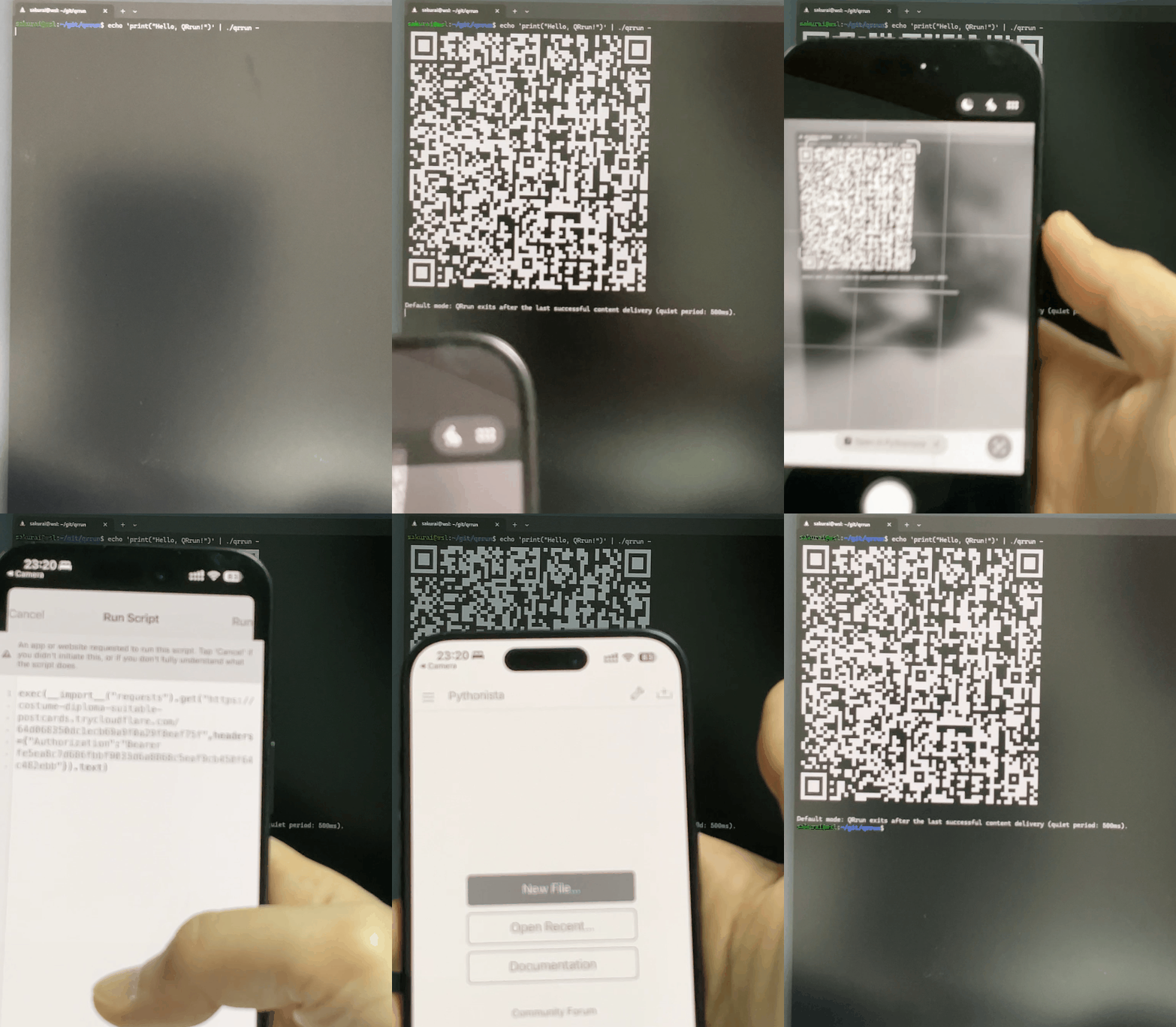
cloudflared must be installed and available in your PATH.trycloudflare.com). See Cloudflare Quick Tunnel documentation for details.Run with a local file:
qrrun hello.py arg1 arg2
Run from stdin (-):
echo "print('Hello, QRrun!')" | qrrun - arg1 arg2
By default, QRrun generates a QR code for opening and running your script in Pythonista 3; use --runtime to override this behavior.
For more options and behavior details, run qrrun --help.
See INSTALL.md.
mise.toml (one-time setup):mise trust mise.toml
pre-commit install
make test-e2e
sequenceDiagram
	autonumber
	participant User as User
	participant QRrun as QRrun
	participant Cloudflare as Cloudflare
	participant Camera as Camera App
	participant Pythonista as Pythonista 3

	User->>QRrun: Run qrrun  [args...]
	QRrun->>QRrun: Start localhost server and register script endpoint
	QRrun->>Cloudflare: Start cloudflared for quick tunnel to localhost server
	Cloudflare-->>QRrun: Return public trycloudflare URL
	QRrun-->>User: Render QR code (runtime URL)
	User->>Camera: Open camera and scan QR code
	Camera-->>Pythonista: Open pythonista3://?exec=...
	Pythonista->>Cloudflare: Request script URL with token
	Cloudflare->>QRrun: Forward HTTPS request to localhost server
	QRrun-->>Cloudflare: Return script content
	Cloudflare-->>Pythonista: Return script payload
	Pythonista->>Pythonista: Execute script with args
	Pythonista-->>User: Display script output
