
flowChart
Type what you mean. Get an editable mind map or flowchart. No internet, no account, no data leaves your machine.



Demo video — see docs/demo.mp4 in the repo if it doesn't play here.
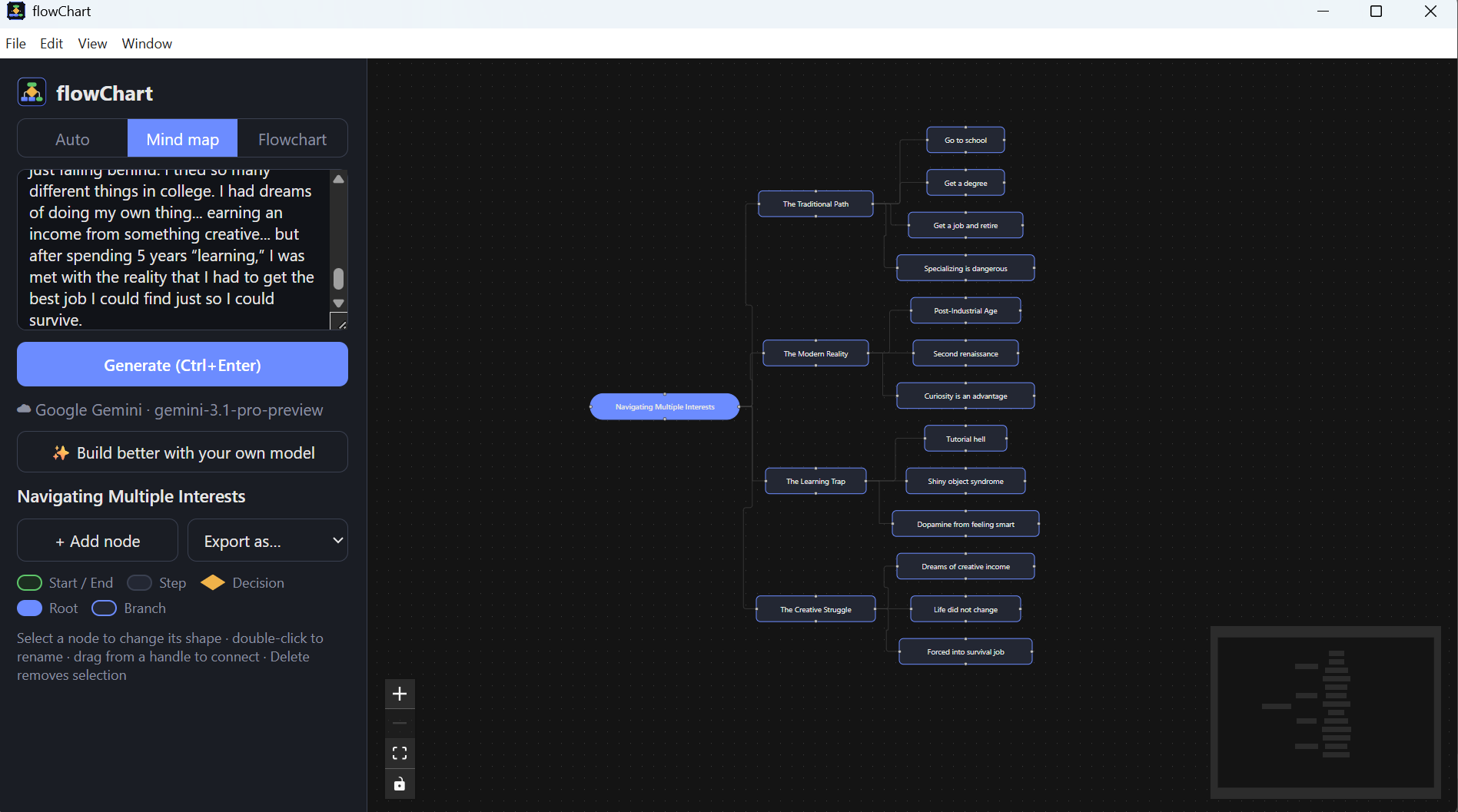
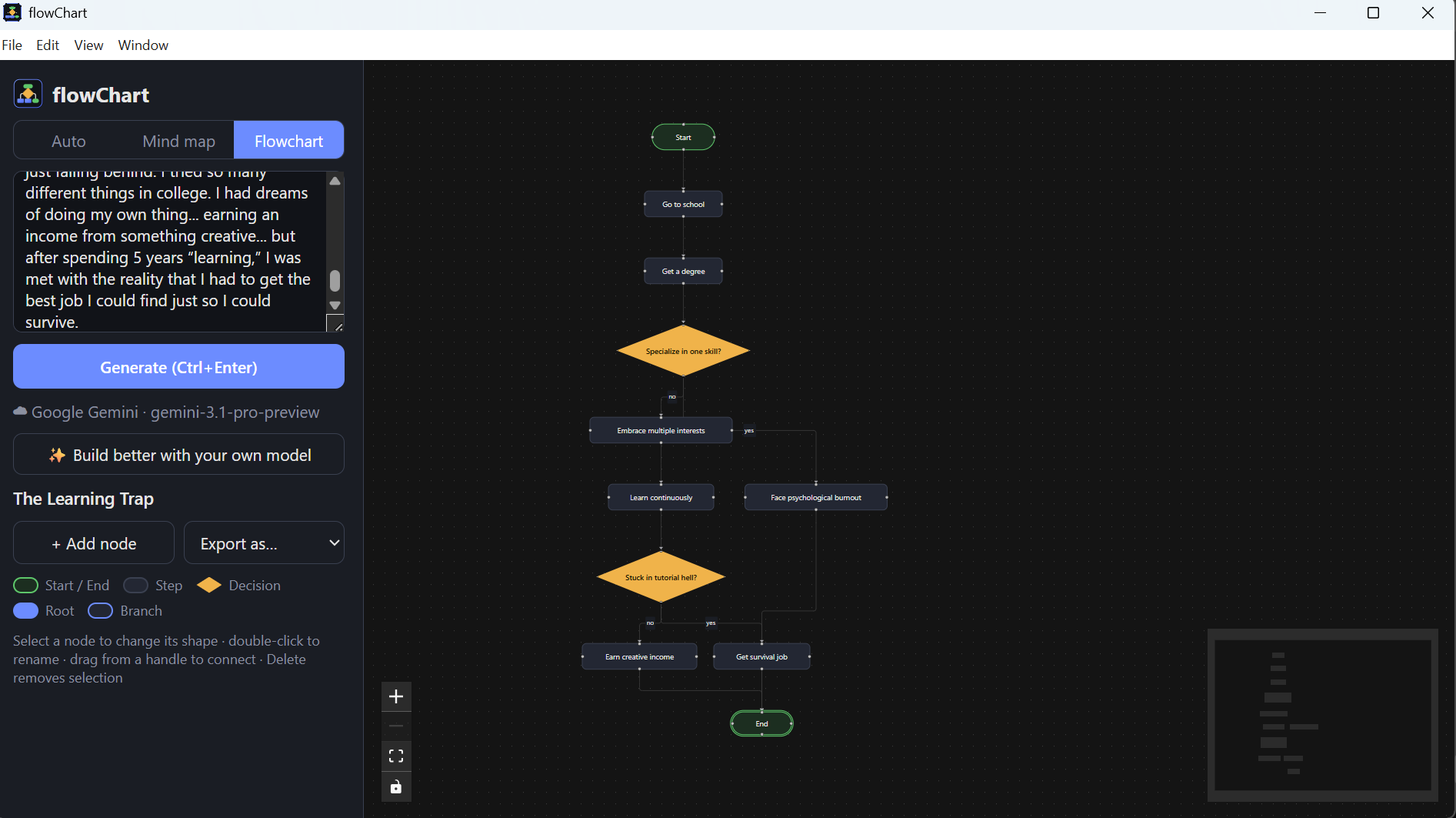
What it does
- Text in, diagram out. Describe a process ("how a support ticket gets resolved") or a topic ("things to consider when buying a laptop"). flowChart picks mind map or flowchart, or you force one with a toggle.
- Fully offline. A 1.7B-parameter open model (Qwen3, Apache-2.0) runs on your own CPU or GPU through llama.cpp. Works on a plane.
- Streams onto the canvas. Nodes appear and lay themselves out while the model is still thinking.
- Editable. Rename with a double-click, change a node's shape (start, step, decision, end), drag to connect, delete, add nodes.
- Export to PNG, PDF, PowerPoint, or Word.
- Optional cloud boost. Bring your own API key (Anthropic, OpenAI, Gemini, OpenRouter, or any OpenAI-compatible endpoint) for richer diagrams. The key is stored encrypted on your machine and only ever sent to the provider you chose.
Install
Package managers (after the manifests land):
winget install saransh121.flowChart          # Windows
brew install --cask saransh121/tap/flowchart  # macOS
Grab the latest build for your OS from the Releases page:
| OS | File |
|---|
| Windows | flowChart--win-x64.exe (installer) or .zip (portable) |
| macOS | flowChart--mac-arm64.dmg (Apple Silicon) or -mac-x64.dmg (Intel) |
| Linux | flowChart--linux-x86_64.AppImage or -linux-amd64.deb |
On first launch the app downloads the model once (1.1 GB) into its data folder. After that it never needs the network again.
> Windows SmartScreen / macOS Gatekeeper: builds are not code-signed yet. On Windows click More info → Run anyway. On macOS right-click the app → Open, or run xattr -dr com.apple.quarantine /Applications/flowChart.app.
Use your own model
Drop any llama.cpp .gguf file into the models folder and restart. The largest file wins.
- Windows:
%APPDATA%\flowChart\models
- macOS:
~/Library/Application Support/flowChart/models
- Linux:
~/.config/flowChart/models
Qwen3 0.6B (400 MB) is 2.5x faster and fine for simple diagrams. Anything that chats works, but models under 1B tend to misclassify processes as mind maps.
Hardware
| Machine | Speed |
|---|
| Laptop with integrated GPU (Vulkan), 8 GB RAM | ~15 tok/s, a 12-node flowchart in ~20 s |
| Same laptop, 0.6B model | ~35 tok/s |
| NVIDIA / AMD dedicated GPU | much faster, auto-detected |
CPU-only with 8 GB RAM and the 1.7B model is slow. Use the 0.6B model there.
Spread the word
See docs/LAUNCH.md for the winget / Homebrew / store submission steps and ready-to-paste launch posts.
Development
npm install
npm run dev      # Vite + Electron with hot reload
npm run pack     # unpacked build in release/
npm run dist     # installers for the current OS
npm run spike    # the model benchmark used to pick the default model
Put a .gguf in ./models/ for development, or let the app download one.
How it works
- The model is prompted with a system prompt plus two examples and forced, via a GBNF grammar, to emit compact JSON:
{type, title, nodes, edges}. It never emits coordinates.
- The renderer parses the JSON prefix as it streams, runs elkjs layout on every new node, and draws with React Flow.
- Cloud providers get the same prompt and are parsed the same way, so the UI does not care which engine produced the diagram.
Roadmap
- Undo / redo, autosave, reopen recent diagrams
- "Edit with AI": describe a change and have the model patch the existing diagram
- Mermaid / JSON export and import
- Auto-update via GitHub Releases
- Hosted web version
License
MIT. The default model is Qwen3-1.7B by Alibaba, Apache-2.0, downloaded from Hugging Face on first run.