AVD Health Monitor seb07-cloud
Use this command to install AVD Health Monitor with WinGet:
winget install --id=seb07-cloud.AVDHealthMonitor -e Real-time Azure Virtual Desktop endpoint health monitoring with FSLogix storage tracking
winget install --id=seb07-cloud.AVDHealthMonitor -e Real-time Azure Virtual Desktop endpoint health monitoring with FSLogix storage tracking
A modern Windows system tray application for real-time Azure Virtual Desktop (AVD) endpoint health monitoring.



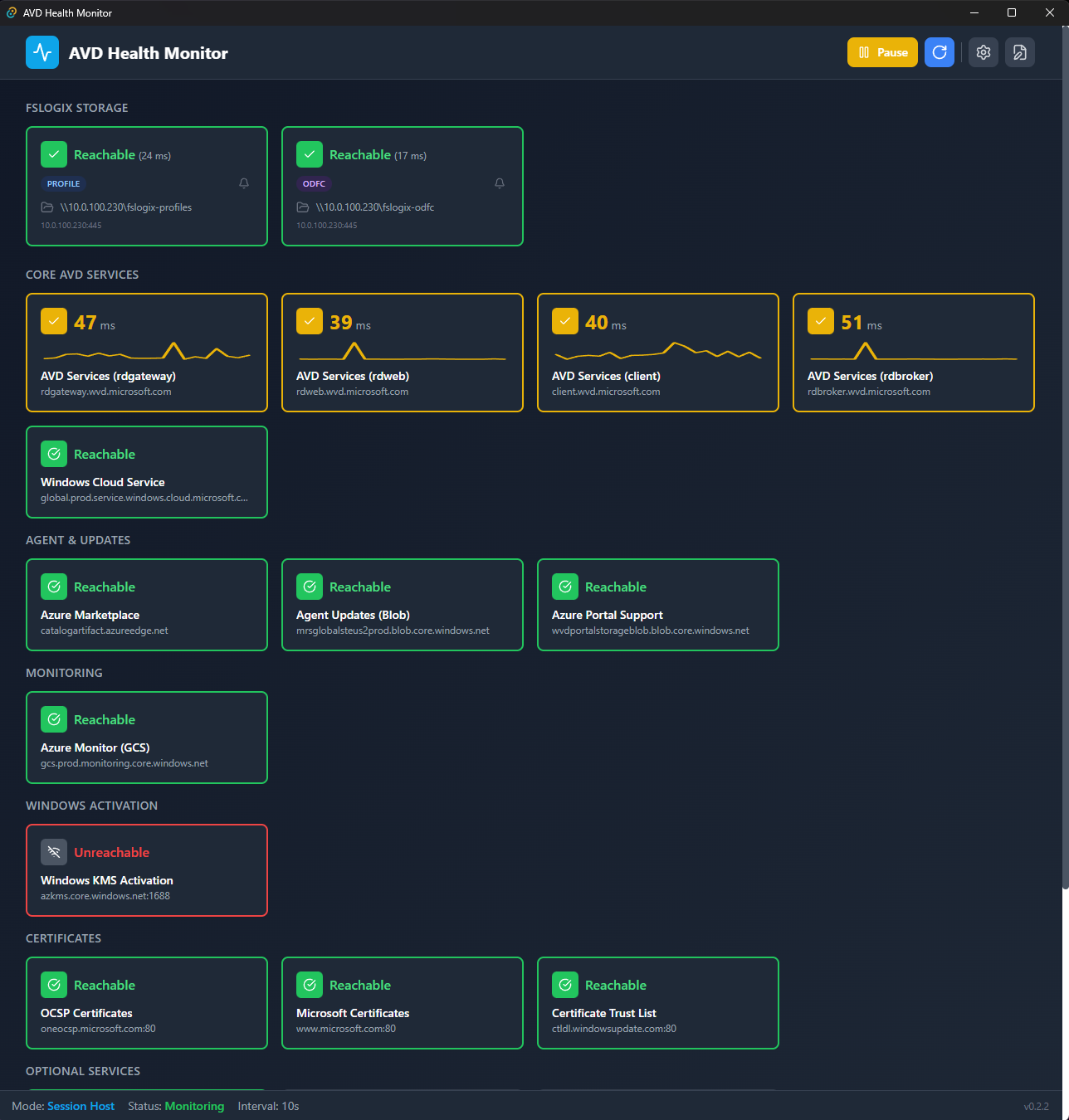
Real-time endpoint monitoring with latency graphs, statistics, and enable/disable toggles.
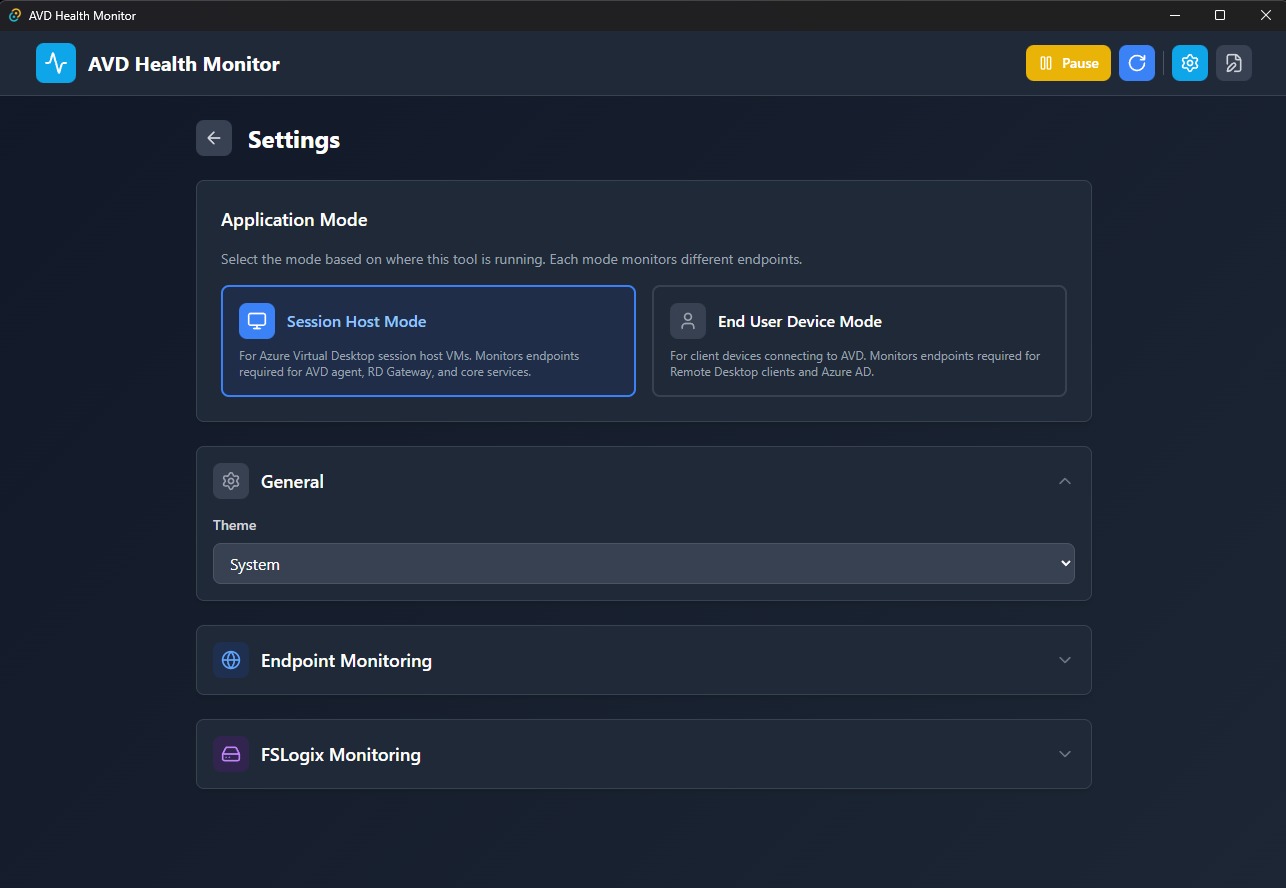
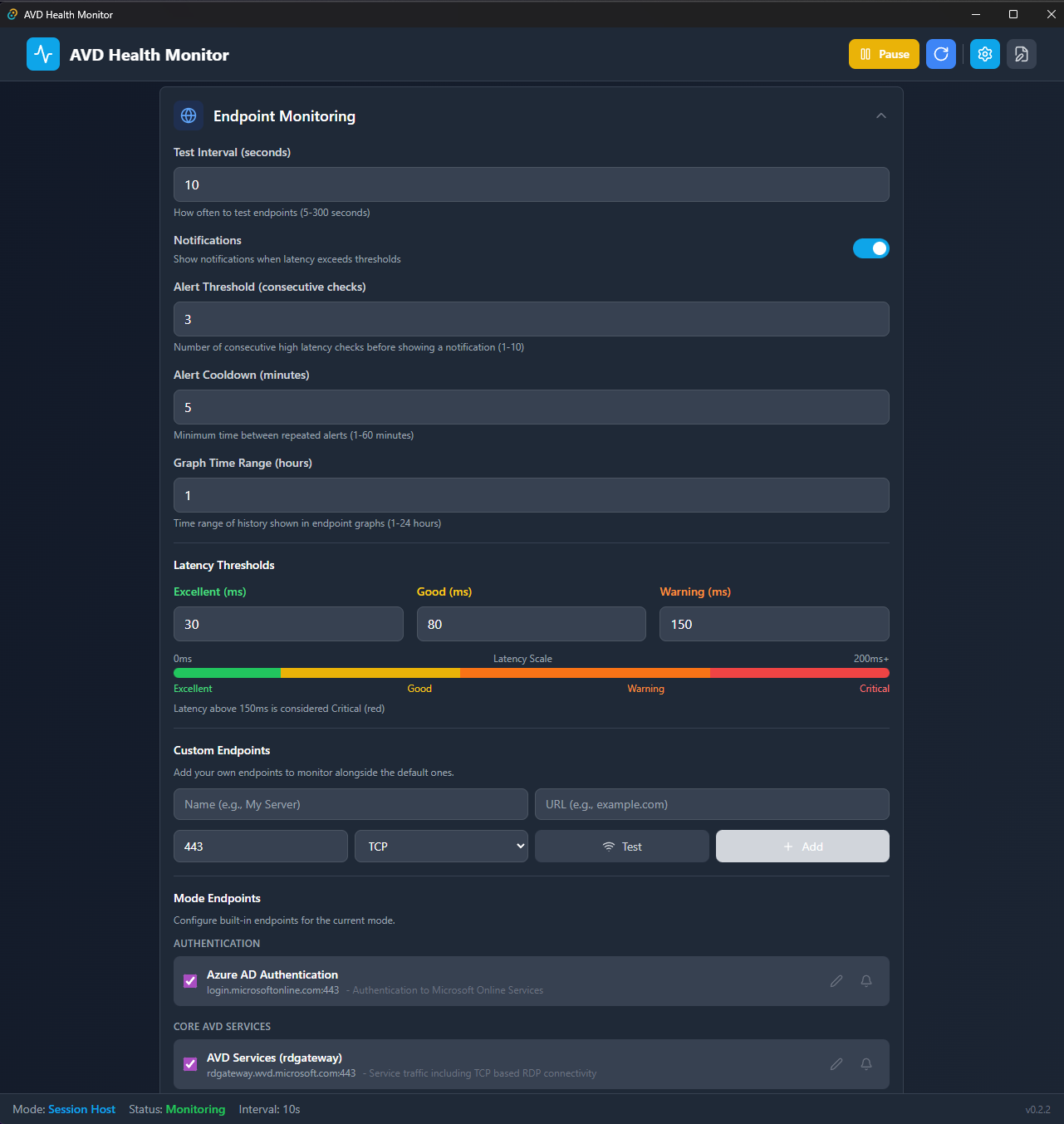
Configure application mode, thresholds, notifications, and manage endpoints.
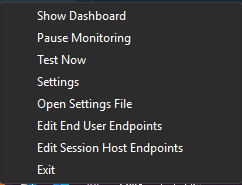
Dynamic color-coded tray icon shows current status at a glance. Right-click for quick actions.
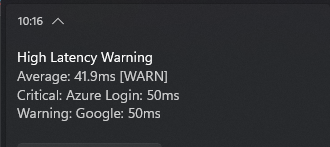
Consolidated alerts with details for all affected endpoints.
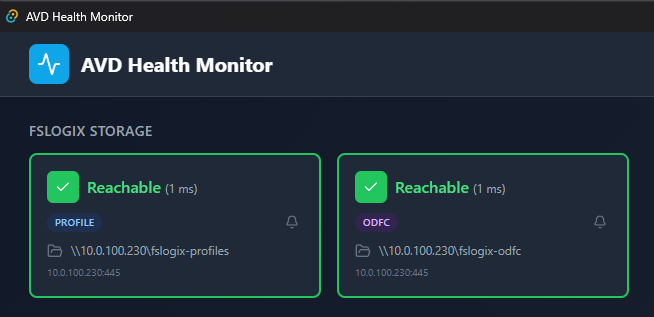
Real-time connectivity monitoring for FSLogix profile and ODFC storage paths.
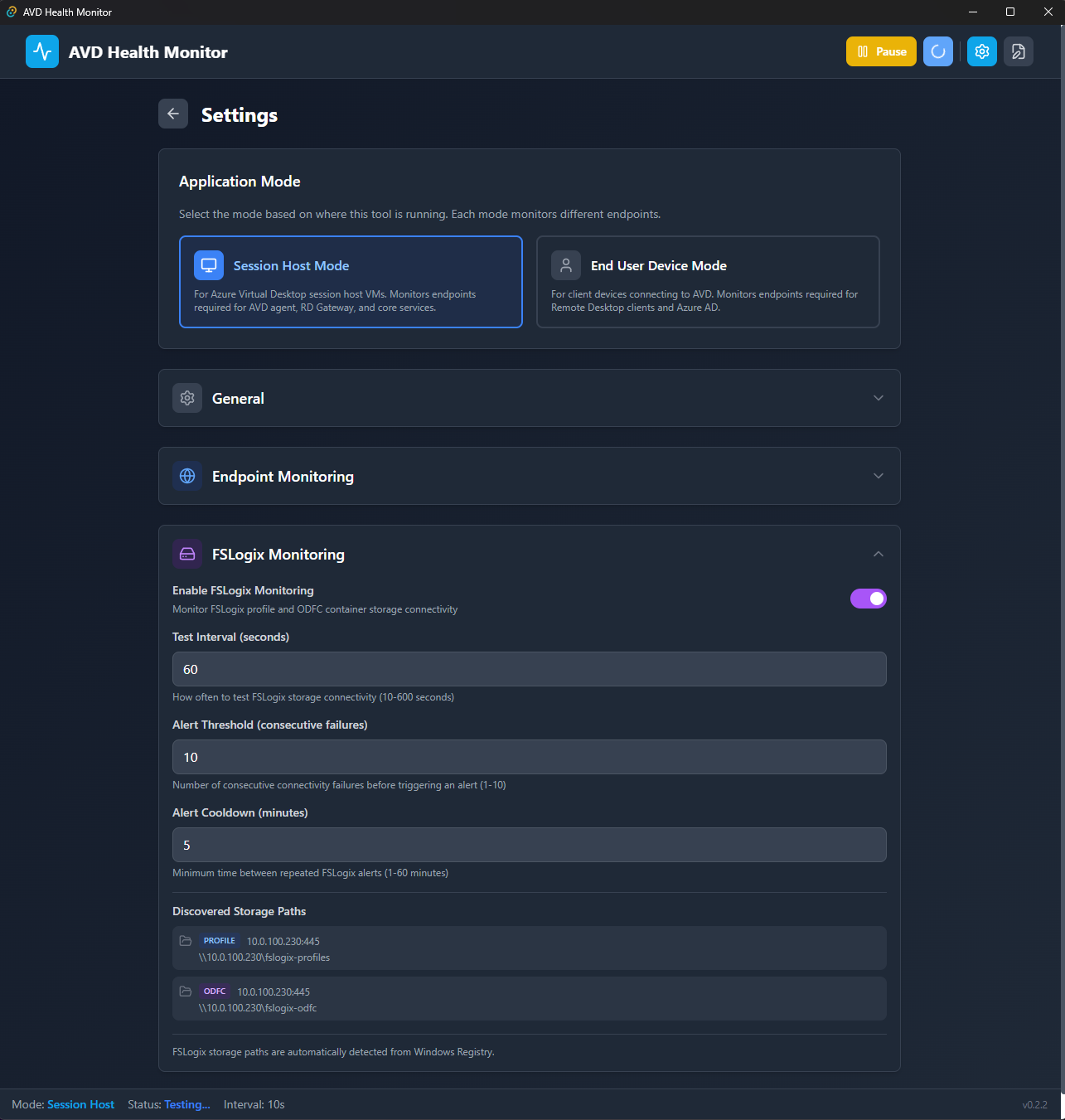
Configure FSLogix-specific test intervals, alert thresholds, and mute individual paths.
The application supports two distinct monitoring modes with pre-configured endpoints based on Microsoft's official AVD documentation:
Session Host Mode
*.wvd.microsoft.com expands to rdgateway, rdweb, client, rdbroker)End User Device Mode
Switching modes automatically loads the appropriate endpoints and triggers a connectivity test.
AVD-Latency-Checker--x64-setup.msiAVD-Latency-Checker--x64-portable.exe from ReleasesC:\Tools\AVDLatencyChecker)mygateway.example.com)Right-click the tray icon for quick actions:
Logs are stored in:
%APPDATA%\AVDHealthMonitor\logs\
Example log file: avd_latency_2026-01-04.log
Format (JSON Lines):
{"timestamp":"2026-01-04T15:30:45+00:00","endpoint":"rdgateway.wvd.microsoft.com","latency_ms":25.4,"status":"excellent"}
| Setting | Default | Description |
|---|---|---|
| Test Interval | 10 seconds | How often to test endpoints |
| Theme | System | Light/Dark/System auto-detect |
| Notifications | Enabled | Windows toast alerts |
| Alert Threshold | 3 checks | Consecutive failures before alert |
| Alert Cooldown | 5 minutes | Minimum time between alerts |
| Graph Time Range | 1 hour | History shown in graphs |
| FSLogix Enabled | Yes | Enable FSLogix storage monitoring (Session Host only) |
| FSLogix Test Interval | 60 seconds | How often to test FSLogix storage paths |
| FSLogix Alert Threshold | 3 checks | Consecutive failures before FSLogix alert |
| FSLogix Alert Cooldown | 5 minutes | Minimum time between FSLogix alerts |
| Status | Range | Color |
|---|---|---|
| Excellent | 0-50ms | Green |
| Good | 51-100ms | Yellow |
| Warning | 101-150ms | Orange |
| Critical | >150ms | Red |
Main Settings:
%APPDATA%\AVDHealthMonitor\settings.json
Session Host Endpoints:
%APPDATA%\AVDHealthMonitor\sessionhost-endpoints.json
End User Endpoints:
%APPDATA%\AVDHealthMonitor\enduser-endpoints.json
| Endpoint | URL | Port | Purpose |
|---|---|---|---|
| Azure AD Authentication | login.microsoftonline.com | 443 | Authentication |
| AVD Services (wildcard) | *.wvd.microsoft.com | 443 | RD Gateway, Web, Client, Broker |
| Windows Cloud Service | global.prod.service.windows.cloud.microsoft.com | 443 | Service Traffic |
| Azure Marketplace | catalogartifact.azureedge.net | 443 | Marketplace |
| Agent Updates | mrsglobalsteus2prod.blob.core.windows.net | 443 | Agent/SXS updates |
| Azure Portal Support | wvdportalstorageblob.blob.core.windows.net | 443 | Portal support |
| Azure Monitor | gcs.prod.monitoring.core.windows.net | 443 | Monitoring |
| Windows KMS | azkms.core.windows.net | 1688 | Windows activation |
| OCSP Certificates | oneocsp.microsoft.com | 80 | Certificate validation |
| Certificate Trust List | ctldl.windowsupdate.com | 80 | Certificate validation |
| Endpoint | URL | Port | Purpose |
|---|---|---|---|
| Azure AD Authentication | login.microsoftonline.com | 443 | Authentication |
| AVD RD Gateway | rdgateway.wvd.microsoft.com | 443 | RDP connectivity |
| AVD RD Web | rdweb.wvd.microsoft.com | 443 | Web access |
| AVD Client | client.wvd.microsoft.com | 443 | Client service |
| AVD RD Broker | rdbroker.wvd.microsoft.com | 443 | Connection broker |
| Windows Cloud | windows.cloud.microsoft | 443 | Connection center |
| Microsoft Graph | graph.microsoft.com | 443 | Service traffic |
| Office ECS | ecs.office.com | 443 | Connection center |
Frontend:
Backend:
avd-health-monitor/
├── src/                          # Frontend (React + TypeScript)
│   ├── components/
│   │   ├── Dashboard.tsx         # Main monitoring view
│   │   ├── EndpointCard.tsx      # Individual endpoint display
│   │   ├── FSLogixSection.tsx    # FSLogix storage monitoring
│   │   └── SettingsPanel.tsx     # Configuration UI
│   ├── hooks/
│   │   ├── useTrayIcon.ts        # Tray icon + notifications
│   │   └── useSettingsSync.ts    # Settings file synchronization
│   ├── store/
│   │   └── useAppStore.ts        # Global state (Zustand)
│   ├── services/
│   │   └── latencyService.ts     # Latency testing service
│   └── types.ts                  # TypeScript definitions
│
├── src-tauri/                    # Backend (Rust)
│   ├── src/
│   │   ├── lib.rs                # Main Tauri app + commands
│   │   ├── latency.rs            # TCP/HTTP latency testing
│   │   ├── settings.rs           # Settings + endpoint file management
│   │   ├── tray_icon.rs          # Dynamic icon generation
│   │   ├── logger.rs             # File logging
│   │   ├── autostart.rs          # Windows Registry auto-start
│   │   └── fslogix.rs            # FSLogix registry detection
│   ├── resources/
│   │   ├── settings.json         # Default settings
│   │   ├── sessionhost-endpoints.json
│   │   └── enduser-endpoints.json
│   └── tauri.conf.json           # Tauri configuration
│
└── .github/workflows/            # CI/CD
    ├── ci.yml                    # Build & test
    └── release.yml               # Automated releases
# Clone repository
git clone https://github.com/seb07-cloud/avd-health-monitor.git
cd avd-health-monitor

# Install dependencies
pnpm install

# Run in development mode
pnpm tauri dev
# Build Windows MSI + EXE
pnpm tauri build

# Output:
# src-tauri/target/release/bundle/msi/*.msi
# src-tauri/target/release/avd-health-monitor.exe
# Frontend tests
pnpm test:run

# Rust tests
cd src-tauri && cargo test

# Type checking
pnpm exec tsc --noEmit
www.msftconnecttest.com) only respond on specific portshttp protocol, not tcpHKLM\SOFTWARE\FSLogix\Profiles or HKLM\SOFTWARE\Policies\FSLogix\ODFCContributions are welcome! Please:
git checkout -b feature/amazing-feature)git commit -m 'Add amazing feature')git push origin feature/amazing-feature)This project is licensed under the MIT License - see LICENSE file for details.
Made for the AVD Community
