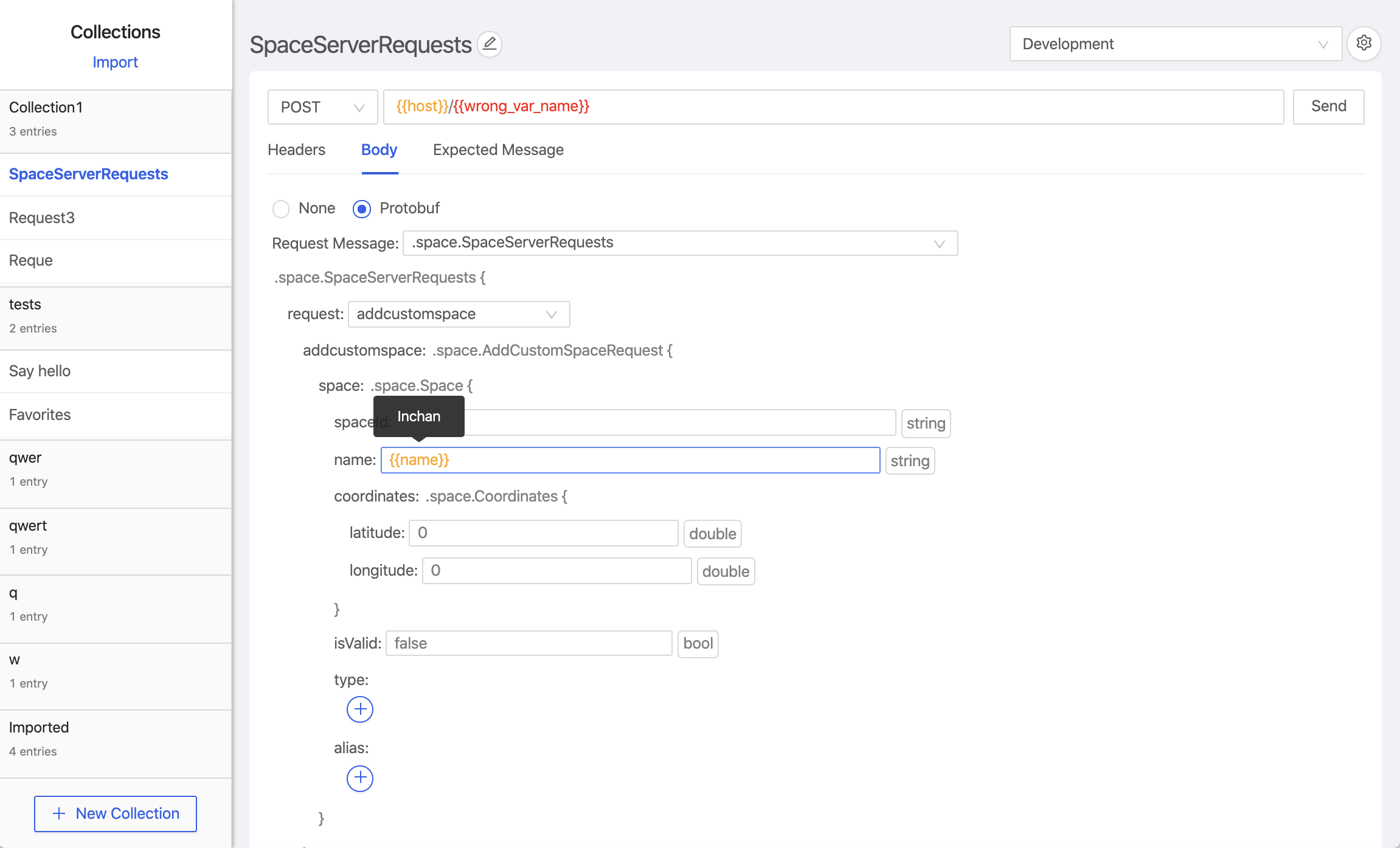
Protoman is a Postman-like API client designed to streamline API testing and development for services using Google's Protocol Buffers (protobuf). It offers a user-friendly interface that simplifies working with protobuf-based APIs, allowing developers to efficiently test and build requests.
Key Features:
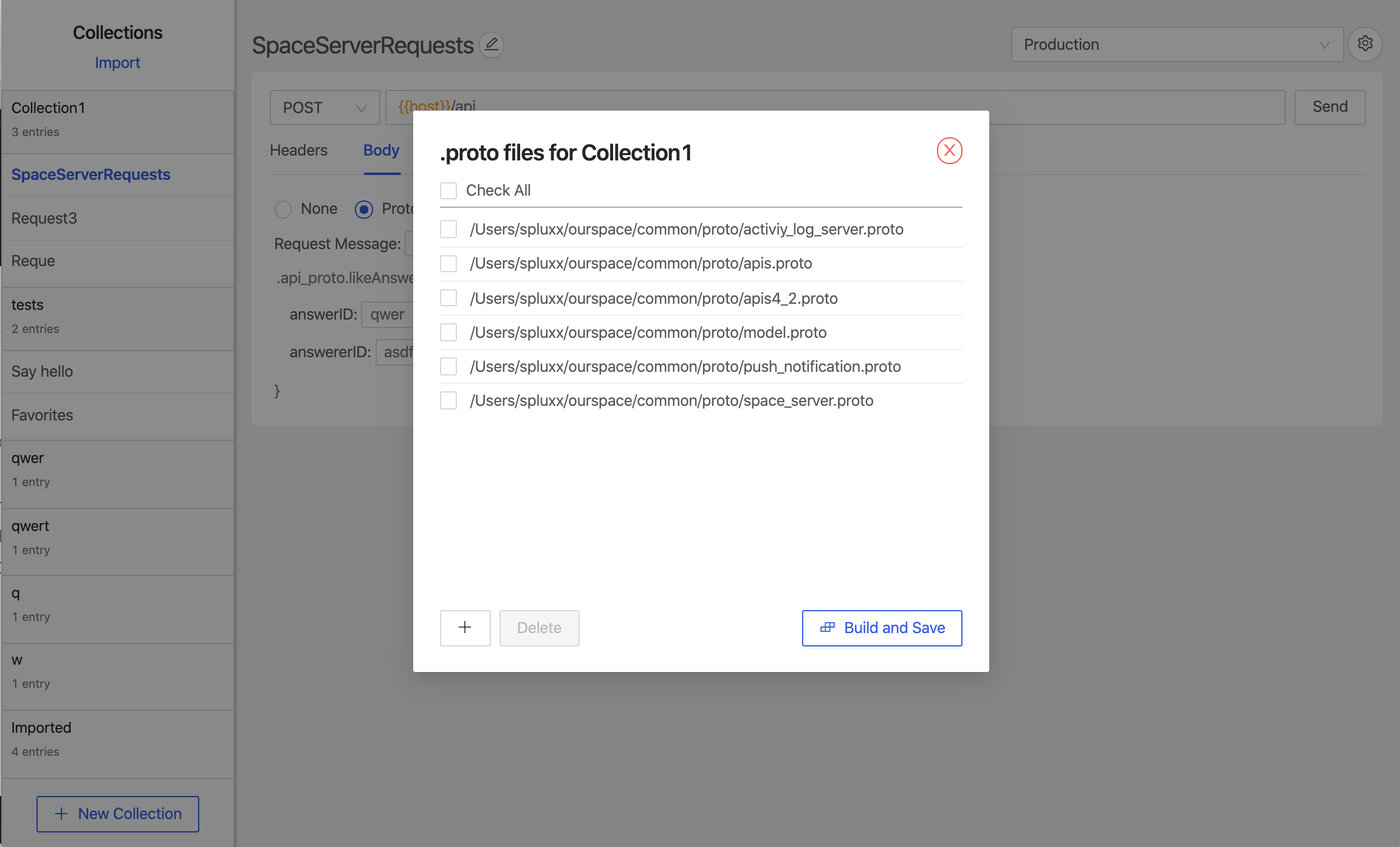
Proto File Registration: Users can register .proto files to enable protobuf functionality, ensuring seamless integration with their API workflows.
Postman-Like Interface: The client provides an intuitive interface for inputting HTTP parameters, selecting proto messages for requests and responses, and viewing results post-send.
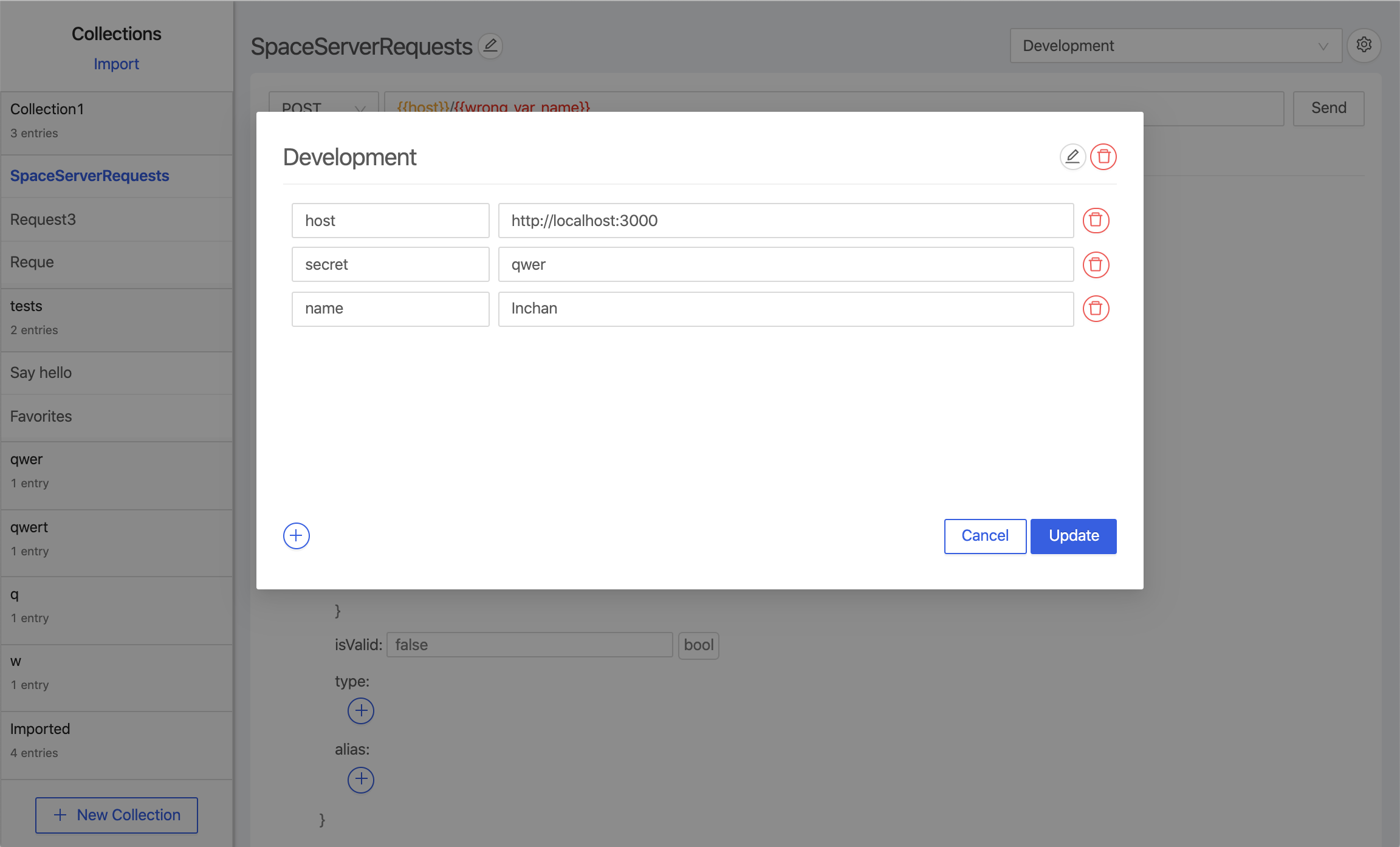
Environment Variables Support: Starting from version 0.2.0, Protoman allows the setup of environments and reuse of variables across requests.
Collection Import/Export: Introduced in version 0.3.0, users can import and export collections as JSON, though caution is advised regarding path updates to maintain proto definitions.
Advanced Request Management: Version 0.4.0 introduced features like reordering requests and setting different success (2XX) and failure response messages.
Audience & Benefit:
Ideal for developers working with protobuf APIs, Protoman enhances productivity by providing a structured environment for testing and development, thus streamlining the API creation process.
Protoman can be installed via winget, offering flexibility in setup across various operating systems.
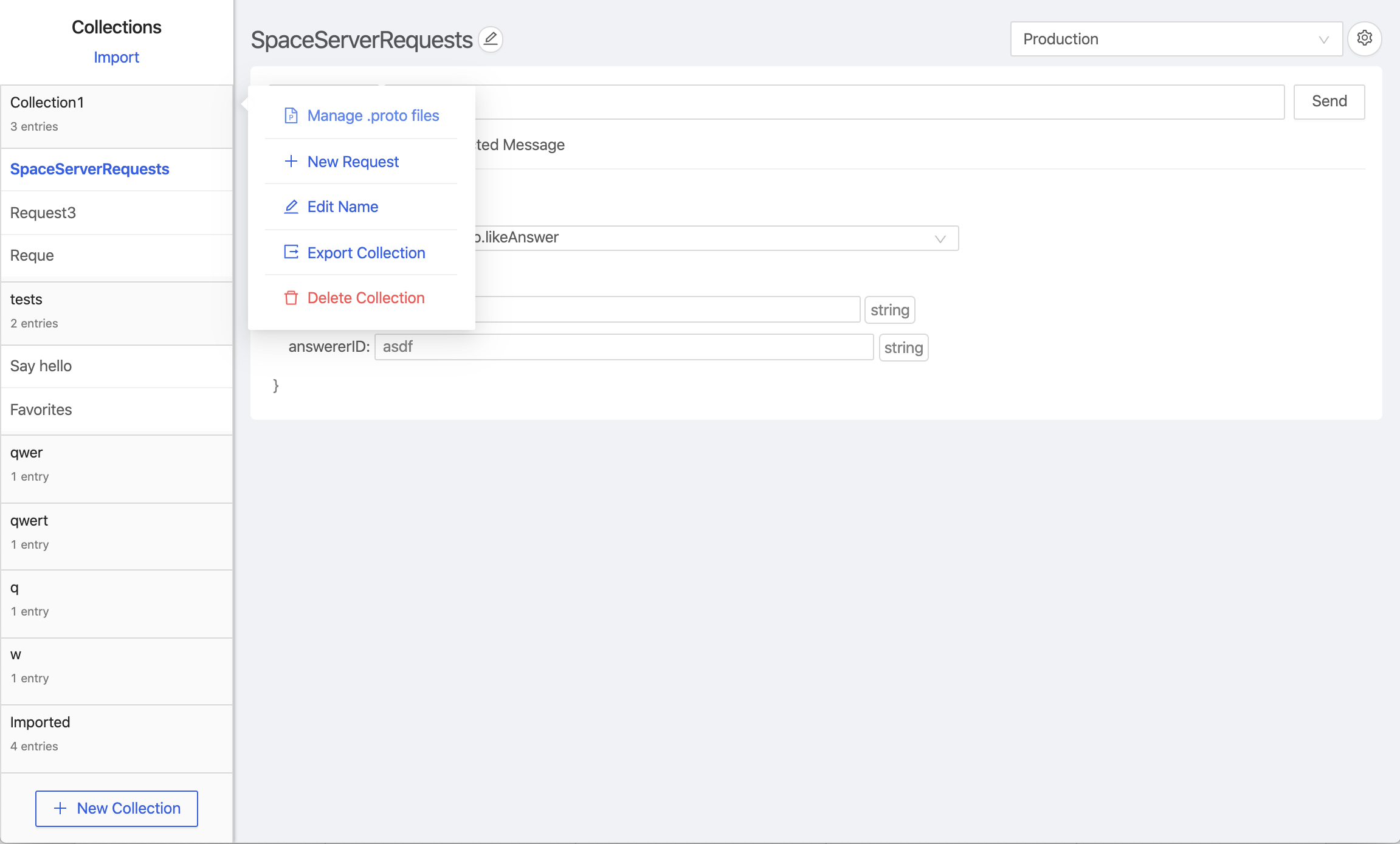
Register your .proto files to enable protobuf-related features. Right click on the collection, select 'Manage .proto files' to register the file paths.
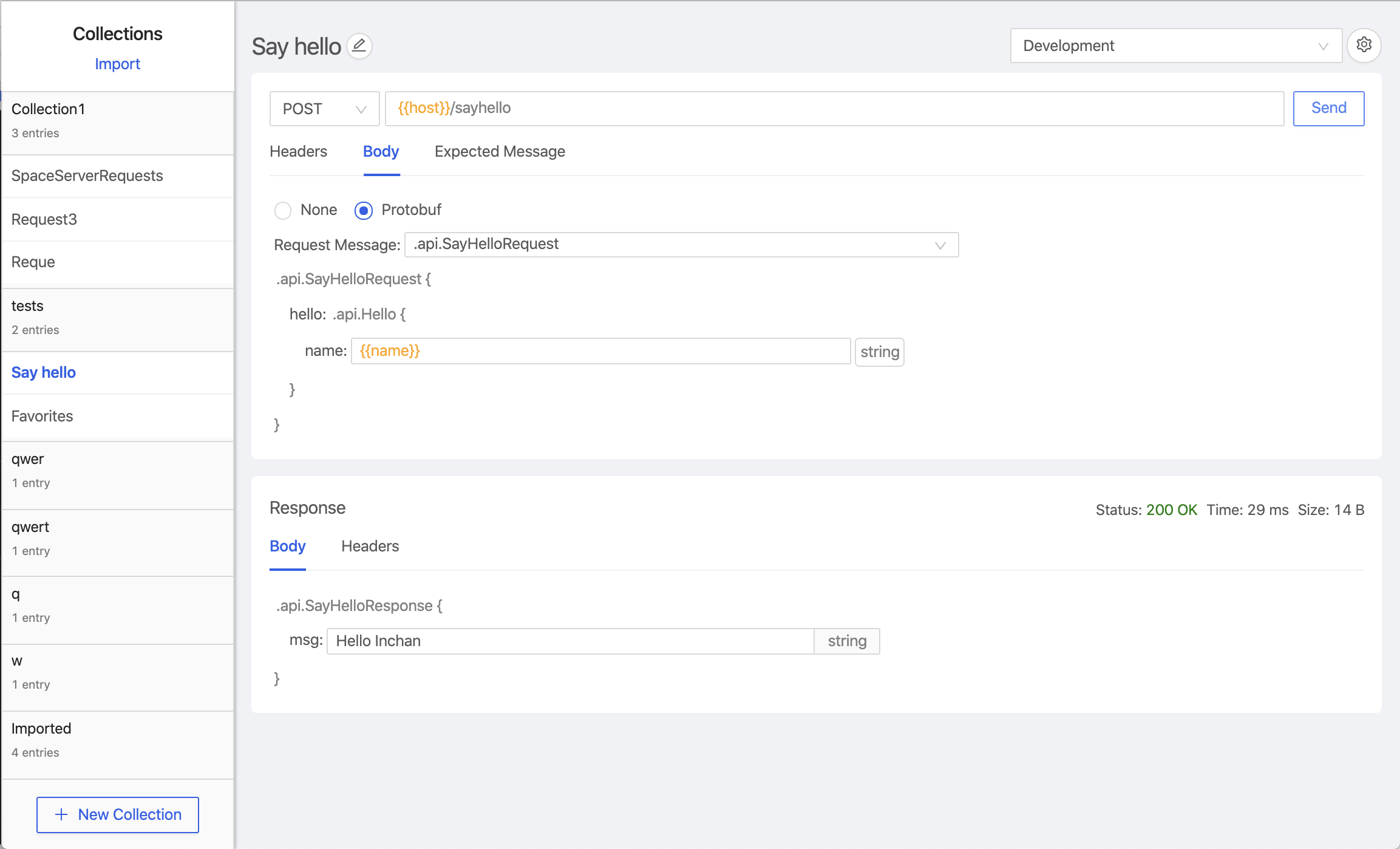
The rest of the request-building interface is similar to Postman.
a. Enter your good old http request parameters (method, url, headers)
b. Select request/response proto messages you want.
c. Fill out the fields in your request proto message.
d. Click send.
e. The response is shown below the request section.
As of version 0.2.0, you can also set up environments, and reuse variables there throughout your requests on the top-right corner!
As of version 0.3.0, you can also import / export collections as JSON
When importing a collection, all the proto definitions / path to .proto files are also imported. Hence, it's recommended to fix the paths to keep the proto definitions up-to-date.
Note that it's not compatible with Postman collections.
As of version 0.4.0, you can also reorder requests / set different expected messages for success(2XX) and failures(others)
That's it for the current version. Enjoy and leave a star if you like it !
As a fallback, you can clone the repo and run npm install && npm run build to build, and npm run start to launch the app. Or, you can actually find configurations on electron builder to get the right distribution version yourself!
Contributing
If you are interested in reporting/fixing issues and contributing directly to the codebase, follow the standard procedures.
Create an issue.
Fork the repo.
Submit a PR.
We'll get back to you as soon as we can!
Make sure to run npm run lint before submitting your PR!