
Digital Detox
A small Windows app that locks your screen for a set amount of time, so you actually take that break.
Features
- Pick a duration from 1 to 999 minutes, or use the quick presets (5, 15, 25, 45, 60 min), and see right away when it will end
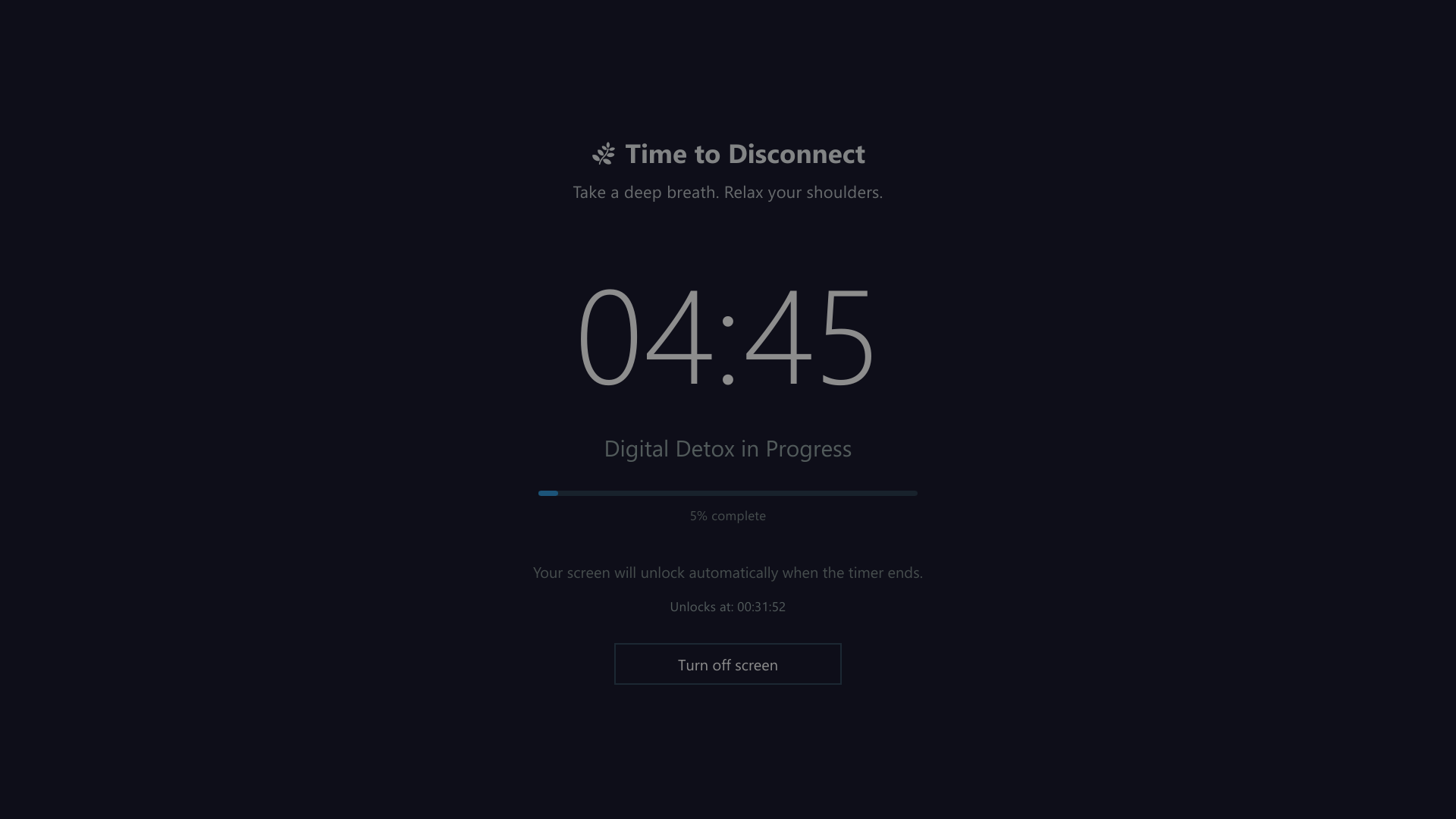
- Full-screen lock that stays on top until the timer ends, with a countdown, progress bar and unlock time
- The screen switches off gradually: it dims as soon as the detox starts (on laptops the brightness drops to the minimum), turns black after three minutes without input, and on desktop PCs the monitor is switched off a couple of minutes later. Press +5 minutes to keep it on for longer, move the mouse to see the timer again, or press Turn off screen to go dark right away. Everything comes back at the end.
- Breathing guide: a circle above the timer grows and shrinks between two fixed rings at the pace of Buteyko's reduced breathing (2 s in, 3 s out, 4 s pause). It moves at a steady speed, so you can tell how long each breath will last
- No pauses: the PC is kept from going to sleep until the detox is over
- All monitors covered: secondary screens get their own overlay with the timer
- Shortcuts blocked while locked: Windows key, Alt+Tab, Alt+F4, Alt+Esc, Ctrl+Esc and Ctrl+Shift+Esc. The taskbar is hidden on every monitor, and the Start menu is closed right away if it opens
- A calming message picked at random for each session
- Unlocks automatically when the time is up
- Emergency exit if you really need your computer back
- Lives in the system tray: closing or minimizing the window keeps the app in the system tray. Left-click the tray icon to open it, right-click the tray icon to start a detox right away or quit
- Start with Windows (optional): tick it in the tray menu and the app starts at sign-in, quietly in the system tray
- Lightweight: a single ~12 MB executable that uses about 5 MB of memory, no administrator rights needed
Download
From the Releases page, pick one:
- Installer (
DigitalDetox-vX.Y.Z-setup-x64.exe): adds Digital Detox to the Start menu, optionally to the desktop, and to Windows' list of installed apps for easy removal. No administrator rights needed.
- Portable (
DigitalDetox-vX.Y.Z-win-x64.zip): unzip it anywhere and run DigitalDetox.exe. Nothing else to install.
Since the files aren't code-signed, Windows SmartScreen may warn you the first time: click More info → Run anyway.
Build from source
Requires Windows 10 or 11, Rust (stable) and the Visual Studio C++ Build Tools (the Rust installer offers to install them).
git clone https://github.com/telcoray/DigitalDetox.git
cd DigitalDetox
cargo run
To create an optimized build (target/release/digital-detox.exe):
cargo build --release
The UI is drawn by Slint's software renderer, which keeps memory usage very low. To try the GPU-based Skia renderer instead (bigger executable, more memory, needs the Visual Studio 2022 C++ Build Tools):
cargo run --no-default-features --features skia
Project layout
ui/          Slint files describing the windows (main window, lock screen, secondary monitors)
src/
  main.rs             app start-up and main window
  session.rs          one detox session: lock screen, timer, monitors, emergency exit
  keyboard_hook.rs    blocking of system shortcuts
  single_instance.rs  only one copy of the app at a time
assets/      logo and icon
How to use
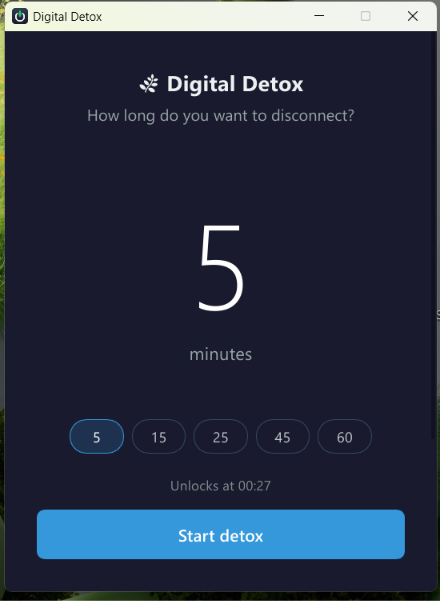
- Enter how many minutes you want to disconnect, or click a preset
- Click Start detox (or press Enter)
- Step away from the screen; it unlocks by itself when the timer reaches zero
Emergency exit
Press Ctrl+Shift+X three times in a row (within 2 seconds of each other). An Emergency Exit button appears; click it and confirm to end the session early.
Limitations
Digital Detox is meant to help you keep a commitment, not to be an unbreakable lock. Ctrl+Alt+Del is handled by Windows itself and can't be blocked by any application, so it is always possible to sign out, lock or restart the PC.
History
Version 2 is a rewrite in Rust with Slint. Version 1 was written in C# with WPF on .NET; its code is still available at the v1.0.1 tag.
License
MIT