xxUSBSentinel
| Category | Status |
|---|
| CI |   |
| Release |   |
| Distribution |   |
| Quality |    |
| License |  |
| Platform |   |
| Stack |       |
USB kill-switch for Linux and Windows. Map any USB device as a key. When it is removed while the sentinel is armed, the machine shuts down immediately. Designed to make recovering encrypted drive keys as hard as possible if someone physically seizes your machine.
> ⚠️ Warning: This tool does not encrypt your data. Use full-disk encryption (LUKS, VeraCrypt, BitLocker) alongside it.
How it works
- Plug in the USB device you want to use as your key (mouse, keyboard, flash drive, anything).
- Click Set Key next to it in the device list, or use Map Device and physically unplug it to auto-detect.
- Click Arm Sentinel.
- If the key device is removed while armed, the machine shuts down immediately.
Features
- Monitor and log all USB connect and disconnect events in real time
- Map any USB device as the kill-switch key by VID:PID
- Immediate forced shutdown on key removal
- Test mode for safe dry-runs without triggering a real shutdown
- Shutdown on close option
- Desktop notifications on trigger
- Per-device comments
- Event log with timestamps, copy and export
- System tray icon with arm/disarm and toggle controls
- Autostart on login
- Persistent config across restarts
- Permissions warning if the current user cannot shut down
Screenshots
| Main window (armed) | System tray |
|---|
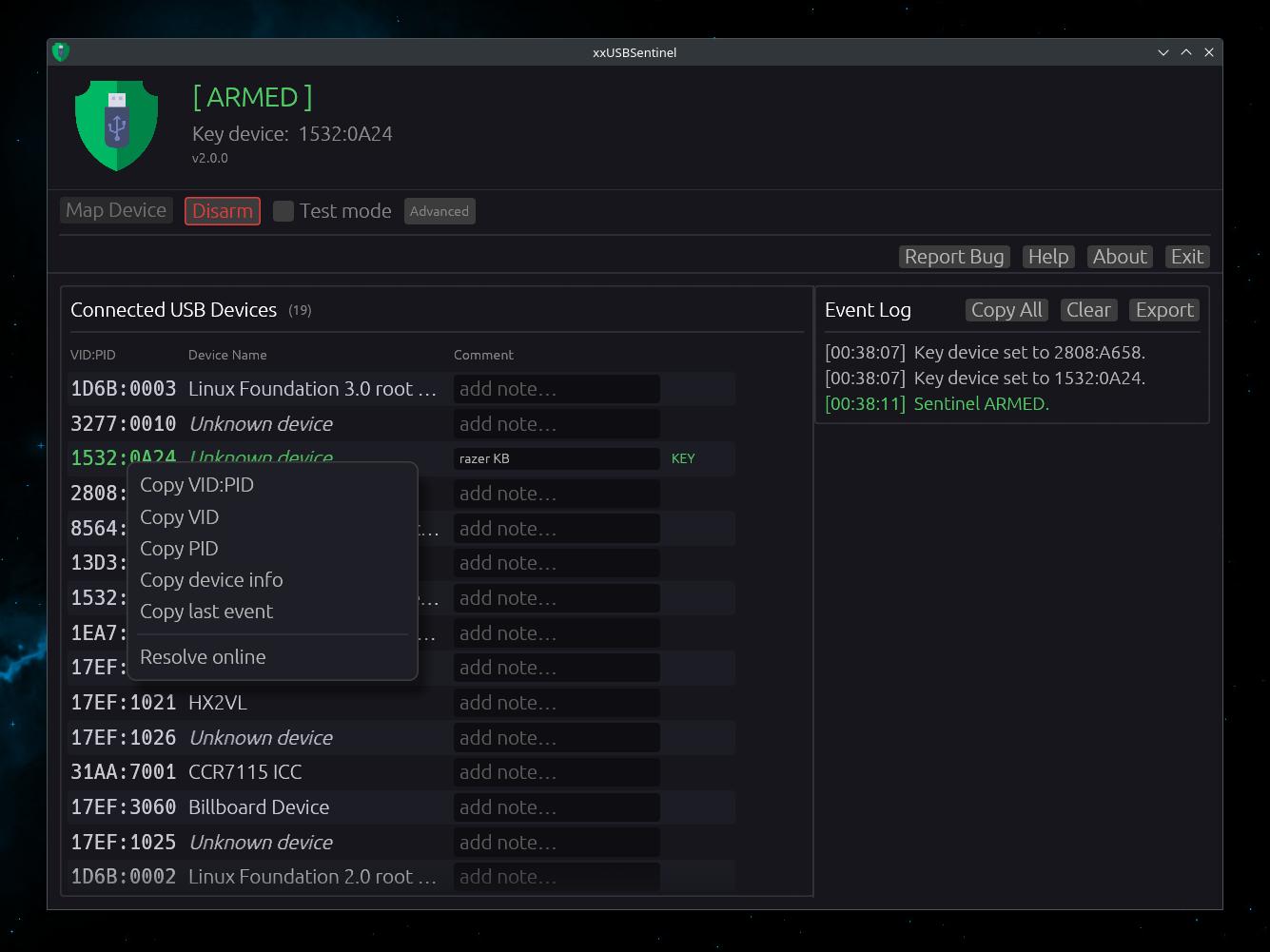 | 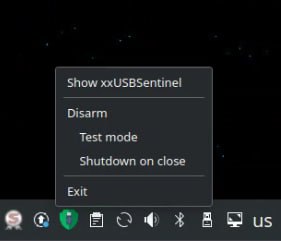 |
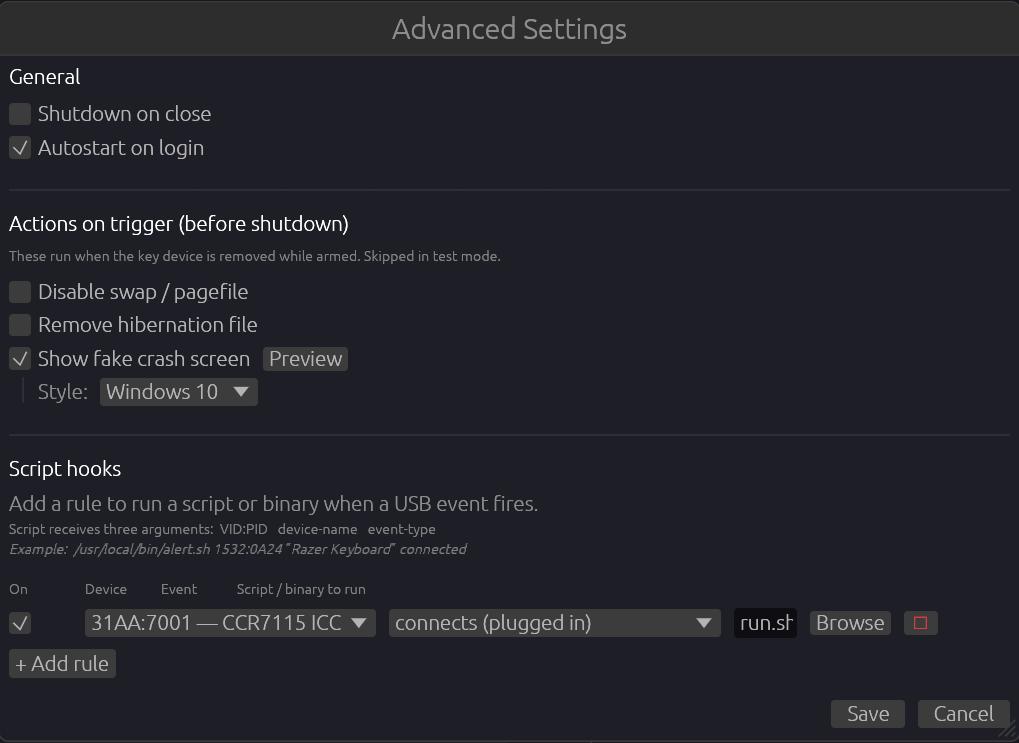
Installation
Linux — build from source
# Install system dependencies (Debian/Ubuntu)
sudo apt install libusb-1.0-0-dev libxdo-dev pkg-config \
  libgtk-3-dev libxkbcommon-dev libgles2-mesa-dev \
  libwayland-dev libxrandr-dev libxi-dev libxcursor-dev

# Clone and install
git clone git@github.com:thereisnotime/xxUSBSentinel.git
cd xxUSBSentinel
just install   # builds release and copies to ~/.local/bin
Linux — download latest binary
TAG=$(curl -fsSL https://api.github.com/repos/thereisnotime/xxUSBSentinel/releases/latest | grep -o '"tag_name":"[^"]*"' | cut -d'"' -f4)
curl -fsSL "https://github.com/thereisnotime/xxUSBSentinel/releases/download/${TAG}/xxusbsentinel-${TAG}-linux-x86_64" -o ~/.local/bin/xxusbsentinel
chmod +x ~/.local/bin/xxusbsentinel
Or grab the binary directly from the Releases page.
Windows — download binary
Download xxusbsentinel-vX.Y.Z-windows-x86_64.exe from the Releases page and run it directly — no extraction needed.
PowerShell one-liner:
$tag = (Invoke-RestMethod https://api.github.com/repos/thereisnotime/xxUSBSentinel/releases/latest).tag_name
Invoke-WebRequest "https://github.com/thereisnotime/xxUSBSentinel/releases/download/$tag/xxusbsentinel-$tag-windows-x86_64.exe" -OutFile xxusbsentinel.exe
.\xxusbsentinel.exe
Package managers — Chocolatey and WinGet support coming soon.
Documentation
| |
|---|
| Configuration | Config file reference — all fields and defaults |
| Hooks | Run scripts on USB events |
| Advanced | Autostart, systemd service, headless usage |
Contributing
See CONTRIBUTING.md for development setup, common tasks, and PR guidelines.
Roadmap
See ROADMAP.md for planned features and ideas.
Compatibility
| Platform | Status |
|---|
| Linux (X11 / Wayland) | Supported |
| Windows 10/11 | Supported |
License
PolyForm Noncommercial License 1.0.0 - free for personal and non-commercial use. Commercial use is prohibited.