CoolWSL
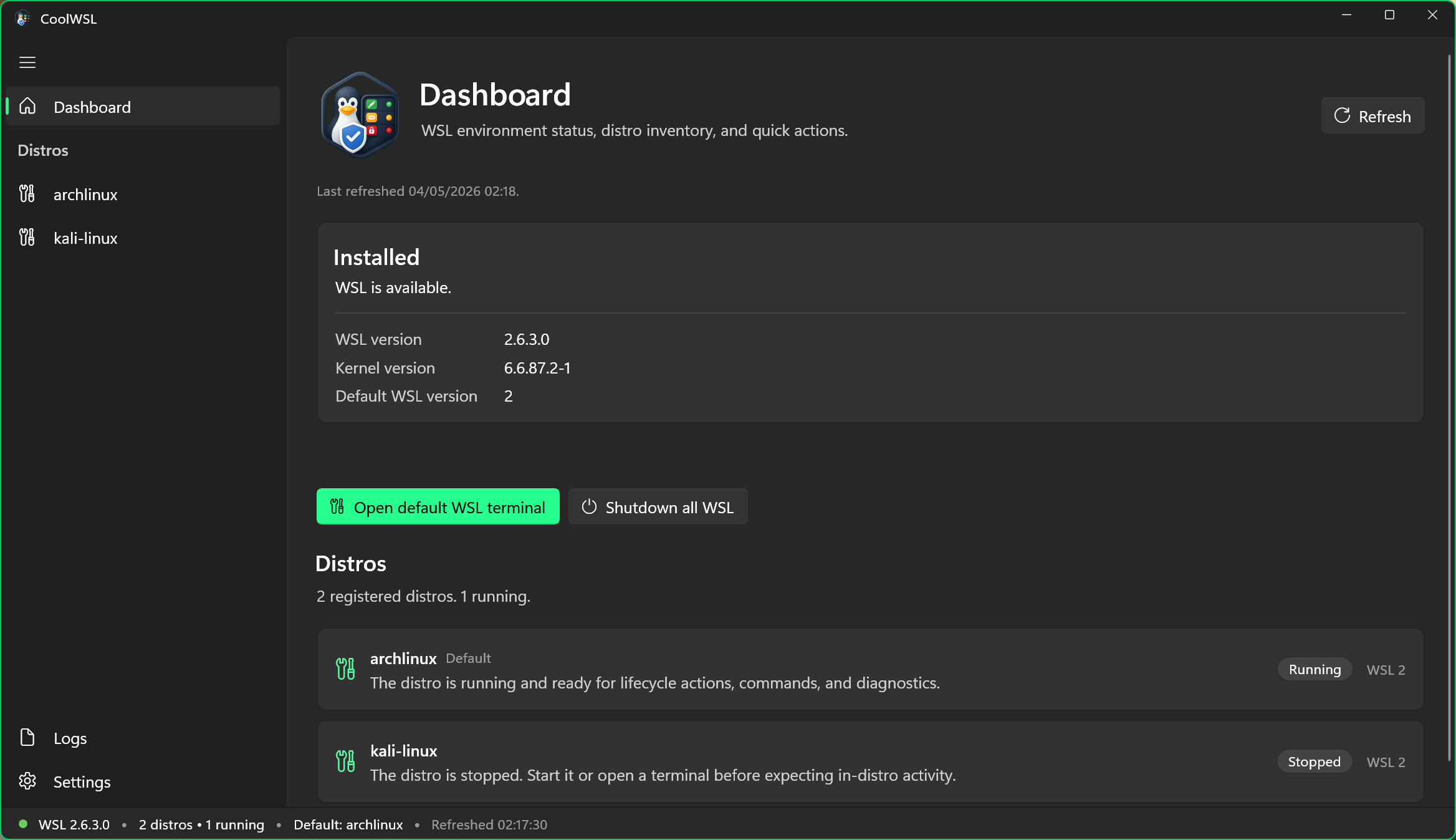
CoolWSL is a desktop control center for Windows Subsystem for Linux on Windows 11. It gives you a cleaner, safer way to inspect distro state, run diagnostics, and manage common WSL tasks without memorizing command flags.
Features
- Distro dashboard with status, defaults, and quick actions.
- Per-distro configuration support so you can manage settings for each distro independently.
- Diagnostics and logs views for troubleshooting WSL environments.
- Settings and health-focused UX designed for safe, explicit operations.
Download
Get the latest builds from GitHub Releases:
https://github.com/tomcoolpxl/CoolWSL/releases
CoolWSL is prepared for community submission to microsoft/winget-pkgs using the MSI release asset.
Maintainer flow and manifest generation steps are documented in:
docs/winget-community.md
Stable tag release runs also publish a winget-manifests-vX.Y.Z workflow artifact automatically.
After the community package is accepted, users can install with:
winget install --id tomcoolpxl.CoolWSL
Local Build (Brief)
Prerequisites:
Build and test:
dotnet restore .\CoolWSL.sln
dotnet build .\CoolWSL.sln -c Debug
dotnet test .\CoolWSL.Tests\CoolWSL.Tests.csproj -c Debug
Run the app locally:
dotnet run --project .\CoolWSL.App\CoolWSL.App.csproj -c Debug
Create local installer artifacts (setup EXE, MSI, and ZIP):
pwsh -NoProfile -File .\build\Invoke-ReleaseInstaller.ps1 -Version 1.0.0 -OutputDirectory artifacts\release-local