Table View Toan Nguyen
Install Table View with WinGet
winget install --id=vantoan1511.TableView -e Lightweight, high-performance desktop database management tool built with Vue 3 and a Rust-based backend extension.
winget install --id=vantoan1511.TableView -e Lightweight, high-performance desktop database management tool built with Vue 3 and a Rust-based backend extension.
Lightweight, high-performance desktop database management tool for PostgreSQL, MySQL, SQLite, and Oracle.






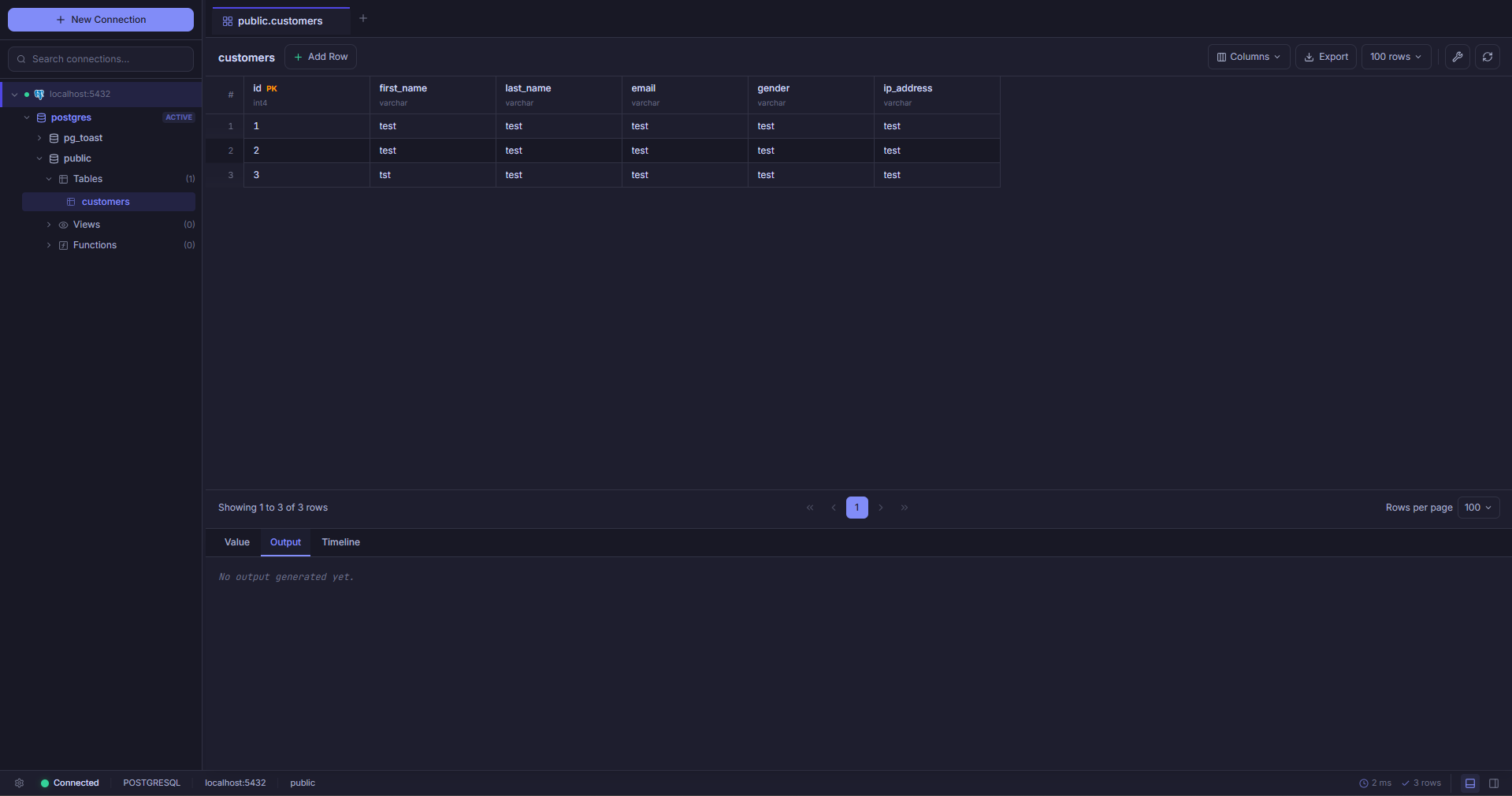
Traditional database clients often rely on bloated Electron runtimes that consume 500MB+ of RAM upon startup, or legacy Java applications with sluggish UI rendering.
Table View takes a different path. Built with a decoupled native architecture—pairing an ultra-lean Neutralinojs desktop webview with a high-throughput Rust backend extension—Table View delivers the responsiveness of a native desktop application with minimal system resource utilization.
| Metric / Attribute | Table View | Typical Electron-Based Clients |
|---|---|---|
| Memory Footprint | ~50 – 90 MB RAM | 400 – 900+ MB RAM |
| Startup Time | < 1 second (Instant) | 3 – 8 seconds |
| Backend Engine | Native Rust (tokio + sqlx) | Node.js IPC / JS driver wrappers |
| Oracle Driver | Pure Rust thin-driver (Zero client libs) | Requires heavy Oracle Instant Client / OCI |
| Credential Security | Local AES encryption | Often stored in plain text or base64 |
Table View connects directly to your databases via native Rust drivers with connection pooling:
| Engine | Driver Architecture | Connection Options | Key Capabilities |
|---|---|---|---|
| PostgreSQL | Pure Rust (sqlx) | Standard TCP, SSL / TLS (rustls) | Full schema introspection, foreign keys, indexes, constraint inspection |
| MySQL / MariaDB | Pure Rust (sqlx) | TCP, SSL / TLS, Custom Collation | Multiple database navigation, fast paging, table altering |
| SQLite | Embedded Rust (sqlx) | Local file path (.db, .sqlite, .sqlite3) | Embedded file browsing, foreign key enforcement, VACUUM / analyze |
| Oracle Database | Pure Rust (deadpool-oracle / oracle-rs) | SID / Service Name, Port, SYSDBA / SYSOPER | Thin driver — requires no Oracle Instant Client or C libraries |
sql-formatter.ms) displayed in the Status Bar.ALTER TABLE statements.Table View separates UI concerns from privileged system operations via a strict IPC contract:
┌─────────────────────────────────────────────────────────────┐
│                       Vue 3 Frontend                        │
│   - PrimeVue v4 + Tailwind CSS v4 UI Components             │
│   - CodeMirror 6 SQL Editor & Virtual DataGrid              │
│   - Pinia Reactive State (Connections, Tabs, Preferences)   │
└──────────────────────────────┬──────────────────────────────┘
                               │ Neutralinojs WebSocket IPC
                               ▼
┌─────────────────────────────────────────────────────────────┐
│                    Neutralinojs Runtime                     │
│   - Lightweight Native OS Webview                           │
│   - OS-level Window, File System, and Storage APIs          │
└──────────────────────────────┬──────────────────────────────┘
                               │ JSON-RPC Extension Bridge
                               ▼
┌─────────────────────────────────────────────────────────────┐
│                Rust Native Extension (`db-bridge`)          │
│   - Tokio Asynchronous Multi-threaded Runtime               │
│   - Native Connection Pooling (`sqlx`, `deadpool-oracle`)   │
│   - Direct TCP Sockets & SSL/TLS Database Drivers           │
└──────────────────────────────┬──────────────────────────────┘
                               │ Direct TCP / Native Drivers
                               ▼
        PostgreSQL  •  MySQL  •  SQLite  •  Oracle
Install the latest official release directly from PowerShell or Command Prompt:
winget install vantoan1511.TableView
setup.exe from the GitHub Releases page.> [!NOTE]
> Microsoft Defender SmartScreen:
> Because Table View is an independent open-source project and is not signed with an expensive commercial EV certificate, Windows SmartScreen may display a "Windows protected your PC" prompt on initial launch.
> Click "More info" and select "Run anyway" to continue. You can independently verify release binary integrity via the published SHA256SUMS.txt file on GitHub Releases.
v20.19.0 or >=22.12.0cargo, rustc)npm install -g @neutralinojs/neu
# Clone the repository
git clone https://github.com/vantoan1511/table-view.git
cd table-view

# Install frontend dependencies
npm install
The Rust backend lives in extensions/db-bridge. You can build and bundle it using the automated script:
node scripts/build-ext.js
This compiles extensions/db-bridge in release mode and copies db-bridge.exe into the bin/ directory.
Launch the application with live frontend hot-reload and active Neutralino runtime:
npm run neu:run
(Or run neu run directly).
# Run unit tests (Vitest)
npm run test:run

# Run TypeScript type check
npm run type-check

# Run linter
npm run lint

# Check Rust backend
cd extensions/db-bridge
cargo check
cargo test
# Build production bundle and clean artifacts
npm run neu:build

# Generate Windows Inno Setup installer
npm run package
The installer will be generated under Output/setup.exe.
Table View provides standard desktop keyboard shortcuts for maximum speed:
| Action | Shortcut (Windows / Linux) | Shortcut (macOS) |
|---|---|---|
| Run Query | Ctrl + Enter | Cmd + Enter |
| New Connection | Ctrl + N | Cmd + N |
| Focus Search | Ctrl + K | Cmd + K |
| Close Active Tab | Ctrl + W | Cmd + W |
| Refresh Data / Schema | Ctrl + R or F5 | Cmd + R or F5 |
| Toggle Sidebar | Ctrl + B | Cmd + B |
| Toggle Console / Logs | Ctrl + J | Cmd + J |
| Toggle Properties Inspector | Ctrl + I | Cmd + I |
| Preferences | Ctrl + , | Cmd + , |
| Shortcuts Reference | Ctrl + / | Cmd + / |
table-view/
├── bin/                       # Bundled native extension binaries (db-bridge.exe)
├── extensions/
│   └── db-bridge/             # Rust native database connector
│       ├── src/
│       │   ├── drivers/       # Postgres, MySQL, SQLite, Oracle implementations
│       │   ├── handler.rs     # Command router and IPC message handling
│       │   ├── pool.rs        # Connection pool management
│       │   └── main.rs        # WebSocket client entry point
│       └── Cargo.toml
├── public/                    # Static assets & application icons
├── scripts/                   # Build scripts (installer, ext builder, release notes)
├── src/                       # Vue 3 application source code
│   ├── assets/                # Design tokens (base.css) and global styling
│   ├── components/            # UI components (grid, sql, layout, modals, panels)
│   ├── composables/           # Reusable Vue composables (shortcuts, tab sync)
│   ├── services/              # NativeService (OS/IPC) & BridgeService (Rust DB)
│   ├── stores/                # Pinia stores (connections, grid, tabs, preferences)
│   ├── theme/                 # PrimeVue Aura theme preset customizations
│   └── types/                 # TypeScript interfaces and connection models
├── neutralino.config.json     # Neutralino runtime configuration
└── package.json
Contributions are welcome! Whether it's reporting a bug, proposing new database drivers, or submitting improvements:
git checkout -b feature/my-feature).git commit -m 'feat: add support for CockroachDB').git push origin feature/my-feature).Please check open issues on GitHub Issues before initiating large refactors or new features.
This project is licensed under the MIT License — see the LICENSE file for details.
