jqweb zafnz
Install jqweb with WinGet
winget install --id=zafnz.jqweb -e Turn JSON into an interactive webpage with one pipe.
winget install --id=zafnz.jqweb -e Turn JSON into an interactive webpage with one pipe.
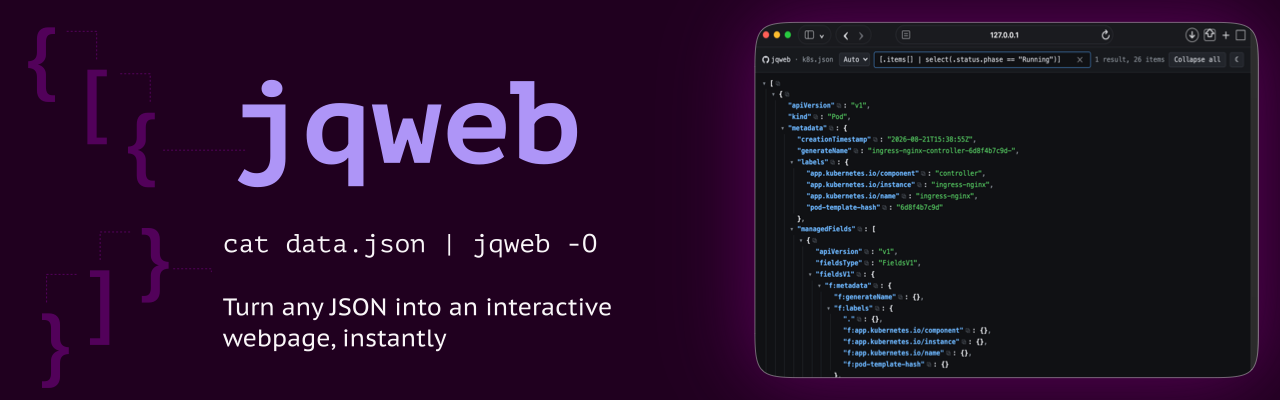


jqweb turns JSON into an interactive webpage with one pipe. Run
cat data.json | jqweb -O and it opens locally in your browser as a navigable
tree with instant text search and jq-style queries—no upload and no server to
configure.
$ kubectl get pods -o json | jqweb -O
brew install zafnz/tap/jqweb              # macOS, Linux
winget install zafnz.jqweb                # Windows
go install github.com/zafnz/jqweb@latest  # with Go installed
On Debian and Ubuntu:
echo 'deb [trusted=yes] https://apt.fury.io/zafnz/ /' | sudo tee /etc/apt/sources.list.d/jqweb.list
sudo apt update && sudo apt install jqweb
On Fedora and RHEL:
printf '[jqweb]\nname=jqweb\nbaseurl=https://yum.fury.io/zafnz/\nenabled=1\ngpgcheck=0\n' | sudo tee /etc/yum.repos.d/jqweb.repo
sudo dnf install jqweb
With Scoop on Windows:
scoop bucket add zafnz https://github.com/zafnz/scoop-bucket
scoop install jqweb
On Linux or macOS without Homebrew, this puts the latest release in
~/.local/bin:
curl -fsSL https://raw.githubusercontent.com/zafnz/jqweb/main/install.sh | sh
In a dev container, add the feature to
devcontainer.json and it installs the latest release when the container is
built:
"features": { "ghcr.io/zafnz/devcontainer-features/jqweb:1": {} }
Or download a binary for macOS, Linux or Windows from
Releases and put it on your $PATH.
The macOS builds are signed and notarized. The .deb and .rpm packages are there
too.
Pipe JSON into jqweb with -O to open it in your browser. jqweb serves the
page from the background and exits once its tab is closed:
$ curl -s https://jqweb.io/k8s.json | jqweb -O
jqweb: serving on http://127.0.0.1:52748/ (until tab is closed)
jqweb: running in the background, pid 48213, will auto-terminate.
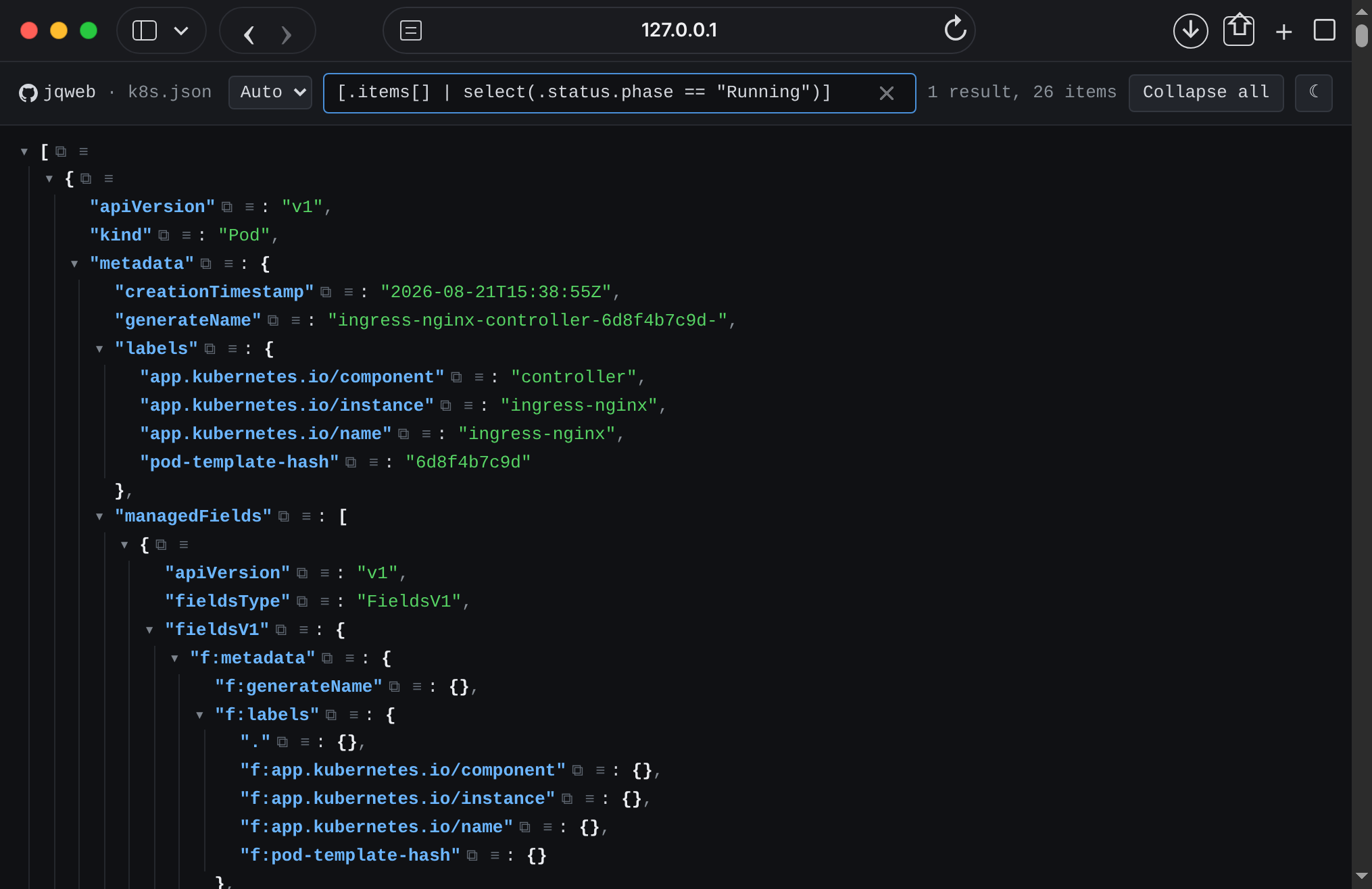
Filtering running Kubernetes pods with a jq-style query.
Browsers may unload a tab left unused for an hour or so, which counts as closing it.
Write a self-contained HTML file for offline viewing:
$ kubectl get pods -o json | jqweb -o k8s.html
# Saves k8s.html for offline viewing
usage: jqweb [-p|--port ] [--host ] [-o|--output ] [-O|--open]
             [--close=false] [--close-delay ] [--simple] [--theme ]
             [-v|--version] [] []

Reads JSON from  ("-" or absent: stdin) and renders it as a
self-contained interactive HTML page, which opens with  in its search
box. A single argument is the input file if a file by that name exists, and
the query otherwise: "jqweb  -" reads stdin, and "jqweb . "
reads the file, since "." is no query.

  -p, --port     serve the page on http://:/
      --host       bind address for -p (default 127.0.0.1)
  -o, --output   write the page to ; "-" writes to stdout
  -O, --open           open the page in the default browser, serving it from
                       the background until the last tab closes
      --close=false    with -O, serve in the foreground until Ctrl-C
      --close-delay   how long after the last tab closes to exit
                       (default 10s)
      --simple         leave out the jq query engine, for a smaller page
      --theme    light, dark, or auto to follow the reader's system
                       (default auto)
  -v, --version        print the version and exit

With no -p and no -o, it listens on a random available port.
JSON Lines (JSONL) and other streams of multiple JSON values are automatically wrapped in an array. A single JSON value keeps its original shape.
JSON may contain up to 128 nested arrays or objects, counting the root container as level one, including the array added around a stream. Deeper input is rejected before a page is produced; queries that create deeper values report an error in the page.
The search box filters keys and values as you type, and also accepts a jq-style
path. Paste .list.of.things[302].item, or any prefix of it such as
.list.of.things, and the page shows that node with everything under it. The
copy button on each line puts that line's path on the clipboard, so a copied
path can be pasted straight back into the box.
The browser's Back and Forward buttons step through the searches and queries run in the search box.
The search box answers jq queries as well as filtering text:
.items[] | select(.status.phase == "Running") | .metadata.name
[.users[] | {name, admin: (.user.username == "admin")}] | sort_by(.name)
.. | objects | select(has("error"))
A query whose output is not part of the document -- anything with map,
keys, to_entries or a constructed object in it -- replaces the tree with
its results, numbered down the left. A query that only walks down, such as
.a.b[3], still highlights that node in the document, the way a pasted path
always has.
The dropdown decides how the box is read: Auto, Text or jq. On Auto
anything starting with . [ ( $ or | is a query and anything else is
text to find, so typing a word still searches; jq forces a query, which is
how to run a bare-word one such as keys.
A query is completed as it is typed. jq reads a missing key as null, so
.items[].ki run as written is one null per item while the nd of kind is
still to come; instead, while the trailing name is a prefix of keys the query
really reaches, the box drops down those keys, the view stays put, and nothing
runs. A bare trailing dot lists every key. Click a completion or arrow down to
it to run it, keep typing, or press Enter to run the half-typed text as
written; a name that no key starts with runs as written too.
A function name is completed the same way: .[] | joi drops down join(sep)
with what it does beside it, and on jq a bare len drops down length. A
whole name that still needs an argument, such as join, stays on the list
until the argument is typed. Enter runs the text as written.
This is a subset of jq, not all of it. Paths, [], slices, |, ,, //,
?, comparisons, arithmetic, if/then/elif/else/end, array and object
construction, and around 100 builtins:
select, map, map_values, keys, length,
type, has, in, contains, inside, any, all, first, last,
limit, range, recurse, walk, paths, getpath, isempty,
while, untilto_entries, from_entries, with_entries, add,
sort, sort_by, group_by, unique, unique_by, min_by, max_by,
flatten, reverse, join, splittest, match, capture, scan, splits, sub, gsub,
startswith, endswith, ltrimstr, rtrimstr, ascii_downcase,
ascii_upcase, explode, implode, index, rindex, indicestostring, tonumber, tojson, fromjson, and the
format strings @text, @json, @csv, @tsv, @uri, @html, @sh,
@base64, @base64dnow, todate, fromdate, gmtime, mktime, strftimefloor, ceil, round, fabs, sqrt, pow, log,
log2, log10, exp, exp2, exp10, truncarrays, objects, strings, numbers, booleans,
nulls, iterables, scalars, valuesTwo things differ from jq on purpose. Regular expressions are JavaScript's
rather than Oniguruma's, which part ways in the corners. index and indices
count characters into a string, where jq counts UTF-8 bytes; jq's own slices
count characters, so in jq .[index("x"):] cuts in the wrong place as soon as
the text before the match is not all ASCII. Pure ASCII behaves identically
either way.
Variables and as, def, reduce, foreach, try/catch and string
interpolation are not there. Neither is anything that edits a document --
assignment, del, setpath -- since the page is for reading one. A query
using any of them says so by name instead of guessing at what it meant.
--simple leaves the engine out, for a page that is about 70KB smaller and
does nothing but browse, filter and look up paths.
Every line has two buttons. ⧉ puts that line's path on the clipboard.
≡ fills the search box with a query built from that line and drops
down the other queries the line could have meant, each labelled with what it
returns.
Which one you want is a judgement about the document, not something that can be
read off the path. Standing on "Page content" in .paths["/page/"].get.tags[0]
of an OpenAPI spec you might mean that tag, or the operations on that path
carrying it, or every path in the document that does, so all of them are
offered, most results first:
.paths | with_entries(select(.value.get.tags? | index("Page content")?))   14 keys
.paths[] | .[]? | select(.tags? | index("Page content")?)                  14 results
.. | objects | select(.tags? | index("Page content")?)                     14 results
.paths["/page/"].get.tags[] | select(. == "Page content")                   1 result
.paths["/page/"].get.tags[0]                                               1 result
14 against 1 tells you which reading you meant without your having to work out
the jq. Click a row to run it, or arrow up and down through them; the list
stays open, so trying the next one is a keystroke. The ⧉ on a row
copies that query. Clicking elsewhere puts the list away, and clicking back
into the box brings it back.
The lines of a query's results have the same buttons, and ≡ there adds
a step to that query instead of starting over, so
.items[] | select(.kind? == "Pod") becomes
.items[] | select(.kind? == "Pod") | select(.status.phase? == "Running").
A value the size of a whole subtree is asked about by presence instead --
select(.value.get? != null), "which paths have a get at all" -- because
pasting the subtree into the query would give a row nobody can read.
MIT Copyright Nick Clifford
