MakuTweaker
Русский (Russian)
MakuTweaker [RU]
Самый дружелюбный и полезный твикер для Windows.
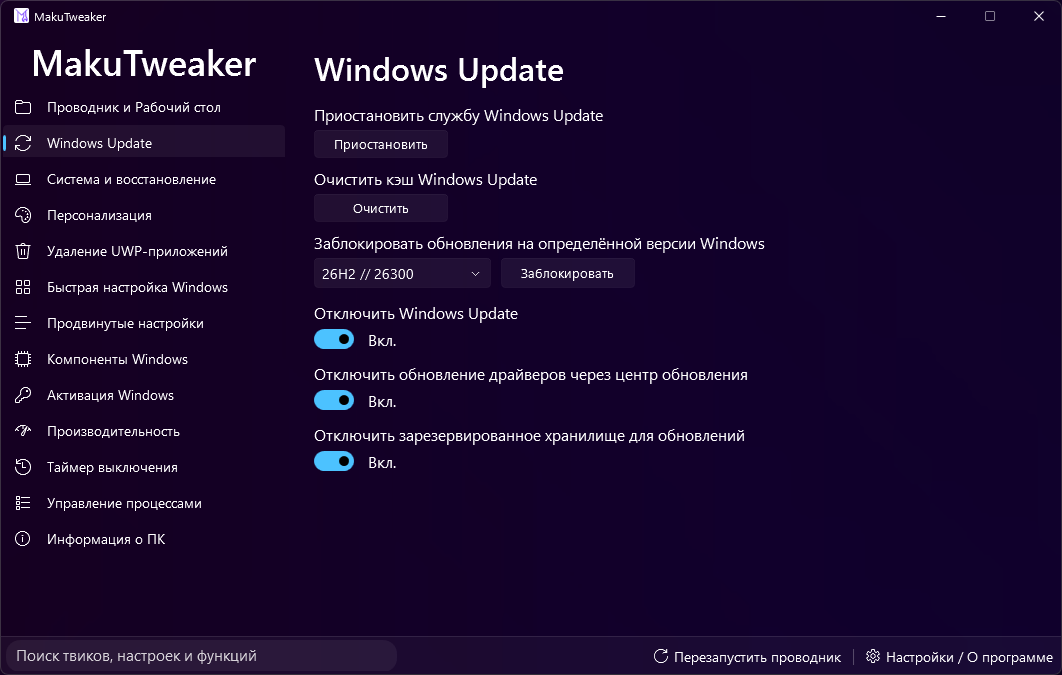
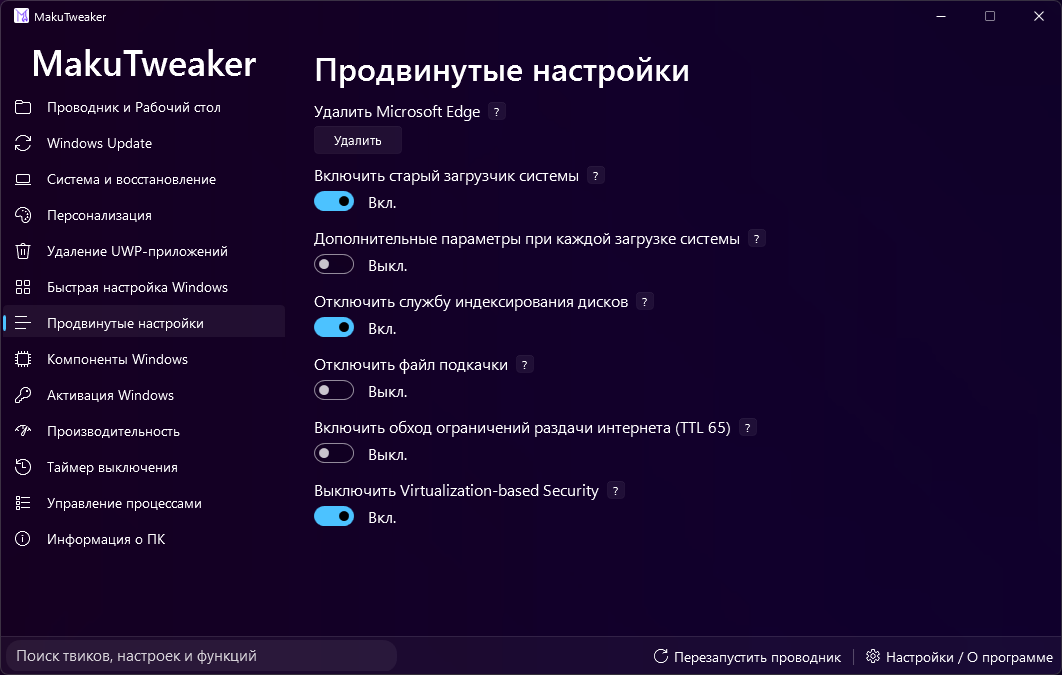
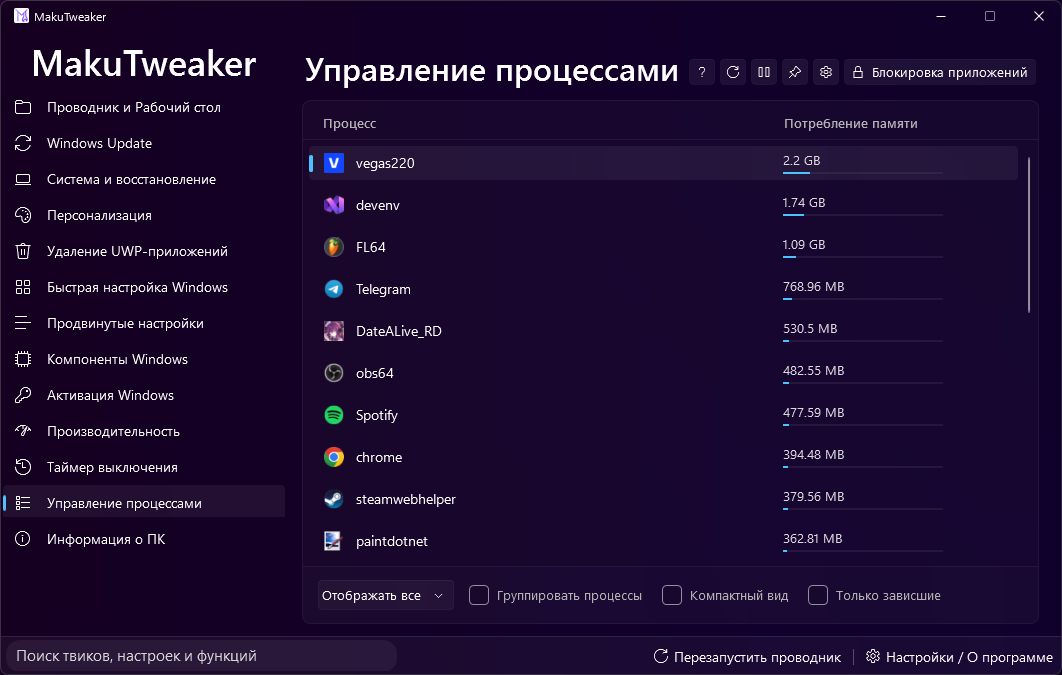
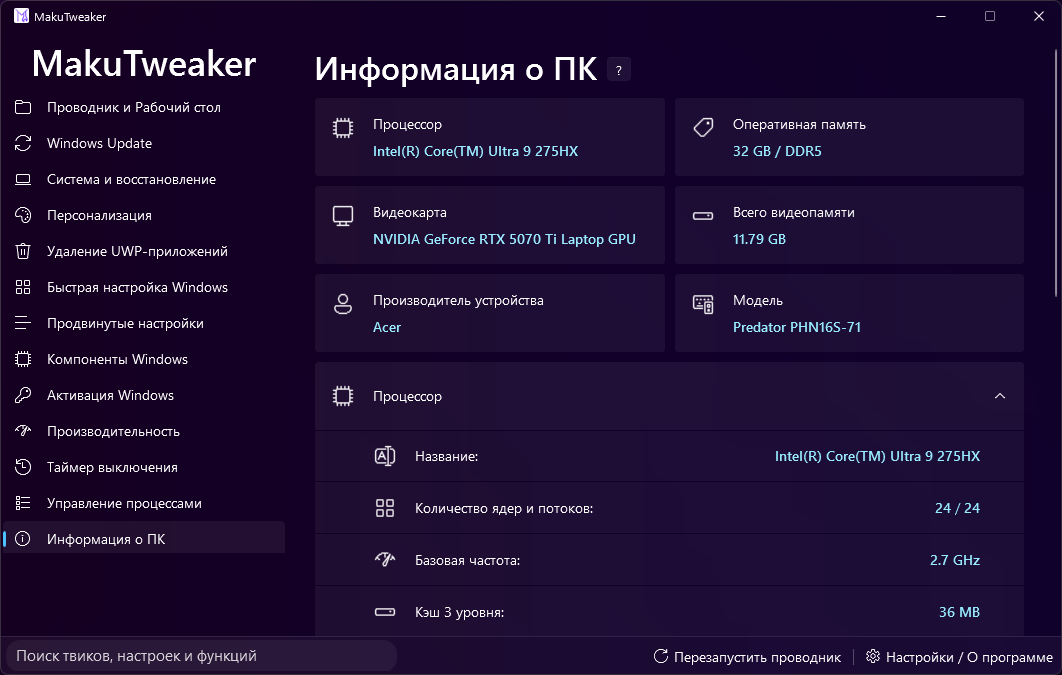
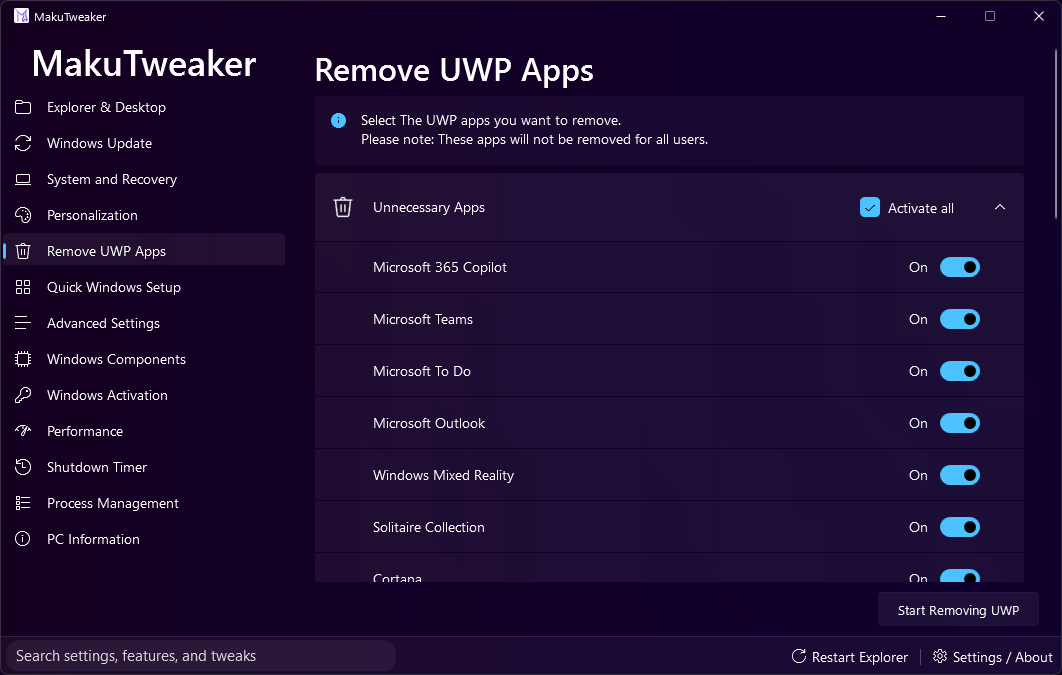
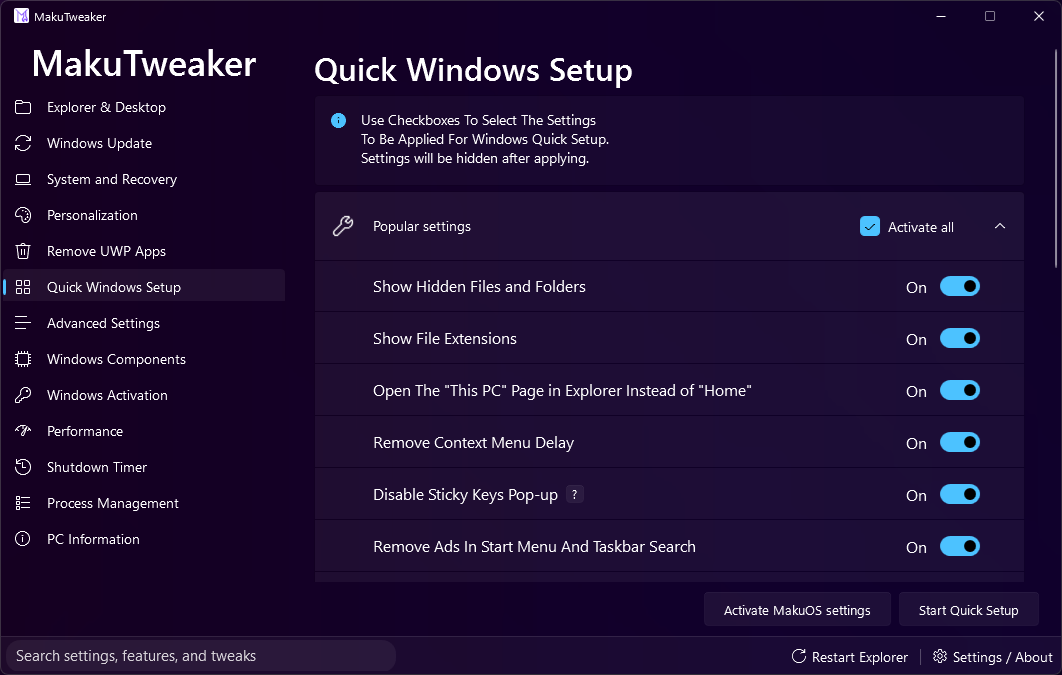
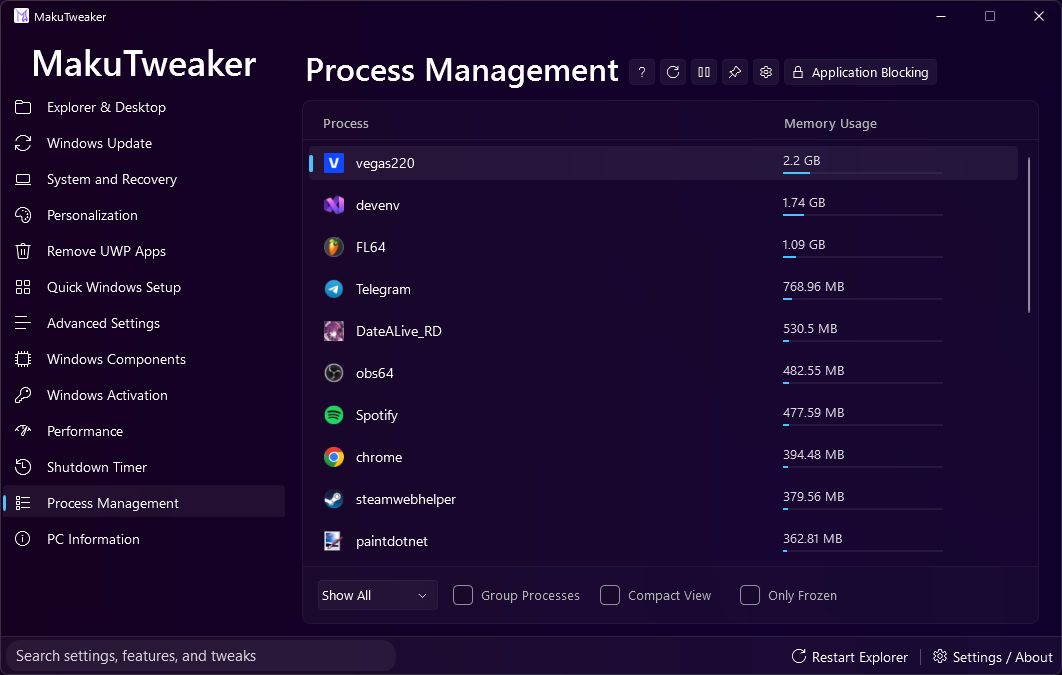
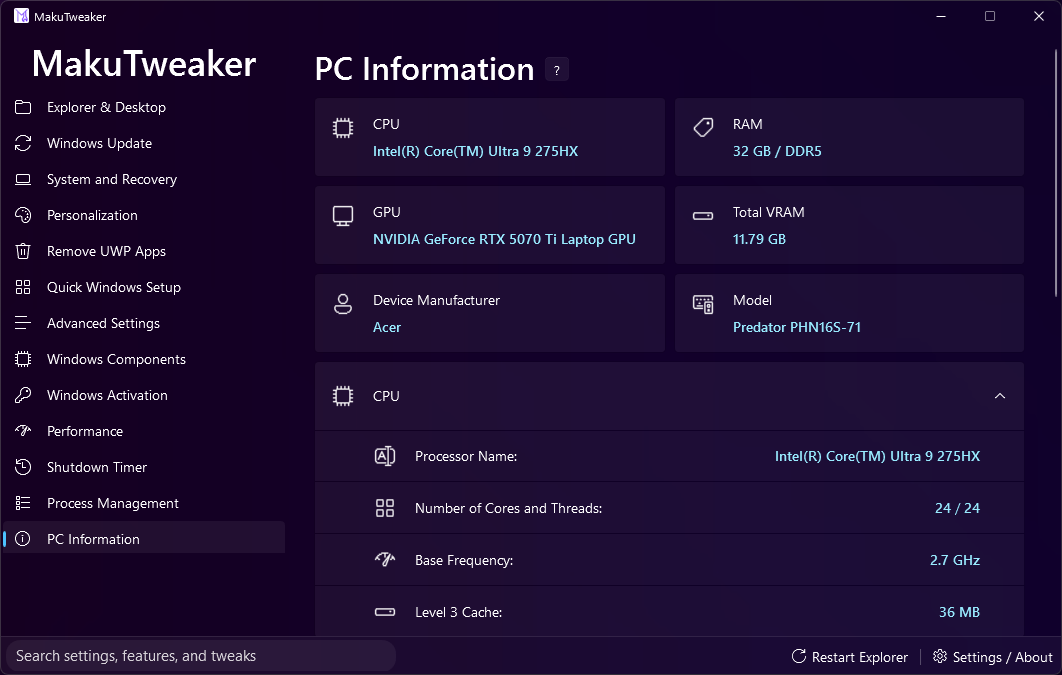
В этой программе вы можете гибко настроить и персонализировать систему, а так же управлять процессами и посмотреть подробную информацию о характеристиках вашего ПК.
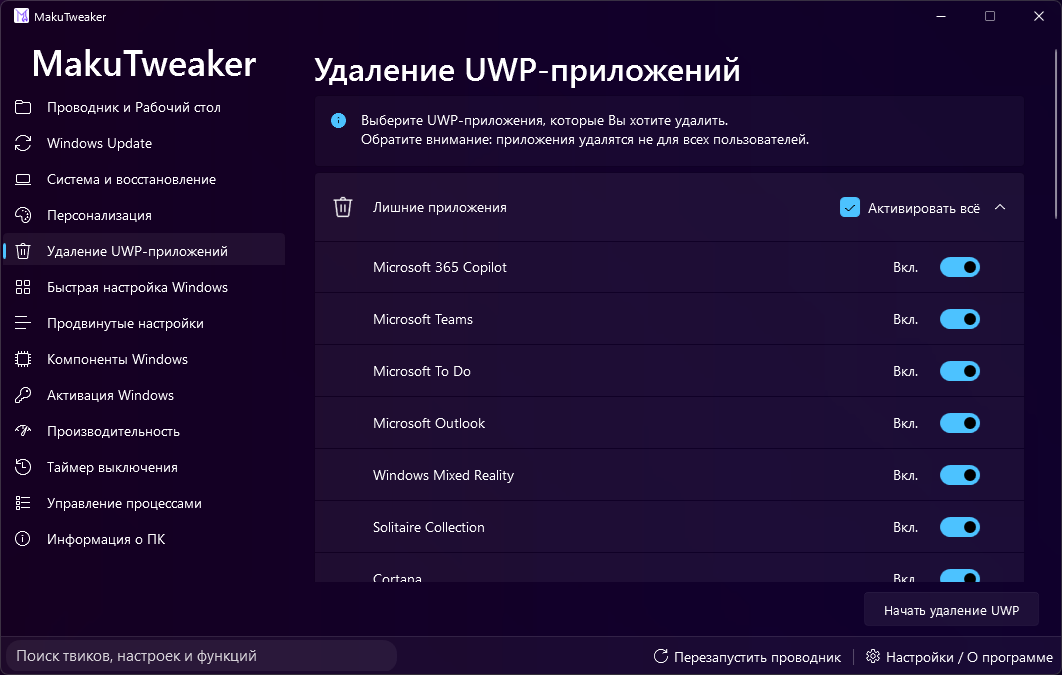
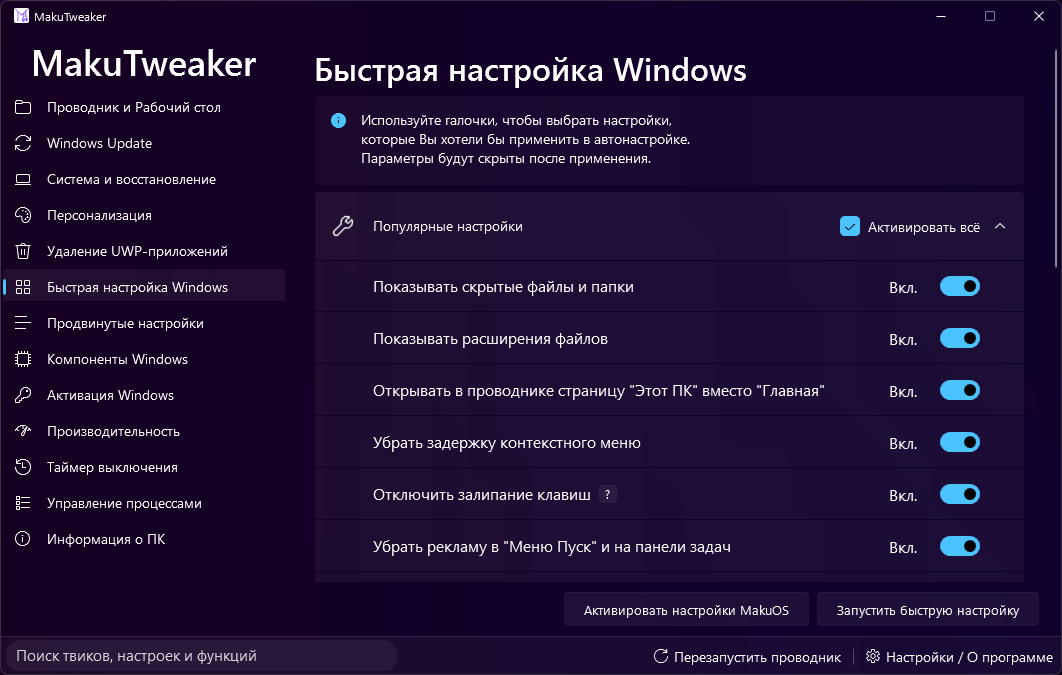
Также, вы можете выполнить быструю настройку Windows, управлять установкой системных компонентов и избавиться от системного мусора.
В MakuTweaker доступно несколько тем оформления, благодаря которым вы можете настроить программу на свой вкус. Дизайн построен на базе MicaWPF для полной интеграции с дизайном Windows 11.
Технические подробности
- Проект разработан в Visual Studio 2022.
- Работает на платформе .NET Core 8.0.
- Открытый исходный код для сообщества.
- Для корректной работы в IDE, требуются права администратора.
- Чтобы визуальный конструктор (Designer) корректно отображал элементы и подтянул кэш, проект необходимо собрать перед первым открытием форм в редакторе.
Ограничения версии
В данной версии исходного кода отсутствует страница "Активация Windows" по юридическим соображениям.
English
MakuTweaker [EN]
The most user-friendly and useful tweaker for Windows.
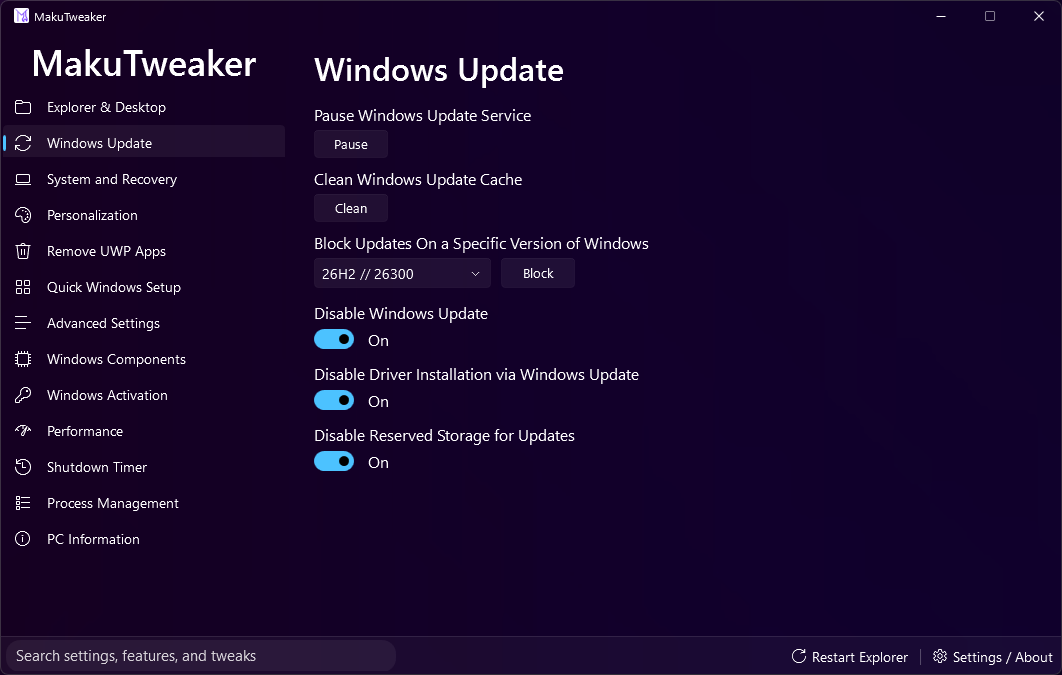
With this program, you can flexibly configure and personalize the system, manage processes, and view detailed information about your PC’s specifications.
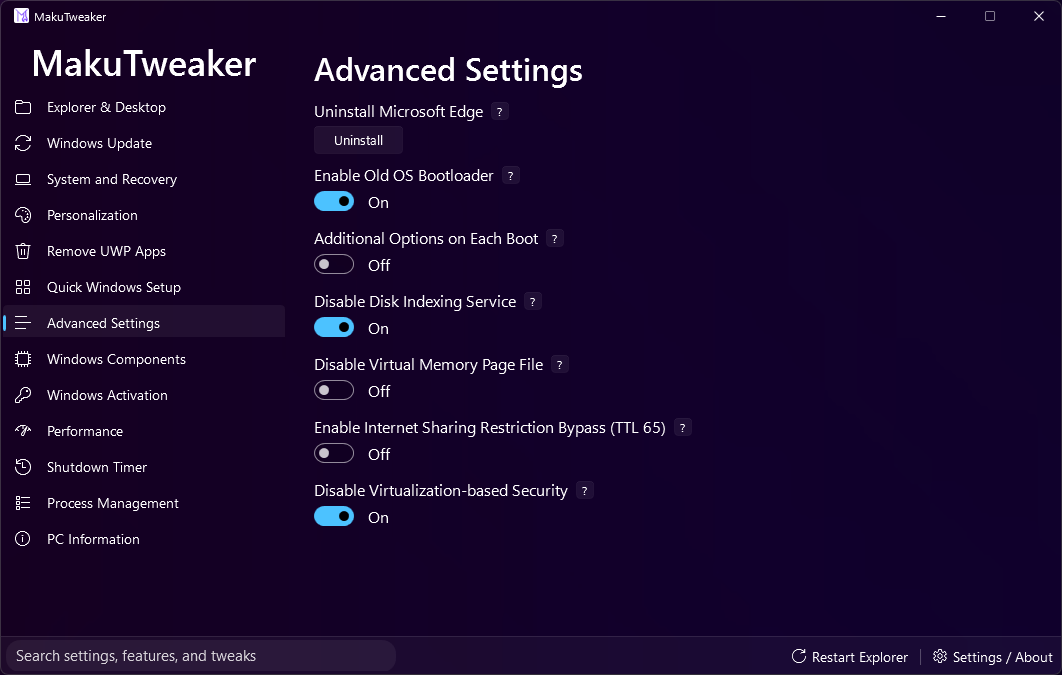
You can also perform a quick Windows setup, manage the installation of system components, and remove system bloatware.
MakuTweaker offers several interface themes that allow you to customize the program to your taste. The design built on the MicaWPF framework for full integration with the Windows 11 design language.
Technical Details
- Developed in Visual Studio 2022.
- Powered by .NET 8.0.
- Open source code for the community.
- Administrator rights are required for correct operation within the IDE.
- To ensure the Designer displays elements correctly, you must build the project before opening forms in the editor for the first time.
Version Limitations
The "Windows Activation" page is absent from this version of the source code for legal reasons.
中文 (Chinese Simplified)
MakuTweaker [ZH]
最友好且实用的 Windows 优化工具。
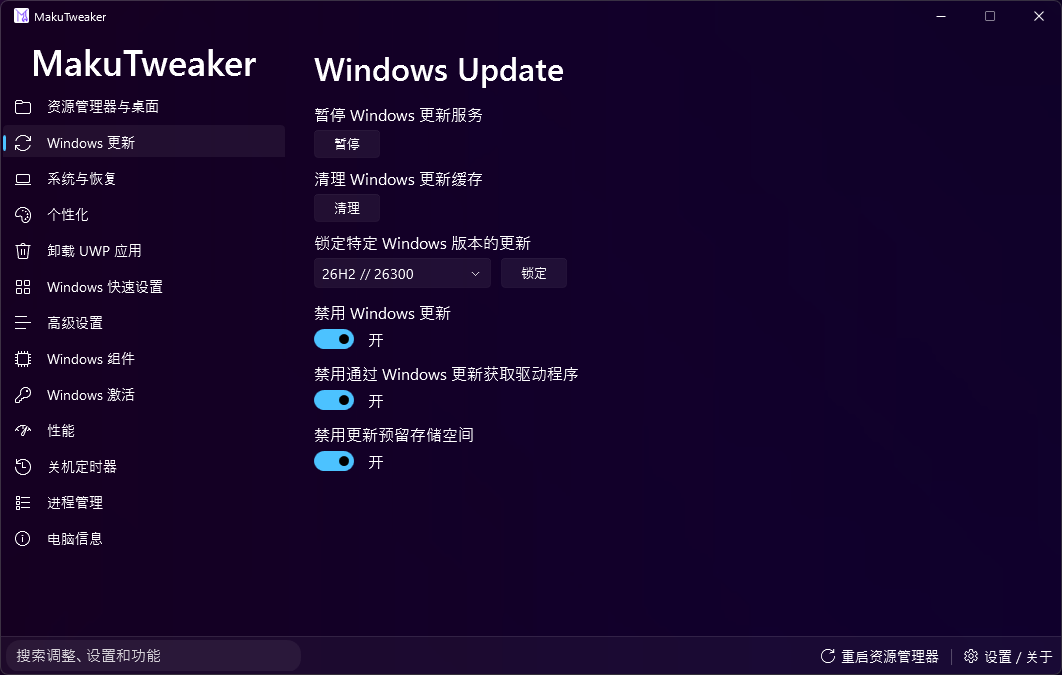
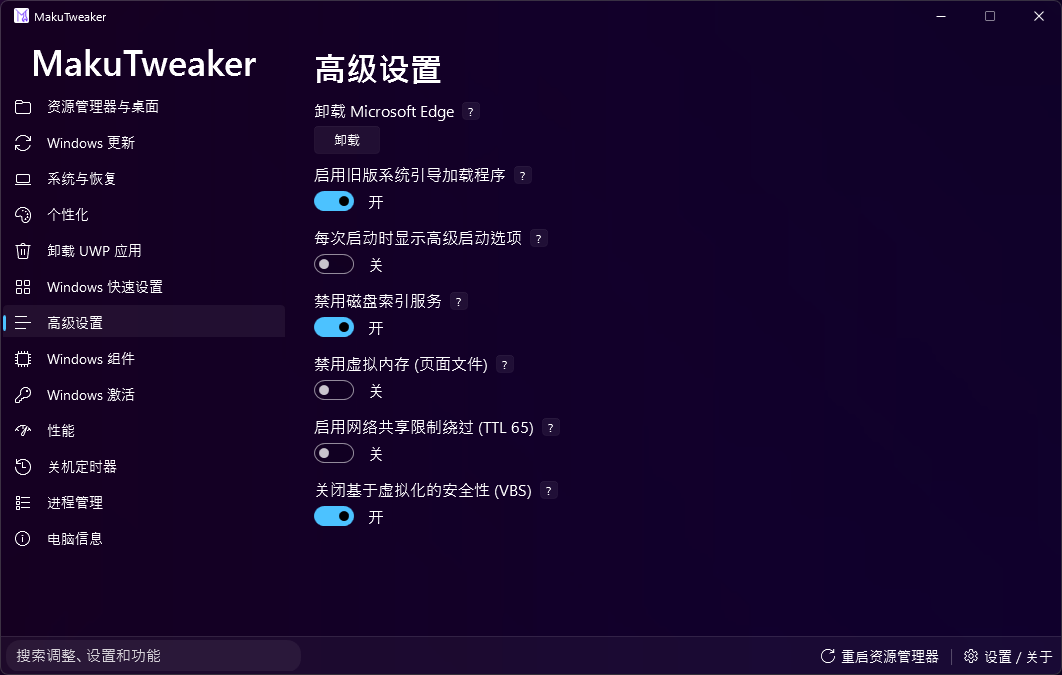
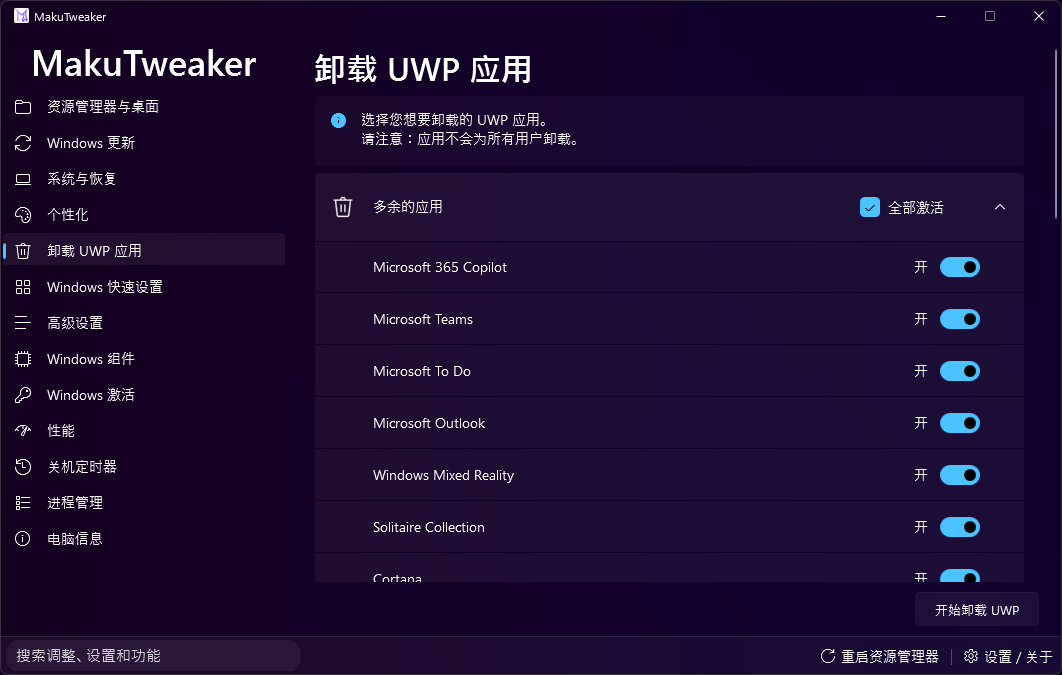
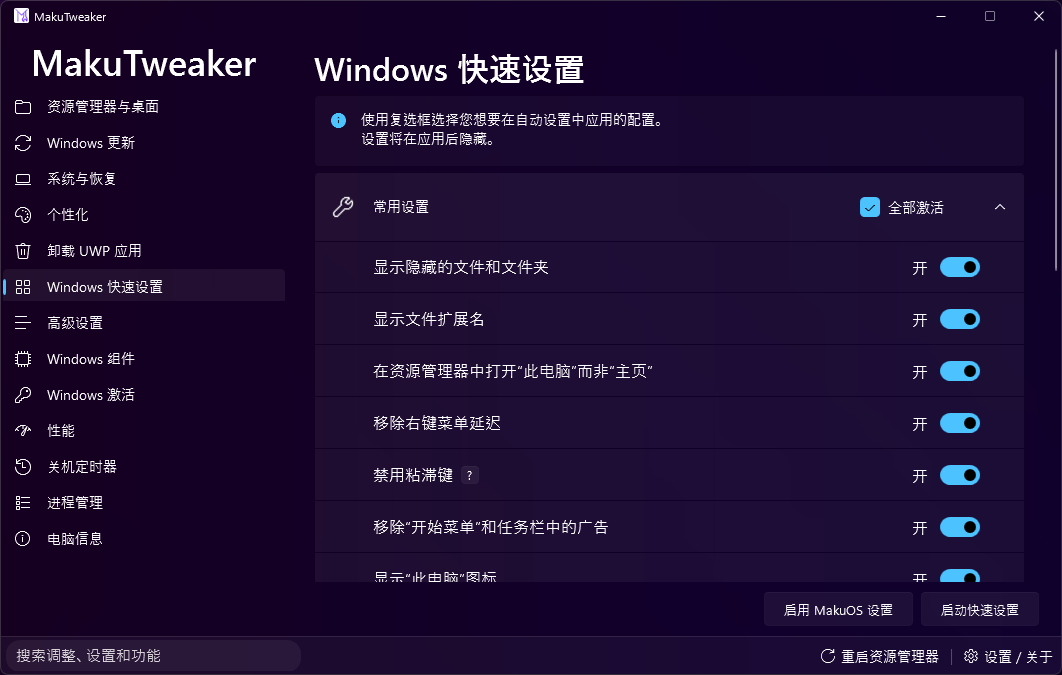
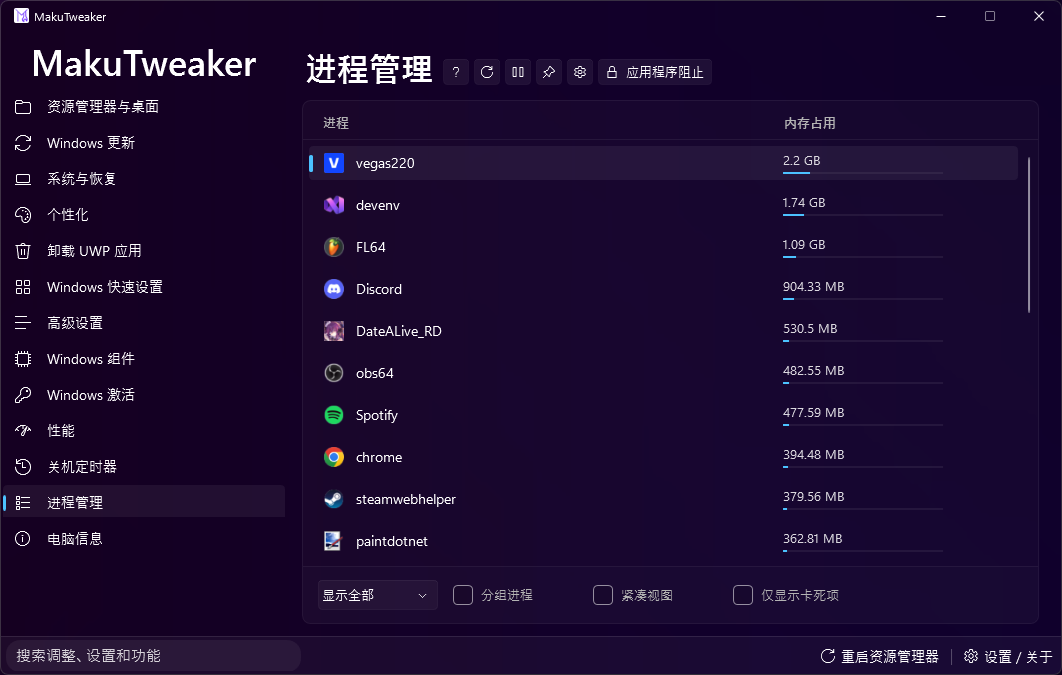
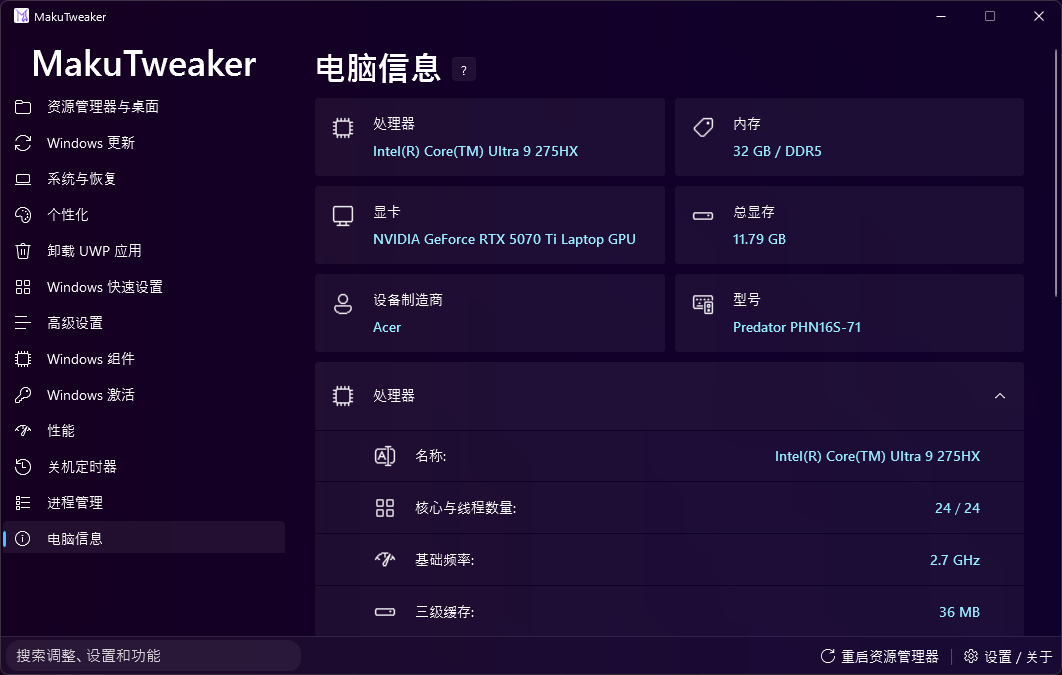
通过此程序,您可以灵活地配置和个性化系统、管理进程并查看有关电脑规格的详细信息。
MakuTweaker 提供多种主题界面。设计基于 MicaWPF 框架,与 Windows 11 设计语言完美融合。
技术细节
- 使用 Visual Studio 2022 开发。
- 基于 .NET 8.0 平台运行。
- 为社区提供开源代码。
- 在 IDE 中运行需要管理员权限。
- 为了确保可视化设计器正确显示元素,必须在首次打开编辑器中的窗体之前生成项目。
版本限制
出于法律原因,此版本的源代码中缺少“Windows 激活”页面。
Deutsch (German)
MakuTweaker [DE]
Der benutzerfreundlichste und nützlichste Tweaker für Windows.
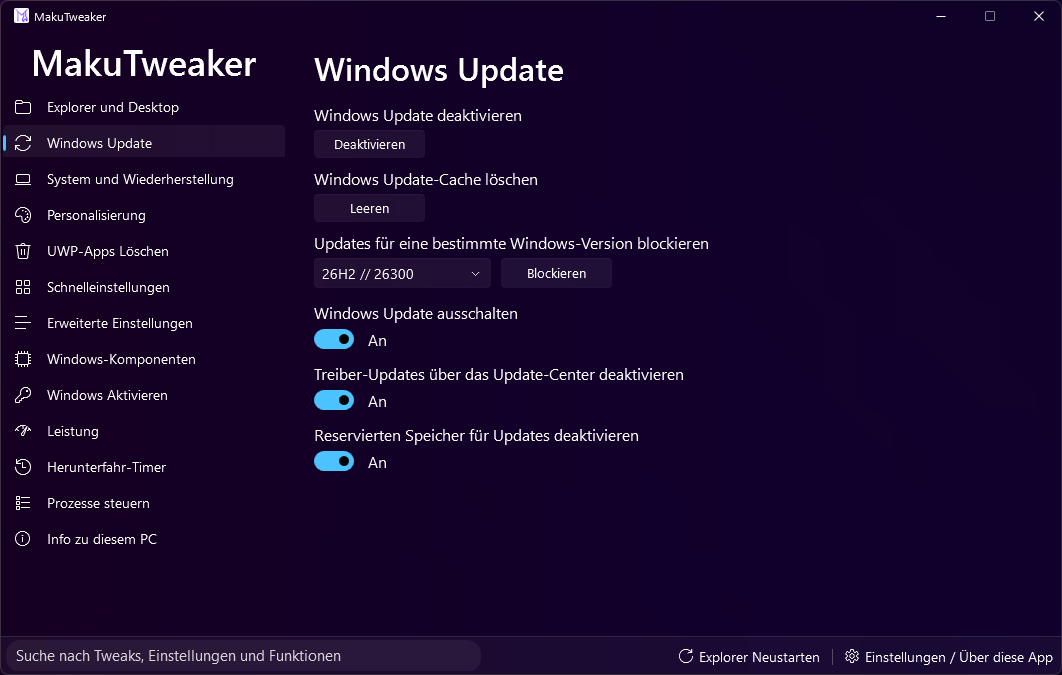
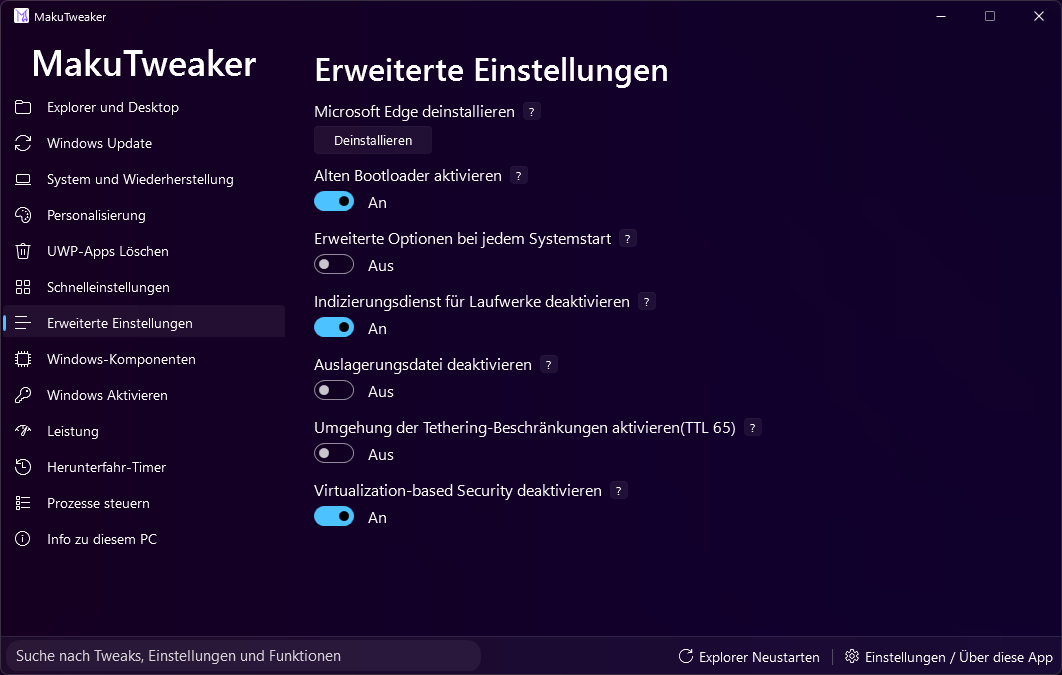
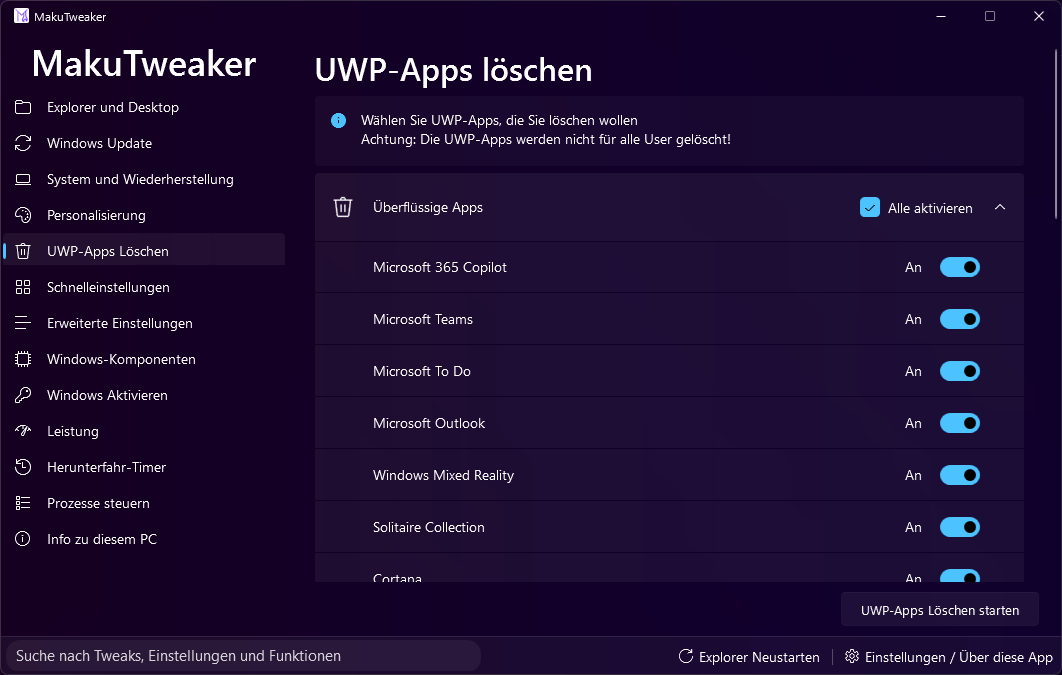
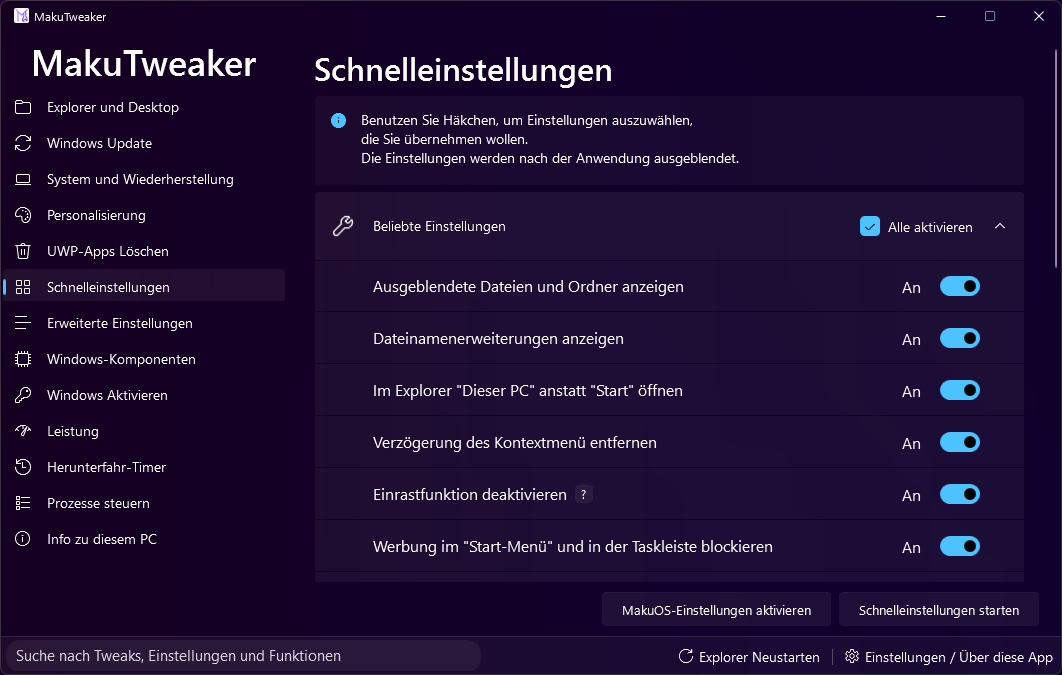
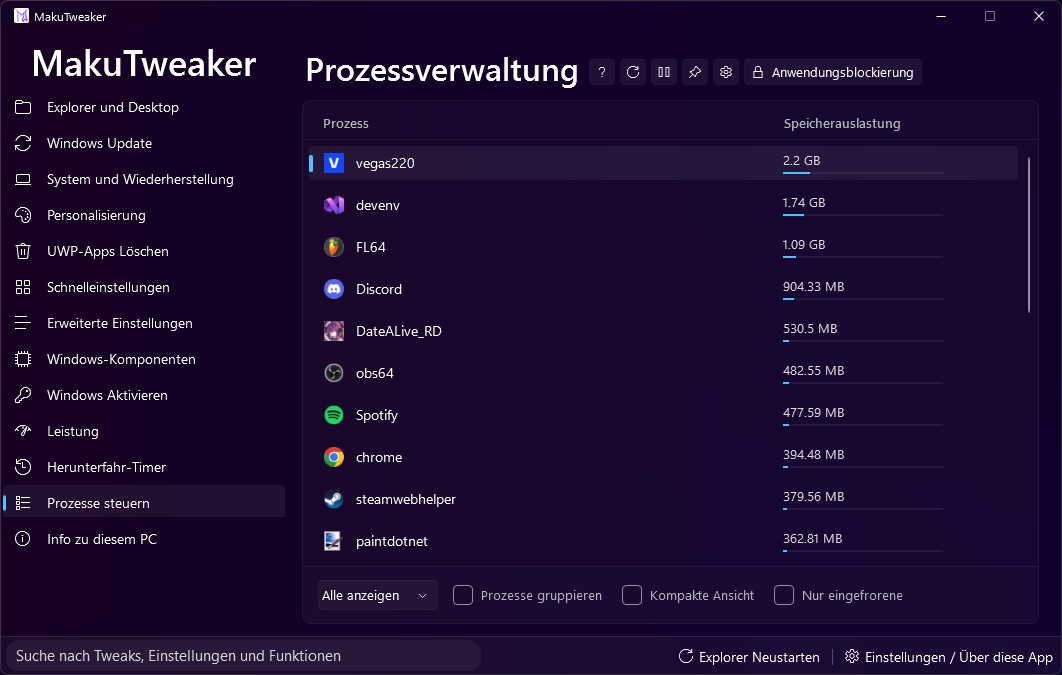
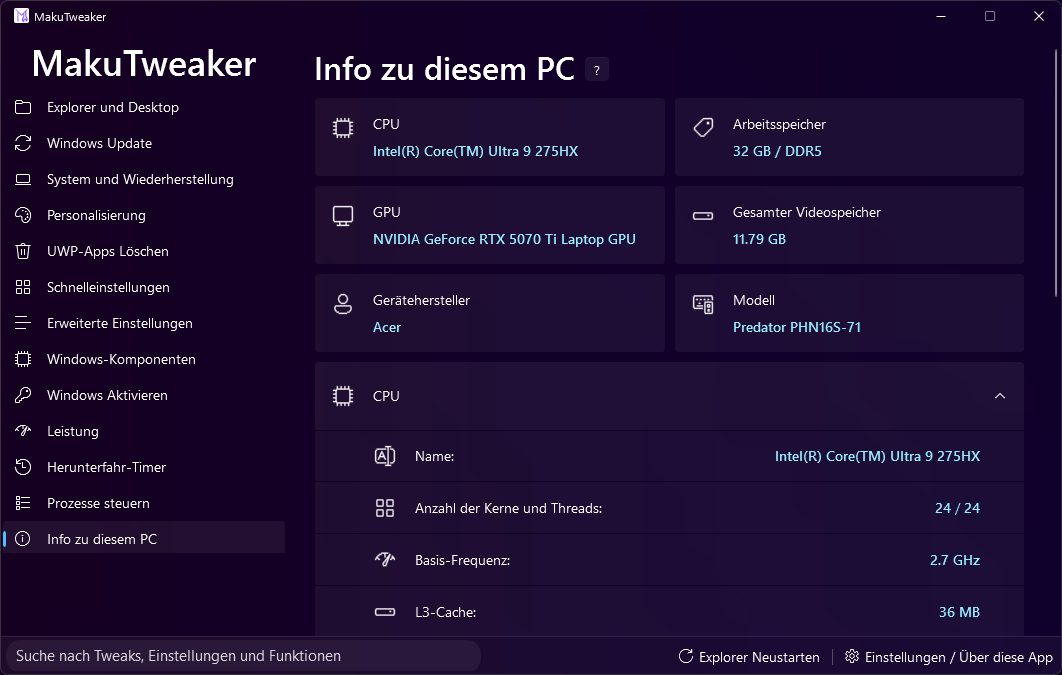
Mit diesem Programm können Sie das System flexibel konfigurieren und personalisieren, Prozesse verwalten und detaillierte Informationen über Ihre PC-Spezifikationen anzeigen.
MakuTweaker bietet verschiedene Design-Themen an, basierend auf dem MicaWPF-Framework für Windows 11.
Technische Details
- Entwickelt in Visual Studio 2022.
- Läuft auf der .NET 8.0 Plattform.
- Open-Source-Code für die Community.
- Administratorrechte sind für den korrekten Betrieb in der IDE erforderlich.
- Damit der Designer die Elemente korrekt anzeigt, muss das Projekt vor dem ersten Öffnen der Formulare erstellt werden.
Versionseinschränkungen
Die Seite „Windows-Aktivierung“ fehlt in dieser Version des Quellcodes aus rechtlichen Gründen.
हिन्दी (Hindi)
MakuTweaker [HI]
Windows के लिए सबसे उपयोगकर्ता के अनुकूल और उपयोगी ट्वीकर।
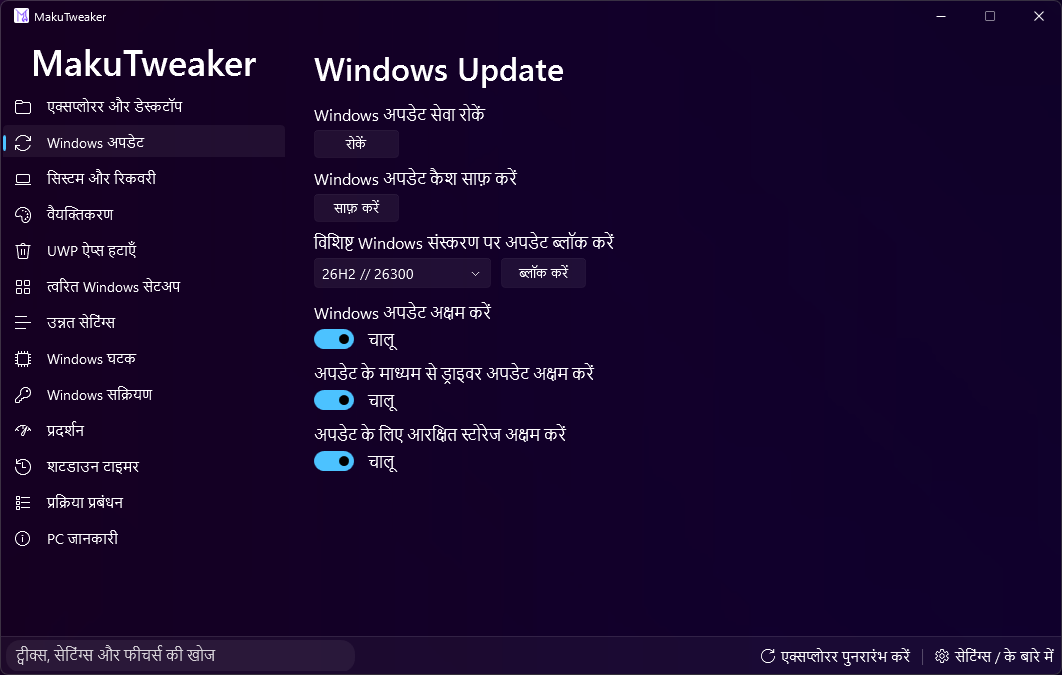
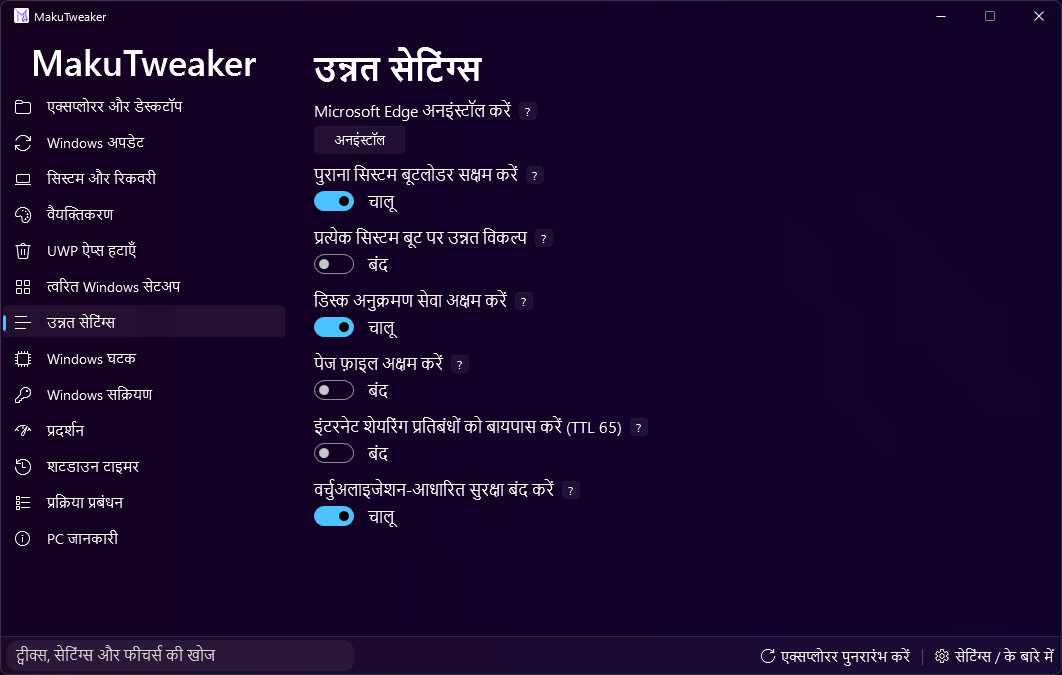
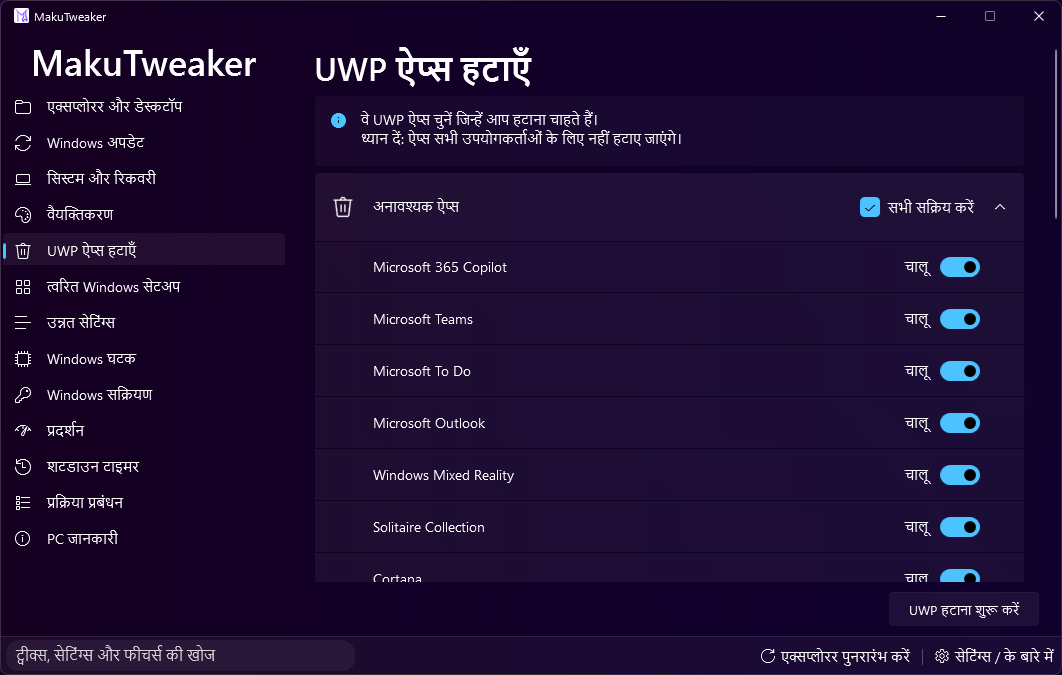
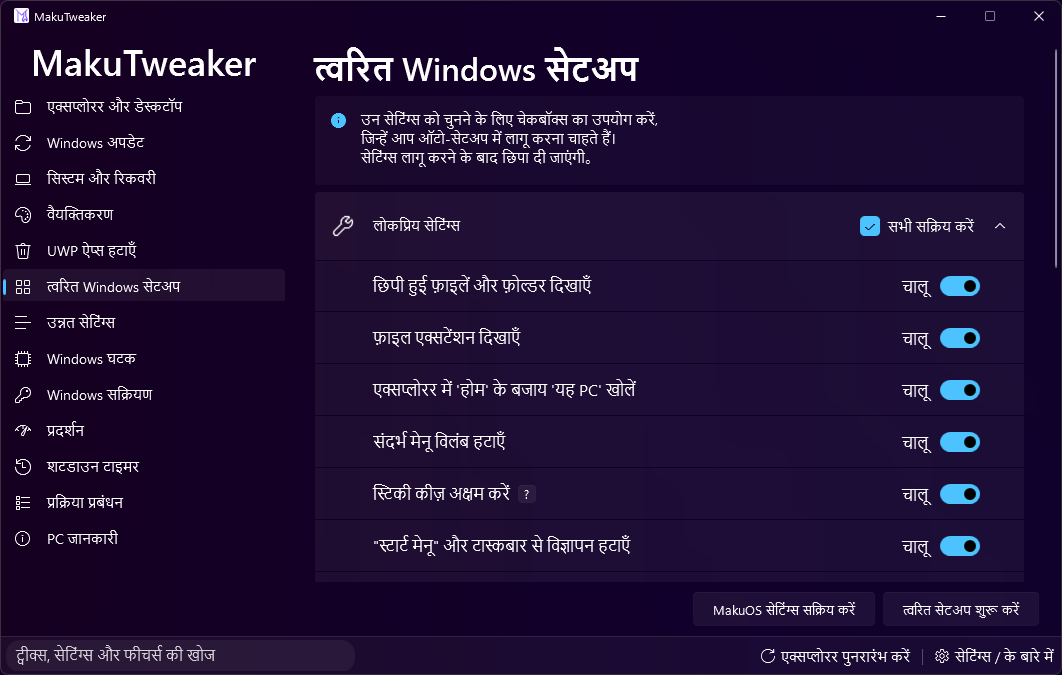
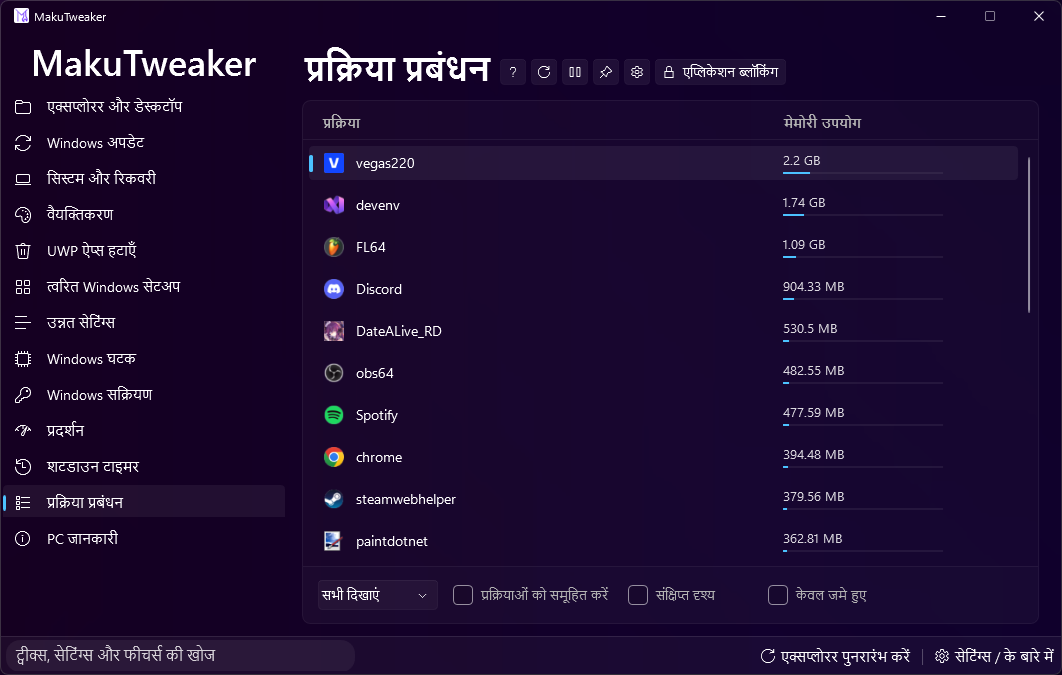
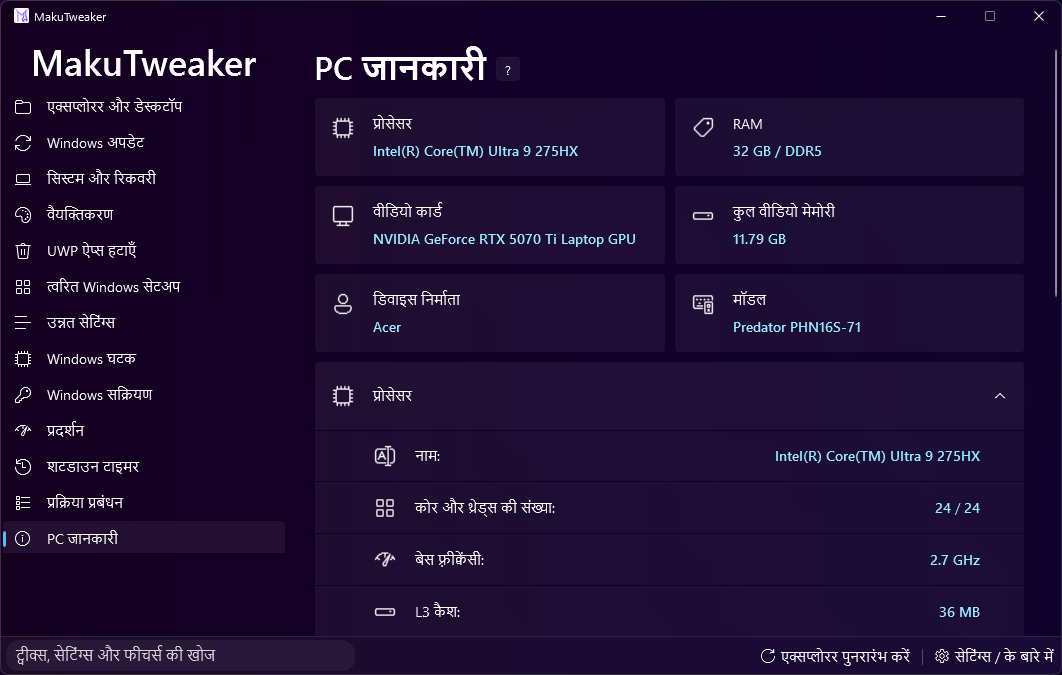
इस प्रोग्राम के साथ, आप सिस्टम को लचीले ढंग से कॉन्फ़िगर और वैयक्तिकृत कर सकते हैं।
MakuTweaker कई थीम प्रदान करता है। यह डिज़ाइन Windows 11 के साथ पूर्ण एकीकरण के लिए MicaWPF फ्रेमवर्क पर बनाया गया है।
तकनीकी विवरण
- Visual Studio 2022 में विकसित।
- .NET 8.0 प्लेटफॉर्म पर आधारित।
- समुदाय के लिए ओपन सोर्स कोड।
- IDE में सही संचालन के लिए एडमिनिस्ट्रेटर अधिकारों की आवश्यकता है।
- डिज़ाइनर को तत्वों को सही ढंग से दिखाने के लिए, संपादक में फ़ॉर्म खोलने से पहले प्रोजेक्ट को बिल्д (Build) करना आवश्यक है।
संस्करण सीमाएँ
कानूनी कारणों से स्रोत कोड के इस संस्करण में "Windows Activation" पेज अनुपस्थित है।
Tagalog (Filipino)
MakuTweaker [TL]
Ang pinaka-user-friendly at kapaki-pakinabang na tweaker para sa Windows.
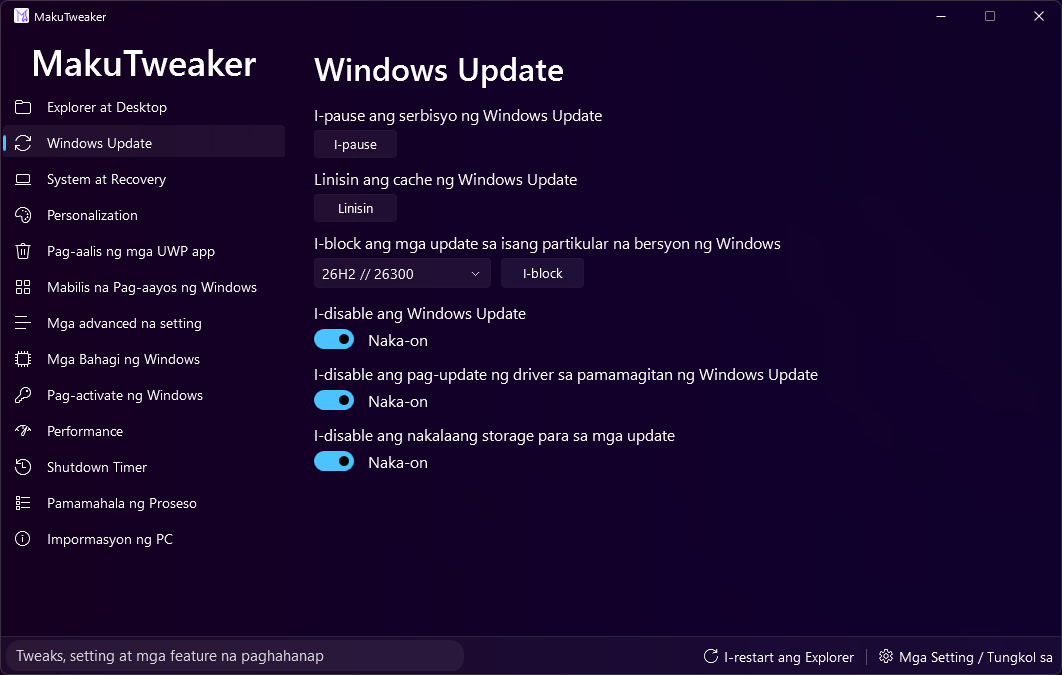
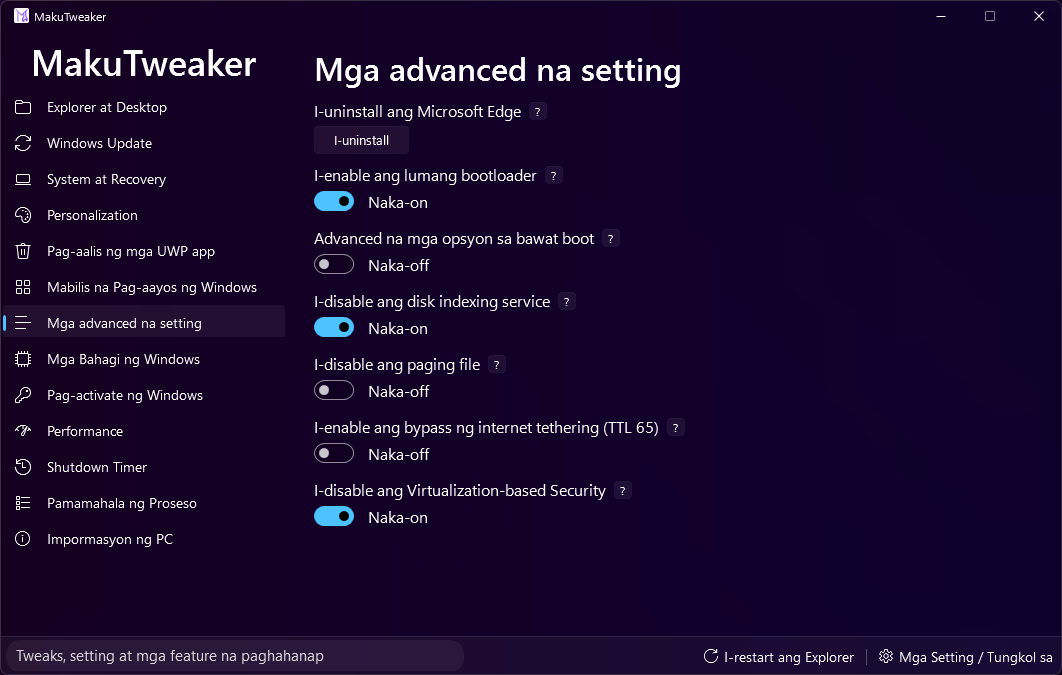
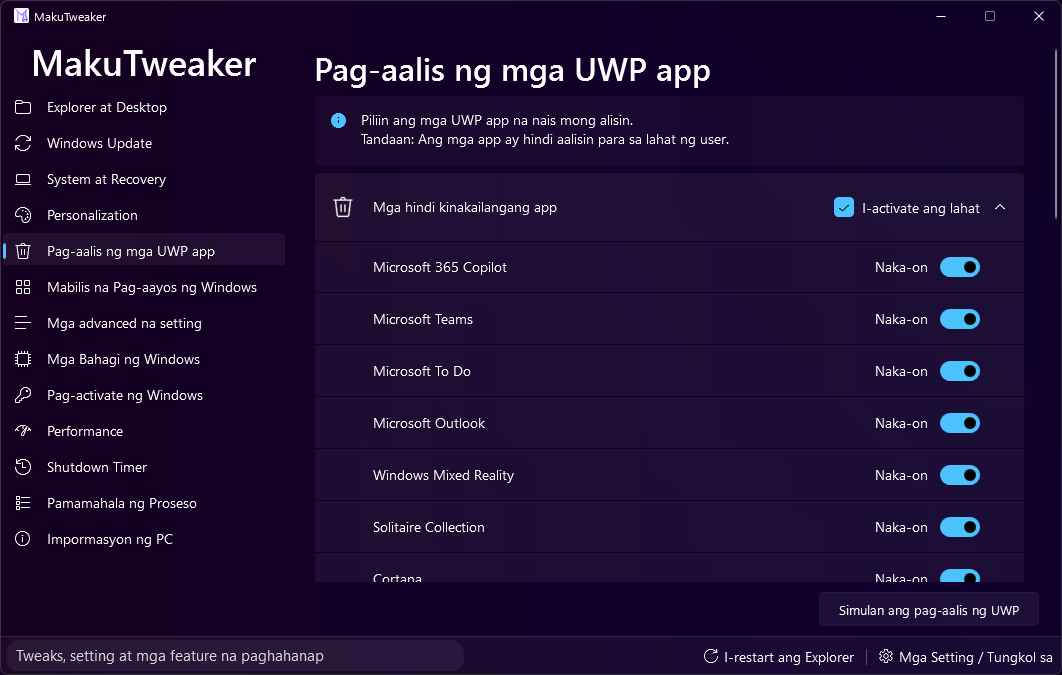
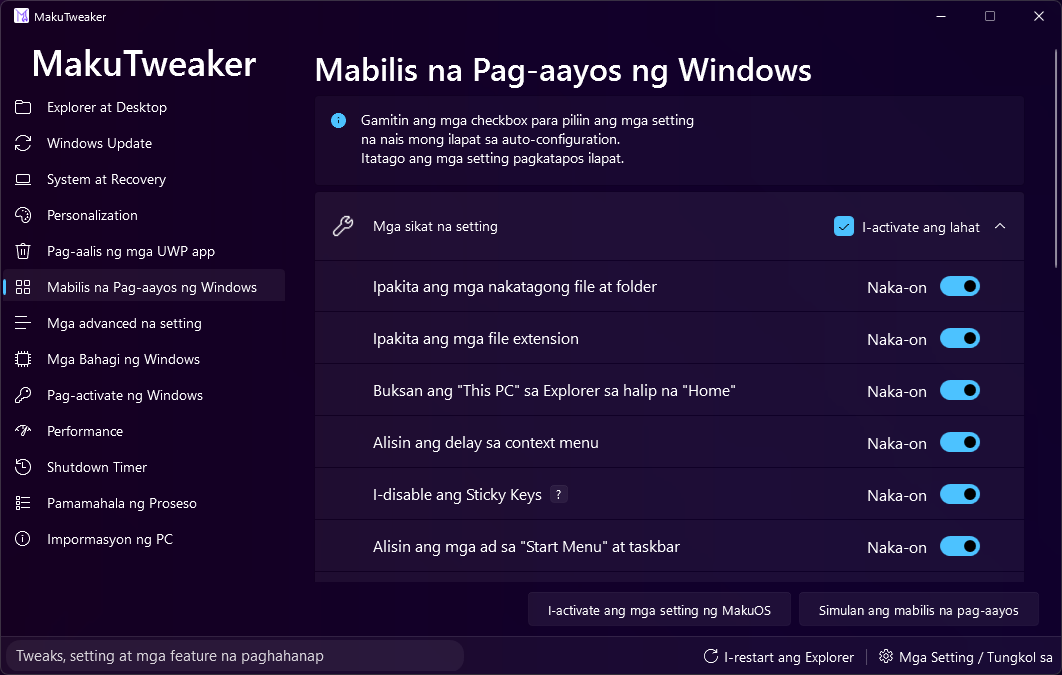
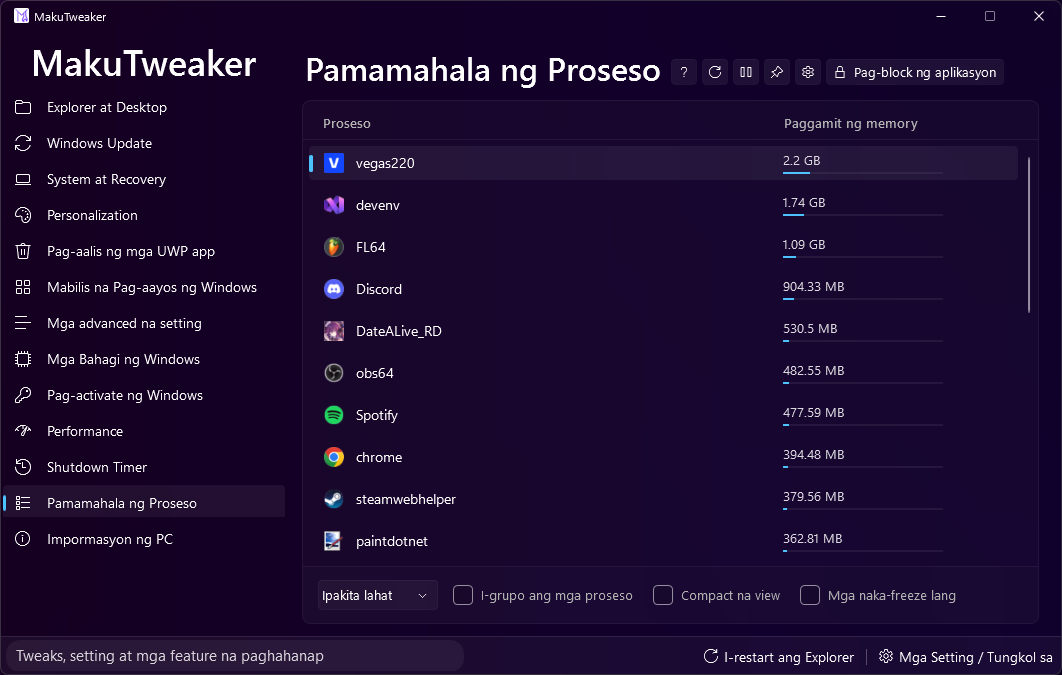
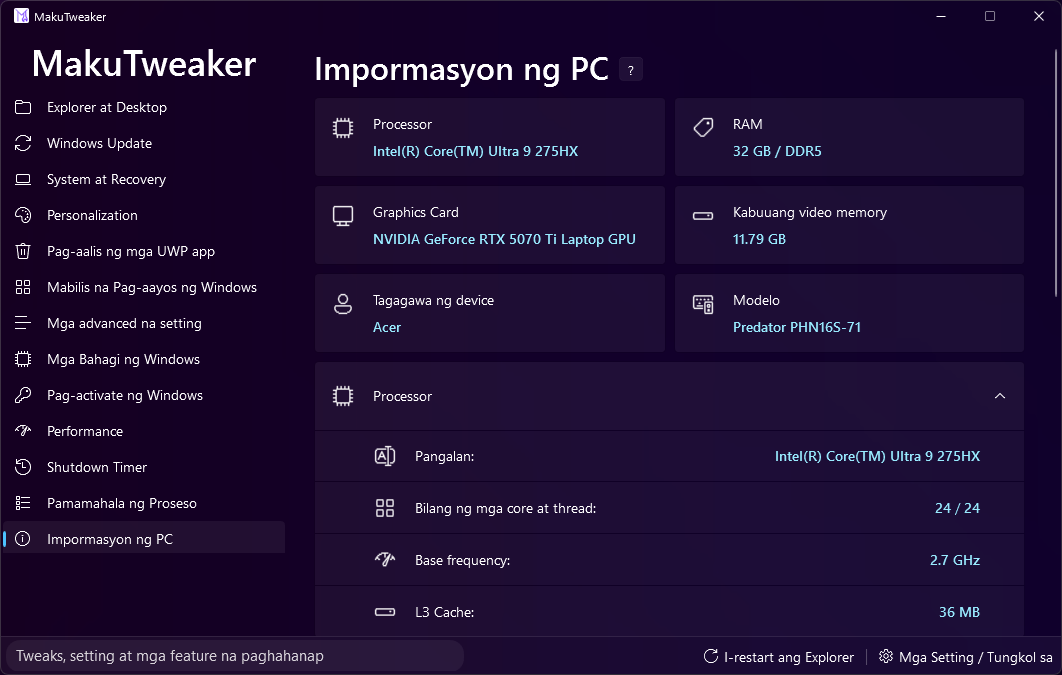
Gamit ang program na ito, maaari mong i-configure at i-personalize ang system, at tingnan ang impormasyon tungkol sa iyong PC.
Ang disenyo ay binuo sa MicaWPF framework para sa ganap na integrasyon sa Windows 11 design.
Teknikal na Detalye
- Binuo sa Visual Studio 2022.
- Gumagana sa .NET 8.0 platform.
- Open source code para sa komunidad.
- Kinakailangan ang administrator rights para sa tamang operasyon sa IDE.
- Upang matiyak na tama ang pagpapakita ng Designer, dapat mong i-build ang proyekto bago buksan ang mga form sa editor sa unang pagkakataon.
Mga Limitasyon ng Bersyon
Ang pahina ng "Windows Activation" ay wala sa bersyong ito ng source code para sa mga legal na dahilan.