Voolime is a lightweight utility designed to enhance Windows' native volume control by enabling per-app volume adjustments using keyboard shortcuts or mouse wheel interactions. Instead of adjusting global system volume, users can hold a modifier key (e.g., Shift) while pressing volume keys to control the app currently in focus.
Key Features:
Per-app volume control for the active window using Shift + Volume Up/Down/Mute.
Mouse wheel support to adjust volume on the focused app when hovering over its taskbar icon.
Compact and efficient design that integrates seamlessly with Windows 11.
No unnecessary features, ensuring minimal resource usage.
Audience & Benefit:
Ideal for productivity-focused users, gamers, or content creators who need precise volume control across multiple applications. Voolime streamlines audio management without disrupting workflow, allowing seamless adjustments to app-specific volumes while maintaining system-wide volume independence. It can be installed via winget.
README
Voolime
Tiny per-app volume control for Windows.
Hold a modifier, press your volume keys, and adjust the app you are using.
Tiny Trick, Big Relief
Windows volume keys are global. Voolime makes them app-aware.
Features
🍋 Tiny. Built to stay small.
🪟 Native. Feels like Windows 11.
⌨️ Keyboard and mouse. Press Shift + Volume Up.
🔑 Application keys. Hold an optional letter, number, or punctuation key to control a specific app even while another app is active.
Open Application Keys... from the tray menu to review open and recently audible apps. Voolime suggests collision-free keys for apps with audio sessions, but keeps every suggestion disabled until you opt in.
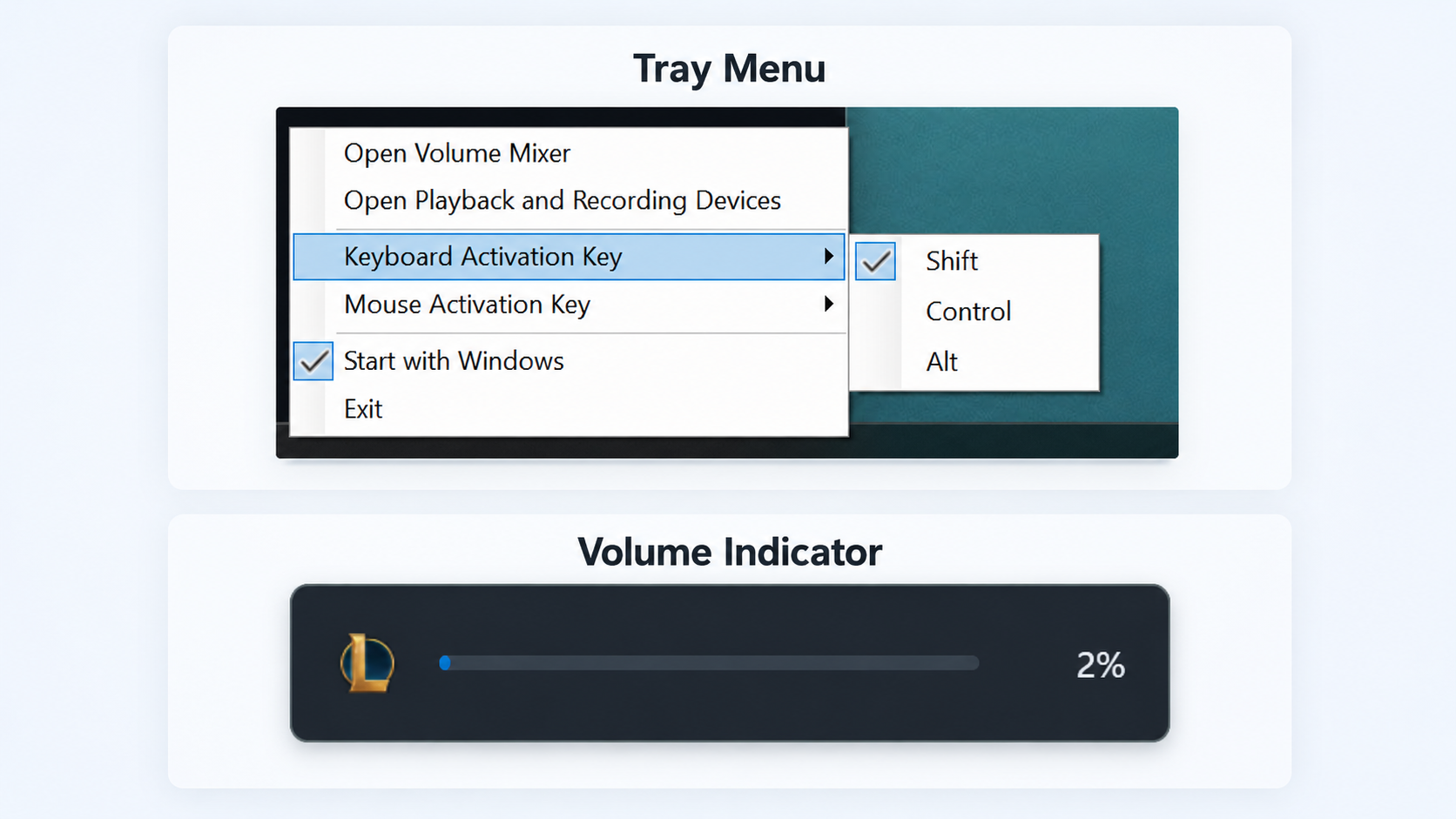
How It Looks
Portable releases and WinKit
Release packages are self-contained: no separate .NET installation is required.
--background starts the tray utility without opening a window. A named mutex
prevents duplicate instances. The winkit.json release manifest describes portable
packages and their SHA-256 checksums for WinKit. In managed mode, WinKit owns
startup and updates; the independent startup toggle is disabled.
Windows prevents normal apps from inspecting or hooking some elevated windows. If you want modifier+volume controls to work while an elevated app or game is focused, run Voolime elevated too.