syncwingetlink
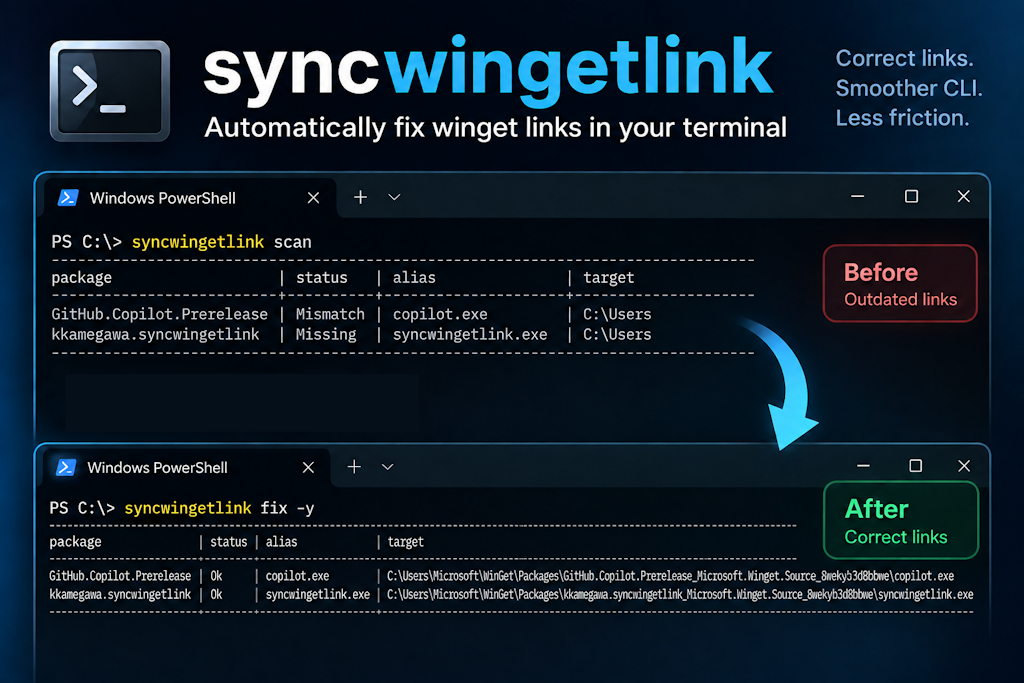
> A native CLI tool that detects and recreates the command-alias symlinks winget is supposed to create for portable packages (Windows 11 24H2+).

📖 日本語版は README_ja.md を参照してください。
This repository's documentation is bilingual. Runtime diagnostics fall back to English,
except for the startup permission guidance path, which uses Japanese on a Japanese UI OS.
What is this?
When you install a portable package with winget, a command-alias symlink is normally
created at %LOCALAPPDATA%\Microsoft\WinGet\Links\.exe, and because that folder
is on your PATH, you can invoke the tool from the CLI.
However, in some environments this symlink is not created or becomes broken. As a result
you can only launch the tool by its long real file name, such as
codex_0.x_x86_64-pc-windows-msvc.exe, and the short alias like codex does not work.
syncwingetlink enumerates installed portable packages, compares them against the
links that should exist in the Links folder, detects the missing/broken ones, and
recreates them after user confirmation.
Features
- 🔎 Detect: enumerate installed portable packages and classify link state as
Ok / Missing / Broken / Mismatch
- 🔗 Repair: create missing/broken symlinks after confirmation (
--dry-run supported)
- 🧩 Alias regex rules: customizable rules to strip platform suffixes, e.g.
codex-x86_64-pc-windows-msvc.exe → codex.exe
- 🖥️ CLI / TUI: CLI by default, interactive checklist with
--tui
- ⚡ winget COM API first: authoritative enumeration via
Microsoft.Management.Deployment, with automatic fallback to filesystem scanning —
see docs/com-api.md for activation details, capabilities, and
the --source fallback contract
Requirements
- Windows 11 24H2 (build 26100) or later
- x64 / arm64
- Creating symlinks requires Developer Mode enabled (recommended) or administrator
privileges
Installation
Install with winget:
winget install kkamegawa.syncwingetlink
Update with winget:
winget upgrade kkamegawa.syncwingetlink
syncwingetlink is also published as a per-architecture ZIP archive attached to a GitHub release
(docs/adr-phase-6.md ADR-0033, docs/adr-phase-9.md ADR-0045). The .exe inside is
still unsigned, so Windows SmartScreen / your antivirus will likely warn on first
run; verify the download against the published SHA256SUMS.txt before extracting it.
Each ZIP also bundles a docs/ folder with this README, the alias-rule reference, and
the troubleshooting guide (English and Japanese) so they're readable offline.
Manual ZIP install (PowerShell):
# Replace / with the release you're installing (x64 or arm64).
Invoke-WebRequest -Uri "https://github.com//syncwingetlink/releases/download/v/syncwingetlink--.zip" -OutFile syncwingetlink.zip
Invoke-WebRequest -Uri "https://github.com//syncwingetlink/releases/download/v/SHA256SUMS.txt" -OutFile SHA256SUMS.txt

# Verify the checksum before extracting it.
$expected = (Select-String -Path SHA256SUMS.txt -Pattern "syncwingetlink--\.zip").Line.Split()[0]
$actual = (Get-FileHash syncwingetlink.zip -Algorithm SHA256).Hash
if ($actual -ne $expected) { throw "Checksum mismatch - do not extract this file." }

Expand-Archive -Path syncwingetlink.zip -DestinationPath syncwingetlink

# Move the exe somewhere on PATH, e.g. the Links folder winget itself uses (create it
# first - an absent Links directory is a normal, common state, since it's the exact
# condition this tool's own `fix` command exists to correct):
New-Item -ItemType Directory -Force "$env:LOCALAPPDATA\Microsoft\WinGet\Links" | Out-Null
Move-Item syncwingetlink\syncwingetlink.exe "$env:LOCALAPPDATA\Microsoft\WinGet\Links\"
bash (e.g. WSL or Git Bash, for downloading/verifying only - the executable itself only
runs on Windows):
# Replace / with the release you're installing (x64 or arm64).
curl -LO "https://github.com//syncwingetlink/releases/download/v/syncwingetlink--.zip"
curl -LO "https://github.com//syncwingetlink/releases/download/v/SHA256SUMS.txt"

# Verify the checksum before extracting it.
sha256sum --ignore-missing -c SHA256SUMS.txt
unzip syncwingetlink--.zip -d syncwingetlink
Usage
# Detect only (read-only)
syncwingetlink scan

# Repair missing/broken links (with confirmation prompt)
syncwingetlink fix

# See what would happen (no side effects)
syncwingetlink fix --dry-run

# Select and batch-create in the interactive TUI
syncwingetlink fix --tui

# Check which replacement rule applies to a given file name
syncwingetlink test-rule "codex-x86_64-pc-windows-msvc.exe"
# -> codex-x86_64-pc-windows-msvc.exe -> rule "strip-rust-target-triple" -> codex.exe
scan's console output groups results into two tables, NG (Missing/Broken/
Mismatch) always first, OK second - fix's pre-batch preview (before its own
[current/total] progress lines) uses the same layout. A group with nothing to report
renders as just its heading followed by nothing:
NG
-------------------------------------------------------------------------------------------------------------------------------------------------------------------------------------
package                   | status  | alias       | target
-------------------------------------------------------------------------------------------------------------------------------------------------------------------------------------
GitHub.Copilot.Prerelease | Missing | copilot.exe | C:\Users\user\AppData\Local\Microsoft\WinGet\Packages\GitHub.Copilot.Prerelease_Microsoft.Winget.Source_8wekyb3d8bbwe\copilot.exe
-------------------------------------------------------------------------------------------------------------------------------------------------------------------------------------

OK
-------------------------------------------------------------------------------------------------------------------------------------------------------------------------------------
package                   | status  | alias       | target
-------------------------------------------------------------------------------------------------------------------------------------------------------------------------------------
AgileBits.1Password.CLI   | Ok      | op.exe      | C:\Users\user\AppData\Local\Microsoft\WinGet\Packages\AgileBits.1Password.CLI_Microsoft.Winget.Source_8wekyb3d8bbwe\op.exe
-------------------------------------------------------------------------------------------------------------------------------------------------------------------------------------
test-rule's output has three possible shapes, matching runTestRule()
(src/cli/Dispatch.cpp) exactly:
- a rule matched:
-> rule "" ->
- no rule matched, but the raw file name is itself a valid alias:
-> no rule matched -> (raw file name)
- no rule matched, and the raw file name is not a valid alias:
-> no rule matched, and the raw file name is not a valid alias
--tui
fix --tui runs an interactive checklist instead of the line-oriented
confirm-per-item flow. Its real behavior, not just its intent:
- It conflicts with
scan, test-rule, --json, and --yes - each combination is
rejected at parse time with exit code 3, before anything is enumerated. --tui is only
meaningful for an interactive fix; the other three all imply an unattended or
non-interactive invocation.
- It lists
Missing, Broken, and Mismatch candidates; Ok ones are left out.
Missing and Broken rows are selectable - checking one is consent to create or
replace that link. A Mismatch row is shown for information only, rendered as
[-] (Mismatch) -> [cannot repair], and no key press can select it.
fix never repairs a Mismatch, with or without --tui. A Mismatch means the
entry under Links\ is a regular file, a non-symlink reparse point, or a symbolic link
pointing at a different existing file. Replacing it would destroy whatever is
actually there, so fix reports refused (mismatch) and changes nothing - there is no
--force-style override. The checklist still shows it, because it is exactly the entry
that needs your attention: remove or rename it yourself, then re-run fix.- It falls back to the line-oriented CLI confirmation flow - printing a warning to
stderr, and never emitting a TUI escape sequence - in either of two cases:
- the terminal can't support it: stdin and stdout aren't both a real, interactive
console, or virtual-terminal processing isn't available (e.g. output is redirected
or piped);
- there is nothing to list: every candidate is either
Ok or was excluded as an alias
collision.
- It does not start when required elevation is declined or suppressed -
fix --tui
exits with code 2 instead of opening an editable checklist that cannot create links.
--dry-run and --no-color both remain compatible with --tui.
Main options
| Option | Description |
|---|
--source com|fs|auto | Package enumeration source (default auto: COM first, FS fallback) |
--tui | Interactive checklist for fix (see above for its conflicts and fallback) |
--dry-run | Show the plan without executing (fix) |
--yes, -y | Skip confirmation and execute |
--rules | Path to a replacement-rules JSON |
--packages-dir | Override the Packages directory |
--links-dir | Override the Links directory |
--include | Narrow target packages/exes (*, ? wildcards) |
--exclude | Exclude (always wins over --include) |
--json | Emit results as JSON (for scripting); stdout carries only the JSON document |
--verbose / --quiet | Log level - --quiet suppresses routine per-item/summary lines; --verbose additionally reports the resolved paths, package source, and rule source on stderr. Repeating either is last-wins |
--fail-on-missing | scan exits 1 if a Missing/Broken/Mismatch link is found |
--no-color | Disable colored/VT output regardless of TTY state (also honors the NO_COLOR environment variable) |
--silent | Print the startup permission warning without asking whether to restart elevated |
--showspecialfolder, -s | Print %LOCALAPPDATA%/%APPDATA%/%USERPROFILE% instead of the real path, so output can be shared without redacting the account name. Applies to console output, the --tui checklist, --json documents, and error messages that embed a path; never changes row ordering |
--help, -h / --version | Help / version |
Exit codes
| Code | Meaning |
|---|
| 0 | Success (nothing to fix, or fix succeeded) |
| 1 | Fix needed but not performed (scan --fail-on-missing) |
| 2 | Insufficient permission (Developer Mode off and not elevated) |
| 3 | Argument/config error (invalid option, invalid rules.json, a --tui conflict, ...) |
| 4 | Package enumeration failed (an explicit --source com/--source fs could not enumerate at all) |
| 10 | Some repairs failed |
Troubleshooting
For common COM activation and package-enumeration failures, see
docs/troubleshooting.md.
Alias replacement rules
You can define regex rules (in JSON) that derive the alias name from the real file name.
See docs/rules.md for details.
{
  "version": 1,
  "rules": [
    {
      "name": "strip-rust-target-triple",
      "pattern": "^(.+?)[-_](x86_64|aarch64|i686)-pc-windows-(msvc|gnu)(\\.exe)$",
      "replacement": "$1.exe",
      "flags": ["ignorecase"]
    }
  ]
}
Building (for developers)
Requires Visual Studio 2026 (platform toolset v145) and Windows SDK 10.0.26100.0.
Run from a Developer PowerShell for VS 2026:
msbuild syncwingetlink.sln -p:Configuration=Release -p:Platform=x64 -m
vstest.console.exe build\x64\Release\syncwingetlink.tests.dll /Platform:x64
Unit tests use MSTest (the Microsoft Unit Testing Framework for C++) and are also runnable
from the Visual Studio Test Explorer.
See docs/PLAN.md for the design, docs/TODO.md for
the work breakdown, and docs/adr.md for architecture decisions.
Repository setup (after forking)
This repository deliberately ships placeholders instead of hard-coded URLs and e-mail
addresses, so no identifying information is committed. Replace them once with either
script — they are equivalent:
./tools/Set-RepositoryPlaceholders.ps1 -Owner -SecurityContact
tools/set-repository-placeholders.sh --owner --security-contact
Both accept -WhatIf / --dry-run to preview the changes. They replace OWNER in
.github/ISSUE_TEMPLATE/config.yml and `` in SECURITY.md.
Contributing
Contributions are welcome! See CONTRIBUTING.md. If you use AI
coding agents, read AGENTS.md first.
Security issues should be reported privately — see SECURITY.md.
License
MIT License
Disclaimer
This tool creates and deletes symlinks. scan is read-only, but when using fix it is
recommended to verify with --dry-run first. It never modifies winget's own database.